github.com/homerchen19/nba-go @v0.4.0 sqlite
README





The finest NBA CLI.
Watch NBA live play-by-play, game preview, box score and player information on your console.
Best CLI tool for those who are both NBA fans and Engineers.
All data comes from stats.nba.com APIs.
Install
In order to use nba-go, make sure that you have Node version 6.0.0 or higher.
$ npm install -g nba-go
Or in a Docker Container:
$ docker build -t nba-go:latest .
$ docker run -it nba-go:latest
By default, the docker container will run nba-go game -t, but you can
override this command at run time.
For example:
$ docker run -it nba-go:latest nba-go player Curry -i
Or download the latest version pkg binaries in releases. It can be run on Linux, macOs and Windows.
For example:
./nba-go-macos game -h
Usage
nba-go provides two main commands.
Game
There are two things to do.
1. Check schedule.
2. Choose one game which you want to watch.
Depending on the status of the game you chose, a different result will be shown. There are three kinds of statuses that may be displayed.
| Status | Example | Description |
|---|---|---|
| Pregame |  |
It shows when the game starts. |
Selecting this will show the comparison between two teams, including average points, field goal percents, average assists, etc.
Live |  | It shows live game clock.
Most powerful feature! Selecting this will show the live page which includes scoreboard, play-by-play and box score.
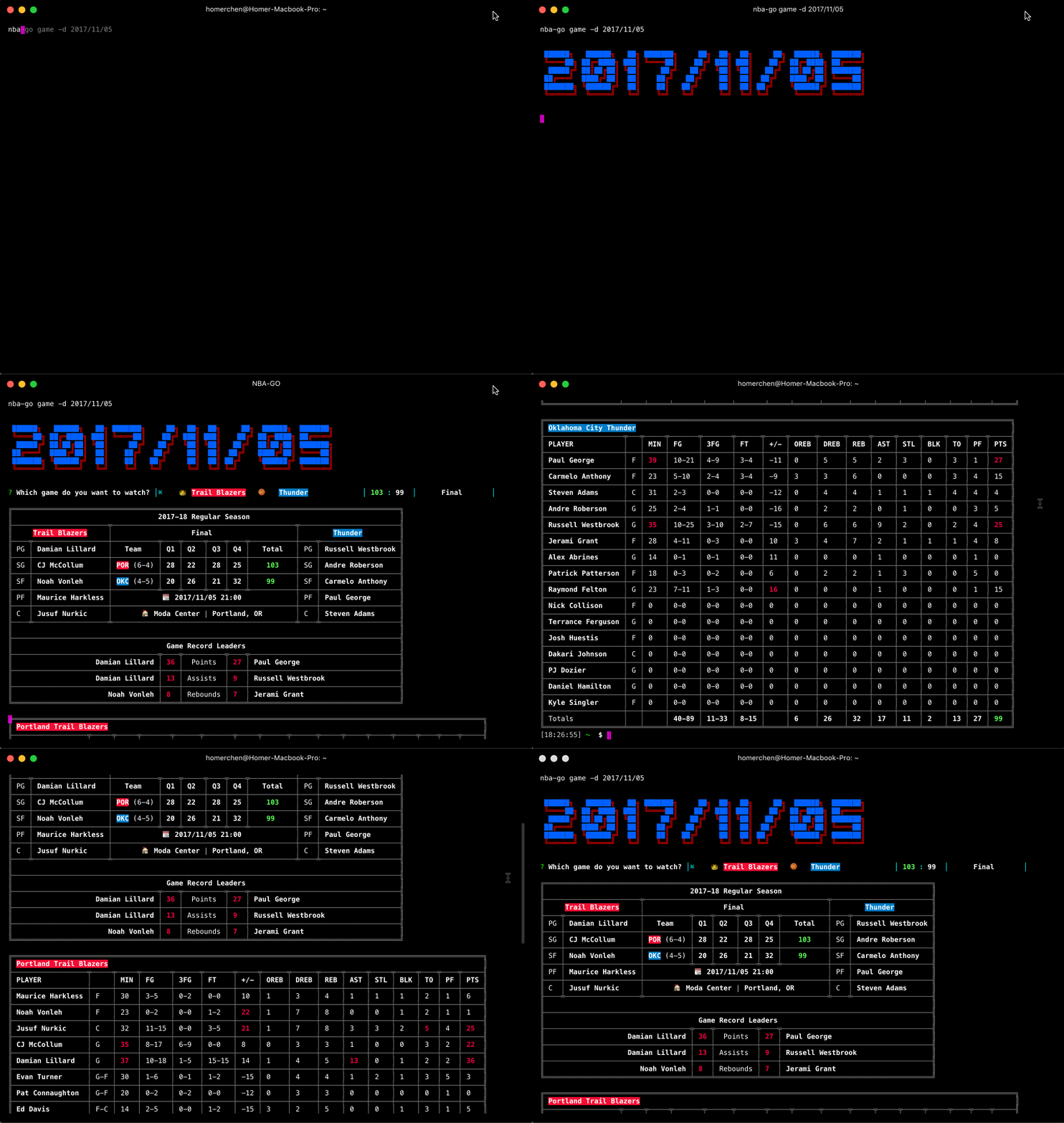
Final |  | Selecting this will show scoreboard, detailed box score, etc.
Check schedule
In order to show the schedule on some days, nba-go provides the command nba-go game with some options.
Options
-d <date> or --date <date>
Enter a specific date to check the schedule on that day.
$ nba-go game -d 2017/11/02

-y or --yesterday
Check yesterday's schedule.
$ nba-go game -y
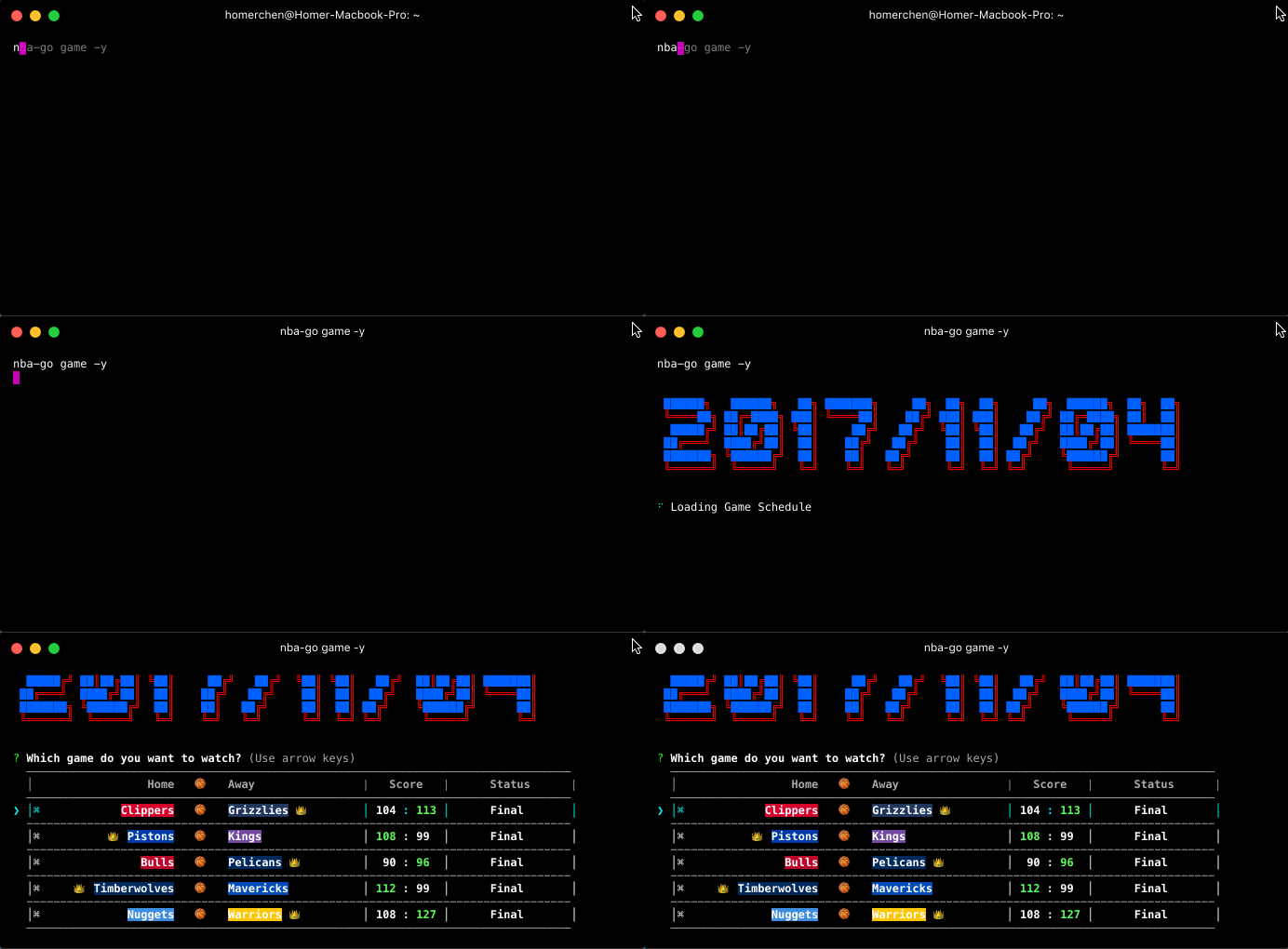
-t or --today
Check today's schedule.
$ nba-go game -t

-T or --tomorrow
Check tomorrow's schedule.
$ nba-go game -T

-n or --networks
Display on schedule home team and away team television network information.
$ nba-go game -n
Pregame
⭐️⭐️
Check the detailed comparison data between two teams in the game.

Live
⭐️⭐️⭐️
Best feature! Realtime updated play-by-play, scoreboard and box score. Turn on fullscreen mode for better experience.
Btw, play-by-play is scrollable!.

Final
⭐️⭐️
Check two teams' detailed scoreboard and box score.
Filter
Filter results to quickly jump to the info you care about
Options
-f or --filter
Currently only supports filtering the results by team but more options on the way
nba-go game --filter team=Detroit
Player
Get player's basic information, regular season data and playoffs data.
Note. Must place player's name between nba-go player and options.
Options
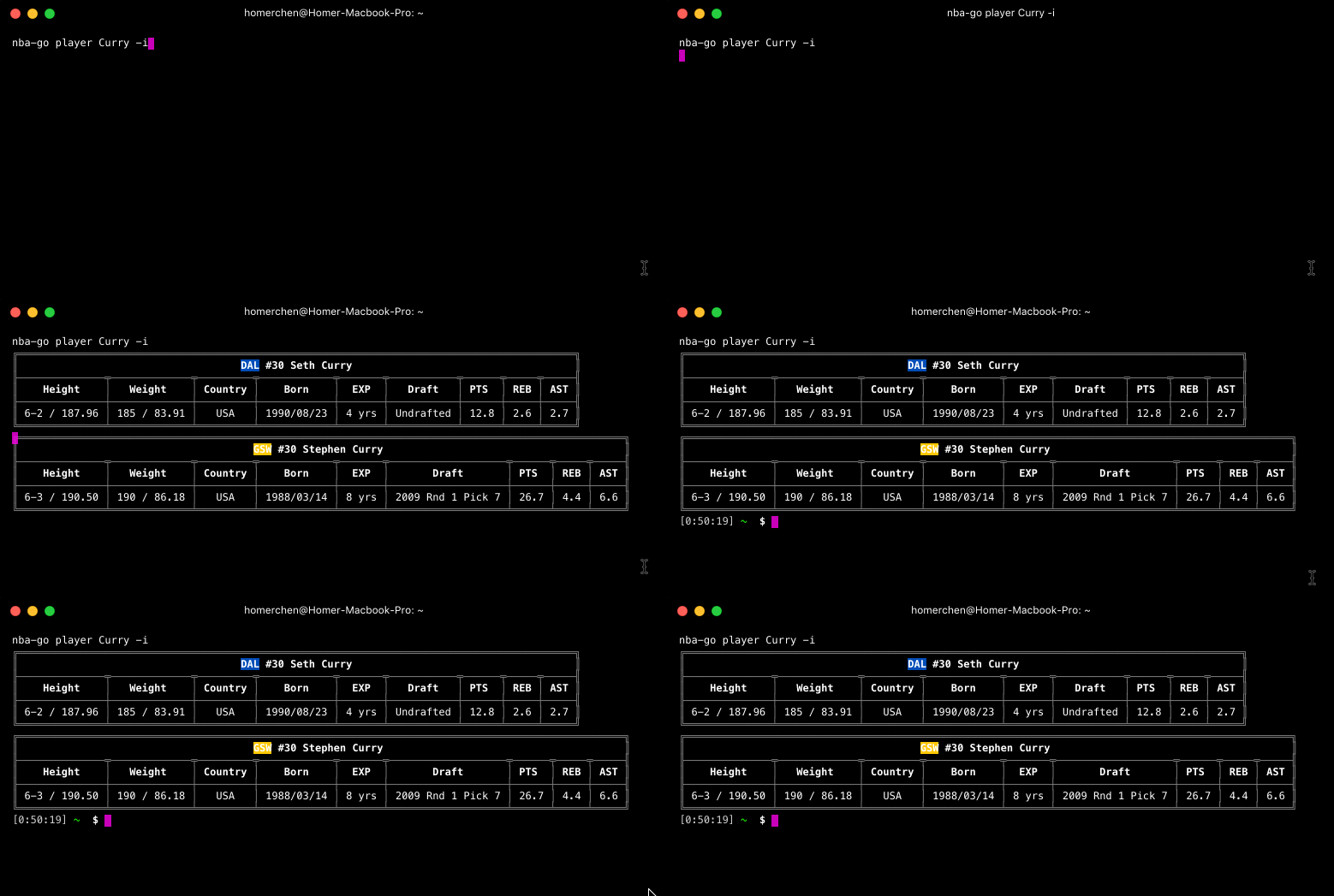
-i or --info
Get player's basic information.
$ nba-go player Curry -i
-r or --regular
Get player's basic information.
$ nba-go player Curry -r

-p or --playoffs
Get player's basic information.
$ nba-go player Curry -p

-c or --compare
Get and compare the stats from multiple players. The better stat will be highlighted in green to make comparing easier. When listing the multiple names they must be in quotes and seperated by commas. Can be combined with the -i, -r, and -p flags.
$ nba-go player "Lebron James, Stephen Curry, James Harden" -c -i -r -p

Mixed them all
Get all data at the same time.
$ nba-go player Curry -i -r -p

Development
It's simple to run nba-go on your local computer.
The following is step-by-step instruction.
$ git clone https://github.com/xxhomey19/nba-go.git
$ cd nba-go
$ yarn
$ NODE_ENV=development node bin/cli.js <command>
Related repo:
License
MIT
Core symbols most depended-on inside this repo
boldShape
Languages
Modules by API surface
Dependencies from manifests, versioned
For agents
$ claude mcp add nba-go \
  -- python -m otcore.mcp_server <graph>