hub / github.com/Try/OpenGothic
github.com/Try/OpenGothic @gothic-win64-v1.0.1311
Chat with this repo
4,150 symbols
9,114 edges
359 files
38 documented · 1%
● updated 13d agov0.92 · 2026-05-17★ 1,565113 open issues
Browse by type
What it actually does AI analysis from the code graph — generated when you open this
loading…
README
OpenGothic
Open source remake of Gothic 2: Night of the raven.
Motivation: The original Gothic 1 and Gothic 2 are still great games, but it not easy to make them work on modern systems.
The goal of this project is to make a feature complete Gothic game client compatible with the game and mods.


Work in progress
Core gameplay is done, you can complete the first chapter, as well as all addon content for any guild.
Install on Windows
- Install original gothic game from CD/Steam/GOG/etc
you have to install original game, since OpenGothic does not have any game assets or game scripts as built-in - Download latest stable build
- run '/OpenGothic/bin/Gothic2Notr.exe -g "C:\Program Files (x86)\Path\To\Gothic II"' Common Gothic installation paths:
- "C:\Program Files (x86)\JoWooD\Gothic II"
- "C:\Gothic II"
- "C:\Program Files (x86)\Steam\steamapps\common\Gothic II"
- "~/PlayOnLinux's virtual drives/Gothic2_gog/drive_c/Gothic II"
Build it for Linux
# 1. Install dependencies for Ubuntu 20.04:
sudo apt install git cmake g++ glslang-tools libvulkan-dev libasound2-dev libx11-dev libxcursor-dev
# 2. Clone this repo, including submodules:
git clone --recurse-submodules https://github.com/Try/OpenGothic.git
# 3. Create build dir and build as usual:
mkdir OpenGothic/build
cd OpenGothic/build
cmake .. -DCMAKE_BUILD_TYPE:STRING=RelWithDebInfo
make
# 4.
# locate executables at OpenGothic/build/opengothic
Gameplay video
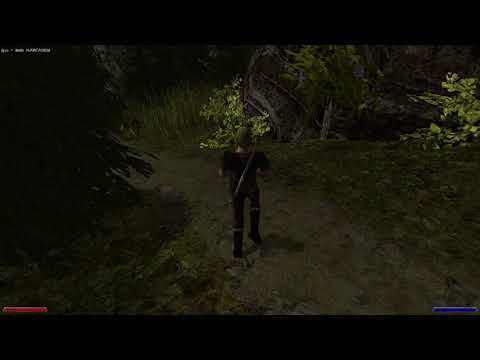
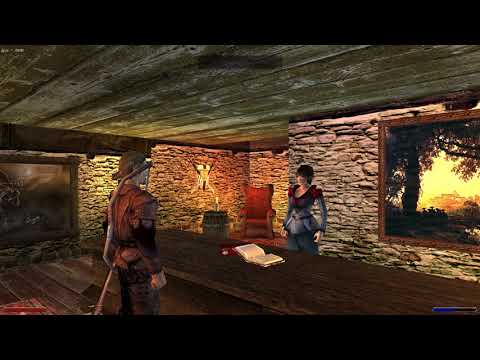
Mods compatibility
- [x] Content mods (retexture/reworld/animations)
- [ ] Mods bases on Ikarus/LeGo
- [ ] AST sdk
- [ ] Mods bases on Union (not possible)
- [ ] DirectX11 - same as Union, but don't worry - OpenGothic has nice graphics out of the box
Command line arguments
- -g specify gothic game catalog
- -game: specify game modification manifest (GothicStarter compatibility)
- -nomenu - skip main menu
- -nofrate - disable FPS display in-game
- -w - startup world; newworld.zen is default
- -save \
- startup with quick save
- -save \ - startup with specified save-game slot
- -window - window mode
- -rambo - reduce damage to player to 1hp
- -v -validation - enable Vulkan validation mode
Core symbols most depended-on inside this repo
size
called by 379
game/graphics/objectsbucket.h
mz_zip_set_error
called by 262
lib/miniz/miniz.c
size
called by 210
game/dmusic/music.h
read
called by 168
game/dmusic/riff.cpp
write
called by 158
game/game/serialize.h
data
called by 148
game/bink/frame.h
script
called by 137
game/game/gamesession.h
resize
called by 127
game/physics/dynamicworld.cpp
Shape
Languages
C++96%
C4%
Modules by API surface
game/game/gamescript.cpp272 symbols
game/world/objects/npc.cpp262 symbols
lib/miniz/miniz.c186 symbols
game/gothic.cpp93 symbols
game/world/world.cpp83 symbols
game/physics/dynamicworld.cpp80 symbols
game/game/inventory.cpp70 symbols
game/bink/video.cpp68 symbols
game/graphics/mdlvisual.cpp66 symbols
game/game/movealgo.cpp62 symbols
game/world/worldobjects.cpp60 symbols
game/ui/inventorymenu.cpp58 symbols
For agents
$ claude mcp add OpenGothic \
  -- python -m otcore.mcp_server <graph>