github.com/zsviczian/obsidian-excalidraw-plugin @2.25.0 sqlite
README
Excalidraw
【English | 简体中文】
👉👉👉 Check out and contribute to the new Obsidian-Excalidraw Community Wiki
The Obsidian-Excalidraw plugin integrates Excalidraw, a feature rich sketching tool, into Obsidian. You can store and edit Excalidraw files in your vault, you can embed drawings into your documents, and you can link to documents and other drawings to/and from Excalidraw. For a showcase of Excalidraw features watch the videos below.
Excalidraw for Obsidian keeps evolving; it is extremely feature‑rich and can feel intimidating at first. The Video Walkthrough below should ease that initial overwhelm. For a comprehensive, searchable knowledge base covering features, settings, scripting, workflows, and visual thinking methods, explore the public NotebookLM workbook (a must‑have learning resource).

Excalidraw Essentials is a free course to get started with Excalidraw.

If you are curious about the Visual PKM philosophy behind the plugin, consider my book Sketch Your Mind and the Visual Thinking Workshops. To learn about all the different options available and how they fit together, check out the Welcome to the Sketch Your Mind Ecosystem introduction page. Finally, keep the Excalidraw Plugin Wiki and the NotebookLM workbook at hand, those are essential companions.
Disclaimer / Disclosure: Plugin Access and Privileges
I treat privacy as a top priority. Apart from the few technical limitations outlined below, Excalidraw is 100% local and runs without network access. Most of the findings published on sites such as obsidianpluginaudit.com, plugin.observer, and community.obsidian.md/plugins can be misleading without proper context.
Obsidian is fundamentally a locally executed web application. Automated code scanners apply the same vulnerability rules used for public-facing websites, even though the risk model inside a local Obsidian vault is very different. For example, patterns such as innerHTML or outerHTML manipulation are considered problematic on public websites because they can expose visitors to malicious third-party content. In a local-first application such as Obsidian, these risks are significantly different in nature and impact.
Excalidraw for Obsidian is a large and feature-rich tool with many integrations and performance optimizations. Below, I explain how the most common findings reported by these scanners are actually used within the plugin.
When evaluating these findings, please keep the following in mind:
-
Obsidian.md currently does not provide plugin developers with proper mechanisms for deploying local assets such as fonts, auxiliary packages, or official APIs for certain features like Obsidian Publish or PDF generation. As a result, plugin developers sometimes need to rely on workaround solutions such as IPC calls or dynamic code execution (
eval) to deliver functionality users expect. -
Excalidraw for Obsidian is not maintained by a company or engineering team. It is a one-person hobby project and an open-source contribution developed alongside a full-time job. If you would like to support continued development and improved code quality, the best way is through financial support via Ko-fi. Open-source software is not truly “free.” The cost is usually paid in developer time, personal energy, or by supporters who help sustain the project. I will continue striving to improve the codebase, but expectations around enterprise-grade engineering standards for a free community contribution can easily become unrealistic and unsustainable without corresponding support structures.
-
In general, I recommend using the minimum number of plugins necessary for your workflow. Personally, I use around 10–15 plugins and disable plugins when not actively needed. This is not because I distrust plugin safety, but because most Obsidian plugins are hobby-driven community projects, and I believe users should maintain realistic expectations regarding maintenance, complexity, and long-term support.
Detailed Findings
- Plugin might make requests to external domains:
- To see the complete list of URLs referenced in the code, either used as links, images, or in API calls, open the Obsidian Developer Console (CTRL+SHIFT+i or CMD+OPT+i) and run
ExcalidrawAutomate.printURLsInCodebase() - The plugin works fully offline and locally by default.
- If you configure API keys for AI features and explicitly use those features, the corresponding AI providers are contacted.
- The Taskbone OCR service requires a separate API key and explicit user opt-in in plugin settings.
- Iframely is optionally used to resolve reader-friendly webpage titles when dragging website links into Excalidraw. This feature is disabled by default.
- The Ko-fi support button, when enabled, downloads its image asset from
cdn.ko-fi.com. -
The CJK font package exceeds 12 MB in size. To avoid significantly increasing plugin startup time and bundle size, these fonts are downloaded from GitHub only when required.
-
requestUrlandfetchcalls: - Used for AI integrations and Taskbone OCR functionality.
- Excalidraw supports embedding images from external sources (local URIs and public URLs).
requestUrlis used to retrieve those images when needed. -
The Excalidraw Script Library accesses GitHub to download scripts only when the user explicitly chooses to install them.
-
Excalidraw accesses files in your vault:
- To detect legacy
.excalidrawfiles and support conversion workflows. - To search for and load custom fonts stored inside the vault.
-
To populate file picker dialogs such as “Insert any file.”
-
Clipboard access:
- Allows users to copy and paste Excalidraw scenes between Obsidian and excalidraw.com.
-
Allows users to copy links to scene elements and paste them into markdown documents as embeds.
-
Local Storage:
- Excalidraw stores image caches locally to improve loading performance for large and complex scenes.
- Mermaid text-to-diagram chat history is stored locally.
-
Backup versions of drawings are stored locally to support crash recovery.
-
Dynamic Code Execution:
- Excalidraw dynamically loads user-created scripts and scripts installed from the Script Library.
-
Excalidraw also dynamically loads parts of the Excalidraw React component and supporting packages. This improves startup performance and supports functionality such as desktop popout windows.
-
Electron remote module privilege IPC bridge calls:
- Used to access Electron’s built-in PDF generation capabilities so users can export drawings as PDFs.
- This avoids bundling additional large PDF libraries, reducing plugin size and improving performance.
-
The process also enables Electron’s native file-save dialog when exporting PDFs.
-
Document-level keyboard listener:
-
Comes from the core excalidraw.com component to support keyboard shortcuts and interactions.
-
Direct Node.js file system access allowing access outside the vault:
- Used exclusively to support embedding images located outside the Obsidian vault into Excalidraw scenes.
Video Walkthrough
Here's my complete catalog of videos:

10 Part (slightly outdated) Video Walkthrough
 1 Getting Started
 2 Basic shapes and features
 3 Grouping elements
 4 The stencil-library
 5 Embedding
 6 Links
 7 Markdown
 8 Templates
 9 Excalidraw Automate
 10 Miscellaneous
Embedding stuff into Excalidraw
 Image Elements
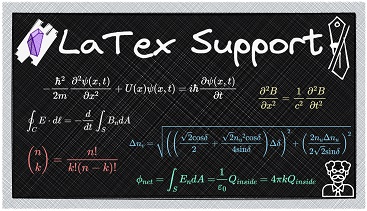 LaTex Demo
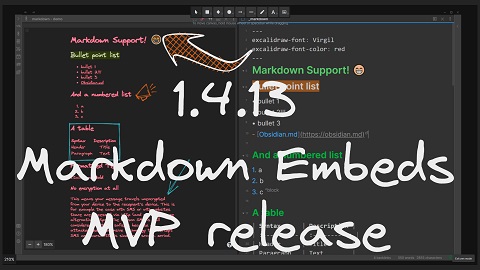 Markdown embeds
 Markdown embeds advanced features
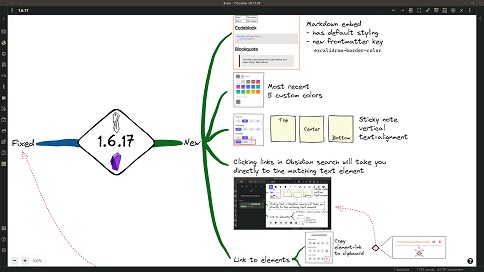 Link to Elements, Vertical text alignment, Markdown Styling
The Script Engine Store - Excalidraw Automation
 Introducing the Script Engine
 Script Engine Store
Working with colors
Extension points exported contracts — how you extend this code
KeyBlocker (Interface)Core symbols most depended-on inside this repo
tShape
Languages
Modules by API surface
Dependencies from manifests, versioned
For agents
$ claude mcp add obsidian-excalidraw-plugin \
  -- python -m otcore.mcp_server <graph>