github.com/wojtekmaj/react-calendar @v6.0.1 sqlite
README



react-calendar
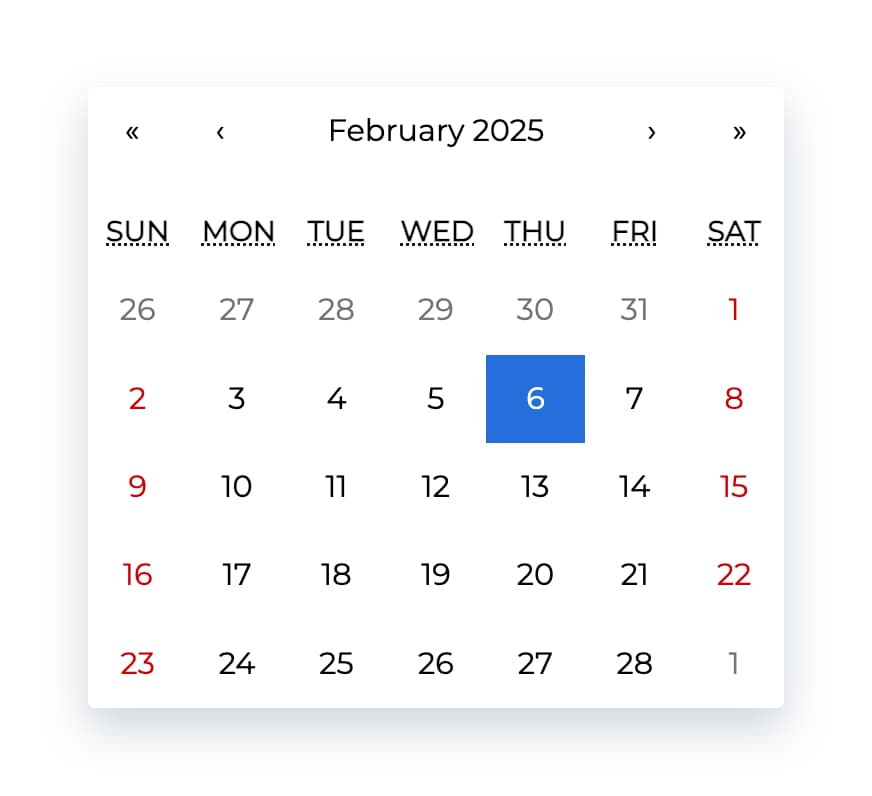
Ultimate calendar for your React app.
- Pick days, months, years, or even decades
- Supports range selection
- Supports virtually any language
- No moment.js needed
tl;dr
- Install by executing
npm install react-calendaroryarn add react-calendar. - Import by adding
import Calendar from 'react-calendar'. - Use by adding
<Calendar />. UseonChangeprop for getting new values.
Demo
A minimal demo page can be found in sample directory.
Online demo is also available!
Before you continue
react-calendar is under constant development. This documentation is written for react-calendar 4.x branch. If you want to see documentation for other versions of react-calendar, use dropdown on top of GitHub page to switch to an appropriate tag. Here are quick links to the newest docs from each branch:
Getting started
Compatibility
Your project needs to use React 16.8 or later.
react-calendar uses modern web technologies. That's why it's so fast, lightweight and easy to style. This, however, comes at a cost of supporting only modern browsers.
My locale isn't supported! What can I do?
If your locale isn't supported, you can use Intl.js or another Intl polyfill along with react-calendar.
Installation
Add react-calendar to your project by executing npm install react-calendar or yarn add react-calendar.
Usage
Here's an example of basic usage:
import { useState } from 'react';
import Calendar from 'react-calendar';

type ValuePiece = Date | null;

type Value = ValuePiece | [ValuePiece, ValuePiece];

function MyApp() {
  const [value, onChange] = useState<Value>(new Date());

  return (


      <Calendar onChange={onChange} value={value} />


  );
}
Check the sample directory in this repository for a full working example. For more examples and more advanced use cases, check Recipes in react-calendar Wiki.
Custom styling
If you want to use default react-calendar styling to build upon it, you can import react-calendar's styles by using:
import 'react-calendar/dist/Calendar.css';
User guide
Calendar
Displays a complete, interactive calendar.
Props
| Prop name | Description | Default value | Example values |
|---|---|---|---|
| activeStartDate | The beginning of a period that shall be displayed. If you wish to use react-calendar in an uncontrolled way, use defaultActiveStartDate instead. |
(today) | new Date(2017, 0, 1) |
| allowPartialRange | Whether to call onChange with only partial result given selectRange prop. |
false |
true |
| calendarType | Type of calendar that should be used. Can be 'gregory, 'hebrew', 'islamic', 'iso8601'. Setting to "gregory" or "hebrew" will change the first day of the week to Sunday. Setting to "islamic" will change the first day of the week to Saturday. Setting to "islamic" or "hebrew" will make weekends appear on Friday to Saturday. |
Type of calendar most commonly used in a given locale | 'iso8601' |
| className | Class name(s) that will be added along with "react-calendar" to the main react-calendar ` |
element. | n/a | <ul><li>String:"class1 class2"</li><li>Array of strings:["class1", "class2 class3"]</li></ul> |
| data-testid | The test ID used for testing purposes. | n/a |'calendar'|
| defaultActiveStartDate | The beginning of a period that shall be displayed by default. If you wish to use react-calendar in a controlled way, useactiveStartDateinstead. | (today) |new Date(2017, 0, 1)|
| defaultValue | Calendar value that shall be selected initially. Can be either one value or an array of two values. If you wish to use react-calendar in a controlled way, usevalueinstead. | n/a | <ul><li>Date:new Date()</li><li>An array of dates:[new Date(2017, 0, 1), new Date(2017, 7, 1)]|
| defaultView | Determines which calendar view shall be opened initially. Does not disable navigation. Can be"month","year","decade"or"century". If you wish to use react-calendar in a controlled way, useviewinstead. | The most detailed view allowed |"year"|
| formatDay | Function called to override default formatting of day tile labels. Can be used to use your own formatting function. | (default formatter) |(locale, date) => formatDate(date, 'd')|
| formatLongDate | Function called to override default formatting of day tileabbrlabels. Can be used to use your own formatting function. | (default formatter) |(locale, date) => formatDate(date, 'dd MMM YYYY')|
| formatMonth | Function called to override default formatting of month names. Can be used to use your own formatting function. | (default formatter) |(locale, date) => formatDate(date, 'MMM')|
| formatMonthYear | Function called to override default formatting of months and years. Can be used to use your own formatting function. | (default formatter) |(locale, date) => formatDate(date, 'MMMM YYYY')` |
| formatShortWeekday | Function called to override default formatting of weekday names (shortened). Can be used to use your own formatt
Core symbols most depended-on inside this repo
getWeekNumberShape
Languages
Modules by API surface
Used by 3 indexed graphs manifest dependencies, hub-wide
Dependencies from manifests, versioned
For agents
$ claude mcp add react-calendar \
  -- python -m otcore.mcp_server <graph>