github.com/webkul/coolhue @v2.0.7 sqlite
README

coolHue
Coolest handpicked Gradient Hues and Swatches for your next super ⚡ amazing stuff. coolHue has 60 coolest Gradients. You can also personalize the coolHue Palette as per as your taste.
CoolHue gradients palette is rendered by JSON which makes it very easy to make a subtle update anytime.
Installation
You can create your very own personalized collection of Gradient Palette with CoolHue -
You should have bower package manager installed on your machine to proceed further.
1. Open terminal and install CoolHue with bower install coolhue.
2. Go to coolhue directory with cd bower_components/coolhue command and run npm install.
3. Once, all the node modules are installed successfully, run npm run coolhue.
4. All the gradients which appears in the browser are rendered from scripts/coolhue.json file.
5. You just need to update the coolhue.json Object (array) to create your very own gradient palette. Open scripts/coolhue.json in the text editor and add or update the hex codes to generate the gradient palettes.
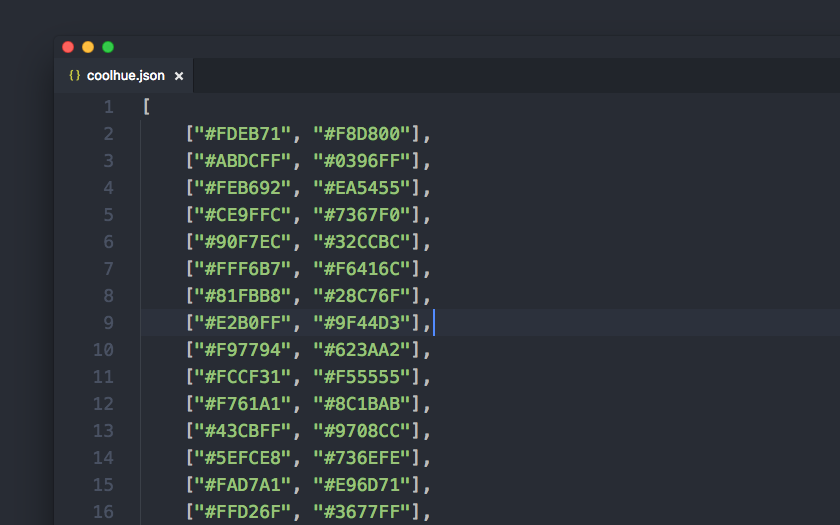
Including CoolHue in npm Workflow
CoolHue is also available as a node module. You can read How it works with npm to get started. If you are already familiar; Installation command is mentioned just below -
npm install --save-dev coolhue
Sketch App Plugin
- Download
Coolhue.sketchplugin.zip - Extract the archive
- Install
Coolhue.sketchpluginfor Sketch App - Access it from Sketch's Menu Bar. Go to
Plugins➡️Coolhue➡️Palette
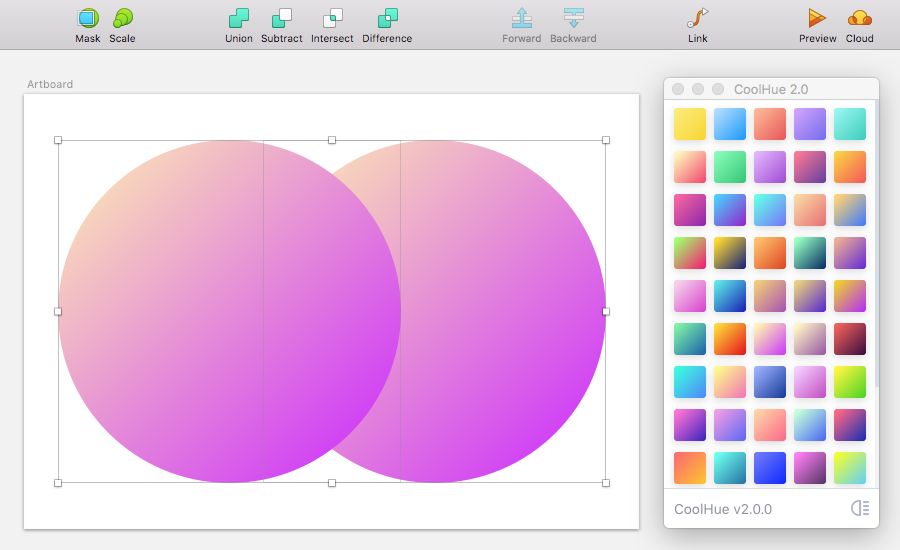
Sketch App Gradient Palette
You can download the coolHue Gradient Palette for Sketch App.
Photoshop Gradient Palette
You can download the coolHue Gradient Palette for Photoshop.
Credits
© Copyright Webkul Software, All rights reserved.
Core symbols most depended-on inside this repo
resolveShape
Languages
Modules by API surface
Dependencies from manifests, versioned
For agents
$ claude mcp add coolhue \
  -- python -m otcore.mcp_server <graph>