github.com/vinayak-mehta/present @v0.6.0
README
present



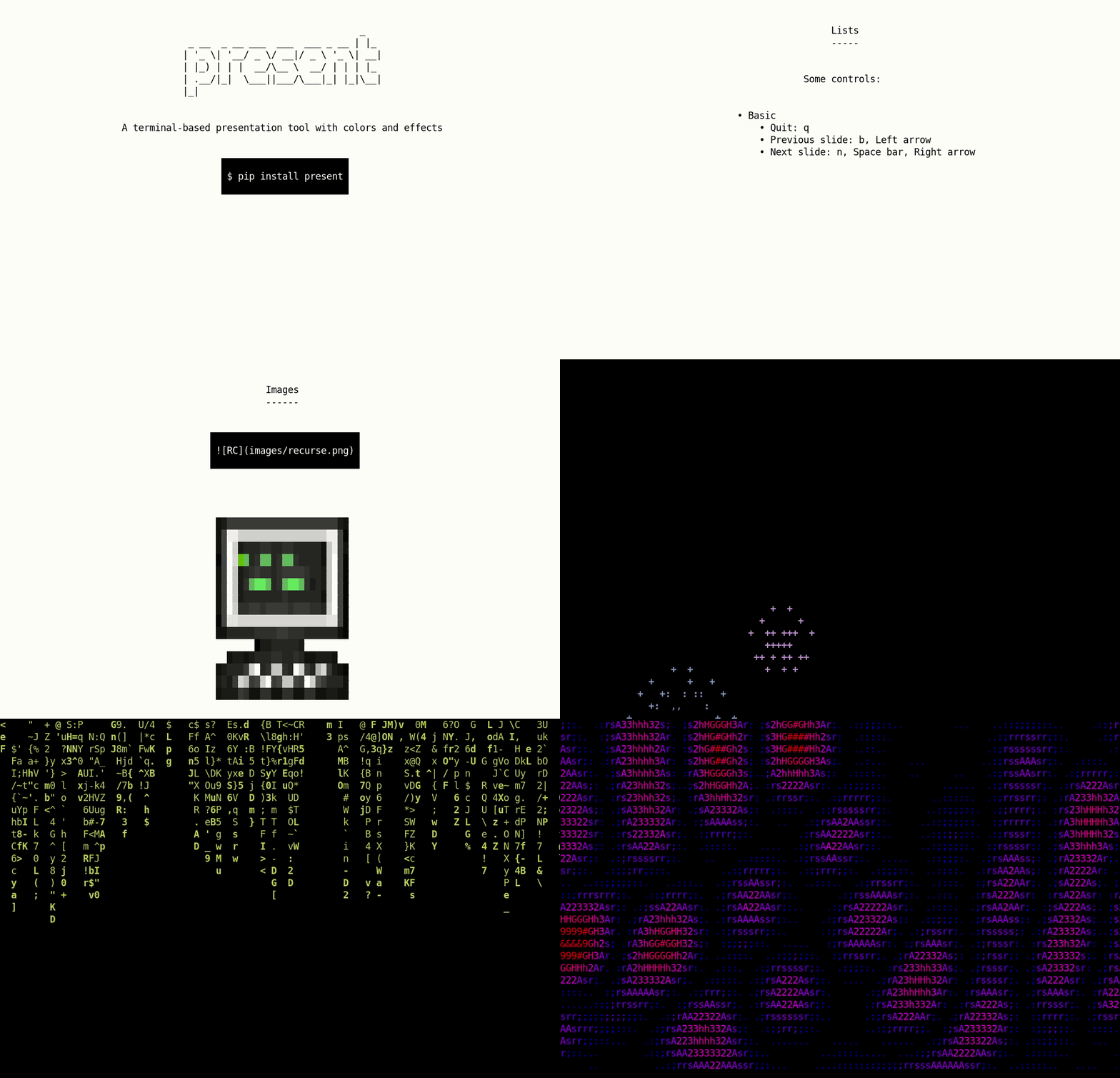
A terminal-based presentation tool with colors and effects.
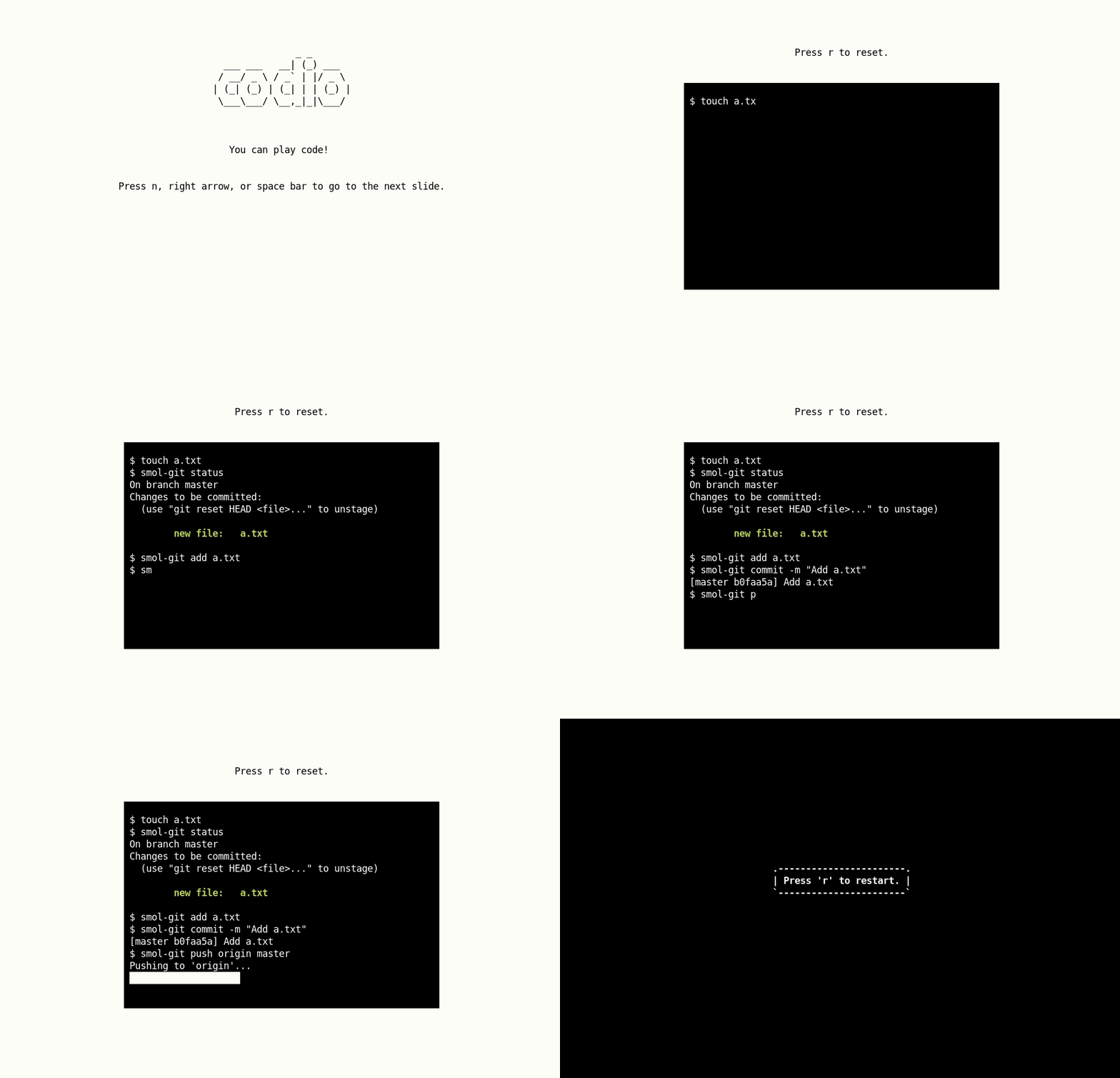
You can also play a codio (pre-recorded code block) on a slide.
present is built on asciimatics, and it works with Python>=3.7.
Check out the gallery to see what everyone is making with present! You can add your slides by simply opening an issue.
Installation
You can simply use pip to install present:
$ pip install present
Usage
$ present sample.md
Some controls:
- Quit:
q - Previous slide:
b, Left arrow, Page Up - Next slide:
n, Space bar, Right arrow, Page Down
At the end, you can press r to restart the presentation.
Syntax
Slides follow Markdown syntax. You can check out the sample slides for reference.
Note: Some things aren't supported yet: - Effects and colors on the same slide. - Effects and code on the same slide.
Separator
Each slide can be separated with a ---.
Slide 1

---

Slide 2
Headers
Level 1 headings become figlets, level 2 headings get underlined with -, and level 3 headings become bold.
# Heading 1

## Heading 2

### Heading 3
Text
This is normal text

This is **bold text**

This is `inline code`

This is a [link](www.google.com)

As Kanye West said:

> We're living the future so
> the present is our past.
Lists
Ordered lists become unordered lists automatically.
- Item 1
    - Item 1a
    - Item 1b
    - Item 1c
- Item 2
    - Item 2a
Images
Image paths are relative to the directory where your slides are kept, and where you invoke present.

Note: You can use high resolution images and tweak the terminal font size to get the best results.
Code blocks
import os

os.getcwd()
Codios
Codios are pre-recorded playable code blocks which can be useful for live demos. You can find out how to write one in the codio section of the documentation.

Style
Each slide can be styled with foreground / background colors and effects. By default, slides are black on white with no effects. You can add style to a slide by adding a comment at the beginning of the slide (after the slide separator):
Slide 1

---


Slide 2

---


Slide 3
Colors: black, red, green, yellow, blue, magenta, cyan, white.
Effects: fireworks, explosions, stars, matrix, plasma. More coming soon!
Contributing
The Contributor's Guide has detailed information about contributing issues, documentation, code, and tests.
Versioning
present uses Semantic Versioning. For the available versions, see the tags on the GitHub repository.
License
This project is licensed under the Apache License, see the LICENSE file for details.
Core symbols most depended-on inside this repo
renderShape
Languages
Modules by API surface
For agents
$ claude mcp add present \
  -- python -m otcore.mcp_server <graph>