github.com/ultralytics/yolov5 @v7.0 sqlite
README
<a align="center" href="https://ultralytics.com/yolov5" target="_blank">
  <img width="850" src="https://raw.githubusercontent.com/ultralytics/assets/master/yolov5/v70/splash.png"></a>
English | 简体中文
<a href="https://github.com/ultralytics/yolov5/actions/workflows/ci-testing.yml"><img src="https://github.com/ultralytics/yolov5/actions/workflows/ci-testing.yml/badge.svg" alt="YOLOv5 CI"></a>
<a href="https://zenodo.org/badge/latestdoi/264818686"><img src="https://zenodo.org/badge/264818686.svg" alt="YOLOv5 Citation"></a>
<a href="https://hub.docker.com/r/ultralytics/yolov5"><img src="https://img.shields.io/docker/pulls/ultralytics/yolov5?logo=docker" alt="Docker Pulls"></a>


<a href="https://bit.ly/yolov5-paperspace-notebook"><img src="https://assets.paperspace.io/img/gradient-badge.svg" alt="Run on Gradient"></a>
<a href="https://colab.research.google.com/github/ultralytics/yolov5/blob/master/tutorial.ipynb"><img src="https://colab.research.google.com/assets/colab-badge.svg" alt="Open In Colab"></a>
<a href="https://www.kaggle.com/ultralytics/yolov5"><img src="https://kaggle.com/static/images/open-in-kaggle.svg" alt="Open In Kaggle"></a>


YOLOv5 🚀 is the world's most loved vision AI, representing <a href="https://ultralytics.com">Ultralytics</a>
open-source research into future vision AI methods, incorporating lessons learned and best practices evolved over thousands of hours of research and development.


To request a commercial license please complete the form at <a href="https://ultralytics.com/license">Ultralytics Licensing</a>.


<a href="https://github.com/ultralytics" style="text-decoration:none;">
  <img src="https://github.com/ultralytics/assets/raw/master/social/logo-social-github.png" width="2%" alt="" /></a>
<img src="https://github.com/ultralytics/assets/raw/master/social/logo-transparent.png" width="2%" alt="" />
<a href="https://www.linkedin.com/company/ultralytics" style="text-decoration:none;">
  <img src="https://github.com/ultralytics/assets/raw/master/social/logo-social-linkedin.png" width="2%" alt="" /></a>
<img src="https://github.com/ultralytics/assets/raw/master/social/logo-transparent.png" width="2%" alt="" />
<a href="https://twitter.com/ultralytics" style="text-decoration:none;">
  <img src="https://github.com/ultralytics/assets/raw/master/social/logo-social-twitter.png" width="2%" alt="" /></a>
<img src="https://github.com/ultralytics/assets/raw/master/social/logo-transparent.png" width="2%" alt="" />
<a href="https://www.producthunt.com/@glenn_jocher" style="text-decoration:none;">
  <img src="https://github.com/ultralytics/assets/raw/master/social/logo-social-producthunt.png" width="2%" alt="" /></a>
<img src="https://github.com/ultralytics/assets/raw/master/social/logo-transparent.png" width="2%" alt="" />
<a href="https://youtube.com/ultralytics" style="text-decoration:none;">
  <img src="https://github.com/ultralytics/assets/raw/master/social/logo-social-youtube.png" width="2%" alt="" /></a>
<img src="https://github.com/ultralytics/assets/raw/master/social/logo-transparent.png" width="2%" alt="" />
<a href="https://www.facebook.com/ultralytics" style="text-decoration:none;">
  <img src="https://github.com/ultralytics/assets/raw/master/social/logo-social-facebook.png" width="2%" alt="" /></a>
<img src="https://github.com/ultralytics/assets/raw/master/social/logo-transparent.png" width="2%" alt="" />
<a href="https://www.instagram.com/ultralytics/" style="text-decoration:none;">
  <img src="https://github.com/ultralytics/assets/raw/master/social/logo-social-instagram.png" width="2%" alt="" /></a>
Segmentation ⭐ NEW

Our new YOLOv5 release v7.0 instance segmentation models are the fastest and most accurate in the world, beating all current SOTA benchmarks. We've made them super simple to train, validate and deploy. See full details in our Release Notes and visit our YOLOv5 Segmentation Colab Notebook for quickstart tutorials.
Segmentation Checkpoints
We trained YOLOv5 segmentations models on COCO for 300 epochs at image size 640 using A100 GPUs. We exported all models to ONNX FP32 for CPU speed tests and to TensorRT FP16 for GPU speed tests. We ran all speed tests on Google Colab Pro notebooks for easy reproducibility.
| Model | size
(pixels) | mAPbox
50-95 | mAPmask
50-95 | Train time
300 epochs
A100 (hours) | Speed
ONNX CPU
(ms) | Speed
TRT A100
(ms) | params
(M) | FLOPs
@640 (B) | |----------------------------------------------------------------------------------------------------|-----------------------|----------------------|-----------------------|-----------------------------------------------|--------------------------------|--------------------------------|--------------------|------------------------| | YOLOv5n-seg | 640 | 27.6 | 23.4 | 80:17 | 62.7 | 1.2 | 2.0 | 7.1 | | YOLOv5s-seg | 640 | 37.6 | 31.7 | 88:16 | 173.3 | 1.4 | 7.6 | 26.4 | | YOLOv5m-seg | 640 | 45.0 | 37.1 | 108:36 | 427.0 | 2.2 | 22.0 | 70.8 | | YOLOv5l-seg | 640 | 49.0 | 39.9 | 66:43 (2x) | 857.4 | 2.9 | 47.9 | 147.7 | | YOLOv5x-seg | 640 | 50.7 | 41.4 | 62:56 (3x) | 1579.2 | 4.5 | 88.8 | 265.7 |
- All checkpoints are trained to 300 epochs with SGD optimizer with
lr0=0.01andweight_decay=5e-5at image size 640 and all default settings.
Runs logged to https://wandb.ai/glenn-jocher/YOLOv5_v70_official - Accuracy values are for single-model single-scale on COCO dataset.
Reproduce by python segment/val.py --data coco.yaml --weights yolov5s-seg.pt
- Speed averaged over 100 inference images using a Colab Pro A100 High-RAM instance. Values indicate inference speed only (NMS adds about 1ms per image).
Reproduce by python segment/val.py --data coco.yaml --weights yolov5s-seg.pt --batch 1
- Export to ONNX at FP32 and TensorRT at FP16 done with export.py.
Reproduce by python export.py --weights yolov5s-seg.pt --include engine --device 0 --half
Segmentation Usage Examples 
Train
YOLOv5 segmentation training supports auto-download COCO128-seg segmentation dataset with --data coco128-seg.yaml argument and manual download of COCO-segments dataset with bash data/scripts/get_coco.sh --train --val --segments and then python train.py --data coco.yaml.
# Single-GPU
python segment/train.py --model yolov5s-seg.pt --data coco128-seg.yaml --epochs 5 --img 640

# Multi-GPU DDP
python -m torch.distributed.run --nproc_per_node 4 --master_port 1 segment/train.py --model yolov5s-seg.pt --data coco128-seg.yaml --epochs 5 --img 640 --device 0,1,2,3
Val
Validate YOLOv5m-seg accuracy on ImageNet-1k dataset:
bash data/scripts/get_coco.sh --val --segments  # download COCO val segments split (780MB, 5000 images)
python segment/val.py --weights yolov5s-seg.pt --data coco.yaml --img 640  # validate
Predict
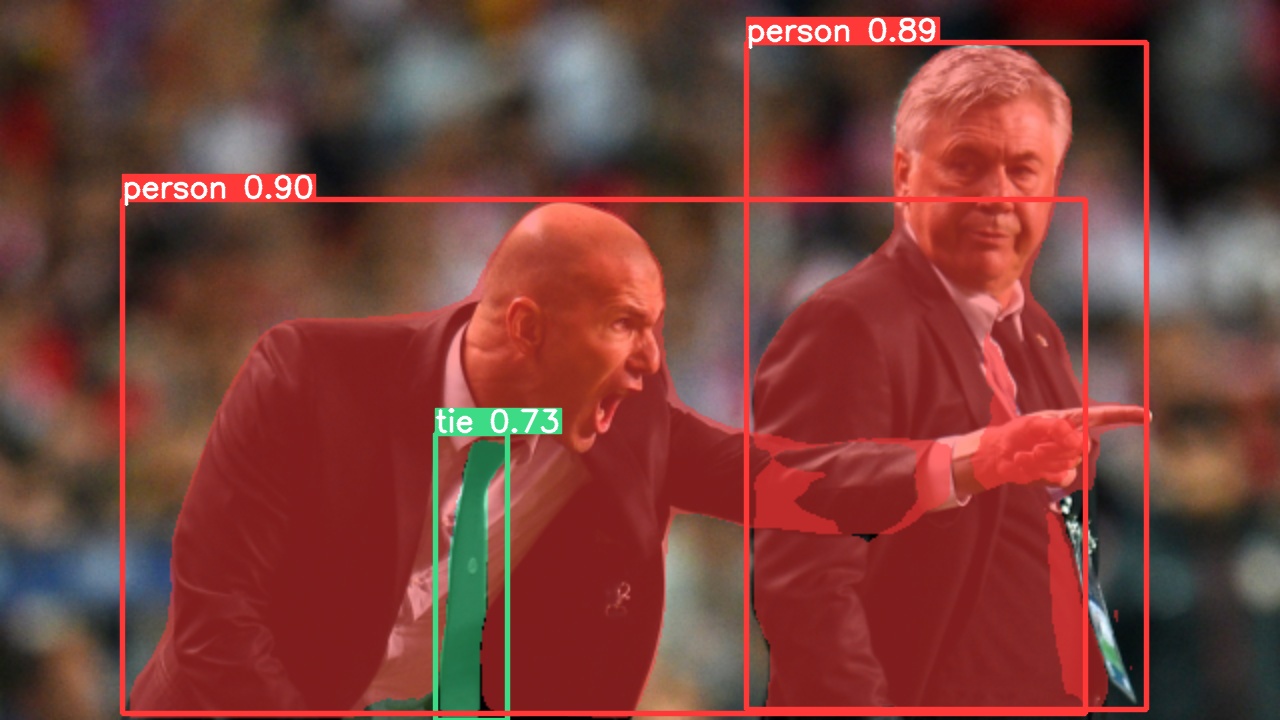
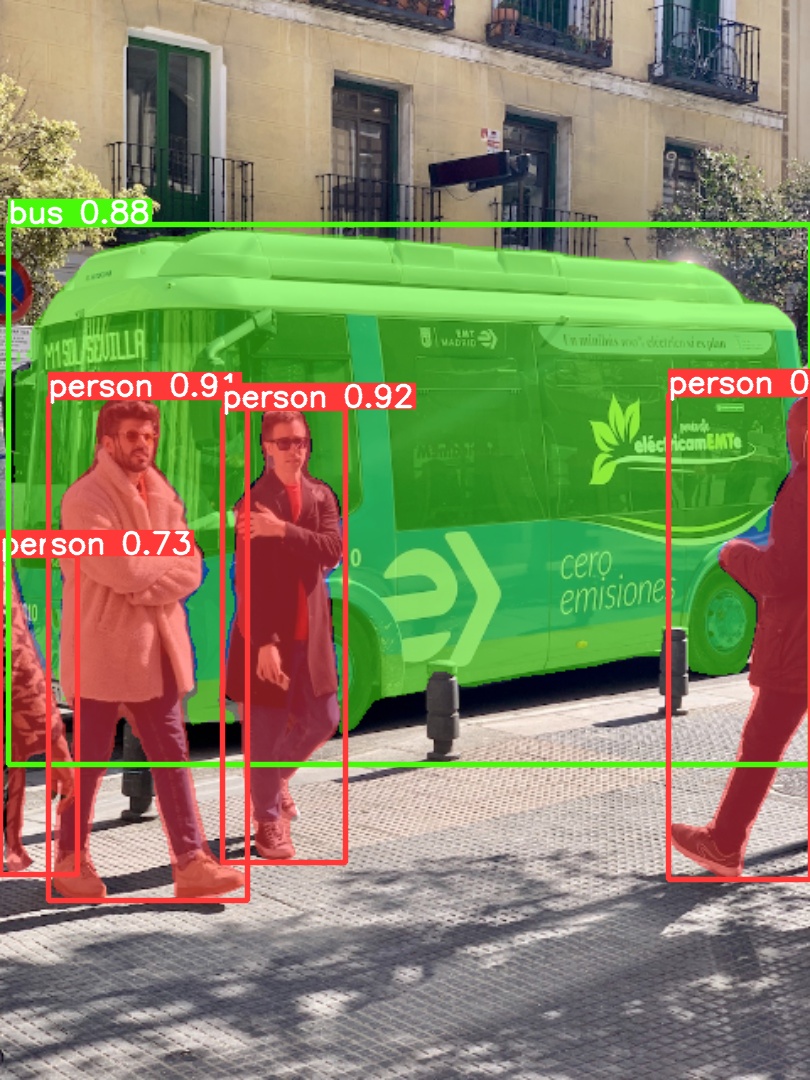
Use pretrained YOLOv5m-seg.pt to predict bus.jpg:
python segment/predict.py --weights yolov5m-seg.pt --data data/images/bus.jpg
model = torch.hub.load('ultralytics/yolov5', 'custom', 'yolov5m-seg.pt') # load from PyTorch Hub (WARNING: inference not yet supported)
 |
 |
|---|---|
Export
Export YOLOv5s-seg model to ONNX and TensorRT:
python export.py --weights yolov5s-seg.pt --include onnx engine --img 640 --device 0
Documentation
See the YOLOv5 Docs for full documentation on training, testing and deployment. See below for quickstart examples.
Install
Clone repo and install requirements.txt in a Python>=3.7.0 environment, including PyTorch>=1.7.
git clone https://github.com/ultralytics/yolov5  # clone
cd yolov5
pip install -r requirements.txt  # install
Inference
YOLOv5 PyTorch Hub inference. Models download automatically from the latest YOLOv5 release.
import torch

# Model
model = torch.hub.load('ultralytics/yolov5', 'yolov5s')  # or yolov5n - yolov5x6, custom

# Images
img = 'https://ultralytics.com/images/zidane.jpg'  # or file, Path, PIL, OpenCV, numpy, list

# Inference
results = model(img)

# Results
results.print()  # or .show(), .save(), .crop(), .pandas(), etc.
Inference with detect.py
detect.py runs inference on a variety of sources, downloading models automatically from
the latest YOLOv5 release and saving results to runs/detect.
python detect.py --source 0  # webcam
                          img.jpg  # image
                          vid.mp4  # video
                          screen  # screenshot
                          path/  # directory
                          'path/*.jpg'  # glob
                          'https://youtu.be/Zgi9g1ksQHc'  # YouTube
                          'rtsp://example.com/media.mp4'  # RTSP, RTMP, HTTP stream
Training
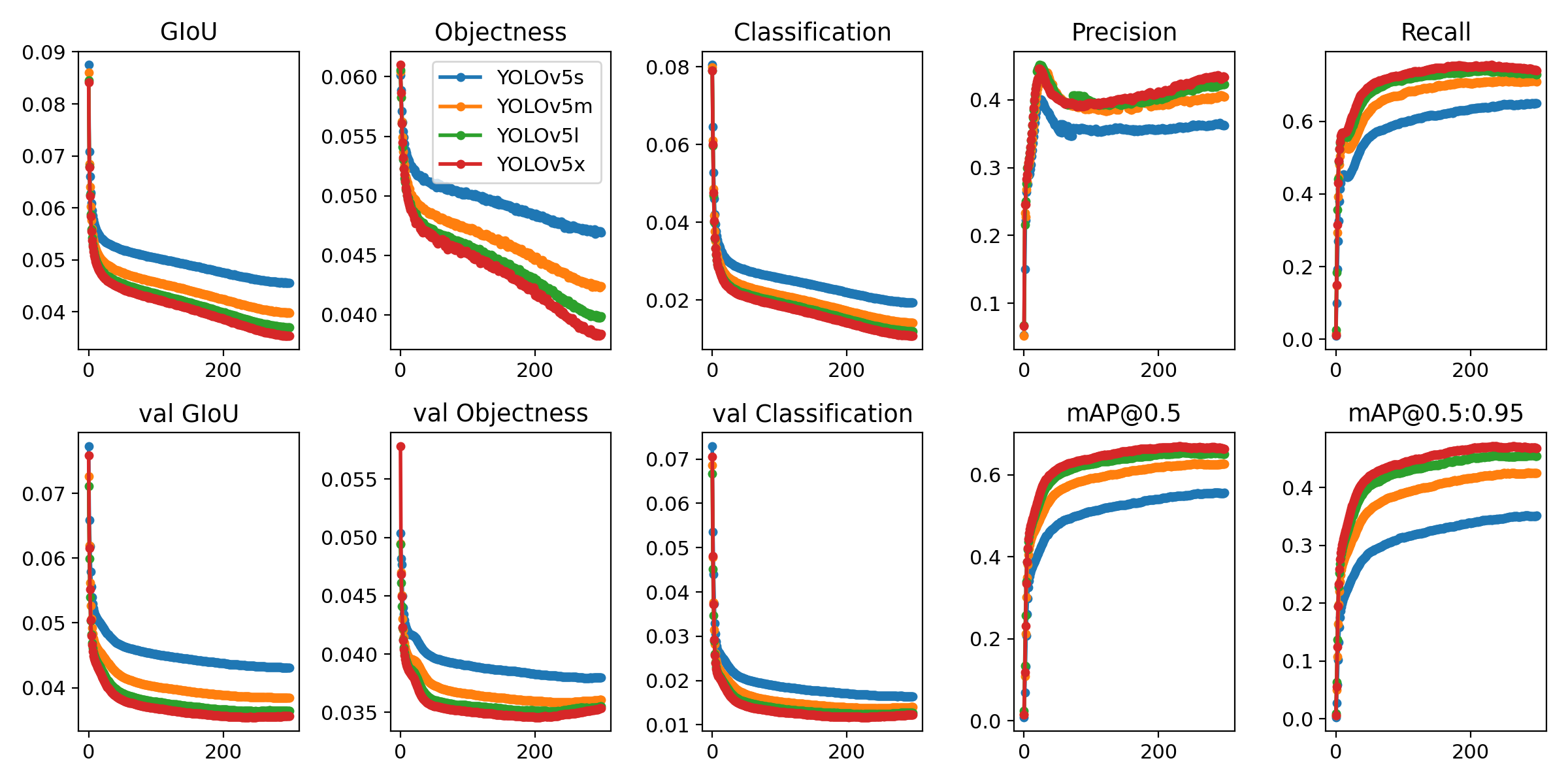
The commands below reproduce YOLOv5 COCO
results. Models
and datasets download automatically from the latest
YOLOv5 release. Training times for YOLOv5n/s/m/l/x are
1/2/4/6/8 days on a V100 GPU (Multi-GPU times faster). Use the
largest --batch-size possible, or pass --batch-size -1 for
YOLOv5 AutoBatch. Batch sizes shown for V100-16GB.
python train.py --data coco.yaml --epochs 300 --weights '' --cfg yolov5n.yaml  --batch-size 128
                                                                 yolov5s                    64
                                                                 yolov5m                    40
                                                                 yolov5l                    24
                                                                 yolov5x                    16
Tutorials
- Train Custom Data 🚀 RECOMMENDED
- Tips for Best Training Results ☘️ RECOMMENDED
- Multi-GPU Training
- PyTorch Hub 🌟 NEW
- [TFLite, ONNX, CoreML, TensorRT Export](https://github
Core symbols most depended-on inside this repo
infoShape
Languages
Modules by API surface
Dependencies from manifests, versioned
For agents
$ claude mcp add yolov5 \
  -- python -m otcore.mcp_server <graph>