github.com/triggerdotdev/jsonhero-web @main
Chat with this repoBrowse by type
What it actually does AI analysis from the code graph — generated when you open this
README


Brought to you by Trigger.dev
JSON Hero was created and is maintained by the team behind Trigger.dev. With Trigger.dev you can trigger workflows from APIs, on a schedule, or on demand. We make API calls easy with authentication handled for you, and you can add durable delays that survive server restarts.
JSON Hero
JSON Hero makes reading and understand JSON files easy by giving you a clean and beautiful UI packed with extra features.
- View JSON any way you'd like: Column View, Tree View, Editor View, and more.
- Automatically infers the contents of strings and provides useful previews
- Creates an inferred JSON Schema that could be used to validate your JSON
- Quickly scan related values to check for edge cases
- Search your JSON files (both keys and values)
- Keyboard accessible
- Easily sharable URLs with path support
Features
Send to JSON Hero
Send your JSON to JSON Hero in a variety of ways
- Head to jsonhero.io and Drag and Drop a JSON file, or paste JSON or a JSON url in the provided form
- Include a Base64 encoded string of a JSON payload: jsonhero.io/new?j=eyAiZm9vIjogImJhciIgfQ==
- Include a JSON URL to the
newendpoint: jsonhero.io/new?url=https://jsonplaceholder.typicode.com/todos/1 - Install the VS Code extension and open JSON from VS Code
- Raycast user? Check out our extension here
-
Use the unofficial API:
-
Make a
POSTrequest tojsonhero.io/api/create.jsonwith the following JSON body:
json
  {
    "title": "test 123",
    "content": { "foo": "bar" },
    "readOnly": false, // this is optional, will make it so the document title cannot be edited or document cannot be deleted
    "ttl": 3600 // this will expire the document after 3600 seconds, also optional
  }
The JSON response will be the following:
json
  {
    "id": "YKKduNySH7Ub",
    "title": "test 123",
    "location": "https://jsonhero.io/j/YKKduNySH7Ub"
  }
Column view
Inspired by macOS Finder, Column View is a new way to browse a JSON document.
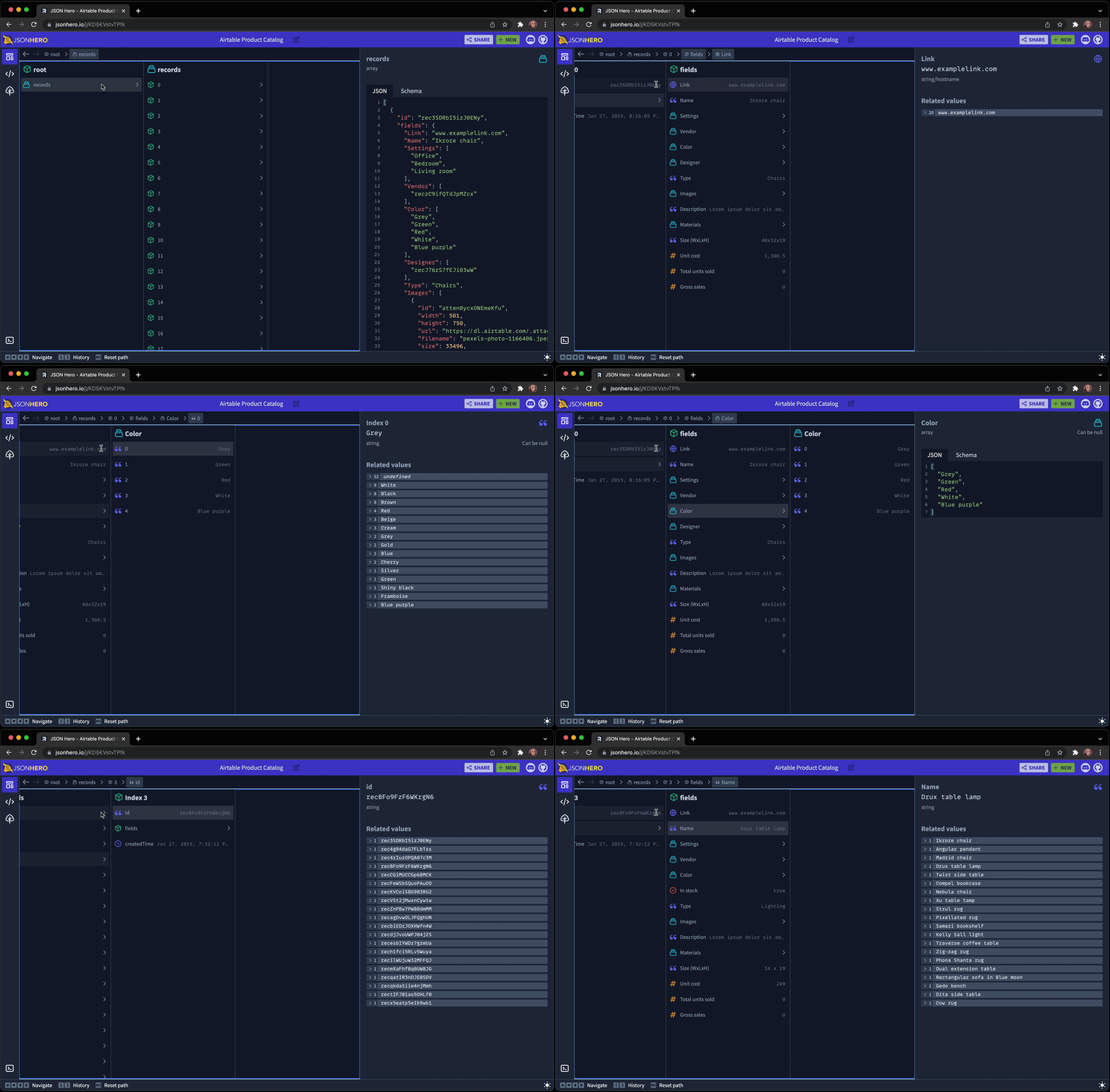
It has all the features you'd expect: Keyboard navigation, Path bar, history.
It also has a nifty feature that allows you to "hold" a descendent selected and travel up through the hierarchy, and then move between siblings and view the different values found at that path. It's hard to describe, but here is an animation to help demonstrate:
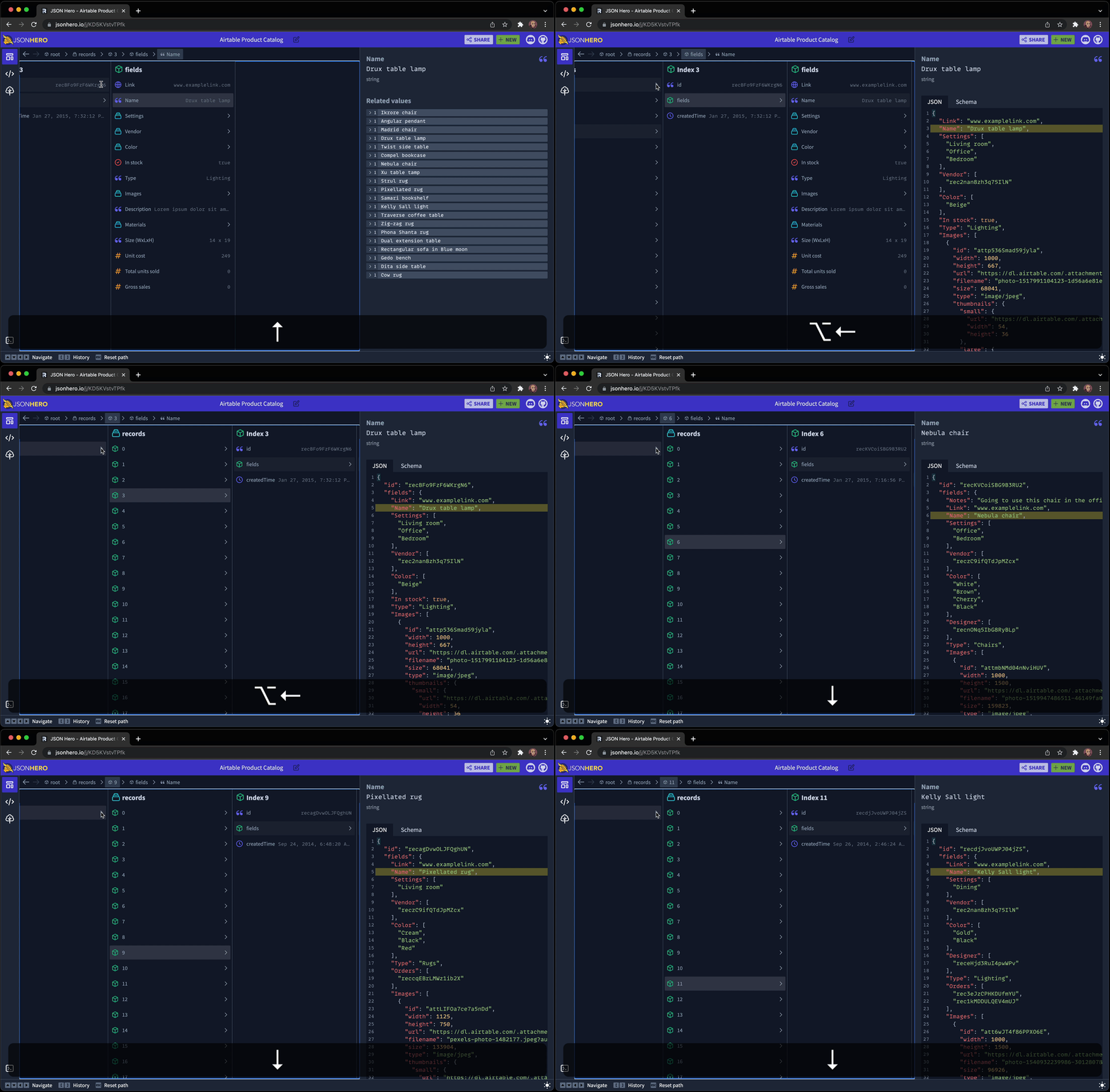
As you can see, holding the Option (or Alt key on Windows) while moving to a parent keeps the part of the document selected and shows it in context of it's surrounding JSON. Then you can traverse between items in an array and compare the values of the selection across deep hierarchy cahnges.
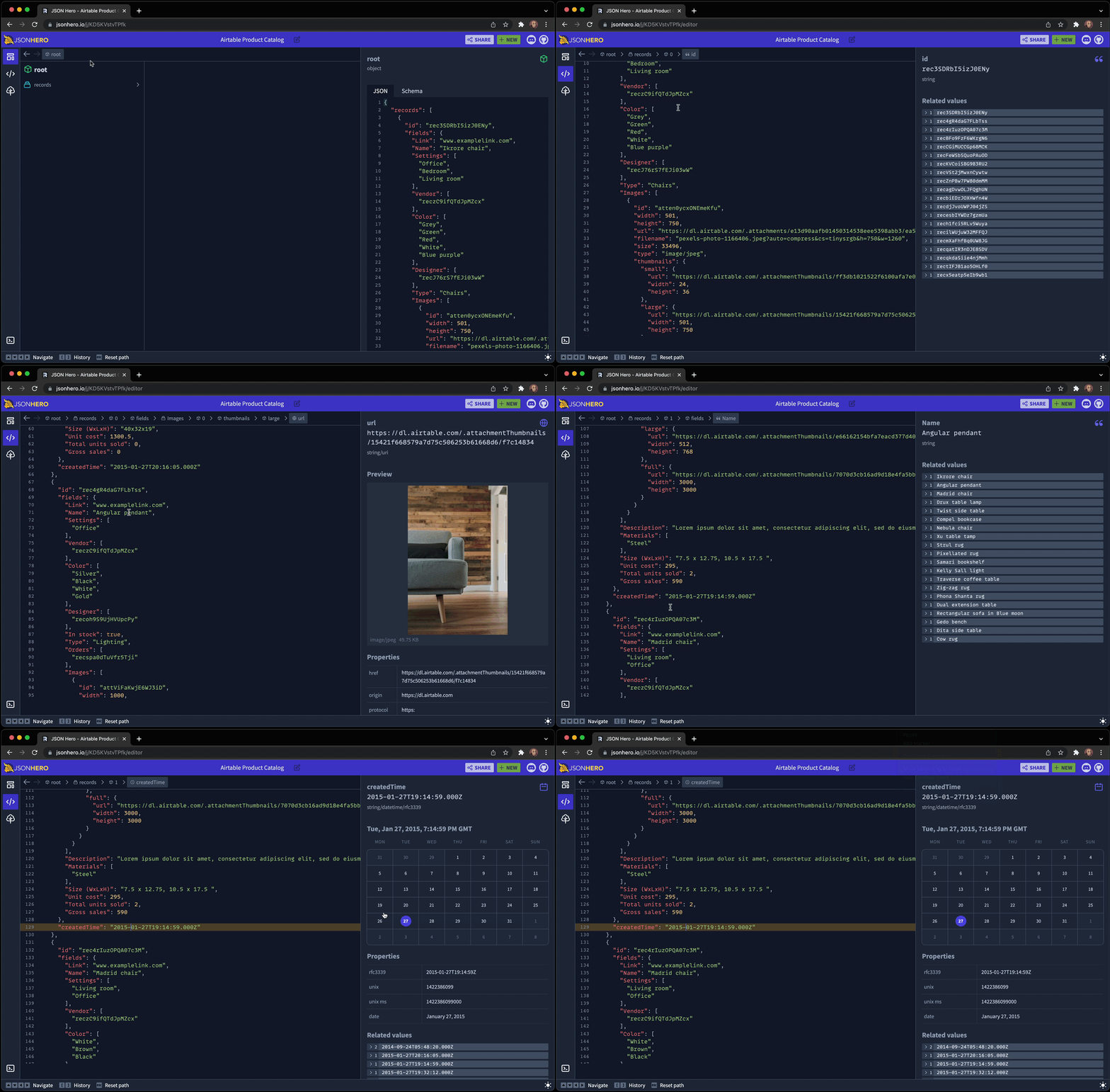
Editor view
View your entire JSON document in an editor, but keep the nice previews and related values you get from the sidebar as you move around the document:
Tree view
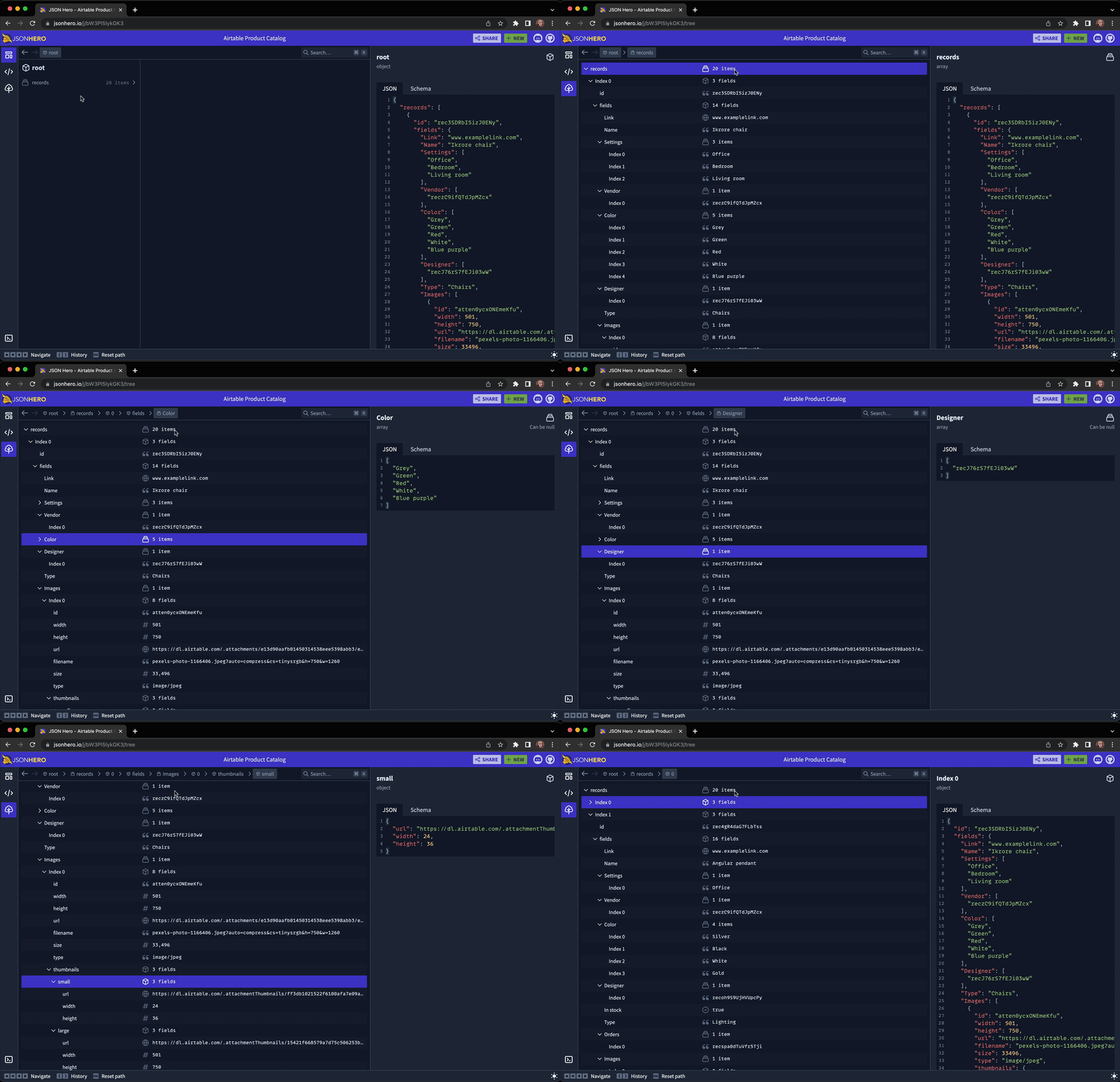
Use a traditional tree view to traverse your JSON document, with collapsible sections and keyboard shortcuts. All while keeping the nice previews:
Search
Quickly open a search panel and fuzzy search your entire JSON file in milliseconds. Searches through key names, key paths, values, and even pretty formatted values (e.g. Searching for "Dec" will find datetime strings in the month of December.)
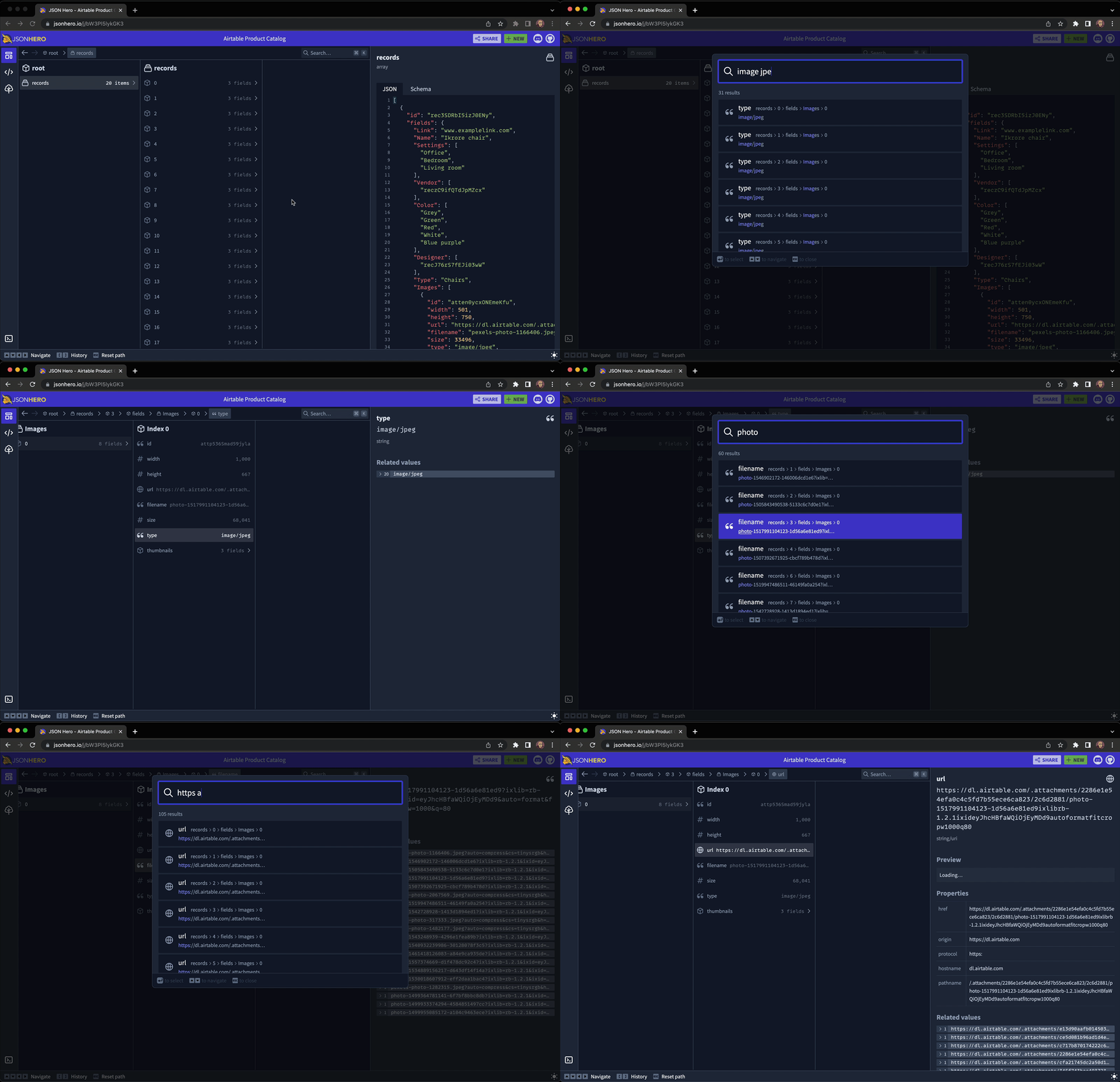
Content Previews
JSON Hero automatically infers the content of strings and provides useful previews and properties of the value you've selected. It's "Show Don't Tell" for JSON:
Dates and Times
Image URLs
Website URLs
Tweet URLS
JSON URLs
Colors
Related Values
Easily see all the related values across your entire JSON document for a specific field, including any undefined or null values.
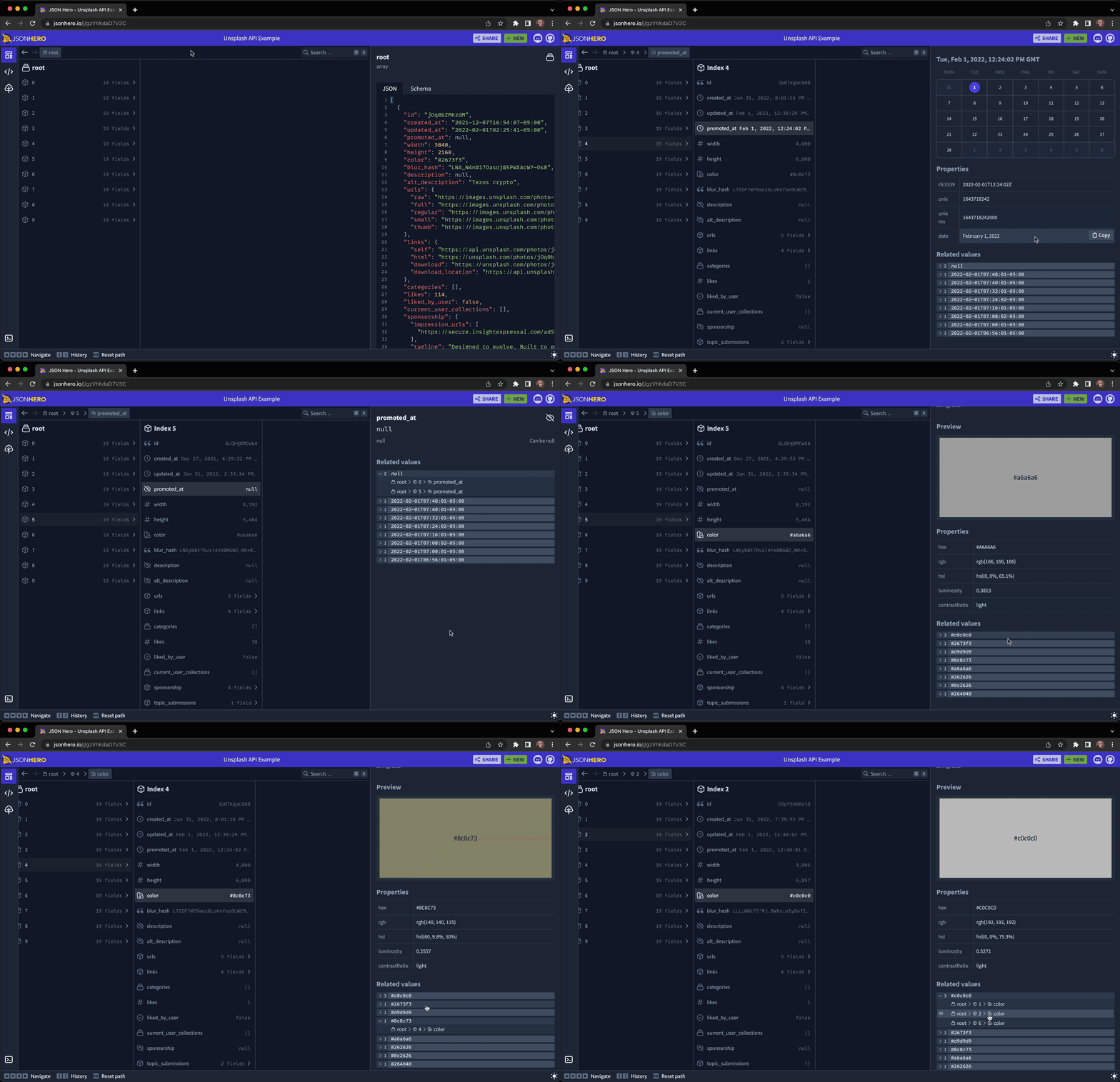
Bugs and Feature Requests
Have a bug or a feature request? Feel free to open a new issue.
You can also join our Discord channel to hang out and discuss anything you'd like.
Developing
To run locally, first clone the repo and install the dependencies:
git clone https://github.com/triggerdotdev/jsonhero-web.git
cd jsonhero-web
npm install
Then, create a file at the root of the repo called .env and set the SESSION_SECRET value:
SESSION_SECRET=abc123
Then, run npm run build or npm run dev to build.
Now, run npm start and open your browser to http://localhost:8787
Extension points exported contracts — how you extend this code
browse all types & interfaces →
Core symbols most depended-on inside this repo
Shape
Languages
Modules by API surface
Dependencies from manifests, versioned
For agents
$ claude mcp add jsonhero-web \
  -- python -m otcore.mcp_server <graph>