github.com/towfiqi/serpbear @v3.1.0 sqlite
README

SerpBear




Documentation | Changelog | Docker Image
SerpBear is an Open Source Search Engine Position Tracking and Keyword Research App. It allows you to track your website's keyword positions in Google and get notified of their position change.
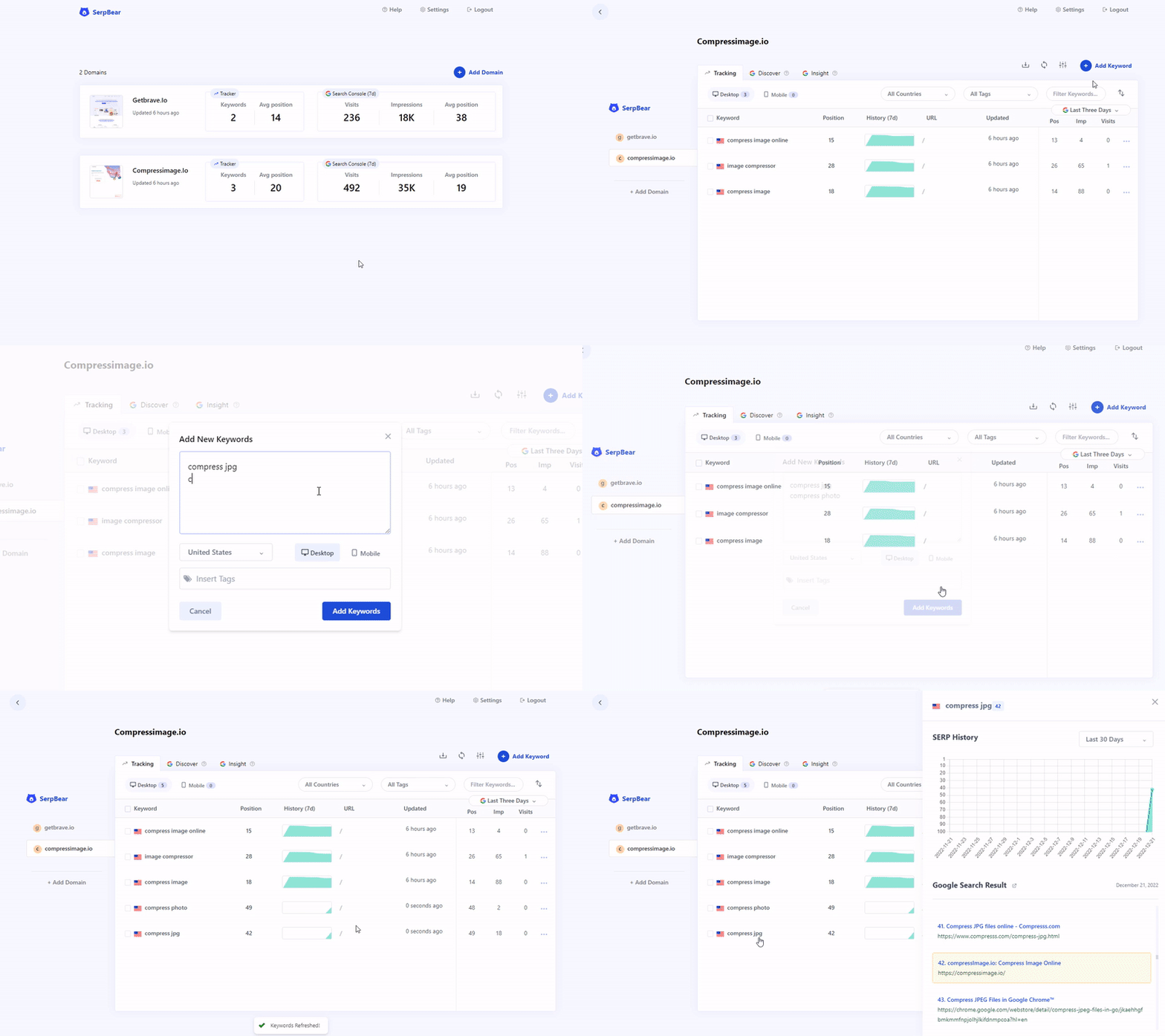
Features
- Unlimited Keywords: Add unlimited domains and unlimited keywords to track their SERP.
- Email Notification: Get notified of your keyword position changes daily/weekly/monthly through email.
- SERP API: SerpBear comes with built-in API that you can use for your marketing & data reporting tools.
- Keyword Research: Ability to research keywords and auto-generate keyword ideas from your tracked website's content by integrating your Google Ads test account.
- Google Search Console Integration: Get the actual visit count, impressions & more for Each keyword.
- Mobile App: Add the PWA app to your mobile for a better mobile experience.
- Zero Cost to RUN: Run the App on mogenius.com or Fly.io for free.
How it Works
The App uses third party website scrapers like ScrapingAnt, ScrapingRobot, SearchApi, SerpApi, HasData or Your given Proxy ips to scrape google search results to see if your domain appears in the search result for the given keyword.
The Keyword Research and keyword generation feature works by integrating your Google Ads test accounts into SerpBear. You can also view the added keyword's monthly search volume data once you integrate Google Ads.
When you integrate Google Search Console, the app shows actual search visits for each tracked keywords. You can also discover new keywords, and find the most performing keywords, countries, pages.you will be able to view the actual visits count from Google Search for the tracked keywords.
Getting Started
- Step 1: Deploy & Run the App.
- Step 2: Access your App and Login.
- Step 3: Add your First domain.
- Step 4: Get a free API key from ScrapingRobot or select a paid provider (see below) . Skip if you want to use Proxy ips.
- Step 5: Setup the Scraping API/Proxy from the App's Settings interface.
- Step 6: Add your keywords and start tracking.
- Step 7: Optional. From the Settings panel, setup SMTP details to get notified of your keywords positions through email. You can use ElasticEmail and Sendpulse SMTP services that are free.
SerpBear Integrates with popular SERP scraping services
If you don't want to use proxies, you can use third party Scraping services to scrape Google Search results.
| Service | Cost | SERP Lookup | API |
|---|---|---|---|
| scrapingrobot.com | Free | 5000/mo | Yes |
| serply.io | $49/mo | 5000/mo | Yes |
| serpapi.com | From $50/mo | From 5,000/mo | Yes |
| spaceserp.com | $59/lifetime | 15,000/mo | Yes |
| SearchApi.io | From $40/mo | From 10,000/mo | Yes |
| valueserp.com | Pay As You Go | $2.50/1000 req | No |
| serper.dev | Pay As You Go | $1.00/1000 req | No |
| hasdata.com | From $29/mo | From 10,000/mo | Yes |
Tech Stack
- Next.js for Frontend & Backend.
- Sqlite for Database.
Extension points exported contracts — how you extend this code
ScraperSettings (Interface)Core symbols most depended-on inside this repo
updateSettingsShape
Languages
Modules by API surface
Dependencies from manifests, versioned
For agents
$ claude mcp add serpbear \
  -- python -m otcore.mcp_server <graph>