hub / github.com/stdlib-js/stdlib
github.com/stdlib-js/stdlib @v0.4.1 sqlite
135 symbols
246 edges
171 files
100 documented · 74%
1 cross-repo links
README

We believe in a future in which the web is a preferred environment for numerical computation. To help realize this future, we've built stdlib. stdlib ([/ˈstændərd lɪb/][ipa-english] "standard lib") is a standard library with an emphasis on numerical and scientific computation, written in JavaScript (and C) for execution in browsers and in Node.js. The library provides a collection of robust, high performance libraries for mathematics, statistics, data processing, streams, and more and includes many of the utilities you would expect from a standard library. What sets stdlib apart is its fully decomposable architecture, which allows you to swap out and mix and match APIs and functionality to cater to your exact preferences and use cases. When you use stdlib, you can be confident that you are using the most thorough, rigorous, well-written, studied, documented, tested, measured, and high-quality code available. Want to join us in bringing numerical computing to the web? **Start by starring the project.** :star2: Explore this GitHub repository for stdlib's source code and documentation. For guidance on developing stdlib, refer to the [development guide][stdlib-development]. Thank you for being a part of our community! Your support is invaluable to us! ## Resources - [**Installation**](#installation) - [**Homepage**][stdlib-homepage] - [**Documentation**][stdlib-documentation] - [**Source code**][stdlib-source] - [**Code coverage**][stdlib-code-coverage] - [**FAQ**][stdlib-faq] ### External Resources - [**Google Calendar**][stdlib-public-calendar]: calendar of public events, including [open office hours][stdlib-office-hours]. - [**Open Collective**][open-collective-stdlib]: financially support the project. - [**Bluesky**][stdlib-bluesky]: follow us on social media. - [**Zulip**][stdlib-zulip]: chat with project maintainers and other community members. ## Features - 150+ [special math functions][@stdlib/math/base/special].
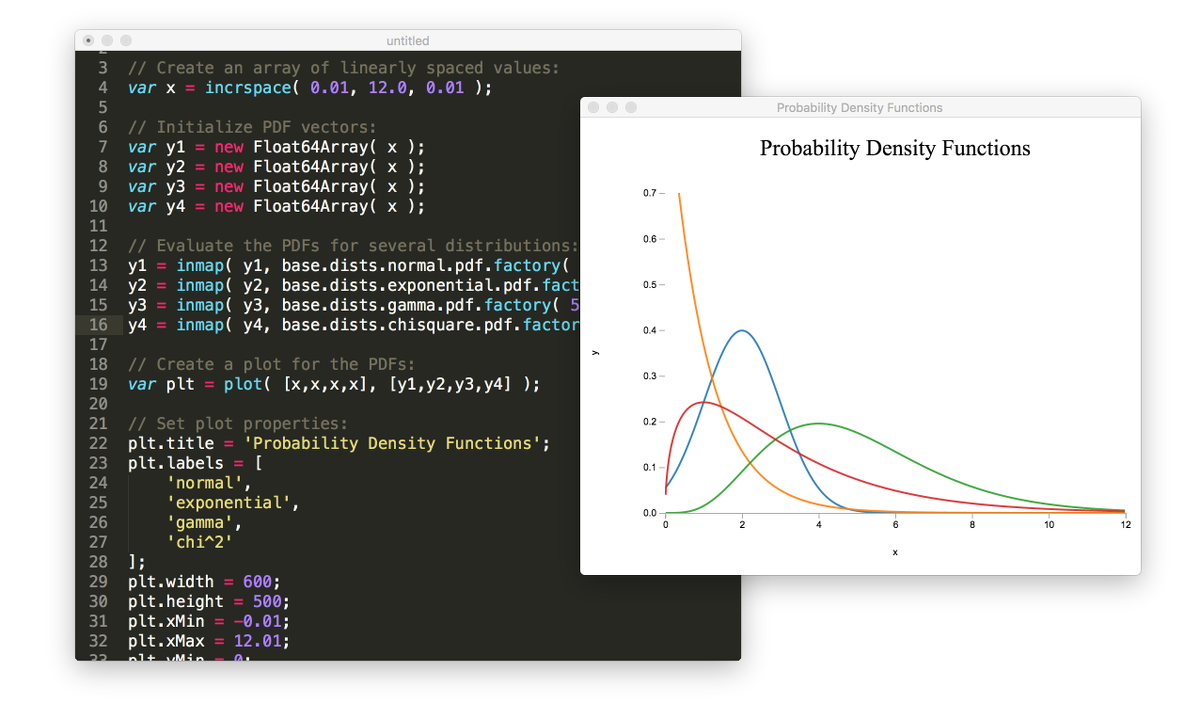
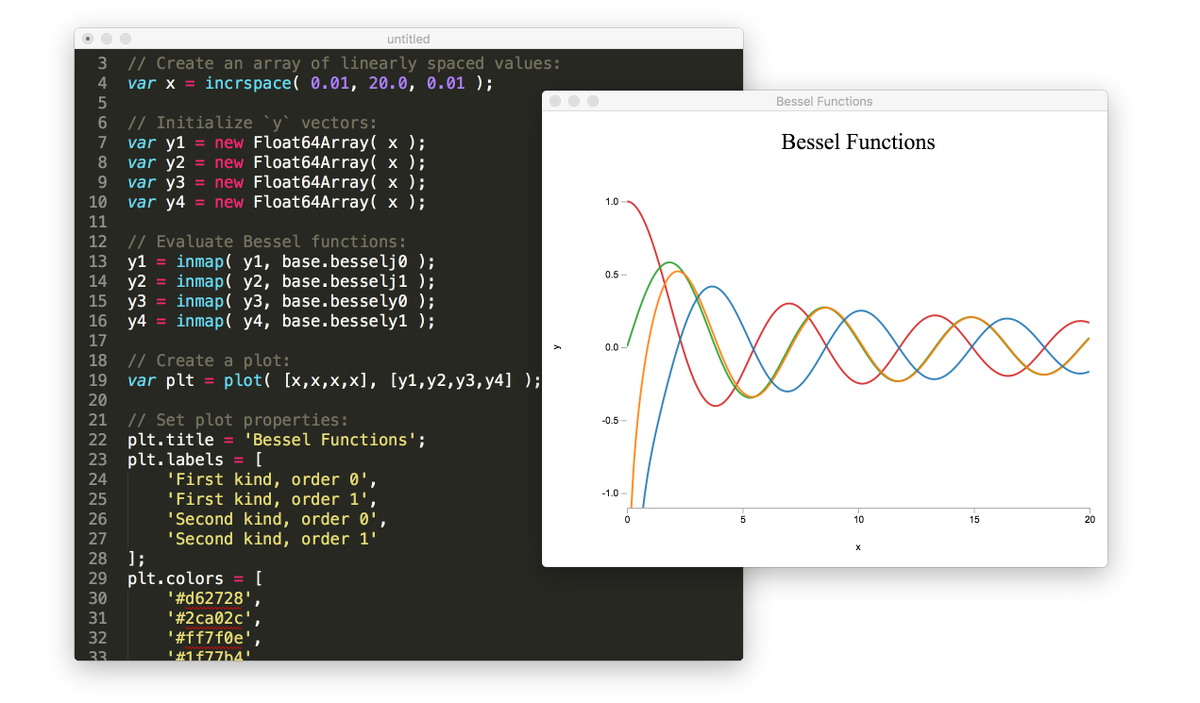 - 35+ [probability distributions][@stdlib/stats/base/dists], with support for evaluating probability density functions (PDFs), cumulative distribution functions (CDFs), quantiles, moments, and more.
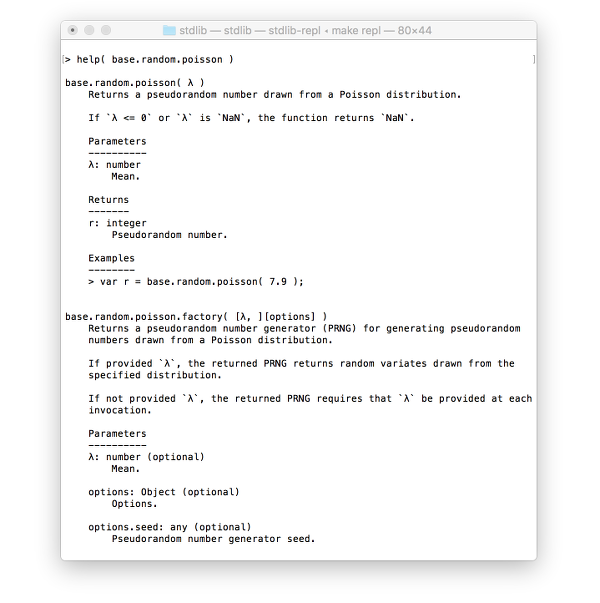
 - 40+ [seedable pseudorandom number generators][@stdlib/random/base] (PRNGs).
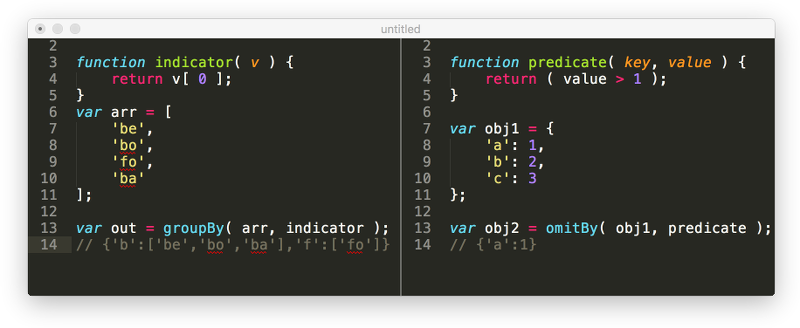
 - 200+ general [utilities][@stdlib/utils] for data transformation, functional programming, and asynchronous control flow.
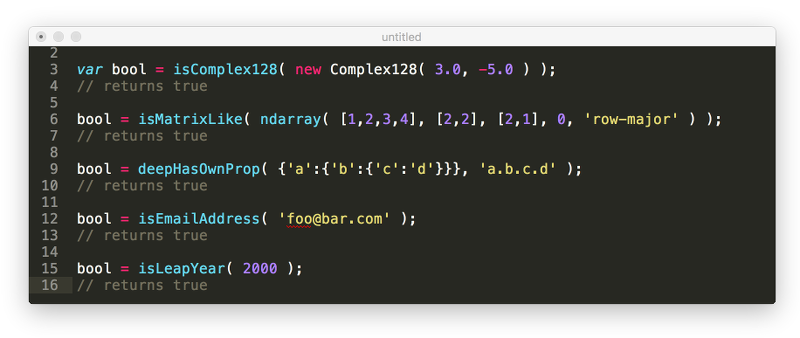
 - 200+ [assertion utilities][@stdlib/assert] for data validation and feature detection.
 - 50+ [sample datasets][@stdlib/datasets] for testing and development.
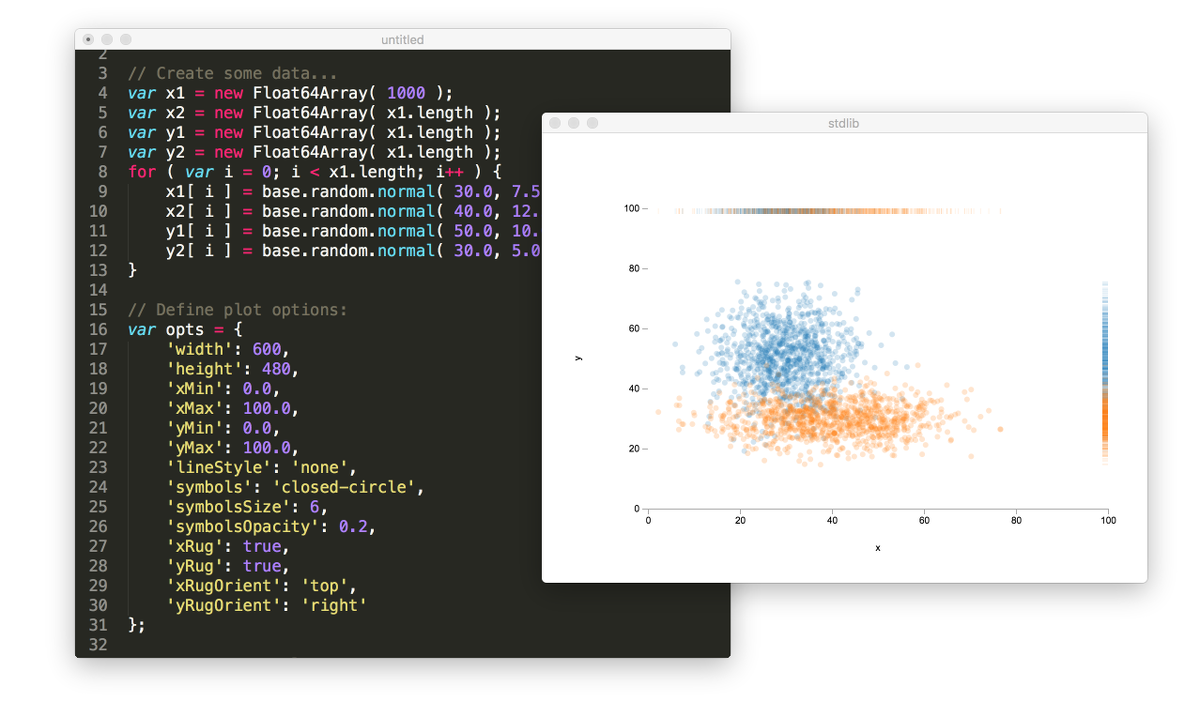
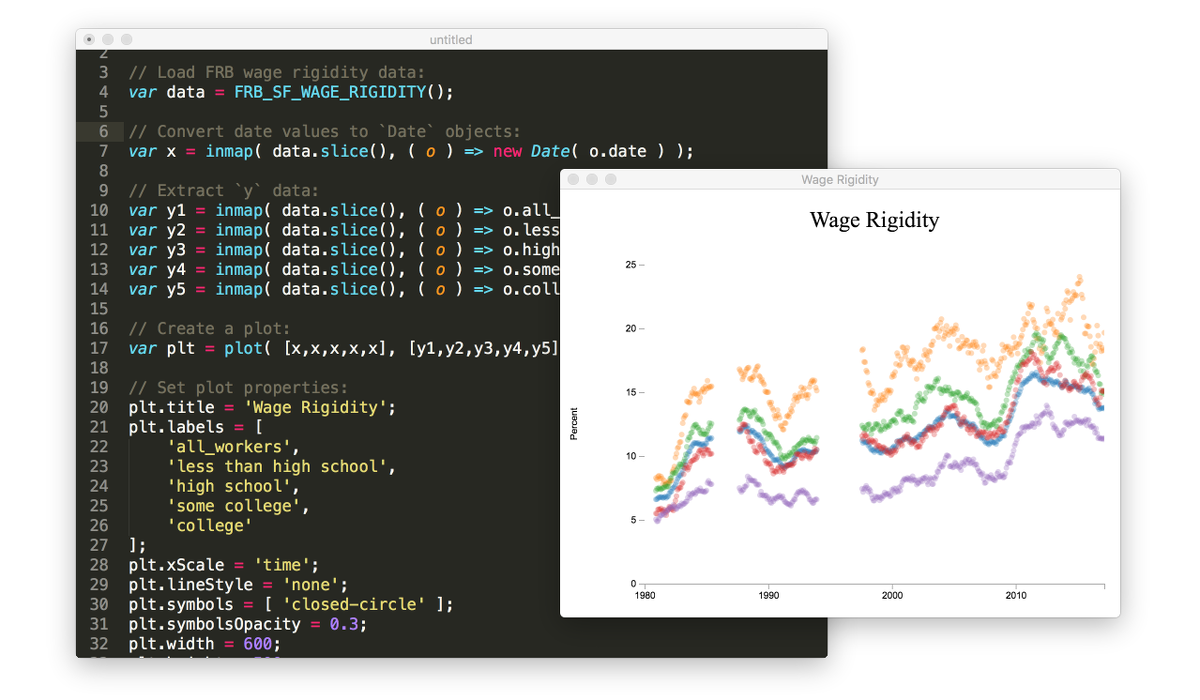 - A [plot API][@stdlib/plot/ctor] for data visualization and exploratory data analysis.
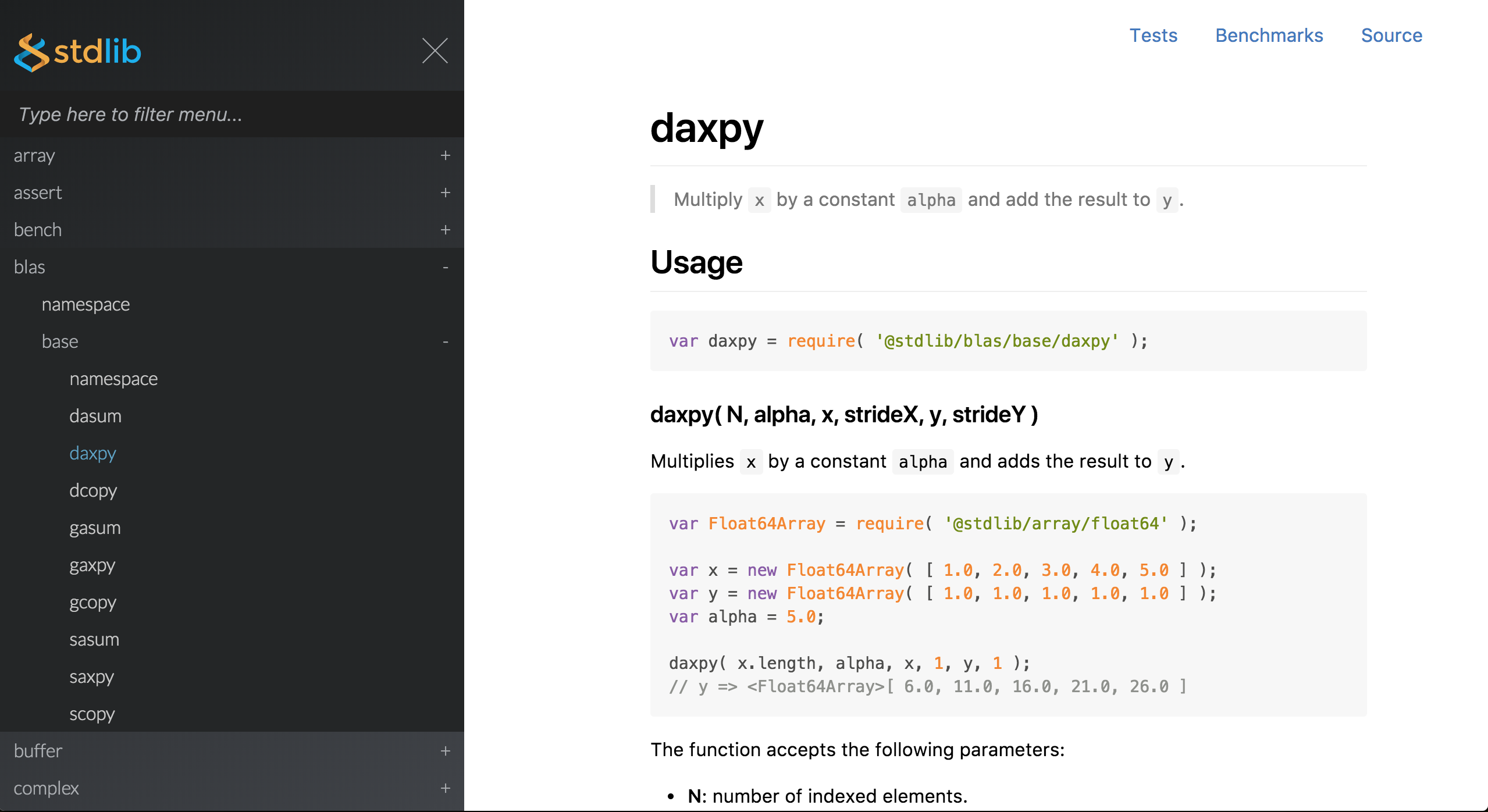
 - Native add-ons for interfacing with BLAS libraries, with pure JavaScript fallbacks.
 - A [benchmark framework][@stdlib/bench/harness] supporting TAP.
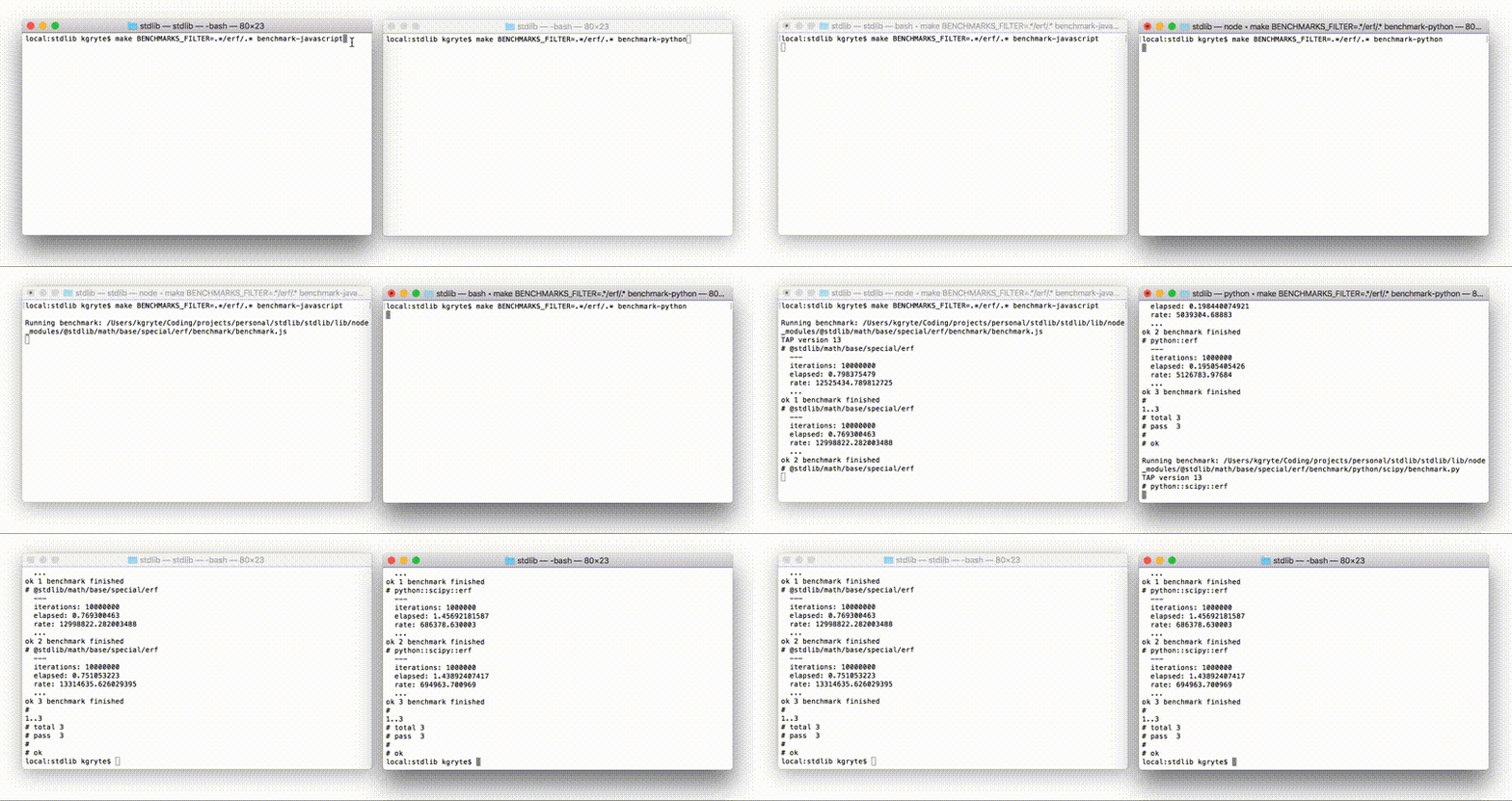 - REPL environment with integrated help and examples.
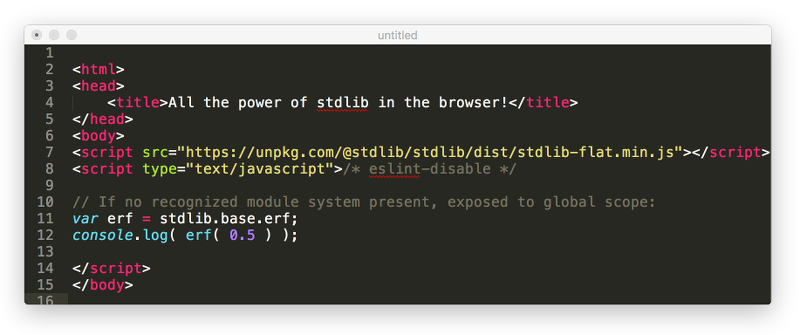
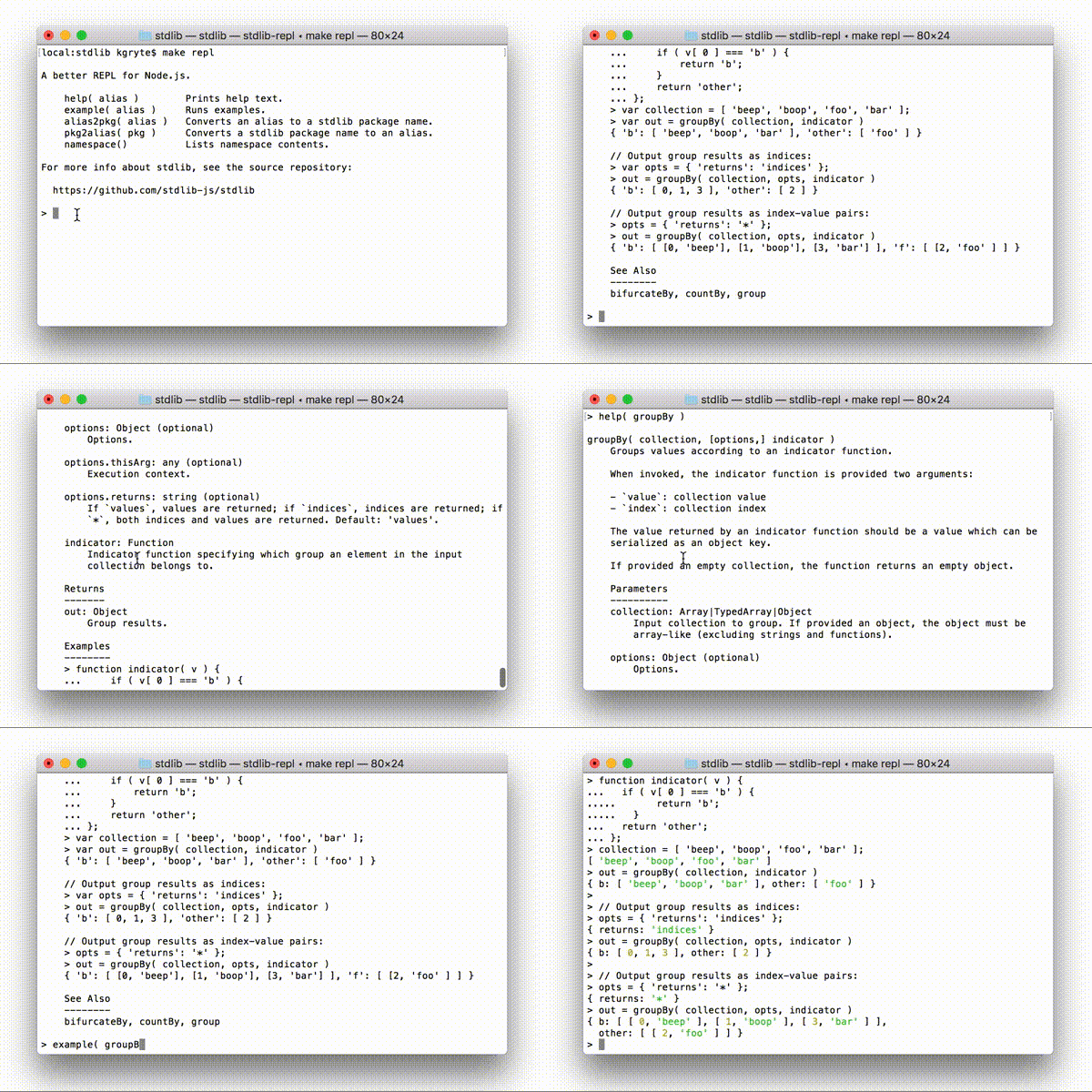 - Can be bundled using [Browserify][browserify], [Webpack][webpack], and other bundlers for use in web browsers.
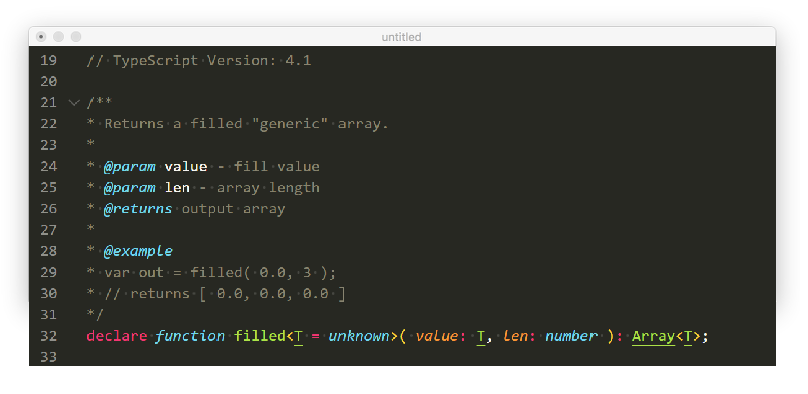
 - Every function is accompanied by [TypeScript][typescript] declaration files, ensuring type safety and facilitating intelligent code completion in IDEs.
 * * *
## Installation
To accommodate various use cases, stdlib can be used in multiple ways. The preferred method of use depends on your individual use case. We've provided some user stories to help you identify the best approach. 😃
While this project's installation instructions default to using [npm][npm] for package management, installation via other package managers, such as [yarn][yarn], should be a matter of simply swapping out [npm][npm] commands with those of the relevant package manager.
### User Stories
- I want to perform **data analysis** and **data science** tasks in JavaScript and Node.js, similar to how I might use Python, Julia, R, and MATLAB.
- Install the entire project as a [command-line utility](#install_command_line_utility).
- I am building a **web application**.
- I plan on using [Browserify][browserify], [Webpack][webpack], and other bundlers for use in web browsers.
- Install [individual packages](#install_individual_packages). Installing the entire project is likely unnecessary and will lead to slower installation times.
- I would like to **vendor** a custom bundle containing various stdlib functionality.
- Follow the steps for creating [custom bundles](#install_custom_bundles).
- I would like to include stdlib functionality by just using a `script` tag.
- I would like to use ES Modules.
- Use an individual package's ES Module [build](#install_env_builds_esm).
- I would like to use a pre-built bundle (possibly via a CDN, such as [unpkg][unpkg] or [jsDelivr][jsdelivr]).
- Install (or consume via a CDN) an individual package's pre-built UMD [browser bundle](#install_env_builds_umd).
- I am interested in using a substantial amount of functionality found in a top-level stdlib namespace and don't want to separately install hundreds of individual packages (e.g., if building an on-line calculator application and wanting all of stdlib's math functionality).
- Install one or more top-level [namespaces](#install_namespaces). Installing the entire project is likely unnecessary and will lead to slower installation times. Installing a top-level namespace is likely to mean installing functionality which will never be used; however, installing a top-level namespace is likely to be easier and less time-consuming than installing many individual packages separately.
When bundling, installing a top-level namespace should not be a concern, as individual functionality can still be independently required/imported. Project installation times may, however, be somewhat slower.
- I am building a [Node.js][node-js] **server application**.
- I am interested in using various functionality found in stdlib.
- Install [individual packages](#install_individual_packages). Installing the entire project is likely unnecessary and will lead to slower installation times.
- I would like to **vendor** stdlib functionality and avoid dependency trees.
- Install individual package UMD [bundles](#install_env_builds_nodejs).
- I am interested in using a _substantial_ amount of functionality found in a top-level stdlib namespace and don't want to separately install hundreds of individual packages.
- Install one or more top-level [namespaces](#install_namespaces). Installing the entire project is likely unnecessary and will lead to slower installation times. Installing a top-level namespace is likely to mean installing functionality which will never be used; however, installing a top-level namespace is likely to be easier and less time-consuming than installing many individual packages separately.
- I am using **Deno**.
- Import [individual packages](#install_env_builds_deno) using pre-built Deno builds.
- I would like to use stdlib functionality in an [Observable][observable] notebook.
- Consume a pre-built [browser bundles](#install_env_builds_umd) via a CDN, such as [unpkg][unpkg] or [jsDelivr][jsdelivr].
- I want to hack at stdlib, possibly even creating **customized** builds to link to platform-specific native libraries (such as Intel's MKL or some other numerical library).
- Install the project as a [system library](#install_system_library) by cloning this repository and following the [installation][stdlib-development] instructions as described in the [development guide][stdlib-development].
### Complete Library
To install the entire project as a library or application dependency,
* * *
## Installation
To accommodate various use cases, stdlib can be used in multiple ways. The preferred method of use depends on your individual use case. We've provided some user stories to help you identify the best approach. 😃
While this project's installation instructions default to using [npm][npm] for package management, installation via other package managers, such as [yarn][yarn], should be a matter of simply swapping out [npm][npm] commands with those of the relevant package manager.
### User Stories
- I want to perform **data analysis** and **data science** tasks in JavaScript and Node.js, similar to how I might use Python, Julia, R, and MATLAB.
- Install the entire project as a [command-line utility](#install_command_line_utility).
- I am building a **web application**.
- I plan on using [Browserify][browserify], [Webpack][webpack], and other bundlers for use in web browsers.
- Install [individual packages](#install_individual_packages). Installing the entire project is likely unnecessary and will lead to slower installation times.
- I would like to **vendor** a custom bundle containing various stdlib functionality.
- Follow the steps for creating [custom bundles](#install_custom_bundles).
- I would like to include stdlib functionality by just using a `script` tag.
- I would like to use ES Modules.
- Use an individual package's ES Module [build](#install_env_builds_esm).
- I would like to use a pre-built bundle (possibly via a CDN, such as [unpkg][unpkg] or [jsDelivr][jsdelivr]).
- Install (or consume via a CDN) an individual package's pre-built UMD [browser bundle](#install_env_builds_umd).
- I am interested in using a substantial amount of functionality found in a top-level stdlib namespace and don't want to separately install hundreds of individual packages (e.g., if building an on-line calculator application and wanting all of stdlib's math functionality).
- Install one or more top-level [namespaces](#install_namespaces). Installing the entire project is likely unnecessary and will lead to slower installation times. Installing a top-level namespace is likely to mean installing functionality which will never be used; however, installing a top-level namespace is likely to be easier and less time-consuming than installing many individual packages separately.
When bundling, installing a top-level namespace should not be a concern, as individual functionality can still be independently required/imported. Project installation times may, however, be somewhat slower.
- I am building a [Node.js][node-js] **server application**.
- I am interested in using various functionality found in stdlib.
- Install [individual packages](#install_individual_packages). Installing the entire project is likely unnecessary and will lead to slower installation times.
- I would like to **vendor** stdlib functionality and avoid dependency trees.
- Install individual package UMD [bundles](#install_env_builds_nodejs).
- I am interested in using a _substantial_ amount of functionality found in a top-level stdlib namespace and don't want to separately install hundreds of individual packages.
- Install one or more top-level [namespaces](#install_namespaces). Installing the entire project is likely unnecessary and will lead to slower installation times. Installing a top-level namespace is likely to mean installing functionality which will never be used; however, installing a top-level namespace is likely to be easier and less time-consuming than installing many individual packages separately.
- I am using **Deno**.
- Import [individual packages](#install_env_builds_deno) using pre-built Deno builds.
- I would like to use stdlib functionality in an [Observable][observable] notebook.
- Consume a pre-built [browser bundles](#install_env_builds_umd) via a CDN, such as [unpkg][unpkg] or [jsDelivr][jsdelivr].
- I want to hack at stdlib, possibly even creating **customized** builds to link to platform-specific native libraries (such as Intel's MKL or some other numerical library).
- Install the project as a [system library](#install_system_library) by cloning this repository and following the [installation][stdlib-development] instructions as described in the [development guide][stdlib-development].
### Complete Library
To install the entire project as a library or application dependency,
$ npm install @stdlib/stdlib
var ndarray = require( '@stdlib/ndarray/array' );

var arr = ndarray( [ [ 1, 2 ], [ 3, 4 ] ] );
// returns <ndarray>
import ndarray from '@stdlib/ndarray/array';

var arr = ndarray( [ [ 1, 2 ], [ 3, 4 ] ] );
// returns <ndarray>
$ npm install @stdlib/ndarray-array
var ndarray = require( '@stdlib/ndarray-array' );

var arr = ndarray( [ [ 1, 2 ], [ 3, 4 ] ] );
// returns <ndarray>
import ndarray from '@stdlib/ndarray-array';

var arr = ndarray( [ [ 1, 2 ], [ 3, 4 ] ] );
// returns <ndarray>
$ npm install @stdlib/math
Extension points exported contracts — how you extend this code
Namespace (Interface)* Interface describing the `stdlib` namespace.
docs/types/index.d.ts
Core symbols most depended-on inside this repo
generatecalled by 9
tools/docs/jsdoc/templates/html/publish.js
buildMemberNav
called by 8
tools/docs/jsdoc/templates/html/publish.js
copy
called by 7
etc/eslint/utils/copy.js
find
called by 4
tools/docs/jsdoc/templates/html/publish.js
validate
called by 3
tools/snippets/lib/validate.js
addAttribs
called by 3
tools/docs/jsdoc/templates/html/publish.js
cleanPath
called by 3
etc/typedoc/theme/assets/js/theme.js
cleanLinks
called by 3
etc/typedoc/theme/assets/js/theme.js
Shape
Languages
TypeScript87%
Python13%
Modules by API surface
tools/docs/jsdoc/templates/html/publish.js26 symbols
etc/typedoc/theme/assets/js/theme.js8 symbols
docs/migration-guides/mathjs/benchmark/benchmark.log10.matrix.2d.size.js6 symbols
docs/migration-guides/mathjs/benchmark/benchmark.erf.matrix.2d.size.js6 symbols
docs/migration-guides/mathjs/benchmark/benchmark.abs.matrix.2d.size.js6 symbols
tools/snippets/benchmark/python/scipy/benchmark.py5 symbols
tools/snippets/benchmark/python/numpy/benchmark.py5 symbols
tools/snippets/benchmark/python/benchmark.py5 symbols
docs/migration-guides/tfjs/benchmark/benchmark.gemm.square_matrices.js5 symbols
docs/migration-guides/scijs/benchmark/benchmark.gemm.square_matrices.js4 symbols
docs/migration-guides/mathjs/benchmark/benchmark.gemm.square_matrices.js4 symbols
tools/snippets/benchmark/benchmark.length.js3 symbols
Used by 1 indexed graphs manifest dependencies, hub-wide
Dependencies from manifests, versioned
0x4.10.2 · 1×
@commitlint/cli17.4.4 · 1×
@commitlint/cz-commitlint17.4.4 · 1×
@conventional-commits/parser0.4.1 · 1×
@cspell/eslint-plugin8.8.0 · 1×
@kaciras/deasync1.0.1 · 1×
@stdlib/array0.5.1 · 1×
@stdlib/assert0.4.1 · 1×
@stdlib/bench0.5.1 · 1×
@stdlib/bigint0.4.1 · 1×
@stdlib/blas0.4.1 · 1×
@stdlib/boolean0.4.1 · 1×
For agents
$ claude mcp add stdlib \
  -- python -m otcore.mcp_server <graph>