github.com/spyder-ide/spyder @v6.1.5 sqlite
README

Copyright © 2009– Spyder Project Contributors and others (see AUTHORS.txt)
Some source files and icons may be under other authorship/licenses; see NOTICE.txt.
Project status





Build status







Try Spyder online
 :point_left: Click on this link to run the latest Spyder version in your browser.
 :point_left: Click on this link to check the next Spyder 6 version.
 :point_left: Click on this link to test changes in our
 master branch.
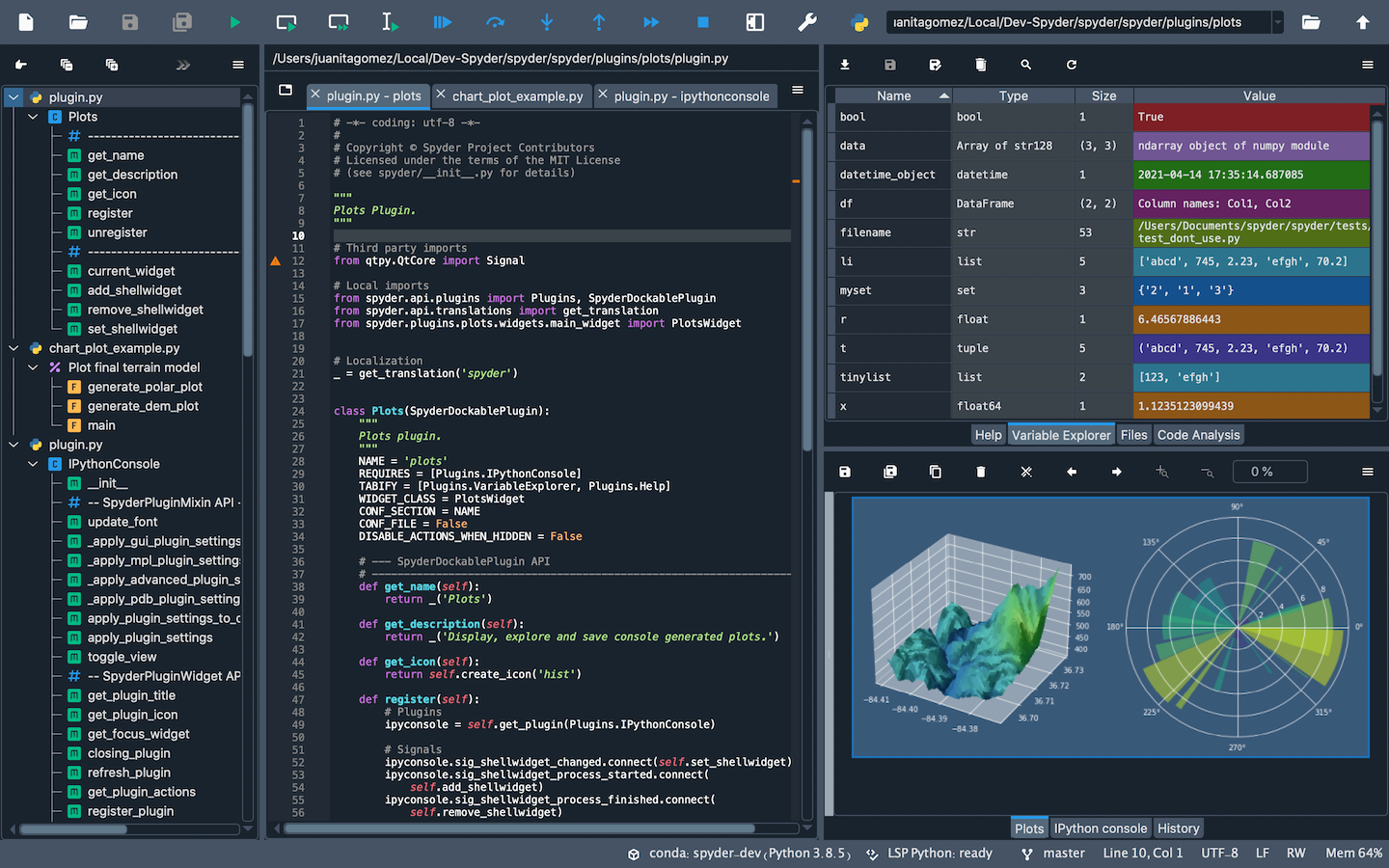
How Spyder looks
Help support Spyder, the community-developed scientific IDE!
Spyder development is made possible by contributions from our global user community, along with organizations like NumFOCUS and Quansight. There are numerous ways you can help, many of which don't require any programming. If you'd like to make a donation to help fund further improvements, we'd really appreciate it.
Thanks for all you do to make the Spyder project thrive! More details
Overview
Spyder is a powerful scientific environment written in Python, for Python, and designed by and for scientists, engineers and data analysts. It offers a unique combination of the advanced editing, analysis, debugging, and profiling functionality of a comprehensive development tool with the data exploration, interactive execution, deep inspection, and beautiful visualization capabilities of a scientific package.
Beyond its many built-in features, its abilities can be extended even further via its plugin system and API. Furthermore, Spyder can also be used as a PyQt5 extension library, allowing you to build upon its functionality and embed its components, such as the interactive console, in your own software.
For more general information about Spyder and to stay up to date on the latest Spyder news and information, please check out our new website.
Core components
-
Editor
Work efficiently in a multi-language editor with a function/class browser, real-time code analysis tools (
pyflakes,pylint, andpycodestyle), automatic code completion (jediandrope), horizontal/vertical splitting, and go-to-definition. -
Interactive console
Harness the power of as many IPython consoles as you like with full workspace and debugging support, all within the flexibility of a full GUI interface. Instantly run your code by line, cell, or file, and render plots right inline with the output or in interactive windows.
-
Documentation viewer
Render documentation in real-time with Sphinx for any class or function, whether external or user-created, from either the Editor or a Console.
-
Variable explorer
Inspect any variables, functions or objects created during your session. Editing and interaction is supported with many common types, including numeric/strings/bools, Python lists/tuples/dictionaries, dates/timedeltas, Numpy arrays, Pandas index/series/dataframes, PIL/Pillow images, and more.
-
Development tools
Examine your code with the static analyzer, trace its execution with the interactive debugger, and unleash its performance with the profiler. Keep things organized with project support and a built-in file explorer, and use find in files to search across entire projects with full regex support.
Core symbols most depended-on inside this repo
replaceShape
Languages
Modules by API surface
Dependencies from manifests, versioned
For agents
$ claude mcp add spyder \
  -- python -m otcore.mcp_server <graph>