github.com/shufo/vscode-blade-formatter @v0.26.3 sqlite
README





vscode-blade-formatter
An opinionated Blade file formatter for VSCode. Marketplace page is here.
You can also format programmatically with the same syntax using the blade-formatter that this extension relies on.
Features
- Automatically indent markup inside directives
- Automatically add spacing to blade template markers
- PHP 8 support (null safe operator, named arguments) 🐘
- PSR-2 support (format inside directives)
- Automatically sort Tailwind CSS classes with respect of
tailwind.config.js
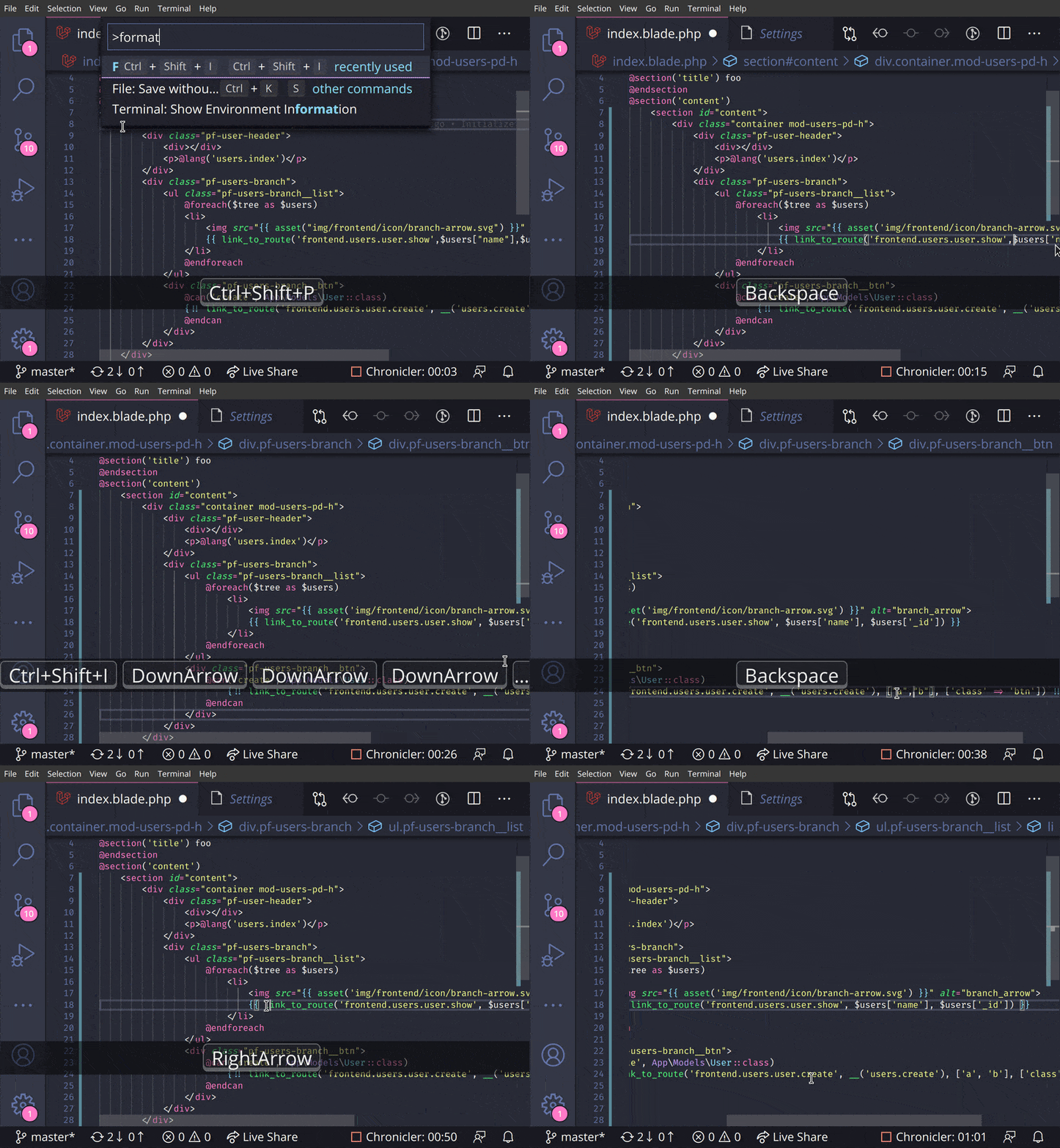
Screencast
Extension Settings
| setting | description | default |
|---|---|---|
Blade Formatter: format Enabled |
Whether it enables or not | true |
Blade Formatter: format Indent Size |
An indent size | 4 |
Blade Formatter: format Wrap Line Length |
The length of line wrap size | 120 |
Blade Formatter: format Wrap Attributes |
The way to wrap attributes. [auto\|force\|force-aligned\|force-expand-multiline\|aligned-multiple\|preserve\|preserve-aligned] |
auto |
Blade Formatter: format Wrap Attributes Min Attrs |
Minimum number of html tag attributes for force wrap attribute options. Wrap the first attribute only if force-expand-multiline is specified in wrap attributes |
2 |
Blade Formatter: format Sort Tailwind Css Classes |
Sort Tailwind CSS classes automatically | false |
Blade Formatter: format Sort HTML Attributes |
Sort HTML Attributes in the specified order. [none | alphabetical | code-guide | idiomatic | vuejs] |
none |
Blade Formatter: format Indent Inner Html |
Indent <head> and <body> sections in html. |
false |
Blade Formatter: format use Tabs |
Use tab as indentation character | false |
Blade Formatter: format Custom Html Attributes Order |
Comma separated custom HTML attributes order. e.g. id, data-.+, class, name. To enable this you must specify sort html attributes option as custom. You can use regex for attribute names. |
none |
Blade Formatter: format No Multiple Empty Lines |
Collapses multiple blank lines into a single blank line. | false |
Blade Formatter: format No PHP Syntax Check |
Disable PHP Syntax check. Enabling this will suppress syntax error reporing. | "" |
Blade Formatter: format No Single Quote |
Use double quotes instead of single quotes for php expression. | false |
Blade Formatter: format No Trailing Comma Php |
If set to true, no trailing commas are printed for php expression. | false |
Blade Formatter: format Component Prefix |
Specify custom prefixes for component names separated by comma. e.g. x-,livewire. This changes the format rules applied to custom components e.g. preserve style in attributes. |
x-,livewire |
Blade Formatter: format PHP Version |
A php version using for syntax compatibility. | 8.4 |
Blade Formatter: Dont Show New Version Message |
If set to 'true', the new version message won't be shown anymore. | false |
Configuration file: .bladeformatterrc.json or .bladeformatterrc
To configure settings per project, put .bladeformatterrc.json or .bladeformatterrc to your project root will vscode-blade-formatter treat it as setting files.
Configuration file will like below:
{
    "indentSize": 4,
    "wrapAttributes": "auto",
    "wrapAttributesMinAttrs": 2,
    "wrapLineLength": 120,
    "endWithNewLine": true,
    "noMultipleEmptyLines": false,
    "useTabs": false,
    "sortTailwindcssClasses": true,
    "sortHtmlAttributes": "none",
    "noPhpSyntaxCheck": false,
    "noSingleQuote": false,
    "noTrailingCommaPhp": false,
    "componentPrefix": ["x-", "livewire:"],
    "phpVersion": "8.4"
}
Ignoring Files: .bladeignore
To exclude files from formatting, create a .bladeignore file in the root of your project. .bladeignore uses gitignore syntax
# Ignore email templates
resources/views/email/**
Disabling format in file
To disable formatting in your file, you can use blade comments in the following format:
{{-- blade-formatter-disable --}}
    {{ $foo }}
    {{ $bar }}
{{-- blade-formatter-enable --}}
To disable formatting on a specific line, you can use comment in the following format:
{{-- blade-formatter-disable-next-line --}}
    {{ $foo }}
To disable formatting for an entire file, put a {{-- blade-formatter-disable --}} comment at the beginning of the file:
{{-- blade-formatter-disable --}}

{{ $foo }}
TODO
- [ ] Add more option for HTML formatting rules
- [ ] Add option for PHP formatting rules
- [x] Automate package publishing flow
- [x] Integration test
Release Notes
see CHANGELOG.md
Related Projects
- blade-formatter - CLI blade formatter this extension relies on
- prettier-plugin-blade - Prettier plugin for Blade
- coc-blade - coc.nvim Extension by @yaegassy
Contributing
- Fork it
- Create your feature branch (
git checkout -b my-new-feature) - Commit your changes (
git commit -am 'Add some feature') - Push to the branch (
git push origin my-new-feature) - Create new Pull Request
Development
$ yarn install
$ cp .env.example .env # set your app insight key
$ yarn run watch # watch changes
Testing
$ yarn install
$ cp .env.example .env # set your app insight key
$ yarn run compile
$ yarn run test
Sponsors

Contributors
 Shuhei Hayashibara
|
 SlovenianGooner
|
 Snyk Bot
|
 Yaegassy
|
 dianfishekqi
|
 Isaac Emmanuel
|
 Julio J. Foulquie
|
LICENSE
MIT
Data and telemetry
This extension collects usage data and sends it to Azure Application Insight to improve extension. This extension respects the `t
Extension points exported contracts — how you extend this code
TelemetryEventNamePropertyMapping (Interface)Core symbols most depended-on inside this repo
formatSameAsBladeFormatterShape
Languages
Modules by API surface
Dependencies from manifests, versioned
For agents
$ claude mcp add vscode-blade-formatter \
  -- python -m otcore.mcp_server <graph>