github.com/serengil/deepface @v0.0.100 sqlite
README
deepface














DeepFace is a lightweight face recognition and facial attribute analysis (age, gender, emotion and race) framework for python. It is a hybrid face recognition framework wrapping state-of-the-art models: VGG-Face, FaceNet, OpenFace, DeepFace, DeepID, ArcFace, Dlib, SFace, GhostFaceNet, Buffalo_L.
A modern face recognition pipeline consists of 5 common stages: detect, align, normalize, represent and verify. While DeepFace handles all these common stages in the background, you don’t need to acquire in-depth knowledge about all the processes behind it. You can just call its verification, find or analysis function with a single line of code.
Experiments show that human beings have 97.53% accuracy on facial recognition tasks whereas those models already reached and passed that accuracy level.
Installation 
The easiest way to install deepface is to download it from PyPI. It's going to install the library itself and its prerequisites as well.
$ pip install deepface
Alternatively, you can also install deepface from its source code. Source code may have new features not published in pip release yet.
$ git clone https://github.com/serengil/deepface.git
$ cd deepface
$ pip install -e .
Once you installed the library, then you will be able to import it and use its functionalities.
from deepface import DeepFace
💡 Prefer not to install or manage infrastructure? You can use a managed API via deepface.dev.
Face Verification - Demo
This function determines whether two facial images belong to the same person or to different individuals. The function returns a dictionary, where the key of interest is verified: True indicates the images are of the same person, while False means they are of different people.
result: dict = DeepFace.verify(img1_path = "img1.jpg", img2_path = "img2.jpg")
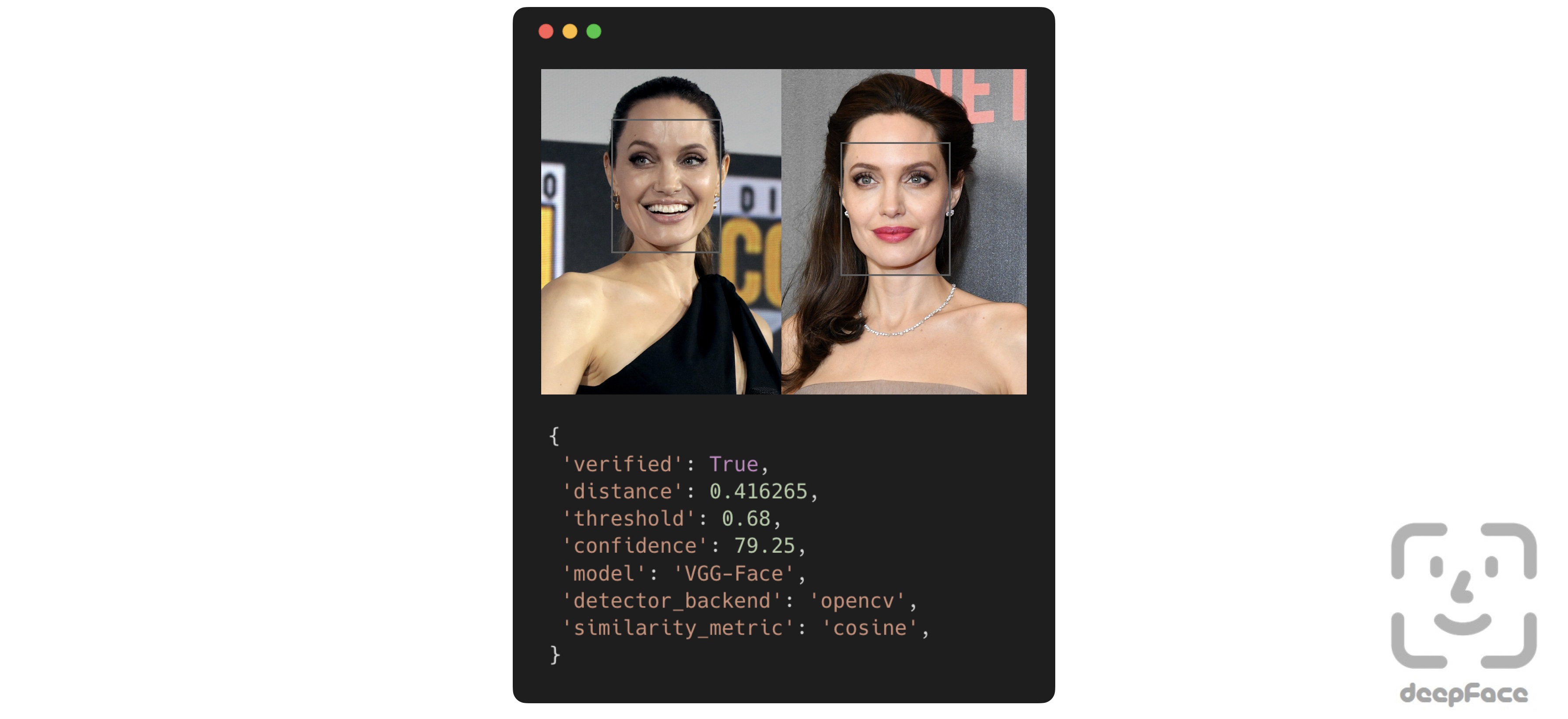
Face recognition - Tutorial, Demo
Face recognition requires applying face verification many times. DeepFace provides an out-of-the-box find function that searches for the identity of an input image within a specified database path.
dfs: List[pd.DataFrame] = DeepFace.find(img_path = "img1.jpg", db_path = "C:/my_db")
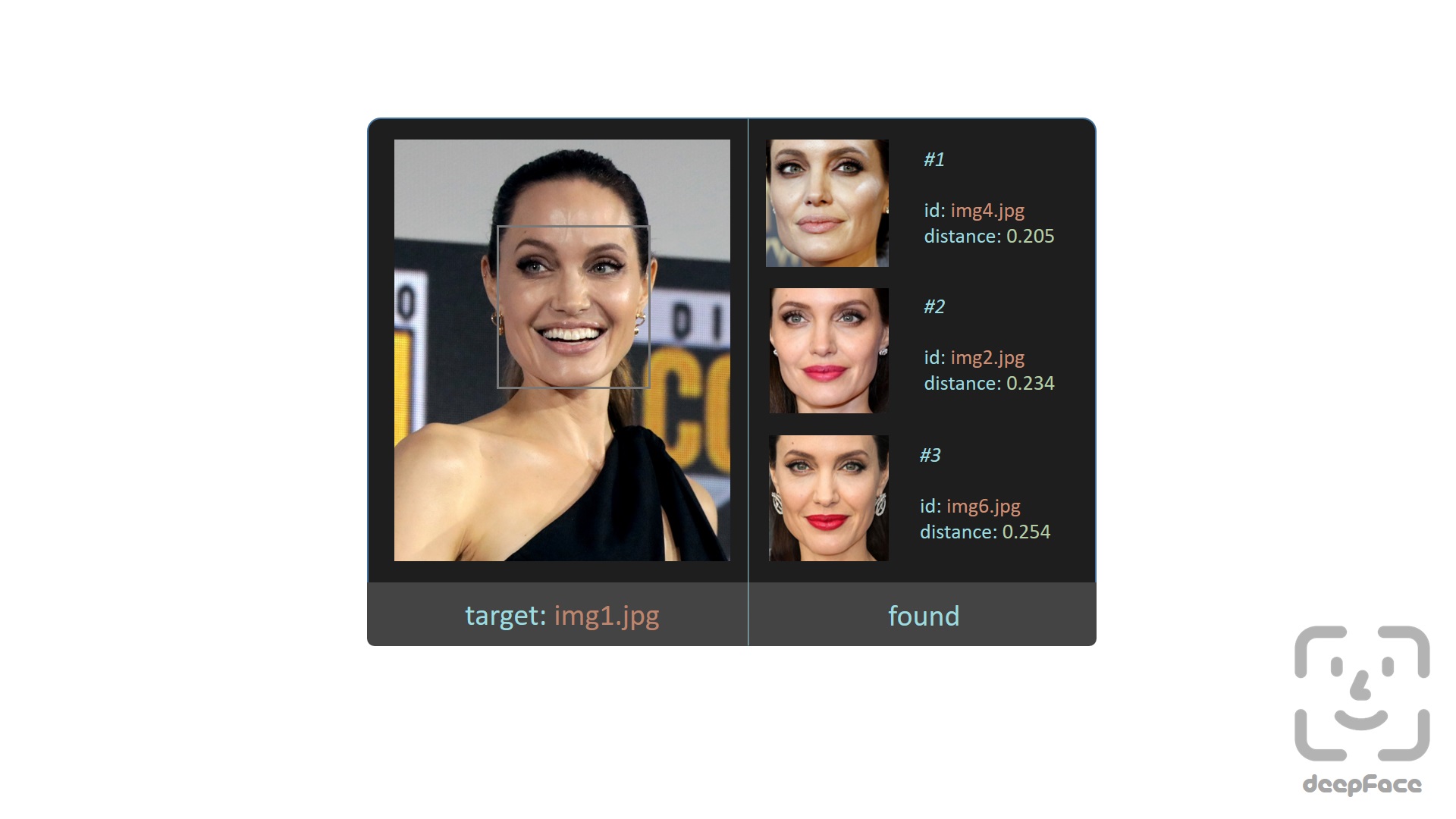
Here, the find function relies on a directory-based face datastore and stores embeddings on disk. Alternatively, DeepFace provides a database-backed search functionality where embeddings are explicitly registered and queried. Currently, postgres, mongo, neo4j, pgvector, pinecone and weaviate are supported as backend databases.
# register an image into the database
DeepFace.register(img = "img1.jpg")

# perform exact search
dfs: List[pd.DataFrame] = DeepFace.search(img = "target.jpg")
If you want to perform approximate nearest neighbor search instead of exact search to achieve faster results on large-scale databases, you can build an index beforehand and explicitly enable ANN search. Here, Faiss is used to index embeddings in postgres and mongo; whereas vector databases such as pgvector, weaviate, pinecone and neo4j handle indexing internally.
# build index on registered embeddings (for postgres and mongo only)
DeepFace.build_index()

# perform approximate nearest neighbor search
dfs: List[pd.DataFrame] = DeepFace.search(img = "target.jpg", search_method = "ann")
Facial Attribute Analysis - Demo
DeepFace also comes with a strong facial attribute analysis module including age, gender, facial expression (including angry, fear, neutral, sad, disgust, happy and surprise) and race (including asian, white, middle eastern, indian, latino and black) predictions.
objs: List[dict] = DeepFace.analyze(
  img_path = "img4.jpg", actions = ['age', 'gender', 'race', 'emotion']
)
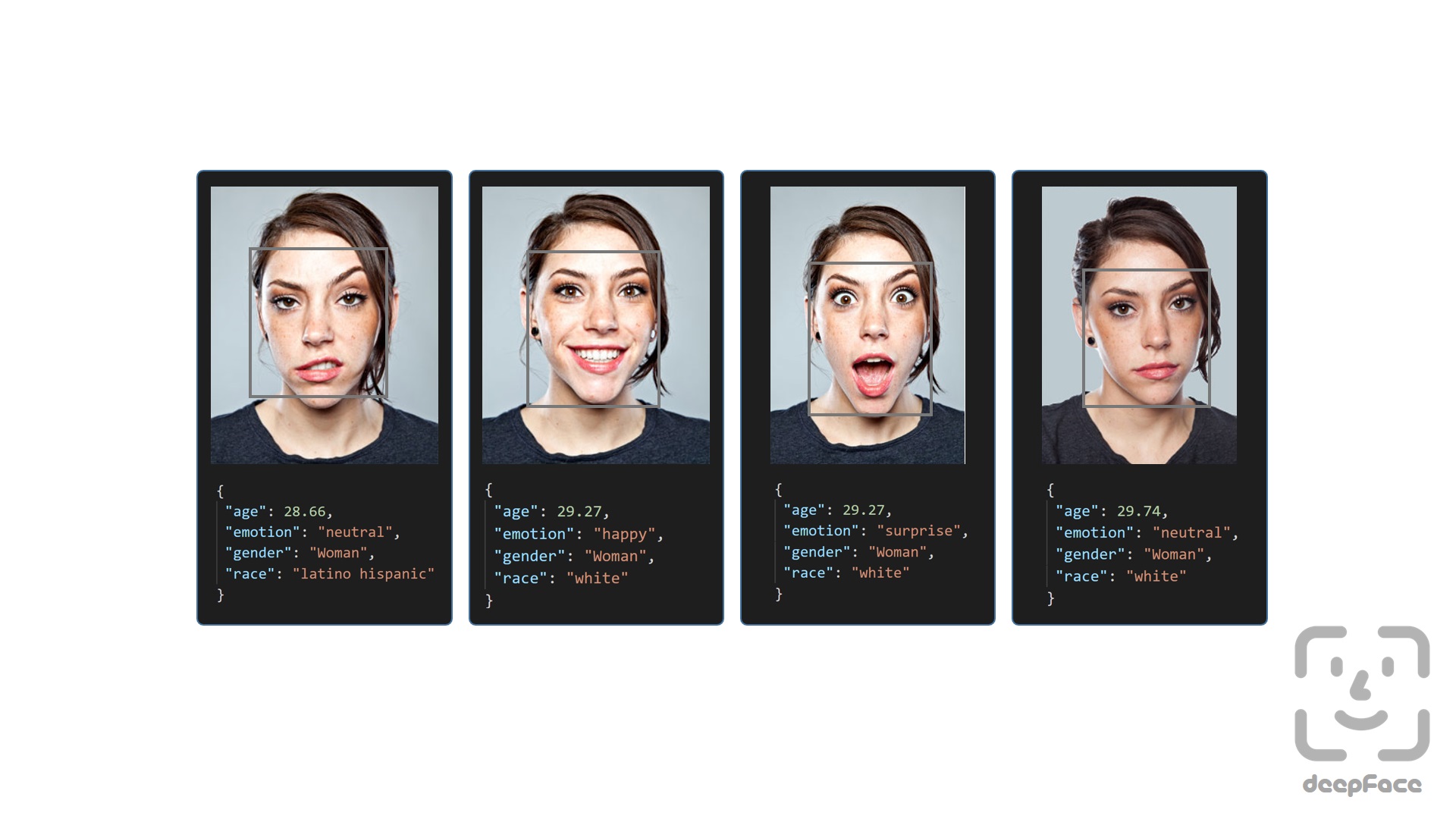
Age model got ± 4.65 MAE; gender model got 97.44% accuracy, 96.29% precision and 95.05% recall as mentioned in its tutorial.
Real Time Analysis - Demo, React Demo part-i, React Demo part-ii
You can run deepface for real time videos as well. Stream function will access your webcam and apply both face recognition and facial attribute analysis. The function starts to analyze a frame if it can focus a face sequentially 5 frames. Then, it shows results 5 seconds.
DeepFace.stream(db_path = "C:/database")

Even though face recognition is based on one-shot learning, you can use multiple face pictures of a person as well. You should rearrange your directory structure as illustrated below.
user
├── database
│   ├── Alice
│   │   ├── Alice1.jpg
│   │   ├── Alice2.jpg
│   ├── Bob
│   │   ├── Bob.jpg
If you intend to perform face verification or analysis tasks directly from your browser, deepface-react-ui is a separate repository built using ReactJS depending on deepface api.
Here, you can also find some real time demos for various facial recognition models:
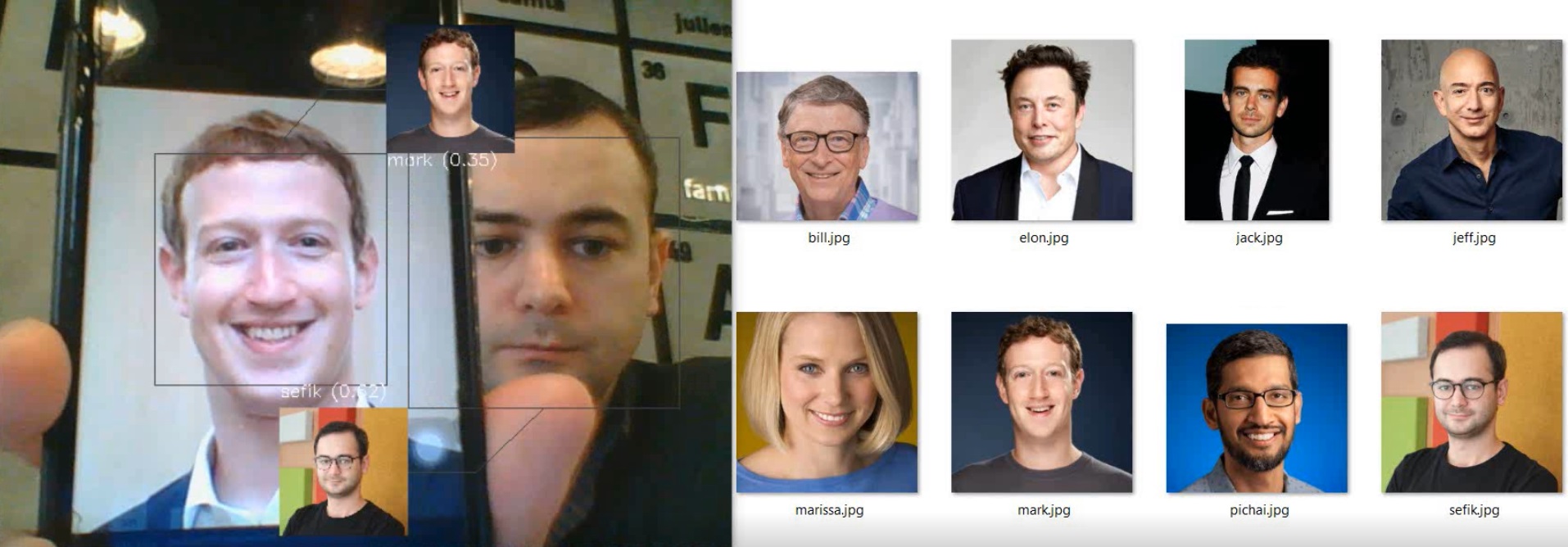
| Task | Model | Demo |
|---|---|---|
| Facial Recognition | DeepFace | Video |
| Facial Recognition | FaceNet | Video |
| Facial Recognition | VGG-Face | Video |
| Facial Recognition | OpenFace | Video |
| Age & Gender | Default | Video |
| Race & Ethnicity | Default | Video |
| Emotion | Default | Video |
| Celebrity Look-Alike | Default | Video |
Face recognition models basically represent facial images as multi-dimensional vectors. Sometimes, you need those embedding vectors directly. DeepFace comes with a dedicated representation function.
embedding_objs: List[dict] = DeepFace.represent(img_path = "img.jpg")
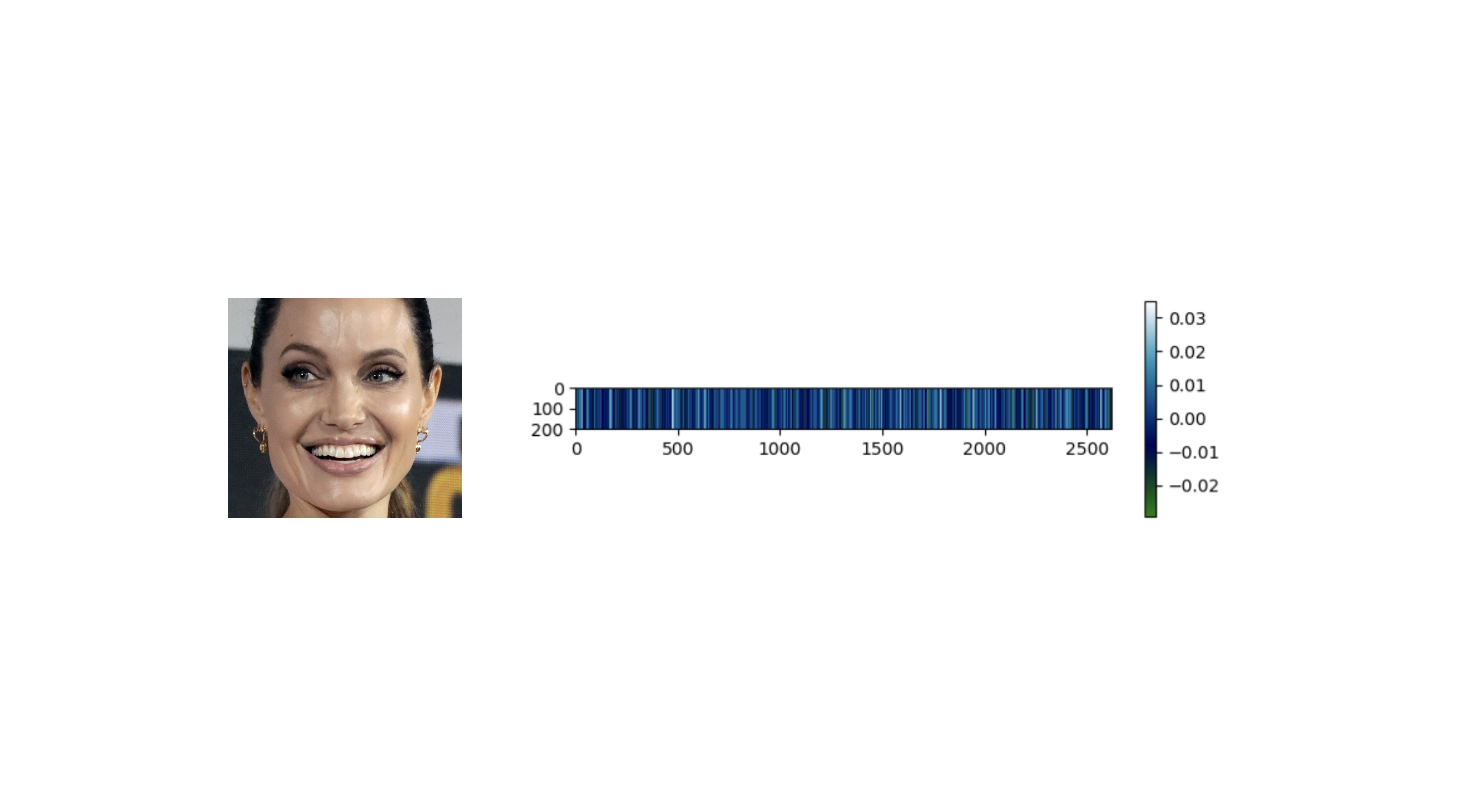
Embeddings can be plotted as below. Each slot is corresponding to a dimension value and dimension value is emphasized with colors. Similar to 2D barcodes, vertical dimension stores no information in the illustration.
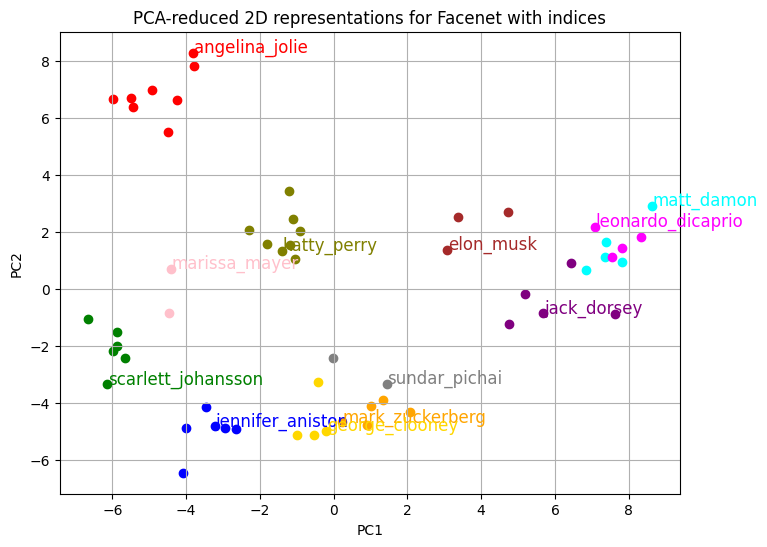
In summary, the distance between vector embeddings of the same person should be smaller than that between embeddings of different people. When reduced to two-dimensional space, the clusters become clearly distinguishable.
Face recognition models - Demo
DeepFace is a hybrid face recognition package. It currently wraps many state-of-the-art face recognition models: VGG-Face , FaceNet, OpenFace, DeepFace, DeepID, [`
Core symbols most depended-on inside this repo
infoShape
Languages
Modules by API surface
Dependencies from manifests, versioned
Datastores touched
For agents
$ claude mcp add deepface \
  -- python -m otcore.mcp_server <graph>