github.com/sebhildebrandt/systeminformation @v5.31.12 sqlite
README
systeminformation
System and OS information library for node.js
Explore Systeminformation docs »
Report bug · Request feature · Changelog
[![NPM Version][npm-image]][npm-url]
[![NPM Downloads][downloads-image]][downloads-url]
[![Git Issues][issues-img]][issues-url]
[![Closed Issues][closed-issues-img]][closed-issues-url]
 [![Sponsoring][sponsor-badge]][sponsor-url]
[![Caretaker][caretaker-image]][caretaker-url]
[![MIT license][license-img]][license-url]
[![Sponsoring][sponsor-badge]][sponsor-url]
[![Caretaker][caretaker-image]][caretaker-url]
[![MIT license][license-img]][license-url]
The Systeminformation Project
This is amazing. Started as a small project just for myself, it now has > 20,000 lines of code, > 700 versions published, up to 20 mio downloads per month, > 500 mio downloads overall. Top 10 NPM ranking for backend packages. Thank you to all who contributed to this project!
Upcoming Version 6 ⭐️⭐️⭐️
The upcoming version 6 of this package (written completely in TypeScript) will come with a lot of new features and improvements. I also cleaned up the API so there will also be some breaking changes. I will release the first beta soon.
Please support this project ... ☕️
Over the past few years I spent more than 3.000 hours working 💻 😓 ☕️ on this project and invested in hardware to be able to test on different platforms. Currently I am working very hard on the next new version 6.0 completely rewritten in TypeScript and with a lot of new features. Any support is highly appreciated - Buy me a coffee... ☕️
Your contribution make it possible for me to keep working on this project, add new features and support more platforms. Thank you in advance!
Node.js ✅, Bun ✅ and Deno ✅
I tested this library with Node.js, Bun and Deno (V2.x) with no issues. There was only one problem on Denos side in version <= 2.1.4: os.freemem() pollyfill was not correct but this is now fixed with Deno >= 2.1.5.
Attention: This library is supposed to be used as a backend/server-side library and will definitely not work within a browser.
Current Version 5.0
The current Version 5 - this major version release 5.0 - came with new functionality and several improvements and changes (some of them are breaking changes!):
- added audio: get detailed audio device information
- added bluetooth: get detailed bluetooth device information
- added dockerImages, dockerVolumes: get detailed information about docker images and volumes
- added printer: get information from detected printers
- added usb: get detailed usb controller and device information
- added wifi interfaces and connections: extended wifi information
- better uuid function to get unique hardware and OS UUIDs
- better/extended cpu info detection
- better/extended system info detection
- Apple Silicon M1/M2/M3/M4/M5 support
- better Raspberry-PI detection
- systeminformation website updated and extended with full documentation and examples [systeminformation.io][systeminformation-url]
- lot of minor improvements
Breaking Changes in version 5 (compared to version 4.x): you will see several breaking changes for the sake of a more consistent API interface and to be future proof. Read the [detailed version 5 changes][changes5-url].
I did a lot of testing on different platforms and machines but of course there might be some issues that I am not aware of. I would be happy if you inform me when you discover any issues. Issues can be [opened here][new-issue].
Quick Start
Lightweight collection of 50+ functions to retrieve detailed hardware, system and OS information.
- simple to use
- get detailed information about system, cpu, baseboard, battery, memory, disks/filesystem, network, docker, software, services and processes
- supports Linux, macOS, partial Windows, FreeBSD, OpenBSD, NetBSD, SunOS and Android support
- no npm dependencies
Installation
npm install systeminformation --save
or simpler
npm i systeminformation
Give it a try with npx?
You just want to give it a try - right from your command line without installing
it? Here is how you can call it with npx:
# get basic system info (System, OS, CPU)
npx systeminformation info

# obtain all static data - may take up to 30 seconds
npx systeminformation
Still need Version 4?
If you need version 4 (for compatibility reasons), you can install version 4 (latest release) like this
npm install systeminformation@4 —save
or simpler
npm install systeminformation@4
Usage
All functions (except version and time) are implemented as asynchronous
functions. Here a small example how to use them:
const si = require("systeminformation");

// promises style - new since version 3
si.cpu()
  .then((data) => console.log(data))
  .catch((error) => console.error(error));
News and Changes
Latest Activity
(last 7 major and minor version releases)
- Version 5.31.0:
diskLayout()added smartmontools support (macOS) - Version 5.30.0:
processes()added user (windows) - needed to be reverted - Version 5.29.0:
osInfo()added OS code name (windows) - Version 5.28.0:
cpuTemperature()added suppurt for macos-temperature-sensor (macOS) - Version 5.27.0:
mem()added reclaimable memory - Version 5.26.0:
getStatic(),getAll()added usb, audio, bluetooth, printer - Version 5.25.0:
versions()added homebrew - Version 5.24.0:
versions()added bun and deno - Version 5.23.0:
usb()added serial number (linux) - Version 5.22.0:
wifiConnections()added signal quality - Version 5.21.0:
graphics()added subVendor (linux) - Version 5.20.0:
mem()added writeback and dirty (linux) - Version 5.19.0:
currentLoad()added steal and guest time (linux) - Version 5.18.0:
fsSize()added optional drive parameter - Version 5.17.0:
graphics()added positionX, positionY (macOS) - Version 5.16.0:
fsSize()added rw property - Version 5.15.0:
blockDevices()added device - Version 5.14.0:
blockDevices()added raid group member (linux) - Version 5.13.0:
networkConnections()added process name (macOS) - Version 5.12.0:
cpu()added performance and efficiency cores - Version 5.11.0:
networkInterfaces()added default property and default parameter - Version 5.10.0: basic
androidsupport - Version 5.9.0:
graphics()added properties (macOS) - Version 5.8.0:
disksIO()added waitTime, waitPercent (linux) - Version 5.7.0:
diskLayout()added S.M.A.R.T for Windows (if installed) - Version 5.6.0:
cpuTemperature()added socket and chipset temp (linux) - Version 5.5.0:
dockerVolumes()added - Version 5.4.0:
dockerImages()added - Version 5.3.0:
osInfo()added remoteSession (win only) - Version 5.2.0:
wifiInterfaces()andwifiConnections()added - Version 5.1.0:
memLayout()added ECC flag,bios()added language, features (linux) - Version 5.0.0: new version 5 - attention there are some breaking changes. See [detailed version 5 changes here][changes5-url].
- ...
You can find all changes here: [detailed changelog][changelog-url]
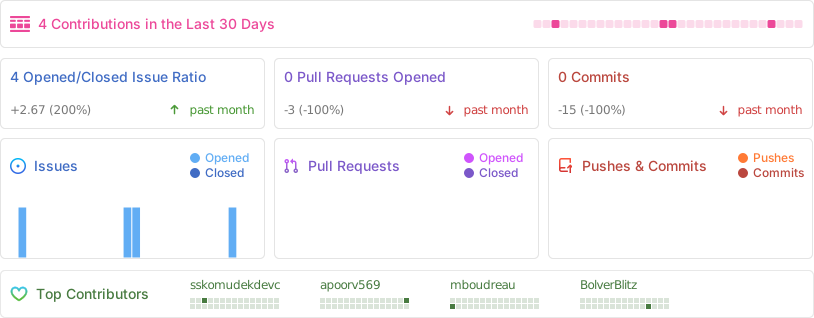
Activity
Core concept
[Node.js][nodejs-url] comes with some basic OS information, but I always wanted a little more. So I came up to write this little library. This library is still a work in progress. It is supposed to be used as a backend/server-side library (it will definitely not work within a browser). It requires node.js version 4.0 and above.
I was able to test it on several Debian, Raspbian, Ubuntu distributions as well as macOS (Mavericks, Yosemite, El Captain, Sierra, High Sierra, Mojave, Catalina, Big Sur, Monterey, Ventura, Sonoma, Sequoia, Tahoe) and some Windows 7, Windows 8, Windows 10, Windows 11, FreeBSD, OpenBSD, NetBSD and SunOS machines. Not all functions are supported on all operating systems. Have a look at the function reference in the docs to get further details.
If you have comments, suggestions & reports, please feel free to contact me!
I also created a nice little command line tool called [mmon][mmon-github-url] (micro-monitor) for Linux and macOS, also available via [github][mmon-github-url] and [npm][mmon-npm-url]
Reference
Function Reference and OS Support
Full function reference with examples can be found at [https://systeminformation.io][systeminformation-url].
1. General
| Function | Result object | Linux | BSD | Mac | Win | Sun | Comments |
|---|---|---|---|---|---|---|---|
| si.version() | : string | X | X | X | X | X | lib version (no callback/promise) |
| si.time() | {...} | X | X | X | X | X | (no callback/promise) |
| current | X | X | X | X | X | local (server) time | |
| uptime | X | X | X | X | X | uptime in number of seconds | |
| timezone | X | X | X | X | X | e.g. GMT+0200 | |
| timezoneName | X | X | X | X | X | e.g. CEST |
2. System (HW)
| Function | Result object | Linux | BSD | Mac | Win | Sun | Comments |
|---|---|---|---|---|---|---|---|
| si.system(cb) | {...} | X | X | X | X | hardware information | |
| manufacturer | X | X | X | X | e.g. 'MSI' | ||
| model | X | X | X | X | model/product e.g. 'MS-7823' | ||
| version | X | X | X | X | version e.g. '1.0' | ||
| serial | X | X | X | X | serial number | ||
| uuid | X | X | X | X | UUID | ||
| sku | X | X | X | X | SKU number | ||
| virtual | X | X | X | is virtual machine | |||
| virtualHost | X | X | X | virtual host (if virtual) | |||
| raspberry | X | optional raspberry revision data | |||||
| si.bios(cb) | {...} | X | X | X | X | bios information | |
| vendor | X | X | X | X | e.g. 'AMI' | ||
| version | X | X | X | X | version | ||
| releaseDate | X | X | X | release date | |||
| revision | X | X | X | revision | |||
| serial | X | X | serial | ||||
| si.baseboard(cb) | {...} | X | X | X | X | baseboard information | |
| manufacturer | X | X | X | X | e.g. 'ASUS' | ||
| model | X | X | X | X | model / product name | ||
| version | X | X | X | X | version | ||
| serial | X | X | X | X | serial number | ||
| assetTag | X | X | X | X | asset tag | ||
| memMax | X | X | X | max memory in bytes | |||
| memSlots | X | X | X | memory slots on baseboard | |||
| si.chassis(cb) | {...} | X | X | X | X | chassis information | |
| manufacturer | X | X | X | X | e.g. 'MSI' | ||
| model | X | X | X | X | model / product name | ||
| type | X | X | X | X | model / product name | ||
| version | X | X | X | X | version | ||
| serial | X | X | X | X | serial number | ||
| assetTag | X | X | X | X | asset tag | ||
| sku | X | SKU number |
3. CPU
| Function | Result object | Linux | BSD | Mac | Win | Sun | Comments |
|---|---|---|---|---|---|---|---|
| si.cpu(cb) | {...} | X | X | X | X | CPU information | |
| manufacturer | X | X | X | X | e.g. 'Intel(R)' | ||
| brand | X | X |
Extension points exported contracts — how you extend this code
TimeData (Interface)Core symbols most depended-on inside this repo
callbackShape
Languages
Modules by API surface
For agents
$ claude mcp add systeminformation \
  -- python -m otcore.mcp_server <graph>