github.com/sahat/hackathon-starter @10.0.0 sqlite
README
 Hackathon Starter
=======================
Hackathon Starter
=======================
Live Demo: Link
Jump to What's new?
A boilerplate for Node.js web applications.
If you have attended any hackathons in the past, then you know how much time it takes to get a project started: decide on what to build, pick a programming language, pick a web framework, pick a CSS framework. A while later, you might have an initial project up on GitHub, and only then can other team members start contributing. Or how about doing something as simple as Sign in with Facebook authentication? You can spend hours on it if you are not familiar with how OAuth 2.0 works.
When I started this project, my primary focus was on simplicity and ease of use. I also tried to make it as generic and reusable as possible to cover most use cases of hackathon web apps, without being too specific. In the worst case, you can use this as a learning guide for your projects, if for example you are only interested in Sign in with Google authentication and nothing else.
Testimonials
"Nice! That README alone is already gold!"
— Adrian Le Bas
— Steven Rueter
— Kevin Granger
"Small world with Sahat's project. We were using his hackathon starter for our hackathon this past weekend and got some prizes. Really handy repo!"
— Interview candidate for one of the companies I used to work with.
Modern Theme

Flatly Bootstrap Theme

API Examples
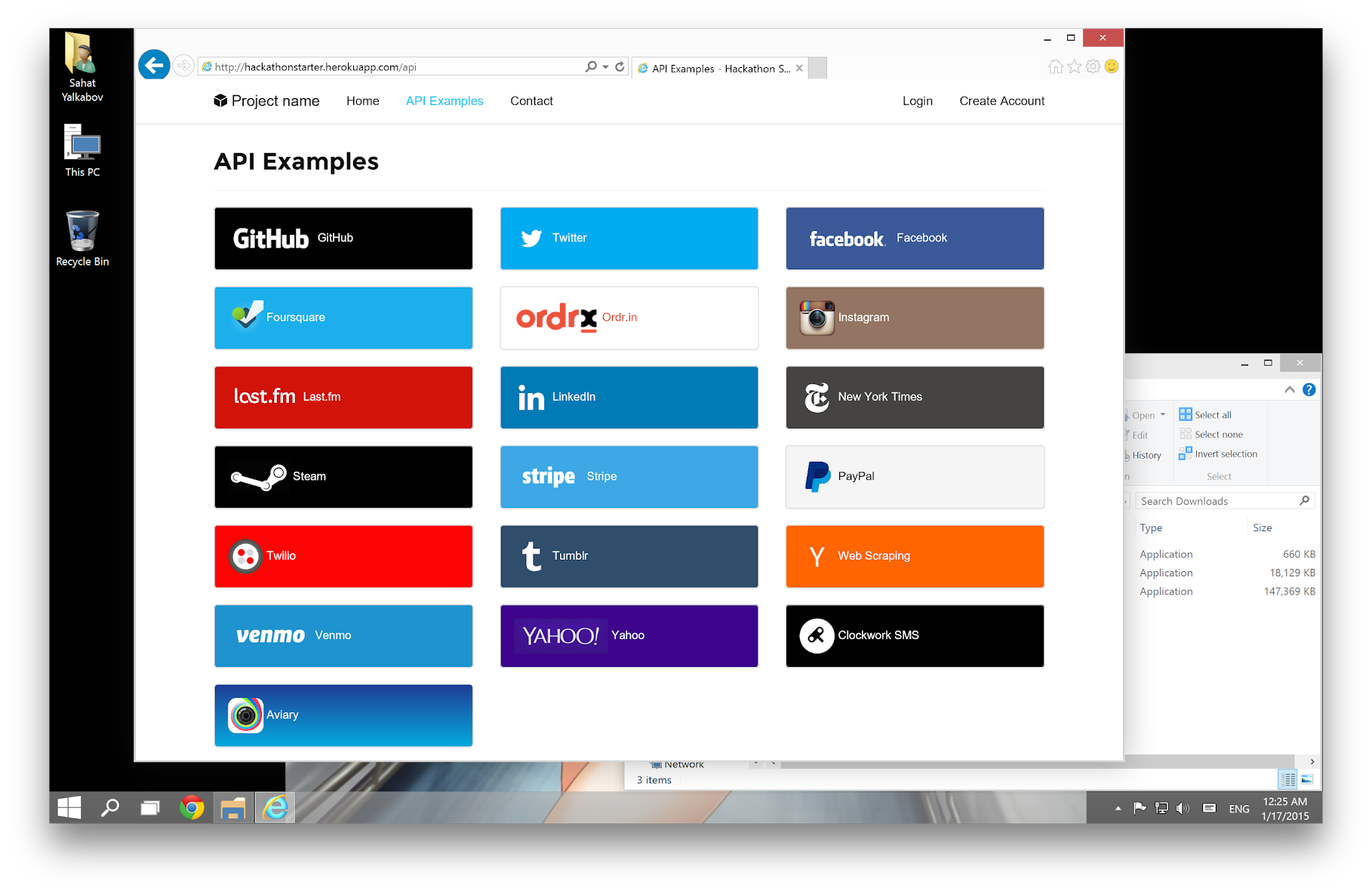
Table of Contents
- Features
- Prerequisites
- Getting Started
- HTTPS Proxy
- Obtaining API Keys
- Web Analytics
- Open Graph
- Project Structure
- List of Packages
- Useful Tools and Resources
- Recommended Design Resources
- Recommended Node.js Libraries
- Recommended Client-side Libraries
- Using AI Assistants
- FAQ
- How It Works
- Cheatsheets
- ES6
- JavaScript Date
- Mongoose Cheatsheet
- Deployment
- Production
- Changelog
- Contributing
- License
Features
- Login
- Local Authentication Sign in with Email and Password, Passwordless, Passkey / Biometrics
- OAuth 2.0 Authentication: Sign in with Google, Microsoft, Facebook, LinkedIn, X (Twitter), Twitch, GitHub, Discord
- User Profile and Account Management
- Gravatar
- Profile Details
- Password management (Change, Reset, Forgot)
- Verify Email
- Two-Factor Authentication (2FA) Email codes and Authenticator apps
- Link multiple OAuth provider accounts to one account
- OAuth token revocation
- Delete Account
- Contact Form (powered by SMTP via Mailgun, AWS SES, etc.)
- File upload
- Device camera
- AI Examples and Boilerplates
- AI Agent ReAct (Reasoning + Acting) with tool calling, MongoDB session persistence, and input guardrails
- RAG with semantic and embedding caching
- Llama 3.3, Llama 4 Scout (vision use case)
- OpenAI Moderation
- Support for a range of foundational and embedding models (DeepSeek, Llama, Mistral, Sentence Transformers, etc.) via LangChain, Groq, and Hugging Face
- API Examples
- Backoffice: Lob (USPS Mail), Paypal, Quickbooks, Stripe, Twilio (text messaging)
- Data, Media & Entertainment: Alpha Vantage (stocks and finance info) with ChartJS, Github, Foursquare, Last.fm, New York Times, PubChem (chemical information), Trakt.tv (movies/TV), Twitch, Tumblr (OAuth 1.0a example), Steam (OpenID), Web Scraping, GIPHY
- Maps and Location: Google Maps, HERE Maps
-
Productivity: Google Drive, Google Sheets
-
Flash notifications
- reCAPTCHA and rate limit protection
- CSRF protection
- MVC Project Structure
- Node.js clusters support
- HTTPS Proxy support (via ngrok, Cloudflare, etc.)
- Sass stylesheets
- Bootstrap 5
- "Go to production" checklist
Prerequisites
- MongoDB (local install OR hosted)
- Local Install: MongoDB
-
Hosted: No need to install, see the MongoDB Atlas section
- Highly recommended: Use/Upgrade your Node.js to the latest Node.js LTS version.
- Command Line Tools
 Mac OS X: Xcode (or OS X 10.9+:
 xcode-select --install) Windows: Visual Studio Code + Windows Subsystem for Linux - Ubuntu OR Visual Studio
 Ubuntu /
  Linux Mint:
 sudo apt-get install build-essential Fedora:
 sudo dnf groupinstall "Development Tools" OpenSUSE:
 sudo zypper install --type pattern devel_basis
Note: If you are new to Node or Express, you may find Node.js & Express From Scratch series helpful for learning the basics of Node and Express. Alternatively, here is another great tutorial for complete beginners - Getting Started With Node.js, Express, MongoDB.
Getting Started
Step 1: The easiest way to get started is to clone the repository:
# Get the latest snapshot
git clone https://github.com/sahat/hackathon-starter.git myproject

# Change directory
cd myproject

# Install NPM dependencies
npm install

# Then simply start your app
npm start
Note: I highly recommend installing Nodemon. It watches for any changes in your node.js app and automatically restarts the server. Once installed, instead of node app.js use nodemon app.js. It will
save you a lot of time in the long run, because you won't need to manually restart the server each time you make a small change in code. To install, run sudo npm install -g nodemon.
Step 2: Obtain API Keys and change configs if needed After completing step 1 and locally installing MongoDB, you should be able to access the application through a web browser and use local user accounts. However, certain functions like API integrations may not function correctly until you obtain specific keys from service providers. The keys provided in the project serve as placeholders, and you can retain them for features you are not currently utilizing. To incorporate the acquired keys into the application, you have two options:
- Set environment variables in your console session: Alternatively, you can set the keys as environment variables directly through the command prompt. For instance, in bash, you can use the
exportcommand like this:export FACEBOOK_SECRET=xxxxxx. This method is considered a better practice as it reduces the risk of accidentally including your secrets in a code repository. - Replace the keys in the
.env.examplefile: Open the.env.examplefile and update the placeholder keys with the newly acquired ones. This method has the risk of accidental checking-in of your secrets to code repos.
What to get and configure:
- SMTP
- For user workflows for reset password and verify email
- For contact form processing
- reCAPTCHA
- For contact form submission, but you can skip it during your development
- OAuth for social logins (Sign in with / Login with)
- Depending on your application need, obtain keys from Google, Facebook, X (Twitter), LinkedIn, Twitch, GitHub. You don't have to obtain valid keys for any provider that you don't need. Just remove the buttons and links in the login and account pug views before your demo.
-
API keys for service providers that you need in the API Examples if you are planning to use them.
-
MongoDB Atlas
-
If you are using MongoDB Atlas instead of a local db, set the MONGODB_URI to your db URI (including your db user/password).
-
Email address
- Set SITE_CONTACT_EMAIL as your incoming email address for messages sent to you through the contact form.
- Set TRANSACTION_EMAIL as the "From" address for emails sent to users through the lost password or email verification emails to users. You may set this to the same address as SITE_CONTACT_EMAIL.
Step 3: Setup an HTTPS proxy to access the app with an https address: See
Step 4: Develop your application and customize the experience
- Check out How It Works
Step 5: Optional - deploy to production See:
HTTPS Proxy:
If you want to use an API that requires HTTPS (for example, GitHub or Facebook), you need to run the app with an HTTPS URL. You can do this by setting up an HTTPS proxy using either ngrok or Cloudflare.
Note: When using an HTTPS proxy, you may get a CSRF mismatch error if you try to directly access the app at http://localhost:8080 instead of the HTTPS proxy address.
ngrok
- Download ngrok.
- Start ngrok.
- Set your BASE_URL to the forwarding address from ngrok (i.e.,
https://3ccb-1234-abcd.ngrok-free.app). This will be the HTTPS address for accessing the app.
Cloudflare
- Download and install cloudflared.
- For a quick, free tunnel with a random subdomain under
trycloudflare.com, execute:
cloudflared tunnel --url http://localhost:8080
- Set BASE_URL to the HTTPS address for the tunnel.
Cloudflare with your own domain name
If you own a domain managed by Cloudflare, you can use Cloudflare's Zero Trust portal to set up a tunnel to your app that is activated by a system service. Alternatively, you can create a tunnel and route a subdomain you like to your app using their CLI:
cloudflared tunnel login
cloudflared tunnel create myapptunnel
cloudflared tunnel route dns myapptunnel myappsubdomain.mydomain.com
cloudflared tunnel --url http://localhost:8080 run myapptunnel
Then set BASE_URL to the HTTPS address for the tunnel. Note that the tunnel and DNS route are a one-time setup. To reactivate the HTTPS tunnel to your app later, such as after a system restart, just rerun:
cloudflared tunnel --url http://localhost:8080 run myapptunnel
To clean up your own domain's related configurations when you're done:
- Delete the tunnel by executing
cloudflared tunnel delete myapptunnel - Remove the
myappsubdomainDNS entry from your domain through the Cloudflare web UI. - Remove
%USERPROFILE%\.cloudflared(Windows) or~/.cloudflared(Linux/macOS) if you want to clear local credentials.
Obtaining API Keys
You will need to obtain appropriate credentials (Client ID, Client Secret, API Key, or Username & Password) for API and service providers which you need. See Step 2 in the Getting started section for more info.
SMTP
Obtain SMTP credentials from a provider for transactional emails. Set the SMTP_USER, SMTP_PASSWORD, and SMTP_HOST environment variables accordingly. When picking the SMTP host, keep in mind that the app is configured to use secure SMTP transmissions over port 465 out of the box. You have the flexibility to select any provider that suits your needs or take advantage of one of the following providers, each offering a free tier for your convenience.
| Provider | Free Tier | Website |
|---|---|---|
| SMTP2Go | 1000 emails/month for free | https://www.smtp2go.com |
| Brevo | 300 emails/day for free | https://www.brevo.com |

- Visit Facebook Developers
- Click My Apps, then
Core symbols most depended-on inside this repo
revokeProviderTokensShape
Languages
Modules by API surface
Dependencies from manifests, versioned
Datastores touched
For agents
$ claude mcp add hackathon-starter \
  -- python -m otcore.mcp_server <graph>