github.com/rsalmei/alive-progress @v3.3.0 sqlite
README



alive-progress






Have you ever wondered where your lengthy processing was at, and when would it finish? Do you usually hit RETURN several times to make sure it didn't crash, or the SSH connection didn't freeze? Have you ever thought it'd be awesome to be able to pause some processing without hassle, return to the Python prompt to manually fix some items, then seamlessly resume it? I did...
I've started this new progress bar thinking about all that, behold the alive-progress! 😃
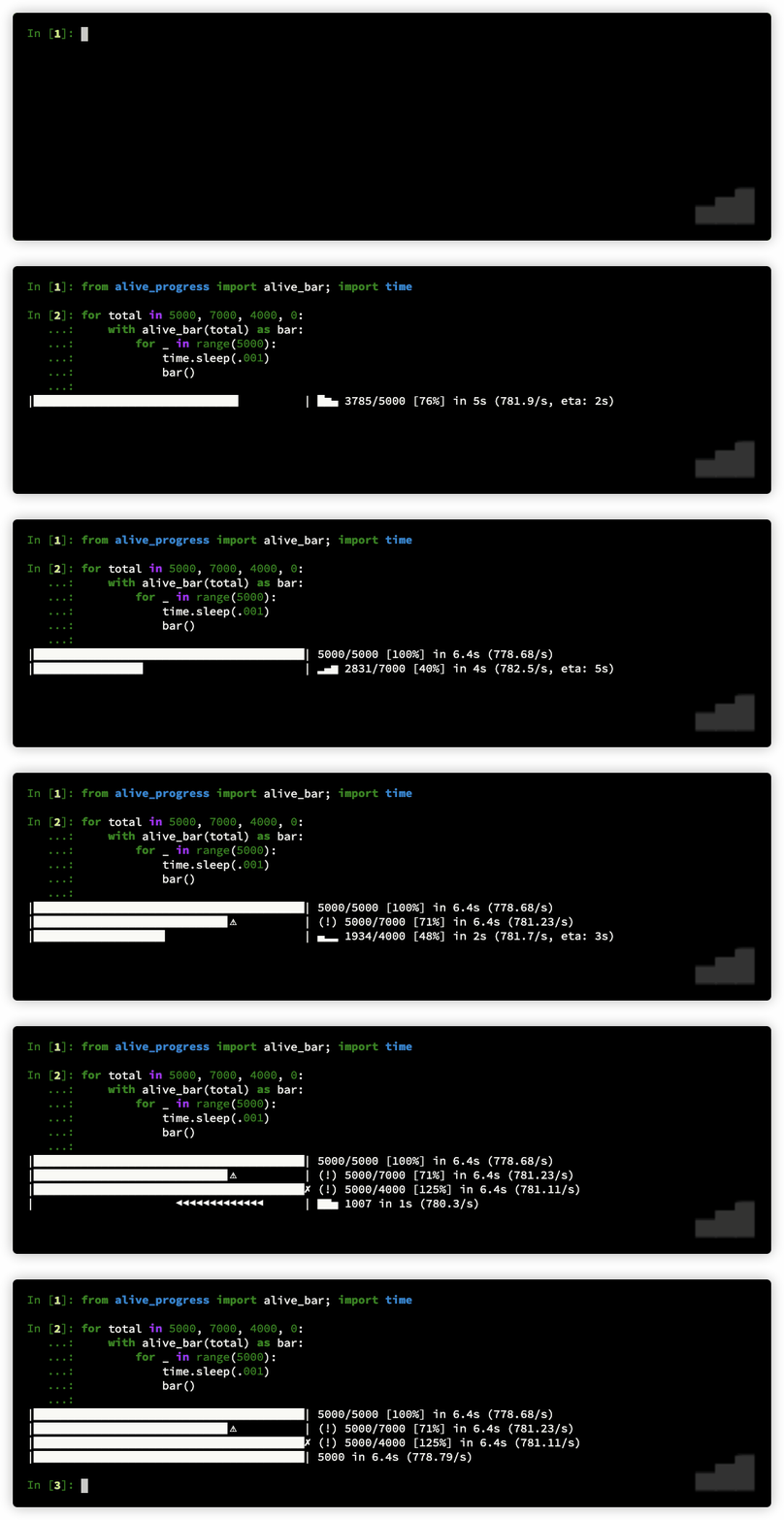
Introducing the newest concept in progress bars for Python! alive-progress is in a class of its own, with an array of cool features that set it apart. Here are a few highlights:
- A mesmerizing live spinner that reacts to your actual processing speed, i.e., it dynamically gets faster or slower with your throughput, and clearly shows a lengthy task is in progress, i.e., did not crash even if taking too long (and your SSH connection did not freeze if remote).
- An efficient multithreaded bar that updates itself at a fraction of the actual processing speed to keep CPU usage low and avoid terminal spamming (1,000,000 iterations per second equates to roughly 60 updates per second), and you can also calibrate it to your liking.
- An accurate ETA (Expected Time of Arrival) with an intelligent Exponential Smoothing Algorithm that shows the time to completion, allowing you to plan your time and manage your workload more effectively.
- Automatic print and logging hooks that provide seamless and efortless integration with any code, even enriching these outputs with the current bar position when they occurred.
- It prints a nice final receipt when your processing ends, including the total items, the elapsed time, and the observed throughput.
- It detects under and overflows, enabling you to track hits, misses, or any desired counts, not necessarily the actually performed iterations.
- You can suspend it! That's right, you heard it here first! No other progress bar anywhere in any language has this feature! You can suspend your processing and get back to the Python prompt, adjust or fix some items, and then get back into the same processing as if it had never stopped!
- It is highly customizable, with a smorgasbord of ready-to-use spinner and bar styles, as well as several factories to easily create yours! There's even a super powerful
check()tool that helps you design your own animations! You can see how the generated frames and animation cycles will look like, exploded on your screen, and even see it alive before installing inalive-progress! It's the coolest tool in the world! Unleash your creativity!
Table of contents
This README is always evolving, so do take a more comprehensive look from time to time... You might find great new details in other sections! 😊
- alive-progress
- Table of contents
- 📌 What's new in 3.3 series
- Using
alive-progress - The
barhandler - Auto-iterating
- Modes of operation
- Styles
- Configuration
- Create your own animations
- Advanced
- Interesting facts
- To do
- Python End of Life notice
- License
📌 What's new in 3.3 series
The latest alive-progress release is finally here, and it brings some exciting improvements! 🎉
Here's a summary of the most notable changes:
- Now the final receipt is available in the alive_bar handle, even after the bar has finished!
- This allows you to access the final receipt data and use it in your code, such as logging or displaying it in a custom way.
- You can change the bar title and text even after it has finished, so you can update the final receipt with new information or context.
- Included the elapsed time in the alive_bar handle, with full precision, so you can access the exact time it took to complete your processing.
Technical changes:
- Changed the
graphemedependency which was no longer maintained tographemeu, which is a maintained fork of the original one. - Added
py.typedin the distribution to satisfy mypy and other type checking tools. - Included Python 3.14 support (in CI for now).
Previous releases
New in 3.2 series
After about a year of reassuring stability, the new alive-progress has finally landed!
The main features and improvements are:
- The print/logging hooks now support multithreading => a highly requested feature: everything is synchronized now so you can print from different threads without issues! No more queues to send messages to the main thread!
- Rounded ETAs for long tasks => now the ETA automatically decreases its precision the higher it gets, making it smoother and easier to read!
- Support for zero and even negative bar increments => now on par with the manual mode, you can call
bar()with0and even-Nto make it go backwards! Useful when you couldn't make any progress in an iteration or had to roll back something!
And more!
- Custom offset for the enriched print/logging messages => now you can specify a custom
enrich_offsetto use for printed or logged messages, allowing you to start withon 1:or continue where you left from previous computations! - Improved compatibility with PyInstaller => now custom bars, unknown bars, and spinners work when bundled!
- Improved compatibility with Celery => it will just work within Celery tasks!
- drop python 3.7 and 3.8, hello 3.12 and 3.13!
New in 3.1 series
A very cool update here! In addition to polishing things up and improving terminal support, now alive-progress supports resuming computations!
When processing huge datasets or things that take a long time, you might either use batches or cache partial results. Then, in case it stops and is restarted, you end up skipping all those already done items very quickly, which makes the alive_bar think you're processing thousands of items per second, which in turn completely ruins the ETA... But not anymore! Just tell bar() that you've skipped items... 👏
You can use it in two ways:
1. If you do know where you've stopped:
with alive_bar(120000) as bar:
    bar(60000, skipped=True)
    for i in range(60000, 120000):
        # process item
        bar()
Yep, just call bar(N, skipped=True) once, with the number of items.
2. If you do not know or the items are scattered:
with alive_bar(120000) as bar:
    for i in range(120000):
        if done(i):
            bar(skipped=True)
            continue

        # process item
        bar()
Yep, it's as simple as that! Just call bar(skipped=True) when an item is already done, or bar() as usual otherwise. You could also share a single bar(skipped=?) call at the end, with a bool saying whether you did skip that item or not. Cool, huh?
Also in this version:
- new
max_colsconfig setting, the number of columns to use if not possible to fetch it, like in jupyter and other platforms which doesn't support size - fix fetching the size of the terminal when using stderr
- officially supports Python 3.11
- included ruff linter before building
New in 3.0 series
Yep, I could finally get this version out! These are the new goodies:
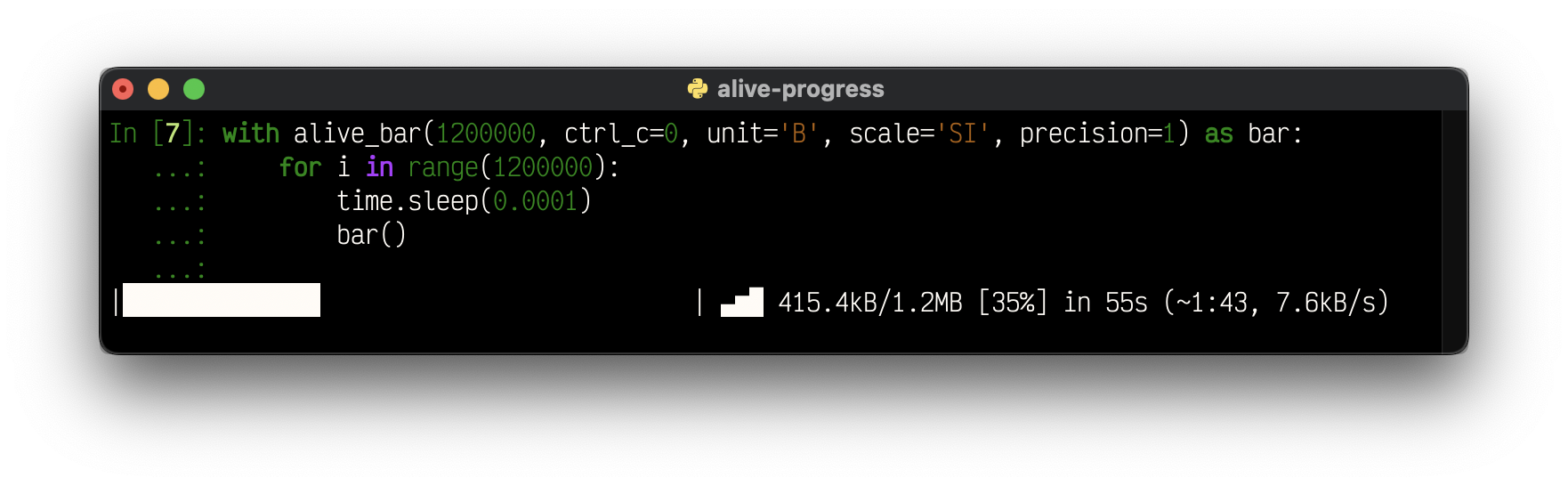
- Units support! You can now label the data you're processing, like
B,bytes, or even°C! - Automatic scaling! With support for SI (base 1000), IEC (base 1024), and even an alternate SI with base 1024, you'll be well served!
- Configurable precision! When your numbers are scaled, you get to choose how many decimals they display!
- Automatic stats scaling for slow throughputs! If your processing takes minutes or more, now you'll see rates per minute, per hour, and even per day! (It works within the auto-scaling system!)
- Support for using
sys.stderrand other files instead ofsys.stdout! - Smoothed out the rate estimation with the same Exponential Smoothing Algorithm that powers the ETA, so the bar returns a more realistic ETA!
- Query the currently running widgets' data, like the monitor, rate, and ETA!
- New help system on configuration errors, which explains why a value was not accepted, and what were the expected ones!
Highly anticipated fixes:
- Support for reusing logging handlers! No more
TypeError: unhashable type: 'types.SimpleNamespace'. - Support for logging when using
RotatingFileHandlers! Yep, seek support is here. - Fix unknown mode always ending with a warning (!)
And last but not least, a more polished layout for you to enjoy your progress!
New in 2.4 series
Now, alive_bar supports Dual Line text mode!
If you ever wanted to include longer situational messages within the bar, you probably felt squeezed into one line. You had to shrink the beautifully animated bar or, even worse, remove widgets (!) to be able to see what you needed...
Not anymore!! You can now make the bar Dual Line, and put text below it!
Yes, there's a message below the whole bar, and any other print/logging messages scroll above it!
letters = [chr(ord('A') + x) for x in range(26)]
with alive_bar(26, dual_line=True, title='Alphabet') as bar:
    for c in letters:
        bar.text = f'-> Teaching the letter: {c}, please wait...'
        if c in 'HKWZ':
            print(f'fail "{c}", retry later')
        time.sleep(0.3)
        bar()
Output:
on 7: fail "H", retry later
on 10: fail "K", retry later
Alphabet |███████████████████████████▊            | ▃▅▇ 18/26 [69%] in 6s (3.2/s, eta: 3s)
-> Teaching the letter: S, please wait...
There's also a new finalize function parameter in alive_it which enables you to set the title and/or text of the final receipt, and improved logging support which detects customized loggers.
New in 2.3 series
This is all about customization; the core widgets can now be changed:
- send a string to the
monitor,elapsed, andstatswidgets to make them look anyway you want!
It's incredible that these strings support all Python format features, so you can e.g.,
{percent:.1%}😉.
They can be further customized when on the final receipt!
- new
monitor_end,elapsed_end, andstats_end, with dynamic formats inherited from the standard ones!
If you've hidden some widgets before, just so they wouldn't appear on the receipt, now you can see them in all their running glory, and hide just the receipt ones! Or the other way around 😜
Another addition, now alive-progress beautifully renders its cool final receipt whenever it is stopped, even if you CTRL+C it prematurely! I don't know why I haven't thought about that before...
Download |██████████████████⚠︎ | (!) 45/100 [45%] in 4.8s (9.43/s)
And finally, you can choose to disable CTRL+C at all! The default is the safer ctrl_c=True, which does make CTRL-C work as usual.
Disable it `ctrl_c=F
Core symbols most depended-on inside this repo
bouncing_spinner_factoryShape
Languages
Modules by API surface
Used by 3 indexed graphs manifest dependencies, hub-wide
For agents
$ claude mcp add alive-progress \
  -- python -m otcore.mcp_server <graph>