github.com/roughike/BottomBar @V2.3.1
Chat with this repoWhat it actually does AI analysis from the code graph — generated when you open this
README
BottomBar


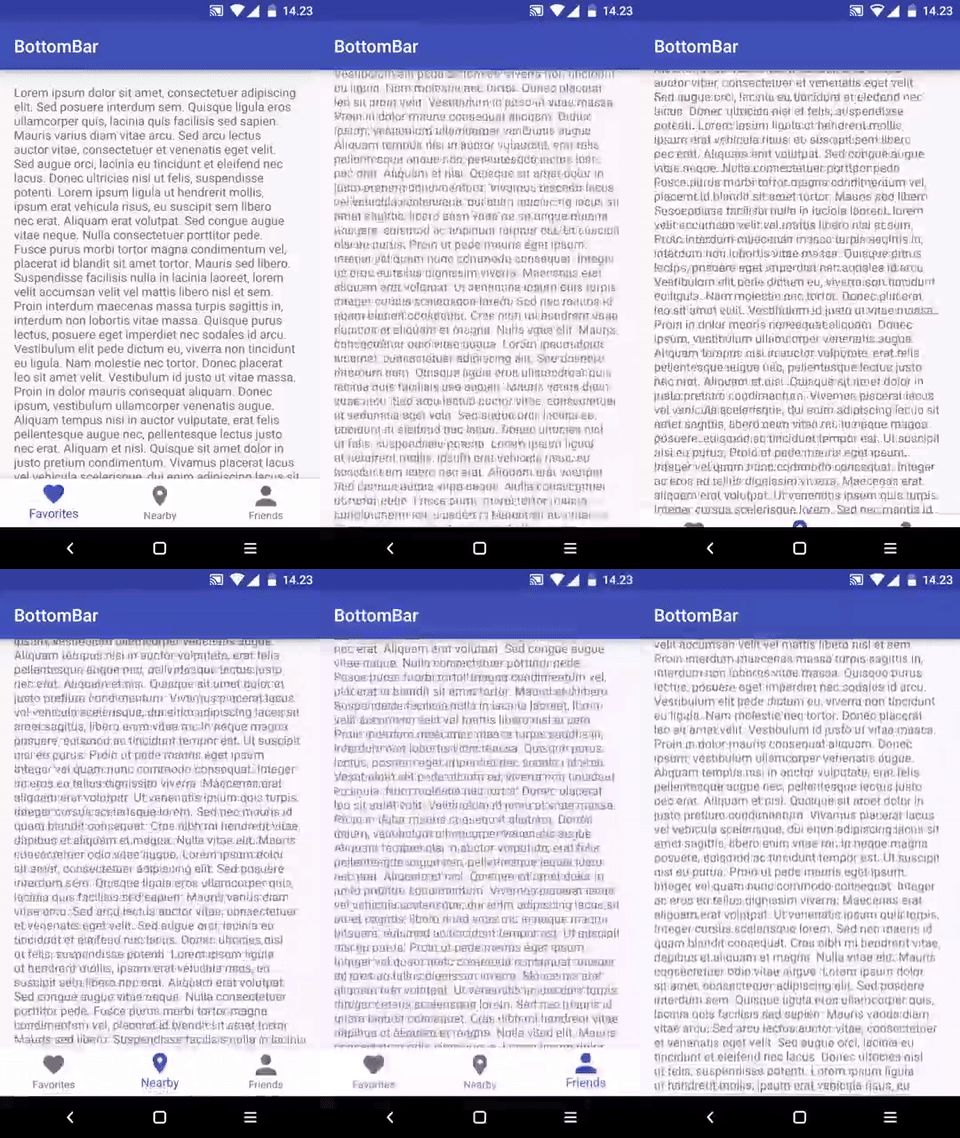
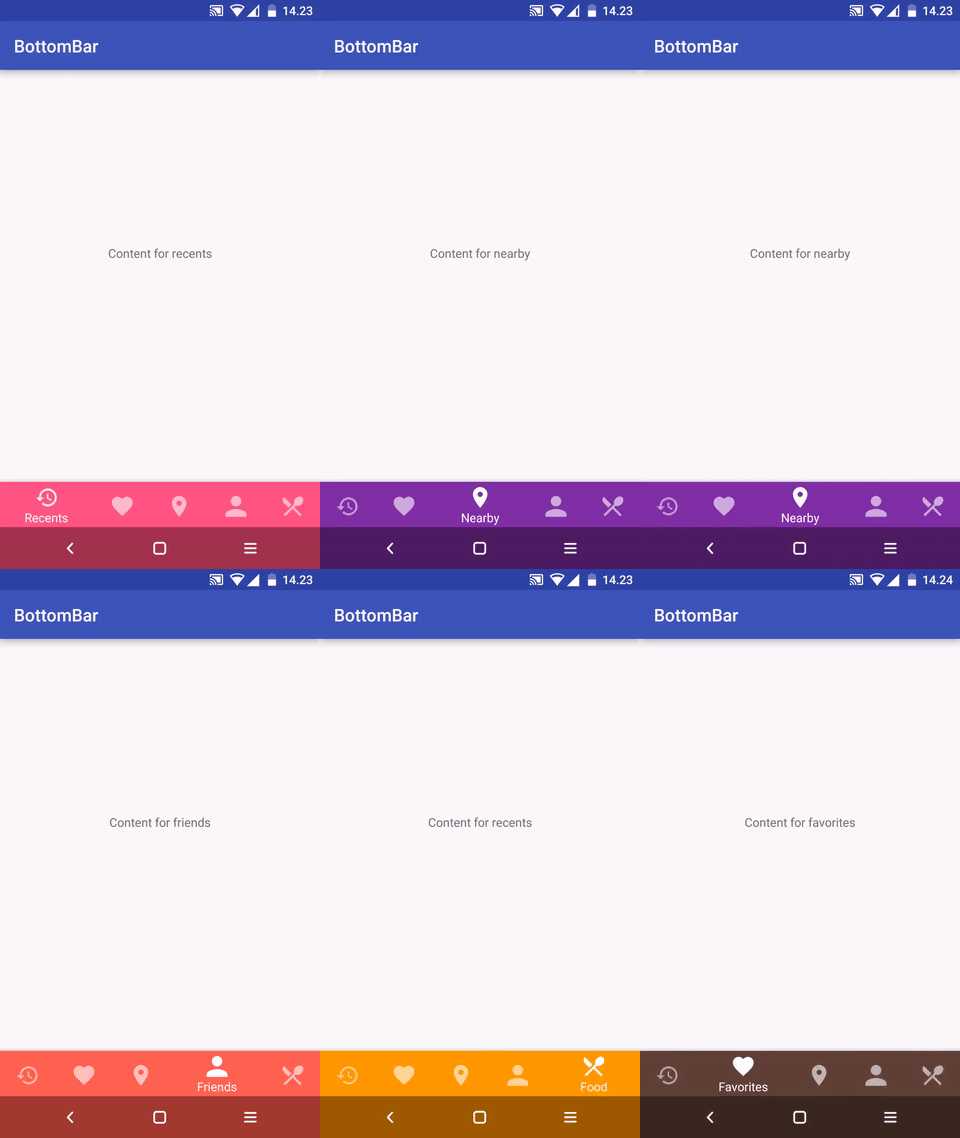
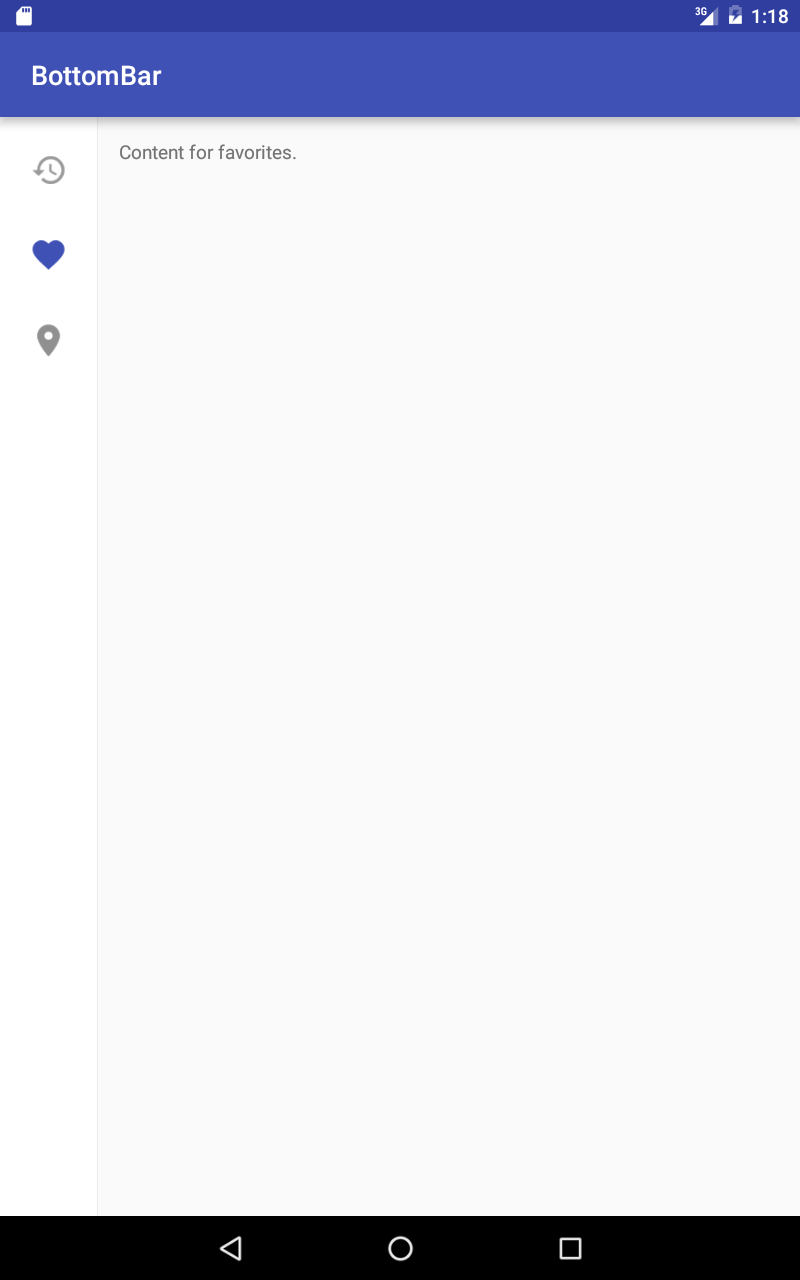
Version 2.0 released!
The latest version before that can be found in the v1 branch
- Cleaner code and better APIs
- No more unnecessary stuff or spaghetti mess
- Now the look, feel and behavior is defined in XML, as it should be
- No more nasty regressions, thanks to the automated tests
- Everything is a little different compared to earlier, but it's for the greater good!
What?
A custom view component that mimics the new Material Design Bottom Navigation pattern.
Does it work on my Grandpa Gary's HTC Dream?
Nope. The minSDK version is API level 11 (Honeycomb).
Gimme that Gradle sweetness, pls?
compile 'com.roughike:bottom-bar:2.3.1'
Maven:
<dependency>
  <groupId>com.roughike</groupId>
  <artifactId>bottom-bar</artifactId>
  <version>2.3.1</version>
  <type>pom</type>
</dependency>
How?
You can add items by writing a XML resource file.
Creating the icons
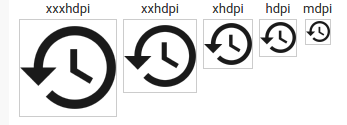
The icons must be fully opaque, solid black color, 24dp and with no padding. For example, with Android Asset Studio Generic Icon generator, select "TRIM" and make sure the padding is 0dp. Here's what your icons should look like:
Adding items from XML resource
Define your tabs in an XML resource file.
res/xml/bottombar_tabs.xml:
<tabs>
    <tab
        id="@+id/tab_favorites"
        icon="@drawable/ic_favorites"
        title="Favorites" />
    <tab
        id="@+id/tab_nearby"
        icon="@drawable/ic_nearby"
        title="Nearby" />
    <tab
        id="@+id/tab_friends"
        icon="@drawable/ic_friends"
        title="Friends" />
</tabs>
Then, add the BottomBar to your layout and give it a resource id for your tabs xml file.
layout/activity_main.xml
<RelativeLayout xmlns:android="http://schemas.android.com/apk/res/android"
    android:layout_width="match_parent"
    android:layout_height="match_parent"
    xmlns:app="http://schemas.android.com/apk/res-auto">


    <FrameLayout
        android:id="@+id/contentContainer"
        android:layout_width="match_parent"
        android:layout_height="match_parent"
        android:layout_above="@+id/bottomBar" />

    <com.roughike.bottombar.BottomBar
        android:id="@+id/bottomBar"
        android:layout_width="match_parent"
        android:layout_height="60dp"
        android:layout_alignParentBottom="true"
        app:bb_tabXmlResource="@xml/bottombar_tabs" />

</RelativeLayout>
Setting up listeners
By default, the tabs don't do anything unless you listen for selection events and do something when the tabs are selected.
MainActivity.java:
public class MainActivity extends Activity {
    @Override
    protected void onCreate(@Nullable Bundle savedInstanceState) {
        super.onCreate(savedInstanceState);
        setContentView(R.layout.activity_main);

        BottomBar bottomBar = (BottomBar) findViewById(R.id.bottomBar);
        bottomBar.setOnTabSelectListener(new OnTabSelectListener() {
            @Override
            public void onTabSelected(@IdRes int tabId) {
                if (tabId == R.id.tab_favorites) {
                    // The tab with id R.id.tab_favorites was selected,
                    // change your content accordingly.
                }
            }
        });
    }
}
If you want to listen for reselection events, here's how you do it:
bottomBar.setOnTabReselectListener(new OnTabReselectListener() {
    @Override
    public void onTabReSelected(@IdRes int tabId) {
        if (tabId == R.id.tab_favorites) {
            // The tab with id R.id.tab_favorites was reselected,
            // change your content accordingly.
        }
    }
});
Intercepting tab selections
If you want to conditionally cancel selection of any tab, you absolutely can. Just assign a TabSelectionInterceptor to the BottomBar, and return true from the shouldInterceptTabSelection() method.
bottomBar.setTabSelectionInterceptor(new TabSelectionInterceptor() {
    @Override
    public boolean shouldInterceptTabSelection(@IdRes int oldTabId, @IdRes int newTabId) {
        if (newTabId == R.id.tab_pro_feature && !userHasProVersion()) {
          startProVersionPurchaseFlow();
          return true;
        }

        return false;
    }
});
Changing icons based on selection state
If you want to have different icon when a specific tab is selected, just use state list drawables.
res/drawable/my_tab_icon.xml
<selector xmlns:android="http://schemas.android.com/apk/res/android">
    <item android:drawable="@drawable/ic_myicon_selected" android:state_selected="true" />
    <item android:drawable="@drawable/ic_myicon_default" android:state_selected="false" />
</selector>
res/xml/bottombar_tabs.xml
...
<tab
    id="@+id/tab_favorites"
    icon="@drawable/my_tab_icon"
    title="Favorites" />

...
Those color changing tabs look dope. Howdoidodat?
Just add barColorWhenSelected to each tab. When that tab is selected, the whole BottomBar background color is changed with a nice animation.
res/xml/bottombar_tabs.xml
<tabs>
    <tab
        id="@+id/tab_favorites"
        icon="@drawable/ic_favorites"
        title="Favorites"
        barColorWhenSelected="#5D4037" />

</tabs>
How do I draw it under the navbar?
First, define a style that is a child of your main application theme:
res/values-v21/styles.xml
<style name="AppTheme.TransNav" parent="AppTheme">
    <item name="android:navigationBarColor">@android:color/transparent</item>
    <item name="android:windowTranslucentNavigation">true</item>
    <item name="android:windowDrawsSystemBarBackgrounds">true</item>
</style>
You'll also have to make a stub version of the same theme to avoid crashes in previous API levels than Lollipop:
res/values/styles.xml
<style name="AppTheme.TransNav" parent="AppTheme" />
Also include the same stub in your values-land-v21.xml to avoid transparent navbar and weird behavior on landscape.
res/values-land-v21.xml:
<style name="AppTheme.TransNav" parent="AppTheme" />
Apply the theme in AndroidManifest.xml for your Activity.
AndroidManifest.xml:
<activity android:name=".MyAwesomeActivity" android:theme="@style/AppTheme.TransNav" />
Finally, set bb_behavior to include the underNavbar flag and you're good to go!
activity_my_awesome.xml:
<com.roughike.bottombar.BottomBar
    android:id="@+id/bottomBar"
    android:layout_width="match_parent"
    android:layout_height="56dp"
    android:layout_alignParentBottom="true"
    app:bb_tabXmlResource="@xml/my_awesome_bottombar_tabs"
    app:bb_behavior="underNavbar" />
What about Tablets?
Specify a different layout for your activity in res/layout-sw600dp folder and set bb_tabletMode to true.
res/layout-sw600dp/activity_main.xml:
<RelativeLayout
    xmlns:android="http://schemas.android.com/apk/res/android"
    xmlns:app="http://schemas.android.com/apk/res-auto"
    android:layout_width="match_parent"
    android:layout_height="match_parent">

    <com.roughike.bottombar.BottomBar
        android:id="@+id/bottomBar"
        android:layout_width="wrap_content"
        android:layout_height="match_parent"
        android:layout_alignParentLeft="true"
        app:bb_tabXmlResource="@xml/bottombar_tabs_three"
        app:bb_tabletMode="true" />


    <FrameLayout
        android:id="@+id/contentContainer"
        android:layout_width="match_parent"
        android:layout_height="match_parent"
        android:layout_toRightOf="@+id/bottomBar" />

</RelativeLayout>
How do I hide it automatically on scroll?
Easy-peasy!
activity_main.xml:
<android.support.design.widget.CoordinatorLayout xmlns:android="http://schemas.android.com/apk/res/android"
    xmlns:app="http://schemas.android.com/apk/res-auto"
    android:layout_width="match_parent"
    android:layout_height="match_parent">

    <android.support.v4.widget.NestedScrollView
        android:id="@+id/myScrollingContent"
        android:layout_width="match_parent"
        android:layout_height="match_parent">


    </android.support.v4.widget.NestedScrollView>

    <com.roughike.bottombar.BottomBar
        android:id="@+id/bottomBar"
        android:layout_width="match_parent"
        android:layout_height="60dp"
        android:layout_gravity="bottom"
        app:bb_tabXmlResource="@xml/bottombar_tabs_three"
        app:bb_behavior="shy"/>

</android.support.design.widget.CoordinatorLayout>
Badges
You can easily add badges for showing an unread message count or new items / whatever you like.
BottomBarTab nearby = bottomBar.getTabWithId(R.id.tab_nearby);
nearby.setBadgeCount(5);

// Remove the badge when you're done with it.
nearby.removeBadge/();
All customization options
For the BottomBar
<com.roughike.bottombar.BottomBar
    android:id="@+id/bottomBar"
    android:layout_width="match_parent"
    android:layout_height="60dp"
    android:layout_alignParentBottom="true"
    app:bb_tabXmlResource="@xml/bottombar_tabs_three"
    app:bb_tabletMode="true"
    app:bb_behavior="shifting|shy|underNavbar"
    app:bb_inActiveTabAlpha="0.6"
    app:bb_activeTabAlpha="1"
    app:bb_inActiveTabColor="#222222"
    app:bb_activeTabColor="@color/colorPrimary"
    app:bb_badgesHideWhenActive="true"
    app:bb_titleTextAppearance="@style/MyTextAppearance"
    app:bb_titleTypeFace="fonts/MySuperDuperFont.ttf"
    app:bb_showShadow="true" />
- bb_tabXmlResource
- the XML Resource id for your tabs, that reside in
values/xml/ - bb_tabletMode
- if you want the BottomBar to behave differently for tablets. There's an example of this in the sample project!
- bb_behavior
shifting: the selected tab is wider than the rest.shy: put the BottomBar inside a CoordinatorLayout and it'll automatically hide on scroll!underNavbar: draw the BottomBar under the navBar!- bb_inActiveTabAlpha
- the alpha value for inactive tabs, that's used in the tab icons and titles.
- bb_activeTabAlpha
- the alpha value for active tabs, that's used in the tab icons and titles.
- bb_inActiveTabColor
- the color for inactive tabs, that's used in the tab icons and titles.
- bb_activeTabColor
- the color for active tabs, that's used in the tab icons and titles.
- bb_badgeBackgroundColor
- the background color for any Badges in this BottomBar.
- bb_badgesHideWhenActive
- whether badges should be hidden for active tabs, defaults to true.
- bb_titleTextAppearance
- custom textAppearance for the titles
- bb_titleTypeFace
- path for your custom font file, such as
fonts/MySuperDuperFont.ttf. In that case your font path would look likesrc/main/assets/fonts/MySuperDuperFont.ttf, but you only need to providefonts/MySuperDuperFont.ttf, as the asset folder will be auto-filled for you. - bb_showShadow
- controls whether the shadow is shown or hidden, defaults to true.
For the tabs
<tab
    id="@+id/tab_recents"
    title="Recents"
    icon="@drawable/empty_icon"
    inActiveColor="#00FF00"
    activeColor="#FF0000"
    barColorWhenSelected="#FF0000"
    badgeBackgroundColor="#FF0000"
    badgeHidesWhenActive="true" />
- inActiveColor
- the color for inactive tabs, that's used in the tab icons and titles.
- activeColor
- the color for active tabs, that's used in the tab icons and titles.
- barColorWhenSelected
- the color that the whole BottomBar should be when selected this tab.
- badgeBackgroundColor
- the background color for any Badges in this tab.
- badgeHidesWhenActive
- whether or not the badge should be hidden when this tab is selected, defaults to true.
Apps using BottomBar
- Nearby : A location-based social networking app with over 5 million
Extension points exported contracts — how you extend this code
OnTabSelectListener (Interface)Core symbols most depended-on inside this repo
getShape
Languages
Modules by API surface
For agents
$ claude mcp add BottomBar \
  -- python -m otcore.mcp_server <graph>