github.com/projectdiscovery/katana @v1.6.1 sqlite
README

A next-generation crawling and spidering framework




Features • Installation • Usage • Scope • Config • Filters • Join Discord
Features
- Fast And fully configurable web crawling
- Standard and Headless mode
- JavaScript parsing / crawling
- Customizable automatic form filling
- Scope control - Preconfigured field / Regex
- Customizable output - Preconfigured fields
- INPUT - STDIN, URL and LIST
- OUTPUT - STDOUT, FILE and JSON
Installation
katana requires Go 1.25+ to install successfully. If you encounter any installation issues, we recommend trying with the latest available version of Go, as the minimum required version may have changed. Run the command below or download a pre-compiled binary from the release page.
CGO_ENABLED=1 go install github.com/projectdiscovery/katana/cmd/katana@latest
More options to install / run katana-
Docker
To install / update docker to latest tag -
docker pull projectdiscovery/katana:latest
To run katana in standard mode using docker -
docker run projectdiscovery/katana:latest -u https://tesla.com
To run katana in headless mode using docker -
docker run projectdiscovery/katana:latest -u https://tesla.com -system-chrome -headless
Ubuntu
It's recommended to install the following prerequisites -
sudo apt update
sudo apt install zip curl wget git snapd
sudo snap refresh
sudo snap install golang --classic

sudo install -d -m 0755 /etc/apt/keyrings
curl -fsSL https://dl.google.com/linux/linux_signing_key.pub \
  | sudo gpg --dearmor -o /etc/apt/keyrings/google-chrome.gpg

echo "deb [arch=amd64 signed-by=/etc/apt/keyrings/google-chrome.gpg] \
  http://dl.google.com/linux/chrome/deb/ stable main" \
  | sudo tee /etc/apt/sources.list.d/google-chrome.list > /dev/null

sudo apt update
sudo apt install google-chrome-stable
install katana -
go install github.com/projectdiscovery/katana/cmd/katana@latest
Usage
katana -h
This will display help for the tool. Here are all the switches it supports.
Katana is a fast crawler focused on execution in automation
pipelines offering both headless and non-headless crawling.

Usage:
  ./katana [flags]

Flags:
INPUT:
   -u, -list string[]     target url / list to crawl
   -resume string         resume scan using resume.cfg
   -e, -exclude string[]  exclude host matching specified filter ('cdn', 'private-ips', cidr, ip, regex)

CONFIGURATION:
   -r, -resolvers string[]       list of custom resolver (file or comma separated)
   -d, -depth int                maximum depth to crawl (default 3)
   -jc, -js-crawl                enable endpoint parsing / crawling in javascript file
   -jsl, -jsluice                enable jsluice parsing in javascript file (memory intensive)
   -ct, -crawl-duration value    maximum duration to crawl the target for (s, m, h, d) (default s)
   -kf, -known-files string      enable crawling of known files (all,robotstxt,sitemapxml), a minimum depth of 3 is required to ensure all known files are properly crawled.
   -mrs, -max-response-size int  maximum response size to read (default 4194304)
   -timeout int                  time to wait for request in seconds (default 10)
   -aff, -automatic-form-fill    enable automatic form filling (experimental)
   -fx, -form-extraction         extract form, input, textarea & select elements in jsonl output
   -retry int                    number of times to retry the request (default 1)
   -proxy string                 http/socks5 proxy to use
   -td, -tech-detect             enable technology detection
   -H, -headers string[]         custom header/cookie to include in all http request in header:value format (file)
   -config string                path to the katana configuration file
   -fc, -form-config string      path to custom form configuration file
   -flc, -field-config string    path to custom field configuration file
   -s, -strategy string          Visit strategy (depth-first, breadth-first) (default "depth-first")
   -iqp, -ignore-query-params    Ignore crawling same path with different query-param values
   -fsu, -filter-similar         filter crawling of similar looking URLs (e.g., /users/123 and /users/456)
   -fst, -filter-similar-threshold int  number of distinct values before a path position is treated as parameter (default 10)
   -tlsi, -tls-impersonate       enable experimental client hello (ja3) tls randomization
   -dr, -disable-redirects       disable following redirects (default false)
   -kb, -knowledge-base          enable knowledge base classification
   -mdp, -max-domain-pages int   maximum number of pages to crawl per domain (default unlimited)

DEBUG:
   -health-check, -hc        run diagnostic check up
   -elog, -error-log string  file to write sent requests error log
   -pprof-server             enable pprof server

HEADLESS:
   -hl, -headless                    enable headless hybrid crawling (experimental)
   -sc, -system-chrome               use local installed chrome browser instead of katana installed
   -sb, -show-browser                show the browser on the screen with headless mode
   -ho, -headless-options string[]   start headless chrome with additional options
   -nos, -no-sandbox                 start headless chrome in --no-sandbox mode
   -cdd, -chrome-data-dir string     path to store chrome browser data
   -scp, -system-chrome-path string  use specified chrome browser for headless crawling
   -noi, -no-incognito               start headless chrome without incognito mode
   -cwu, -chrome-ws-url string       use chrome browser instance launched elsewhere with the debugger listening at this URL
   -xhr, -xhr-extraction             extract xhr request url,method in jsonl output
   -pls, -page-load-strategy string  page load strategy (heuristic, load, domcontentloaded, networkidle, none) (default "heuristic")
   -dwt, -dom-wait-time int          time in seconds to wait after page load when using domcontentloaded strategy (default 5)
   -csp, -captcha-solver-provider string  captcha solver provider (e.g. capsolver)
   -csk, -captcha-solver-key string       captcha solver provider api key

SCOPE:
   -cs, -crawl-scope string[]       in scope url regex to be followed by crawler
   -cos, -crawl-out-scope string[]  out of scope url regex to be excluded by crawler
   -fs, -field-scope string         pre-defined scope field (dn,rdn,fqdn) or custom regex (e.g., '(company-staging.io|company.com)') (default "rdn")
   -ns, -no-scope                   disables host based default scope
   -do, -display-out-scope          display external endpoint from scoped crawling

FILTER:
   -mr, -match-regex string[]             regex or list of regex to match on output url (cli, file)
   -fr, -filter-regex string[]            regex or list of regex to filter on output url (cli, file)
   -f, -field string                      field to display in output (url,path,fqdn,rdn,rurl,qurl,qpath,file,ufile,key,value,kv,dir,udir) (Deprecated: use -output-template instead)
   -sf, -store-field string               field to store in per-host output (url,path,fqdn,rdn,rurl,qurl,qpath,file,ufile,key,value,kv,dir,udir)
   -em, -extension-match string[]         match output for given extension (eg, -em php,html,js,none)
   -ef, -extension-filter string[]        filter output for given extension (eg, -ef png,css)
   -ndef, -no-default-ext-filter bool     remove default extensions from the filter list
   -mdc, -match-condition string          match response with dsl based condition
   -fdc, -filter-condition string         filter response with dsl based condition
   -duf, -disable-unique-filter           disable duplicate content filtering
   -filter-page-type string[]      filter response with page type (e.g. error,captcha,parked)

RATE-LIMIT:
   -c, -concurrency int          number of concurrent fetchers to use (default 10)
   -p, -parallelism int          number of concurrent inputs to process (default 10)
   -rd, -delay int               request delay between each request in seconds
   -rl, -rate-limit int          maximum requests to send per second (default 150)
   -rlm, -rate-limit-minute int  maximum number of requests to send per minute
   -hrl, -host-rate-limit int    maximum requests to send per second per host
   -hrlm, -host-rate-limit-minute int  maximum number of requests to send per minute per host

UPDATE:
   -up, -update                 update katana to latest version
   -duc, -disable-update-check  disable automatic katana update check

OUTPUT:
   -o, -output string                file to write output to
   -output-template string      custom output template
   -sr, -store-response              store http requests/responses
   -srd, -store-response-dir string  store http requests/responses to custom directory
   -ncb, -no-clobber                 do not overwrite output file
   -sfd, -store-field-dir string     store per-host field to custom directory
   -or, -omit-raw                    omit raw requests/responses from jsonl output
   -ob, -omit-body                   omit response body from jsonl output
   -lof, -list-output-fields         list available fields for jsonl output format
   -eof, -exclude-output-fields      exclude fields from jsonl output
   -j, -jsonl                        write output in jsonl format
   -nc, -no-color                    disable output content coloring (ANSI escape codes)
   -silent                           display output only
   -v, -verbose                      display verbose output
   -debug                            display debug output
   -version                          display project version
Running Katana
Input for katana
katana requires url or endpoint to crawl and accepts single or multiple inputs.
Input URL can be provided using -u option, and multiple values can be provided using comma-separated input, similarly file input is supported using -list option and additionally piped input (stdin) is also supported.
URL Input
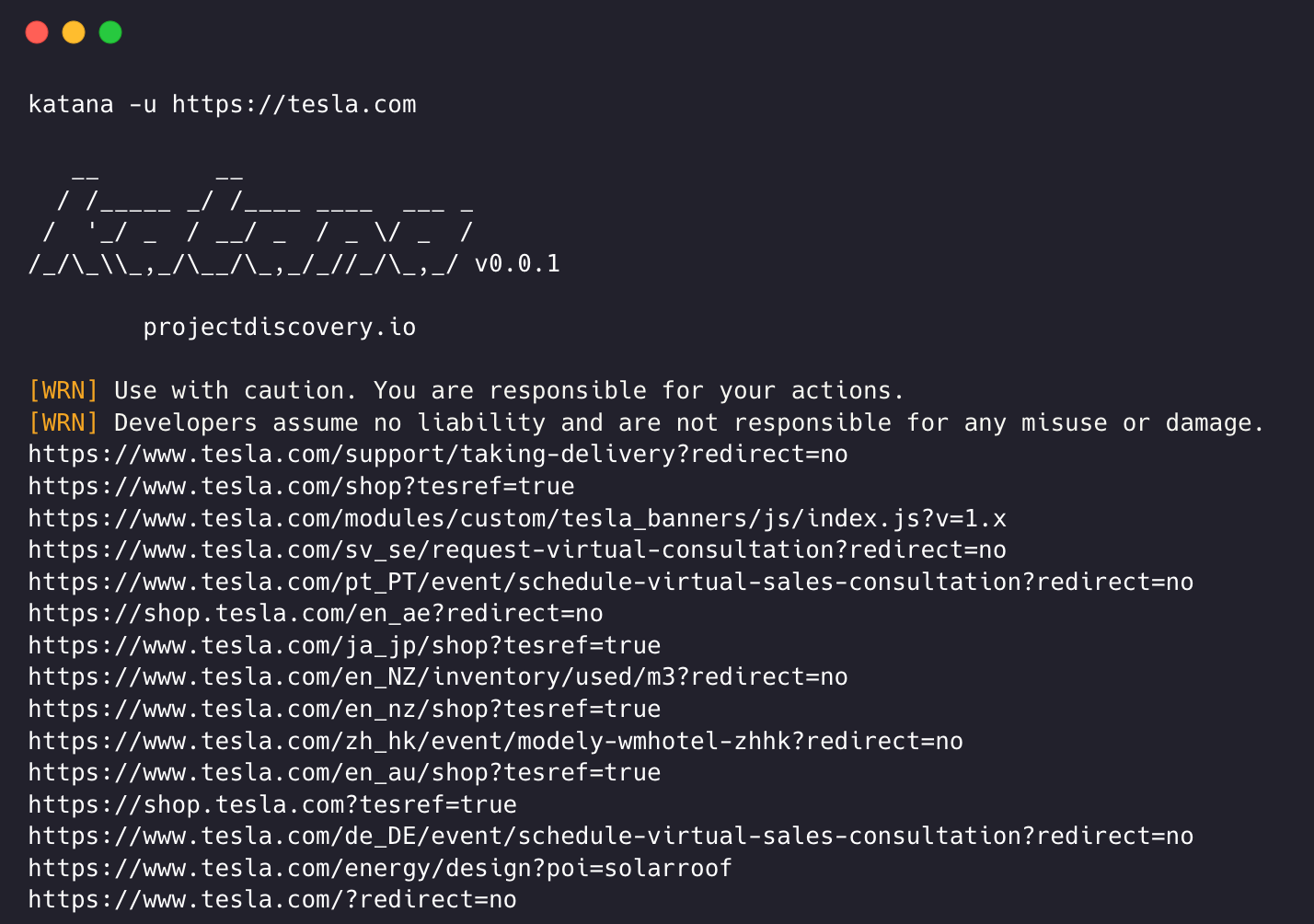
katana -u https://tesla.com
Multiple URL Input (comma-separated)
katana -u https://tesla.com,https://google.com
List Input
$ cat url_list.txt

https://tesla.com
https://google.com
katana -list url_list.txt
STDIN (piped) Input
echo https://tesla.com | katana
cat domains | httpx | katana
Example running katana -
```console katana -u https://youtube.com
__ __
/ /_ _/ / ____ ___ _
/ '_/ _ / / _ / _ \/ _ /
//_\,/_/_,////_,/ v0.0.1
projectdiscovery.io
[WRN] Use with caution. You are responsible for your actions. [WRN] Developers assume no liability and are not responsible for any misuse or damage. https://www.youtube.com/ https://www.youtube.com/about/ https://www.youtube.com/about/press/ https://www.youtube.com/about/copyright/ https://www.youtube.com/t/contact_us/ https://www.youtube.com/creators/ https://www.youtube.com/ads/ https://www.youtube.com/t/terms https://www.youtube.com/t/privacy https://www.youtube.com/about/policies/ https://www.youtube.com/howyoutubeworks?utm_campaign=ytgen&utm_source=ythp&utm_medium=LeftNav&utm_content=txt&u=https%3A%2F%2Fwww.youtube.com%2Fhowyoutubeworks%3Futm_source%3Dythp%26utm_medium%3DLeftNav%26utm_campaign%3Dytgen https://www.youtube.com/new https://m.youtube.com/ https://www.youtube.com/s/desktop/4965577f/jsbin/desktop_polymer.vflset/desktop_polymer.js https://www.youtube.com/s/desktop/4965577f/cssbin/www-main-desktop-home-page-skeleton.css https://www.youtube.com/s/desktop/4965577f/cssbin/www-onepick.css https://www.youtube.com/s//ytmainappweb//ss/k=ytmainappweb.kevlar_base.0Zo5FUcPkCg.L.B1.O/am=gAE/d=0/rs=AGKMywG5nh5Qp-BGPbOaI1evhF5BVGRZGA https://www.youtube.com/opensearch?locale=en_GB https://www.youtube.com/manifest.webmanifest https://www.youtube.com/s/desktop/4965577f/cssbin/www-main-desktop-watch-page-skeleton.css https://www.youtube.com/s/desktop/4965577f/jsbin/web-animations-next-lite.min.vflset/web-animations-next-lite.min.js https://www.youtube.com/s/desktop/4965577f/jsbin/custom-elements-es5-adapter.vflset/custom-elements-es5-adapter.js https://www.youtube.com/s/desktop/4965577f/jsbin/webcomponents-sd.vflset/webcomponents-sd.js https://www.youtube.com/s/desktop/4965577f/jsbin/intersection-observer.min.vflset/intersection-observer.min.js https://www.youtube.com/s/desktop/496
Extension points exported contracts — how you extend this code
Filter (Interface)Core symbols most depended-on inside this repo
StringShape
Languages
Modules by API surface
Dependencies from manifests, versioned
For agents
$ claude mcp add katana \
  -- python -m otcore.mcp_server <graph>