github.com/projectdiscovery/interactsh @v1.3.1 sqlite
README

An OOB interaction gathering server and client library




Features • Usage • Interactsh Client • Interactsh Server • Interactsh Integration • Join Discord
Interactsh is an open-source tool for detecting out-of-band interactions. It is a tool designed to detect vulnerabilities that cause external interactions.
Features
- DNS/HTTP(S)/SMTP(S)/LDAP Interaction
- IPv4 and IPv6 support
- CLI / Web / Burp / ZAP / Docker client
- AES encryption with zero logging
- Automatic ACME based Wildcard TLS w/ Auto Renewal
- DNS Entries for Cloud Metadata service
- Dynamic HTTP Response control
- Self-Hosted Interactsh Server
- Multiple domain support (self-hosted)
- NTLM/SMB/FTP(S)/RESPONDER Listener (self-hosted)
- Wildcard / Protected Interactions (self-hosted)
- Customizable Index / File hosting (self-hosted)
- Customizable Payload Length (self-hosted)
- Custom SSL Certificate (self-hosted)
Interactsh Client
Usage
interactsh-client -h
This will display help for the tool. Here are all the switches it supports.
Usage:
  ./interactsh-client [flags]

Flags:
INPUT:
   -s, -server string  interactsh server(s) to use (default "oast.pro,oast.live,oast.site,oast.online,oast.fun,oast.me")

CONFIG:
   -config string                           flag configuration file (default "$HOME/.config/interactsh-client/config.yaml")
   -n, -number int                          number of interactsh payload to generate (default 1)
   -t, -token string                        authentication token to connect protected interactsh server
   -pi, -poll-interval int                  poll interval in seconds to pull interaction data (default 5)
   -nf, -no-http-fallback                   disable http fallback registration
   -cidl, -correlation-id-length int        length of the correlation id preamble (min 3, default 20)
   -cidn, -correlation-id-nonce-length int  length of the correlation id nonce (min 3, default 13)
   -sf, -session-file string                store/read from session file

FILTER:
   -m, -match string[]   match interaction based on the specified pattern
   -f, -filter string[]  filter interaction based on the specified pattern
   -dns-only             display only dns interaction in CLI output
   -http-only            display only http interaction in CLI output
   -smtp-only            display only smtp interactions in CLI output

UPDATE:
   -up, -update                 update interactsh-client to latest version
   -duc, -disable-update-check  disable automatic interactsh-client update check

OUTPUT:
   -o string                         output file to write interaction data
   -json                             write output in JSONL(ines) format
   -ps, -payload-store               enable storing generated interactsh payload to file
   -psf, -payload-store-file string  store generated interactsh payloads to given file (default "interactsh_payload.txt")
   -v                                display verbose interaction

DEBUG:
   -version            show version of the project
   -health-check, -hc  run diagnostic check up
Interactsh CLI Client
Interactsh Cli client requires go1.20+ to install successfully. Run the following command to get the repo -
go install -v github.com/projectdiscovery/interactsh/cmd/interactsh-client@latest
Configure PDCP_API_KEY With Interactsh CLI Client
Get your free api key by signing up at https://cloud.projectdiscovery.io
You can configure your PDCP_API_KEY in two ways:
1. To configure the API key interactively, run the following command:
sh
   ./interactsh-client -auth
2. If you prefer to pass the API key directly, use the -auth option followed by your API key:
```sh
./interactsh-client -auth=
````
Default Run
This will generate a unique payload that can be used for OOB testing with minimal interaction information in the output.
$ interactsh-client

    _       __                       __       __
   (_)___  / /____  _________ ______/ /______/ /_
  / / __ \/ __/ _ \/ ___/ __ '/ ___/ __/ ___/ __ \
 / / / / / /_/  __/ /  / /_/ / /__/ /_(__  ) / / /
/_/_/ /_/\__/\___/_/   \__,_/\___/\__/____/_/ /_/ v0.0.5

        projectdiscovery.io

[INF] Listing 1 payload for OOB Testing
[INF] c23b2la0kl1krjcrdj10cndmnioyyyyyn.oast.pro

[c23b2la0kl1krjcrdj10cndmnioyyyyyn] Received DNS interaction (A) from 172.253.226.100 at 2021-26-26 12:26
[c23b2la0kl1krjcrdj10cndmnioyyyyyn] Received DNS interaction (AAAA) from 32.3.34.129 at 2021-26-26 12:26
[c23b2la0kl1krjcrdj10cndmnioyyyyyn] Received HTTP interaction from 43.22.22.50 at 2021-26-26 12:26
[c23b2la0kl1krjcrdj10cndmnioyyyyyn] Received DNS interaction (MX) from 43.3.192.3 at 2021-26-26 12:26
[c23b2la0kl1krjcrdj10cndmnioyyyyyn] Received DNS interaction (TXT) from 74.32.183.135 at 2021-26-26 12:26
[c23b2la0kl1krjcrdj10cndmnioyyyyyn] Received SMTP interaction from 32.85.166.50 at 2021-26-26 12:26
Session File
interactsh-client with -sf, -session-file flag can be used store/read the current session information from user defined file which is useful to resume the same session to poll the interactions even after the client gets stopped or closed.
$ interactsh-client -sf interact.session

    _       __                       __       __
   (_)___  / /____  _________ ______/ /______/ /_
  / / __ \/ __/ _ \/ ___/ __ '/ ___/ __/ ___/ __ \
 / / / / / /_/  __/ /  / /_/ / /__/ /_(__  ) / / /
/_/_/ /_/\__/\___/_/   \__,_/\___/\__/____/_/ /_/ 1.0.3

        projectdiscovery.io

[INF] Listing 1 payload for OOB Testing
[INF] c23b2la0kl1krjcrdj10cndmnioyyyyyn.oast.pro

[c23b2la0kl1krjcrdj10cndmnioyyyyyn] Received DNS interaction (A) from 172.253.226.100 at 2021-26-26 12:26
[c23b2la0kl1krjcrdj10cndmnioyyyyyn] Received DNS interaction (AAAA) from 32.3.34.129 at 2021-26-26 12:26
[c23b2la0kl1krjcrdj10cndmnioyyyyyn] Received HTTP interaction from 43.22.22.50 at 2021-26-26 12:26
[c23b2la0kl1krjcrdj10cndmnioyyyyyn] Received DNS interaction (MX) from 43.3.192.3 at 2021-26-26 12:26
[c23b2la0kl1krjcrdj10cndmnioyyyyyn] Received DNS interaction (TXT) from 74.32.183.135 at 2021-26-26 12:26
[c23b2la0kl1krjcrdj10cndmnioyyyyyn] Received SMTP interaction from 32.85.166.50 at 2021-26-26 12:26
Verbose Mode
Running the interactsh-client in verbose mode (v) to see the whole request and response, along with an output file to analyze afterwards.
$ interactsh-client -v -o interactsh-logs.txt

    _       __                       __       __
   (_)___  / /____  _________ ______/ /______/ /_
  / / __ \/ __/ _ \/ ___/ __ '/ ___/ __/ ___/ __ \
 / / / / / /_/  __/ /  / /_/ / /__/ /_(__  ) / / /
/_/_/ /_/\__/\___/_/   \__,_/\___/\__/____/_/ /_/ 1.0.3

    projectdiscovery.io

[INF] Listing 1 payload for OOB Testing
[INF] c58bduhe008dovpvhvugcfemp9yyyyyyn.oast.pro

[c58bduhe008dovpvhvugcfemp9yyyyyyn] Received HTTP interaction from 103.22.142.211 at 2021-09-26 18:08:07
------------
HTTP Request
------------

GET /favicon.ico HTTP/2.0
Host: c58bduhe008dovpvhvugcfemp9yyyyyyn.oast.pro
Referer: https://c58bduhe008dovpvhvugcfemp9yyyyyyn.oast.pro
User-Agent: Mozilla/5.0 (Macintosh; Intel Mac OS X 10_15_7) AppleWebKit/537.36 (KHTML, like Gecko) Chrome/93.0.4577.82 Safari/537.36


-------------
HTTP Response
-------------

HTTP/1.1 200 OK
Connection: close
Content-Type: text/html; charset=utf-8
Server: oast.pro

<html><head></head><body>nyyyyyy9pmefcguvhvpvod800ehudb85c</body></html>
Using Self-Hosted server
Using the server flag, interactsh-client can be configured to connect with a self-hosted Interactsh server, this flag accepts single or multiple server separated by comma.
interactsh-client -server hackwithautomation.com
We maintain a list of default Interactsh servers to use with interactsh-client:
- oast.pro
- oast.live
- oast.site
- oast.online
- oast.fun
- oast.me
Default servers are subject to change/rotate/down at any time, thus we recommend using a self-hosted interactsh server if you are experiencing issues with the default server.
Using Protected Self-Hosted server
Using the token flag, interactsh-client can connect to a self-hosted Interactsh server that is protected with authentication.
interactsh-client -server hackwithautomation.com -token XXX
Using with Notify
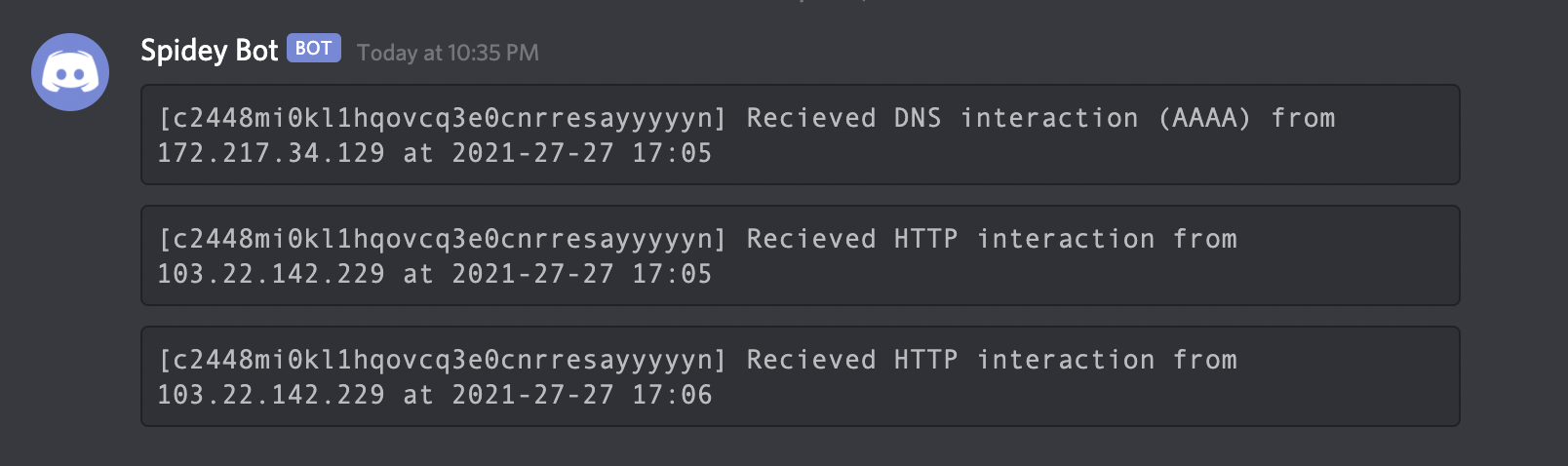
If you are away from your terminal, you may use notify to send a real-time interaction notification to any supported platform.
interactsh-client | notify
Interactsh Web Client
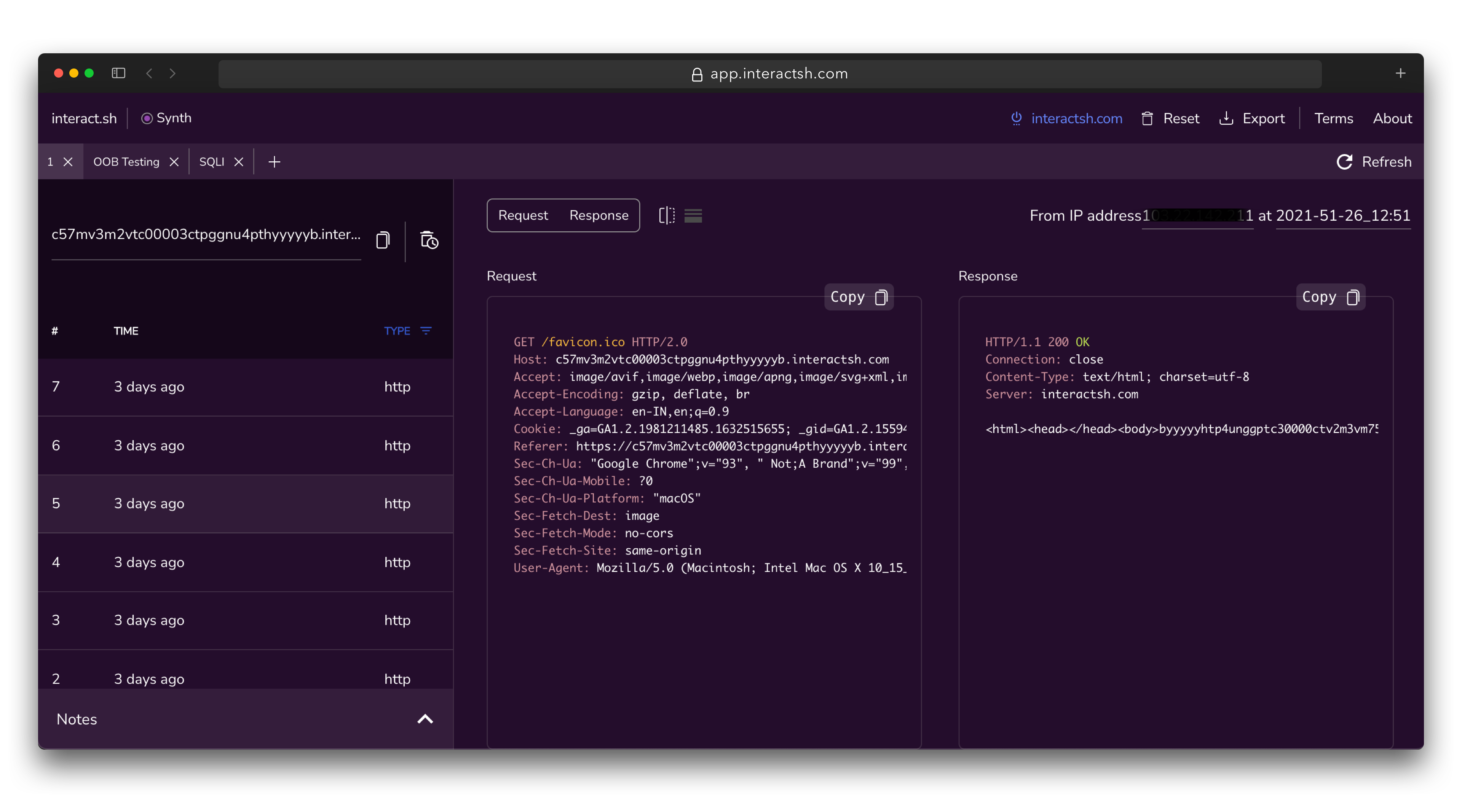
Interactsh-web is a free and open-source web client that displays Interactsh interactions in a well-managed dashboard in your browser. It uses the browser's local storage to store and display all incoming interactions. By default, the web client is configured to use oast.fun as default interactsh server, and supports other self-hosted public/authencaited interactsh servers as well.
A hosted instance of interactsh-web client is available at https://app.interactsh.com
Interactsh Docker Client
A Docker image is also provided with interactsh client that is ready to run and can be used in the following way:
docker run projectdiscovery/interactsh-client:latest
$ docker run projectdiscovery/interactsh-client:latest

    _       __                       __       __
   (_)___  / /____  _________ ______/ /______/ /_
  / / __ \/ __/ _ \/ ___/ __ '/ ___/ __/ ___/ __ \
 / / / / / /_/  __/ /  / /_/ / /__/ /_(__  ) / / /
/_/_/ /_/\__/\___/_/   \__,_/\___/\__/____/_/ /_/ v1.0.0

        projectdiscovery.io

[INF] Listing 1 payload for OOB Testing
[INF] c59e3crp82ke7bcnedq0cfjqdpeyyyyyn.oast.pro
Burp Suite Original Extension
interactsh-collaborator is an original Burp Suite interactsh extension developed and maintained by @wdahlenb
- Download latest JAR file from releases page.
- Open Burp Suite → Extender → Add → Java → Select JAR file → Next
- New tab named Interactsh will be appeared upon successful installation.
- See the interactsh-collaborator project for more info.
Burp Suite Revised Extension
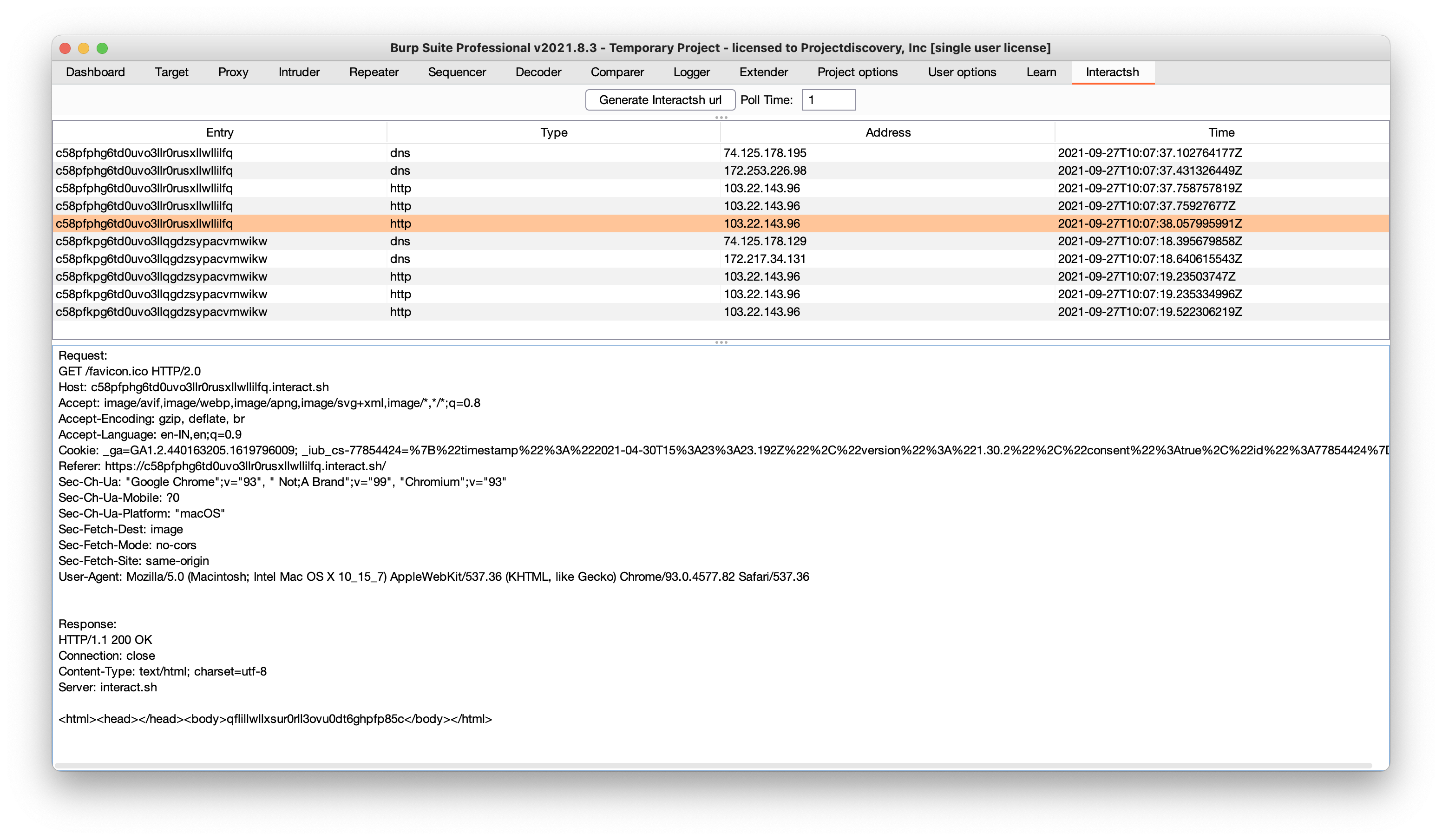
interactsh-collaborator-rev is a revised version of the original Burp Suite interactsh extension and is developed and maintained by @Arqsz
- Download latest JAR file from releases page.
- Open Burp Suite → Extender → Add → Java → Select JAR file → Next
- New tab named Interactsh will be appeared upon successful installation.
- See the interactsh-collaborator-rev project for more info.

ZAP Add-On
Interactsh can be used with ZAP via the OAST add-on for ZAP. With ZAP's scripting capabilities, you can create powerful out-of-band scan rules that leverage Interactsh's features. A standalone script template has been provided as an example (it is added automatically when you install the add-on).
- Install the OAST add-on from the ZAP Marketplace.
- Go to Tools → Options → OAST and select Interactsh.
- Configure the options for the client and click on "New Payload" to generate a new payload.
- OOB interactions will appear in the OAST Tab and you can click on any of them to view the full request and response.
- You can set Interactsh as the default for ActiveScan in the
Options>OAST>Generalmenu. - When checking the
Use Permanent Databaseoption, you can review interactions that occurred after ZAP was terminated. - See the [
Extension points exported contracts — how you extend this code
InteractionCallback (FuncType)Core symbols most depended-on inside this repo
CloseShape
Languages
Modules by API surface
Used by 1 indexed graphs manifest dependencies, hub-wide
Dependencies from manifests, versioned
For agents
$ claude mcp add interactsh \
  -- python -m otcore.mcp_server <graph>