github.com/perses/perses @v0.53.1 sqlite
README
 Perses



Overview
Perses is first and foremost a dashboard tool that you can use to display a variety of observability data. It currently supports Prometheus metrics, Tempo traces, Loki for logs, Pyroscope for profiling, bringing together all four observability pillars in one place. As the project continues to evolve, it will expand support for additional tools to give users even more flexibility and insight.
Perses is a Cloud Native Computing Foundation sandbox project.
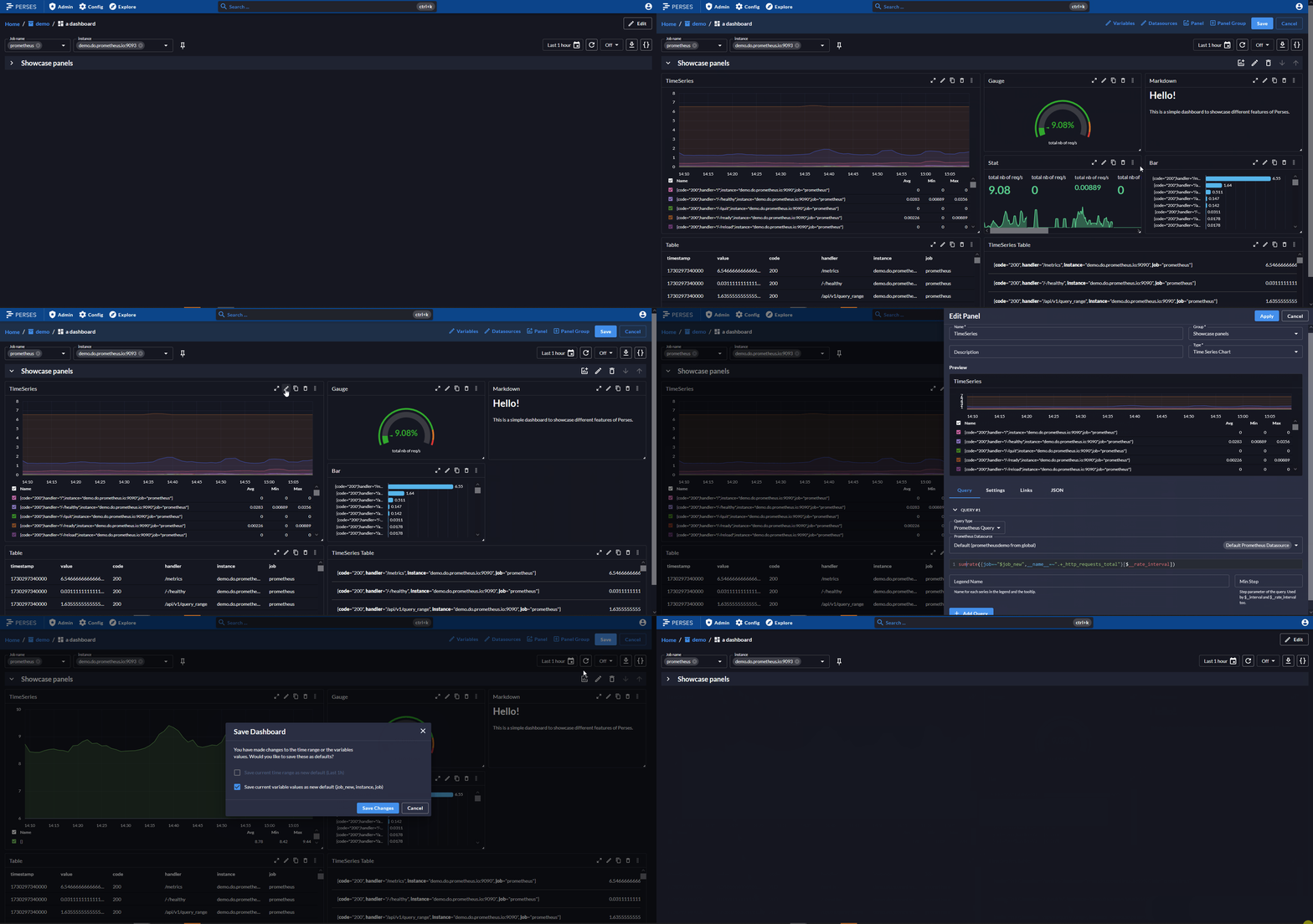
Beyond its core usage, Perses aims to achieve several broader goals:
- Open specification for dashboards. Perses is also an initiative to define a standardized dashboard specification, fostering interoperability across observability tools.
- Integrability. Perses provides various npm packages that allow developers to embed panels and dashboards into their own UIs, benefiting from the work done in Perses. For instance, these packages could be used in the future to enhance data visualization in the Prometheus UI.
- Extensibility. Perses supports multiple kinds of plugins, enabling users to extend the tool’s native capabilities to suit specific needs.
- GitOps-friendly. SDKs, CI/CD libraries, static validation, native CLI.. Perses provides everything you need for a great Dashboard-as-Code experience.
- Kubernetes-native mode. Dashboard definitions will be deployable into and readable from individual application namespaces using Custom Resource Definitions (CRDs). For more information on that topic you can take a look at the Perses Operator.
Want to learn more? Check the documentation website.
Try it
We are providing an online demo available at https://demo.perses.dev, where you can check existing dashboards or create your own resources.
Status
- Perses as an application can now be used.
- The data model reached a stable point, and we are providing multiple panel types that should cover most of the monitoring & tracing use cases.
- Authentication and authorization are available.
- On the GitOps aspect:
- We provide a CLI that helps interacting with the API. A short doc is available here
- Two SDKs (in Golang and in Cuelang) are available for coding dashboards. See Dashboard-as-Code guide. These SDKs will likely evolve based on the feedback we receive. However, changes are expected to focus on adding utility functions rather than introducing breaking changes.
- A plugin architecture:
- Enables the externalization of both plugin loading and implementation.
- The core plugins are maintained in perses/plugins repository.
What's next
Current Roadmap is available here
Install
There are various ways of installing Perses.
Precompiled binaries
Precompiled binaries for released versions are available in the GitHub release. Using the latest release binary is the recommended way of installing Perses.
Docker images
Docker images are available on Docker Hub.
You can launch a Perses container for trying it out with:
docker run --name perses -d -p 127.0.0.1:8080:8080 persesdev/perses
Homebrew
We have a Homebrew tap so macOS and Linux users can install with:
brew install perses/tap/perses for the server and web UI
brew install perses/tap/percli for the CLI tool
Building from source
To build Perses from source code, You need:
- Go version 1.23 or greater.
- NodeJS version 22 or greater.
- npm version 10 or greater.
Start by cloning the repository:
git clone https://github.com/perses/perses.git
cd perses
Then you can use make build that would build the web assets and then Perses itself (and also the Perses CLI that can
be used to interact directly with the Perses API in case you prefer to browser the API using a terminal).
make build
./bin/perses --config=your_config.yml
Contributing and development
General instructions about how you can contribute to Perses are available in the document CONTRIBUTING.md.
UI development
If you are primarily interested in contributing to the UI application and libraries, please refer to the UI Readme. It includes quick start instructions for how to build, run, and test the React UI. It also includes details about the architecture and guidelines for development.
License
The code is licensed under an Apache 2.0 license.
Extension points exported contracts — how you extend this code
Toolbox (Interface)Core symbols most depended-on inside this repo
ErrorShape
Languages
Modules by API surface
Used by 1 indexed graphs manifest dependencies, hub-wide
Dependencies from manifests, versioned
For agents
$ claude mcp add perses \
  -- python -m otcore.mcp_server <graph>