github.com/pankod/superplate @1.20.1 sqlite
README

A well-structured production-ready frontend boilerplate with Typescript, React Testing Library, styled-component, React Query, .env, Axios, Bundle Analyzer, Prettier and 30+ plugins.
superplate creates ready-to-develop projects for React and Next.js and refine.


Created by Pankod
About
superplate lets you start rock-solid, production-ready React, Next.JS and refine projects just in seconds. The command-line interface guides the user through setup and no additional build configurations are required.
Superplate ships with +30 plugins including popular UI Kits, testing frameworks and many useful developer tools.
Quick Start
To use superplate, make sure you have npx is installed on your system (npx is shipped by default since npm 5.2.0).
To create a new app without using presets, run the following command:
npx superplate-cli my-project
You will be prompted with plugin options to create your project. A full list of avaiable plugins is here: superplate-core-plugins.
Available Integrations
Next.js

superplate makes it easier to get up and running with a well-structured Next.js and TypeScript application.
To get started quickly, please run the following command. The CLI wizard will assist you for the rest of the setup process:
npx superplate-cli -p nextjs my-project
React.js

superplate makes it easier to get up and running with a well-structured Create React App and TypeScript application.
To get started quickly, please run the following command. The CLI wizard will assist you for the rest of the setup process:
npx superplate-cli -p react my-project
refine ⚡
refine is an open source React framework for building CRUD apps rapidly.
superplate provides built-in templates for CRA, Next.js and Remix environments so you can bootstrap a refine project in a couple of minutes.
Refer to refine repository for more information ➡️
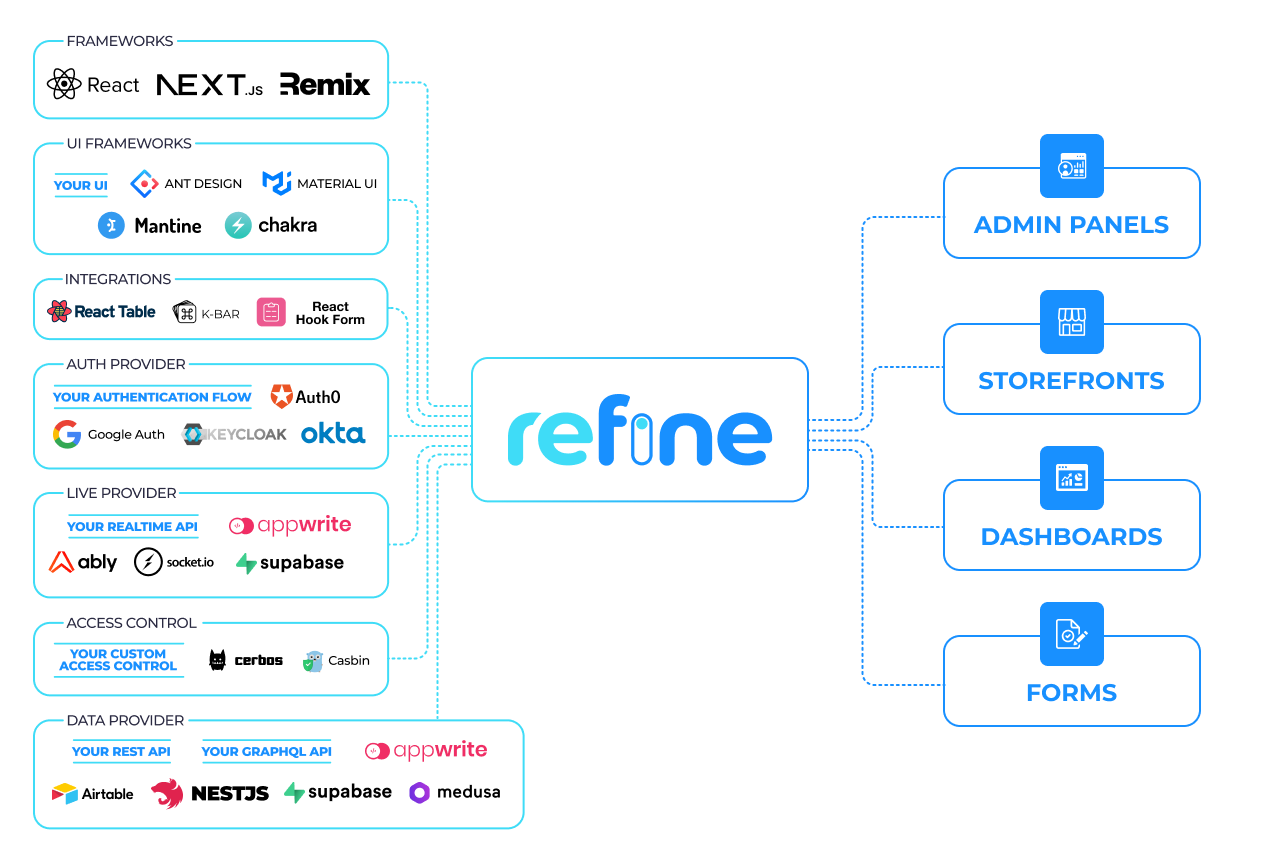
To get started quickly, please run the following command. The CLI wizard will assist you for the rest of the setup process:
npx superplate-cli -p refine my-project
Coming Soon
We are planning to add the following frameworks integrations soon.

Documentation
For more detailed information and usage, you may refer to our documentation pages.
Philosophy
- It provides an easy starting to your project by leveraging industry-standard best practices and and performance oriented tools.
- Fully extensible due its plugin based architechture.
- Code examples are added to plugin documents to show how best practices are implemented.
Plugins
superplate uses a plugin-based architecture. Basically, plugins are created from popular npm tools with configuration files. You can check them out in superplate-core-plugins.
The default core plugins determined by Pankod team. Feel free to send PR or open an issue for new plugins you want to add.
Using a custom source of plugins
You can use different sources for plugins other than superplate-core-plugins.
Simply add --source <path-to-source> option to use superplate with a custom source.
To learn more about sources and how to create your own; please check out documentation
Creating a plugin
superplate gives you many abilities to create your own plugin and interact with the others. To learn more on creating a plugin, please check out documentation
Available plugins

CLI options
> npx superplate-cli --help
Usage: superplate [options]

Options:
 -v, --version                   prints version number
 -h, --help                      prints help information on all commands and options
 -d, --debug                     prints additional logs
 -s, --source <path-to-source>   Use this option to target a custom source of plugins
                                 Source path can be a remote git repository or a local path.
 -p, --project <project-type>    In sources with multiple types, you can use this option to preset the type.
 -b, --branch <branch-name>      If your source is a git repository, you can define a custom branch for `superplate` to use.
 -o, --preset <preset-name>      If your source includes presets, you can select one of them to prefill the answers.
 -l, --lucky                     You can select random choices with this option, if you are feeling lucky.
Development mode commands
Watches for changes in the code; builds the project and then globally installs superplate for testing.
npm run dev:global
Create a build inside /lib directory.
npm run build:cli
Install the current build globally:
npm run global
Contribution
If you have a bug to report, do not hesitate to file an issue.
If you are willing to fix an issue or propose a feature; all PRs with clear explanations are welcome and encouraged.
License
Licensed under the MIT License, Copyright © 2021-present Pankod
Extension points exported contracts — how you extend this code
PromptState (Interface)Core symbols most depended-on inside this repo
mergeWithUnionArrayShape
Languages
Modules by API surface
Dependencies from manifests, versioned
For agents
$ claude mcp add superplate \
  -- python -m otcore.mcp_server <graph>