github.com/omkarcloud/botasaurus @main
Chat with this repoBrowse by type
What it actually does AI analysis from the code graph — generated when you open this
README

🤖 Botasaurus 🤖
The All in One Framework to Build Undefeatable Scrapers
The web has evolved. Finally, web scraping has too.


🐿️ Botasaurus In a Nutshell
How wonderful that of all the web scraping tools out there, you chose to learn about Botasaurus. Congratulations!
And now that you are here, you are in for an exciting, unusual, and rewarding journey that will make your web scraping life a lot easier.
Now, let me tell you about Botasaurus in bullet points. (Because as per marketing gurus, YOU as a member of the Developer Tribe have a VERY short attention span.)
So, what is Botasaurus?
Botasaurus is an all-in-one web scraping framework that enables you to build awesome scrapers in less time, with less code, and with more fun.
We have put all our web scraping experience and best practices into Botasaurus to save you hundreds of hours of development time!
Now, for the magical powers awaiting you after learning Botasaurus:
- In terms of humaneness, what Superman is to Man, Botasaurus is to Selenium and Playwright. Easily pass every (Yes, E-V-E-R-Y) bot test, and build undetected scrapers.
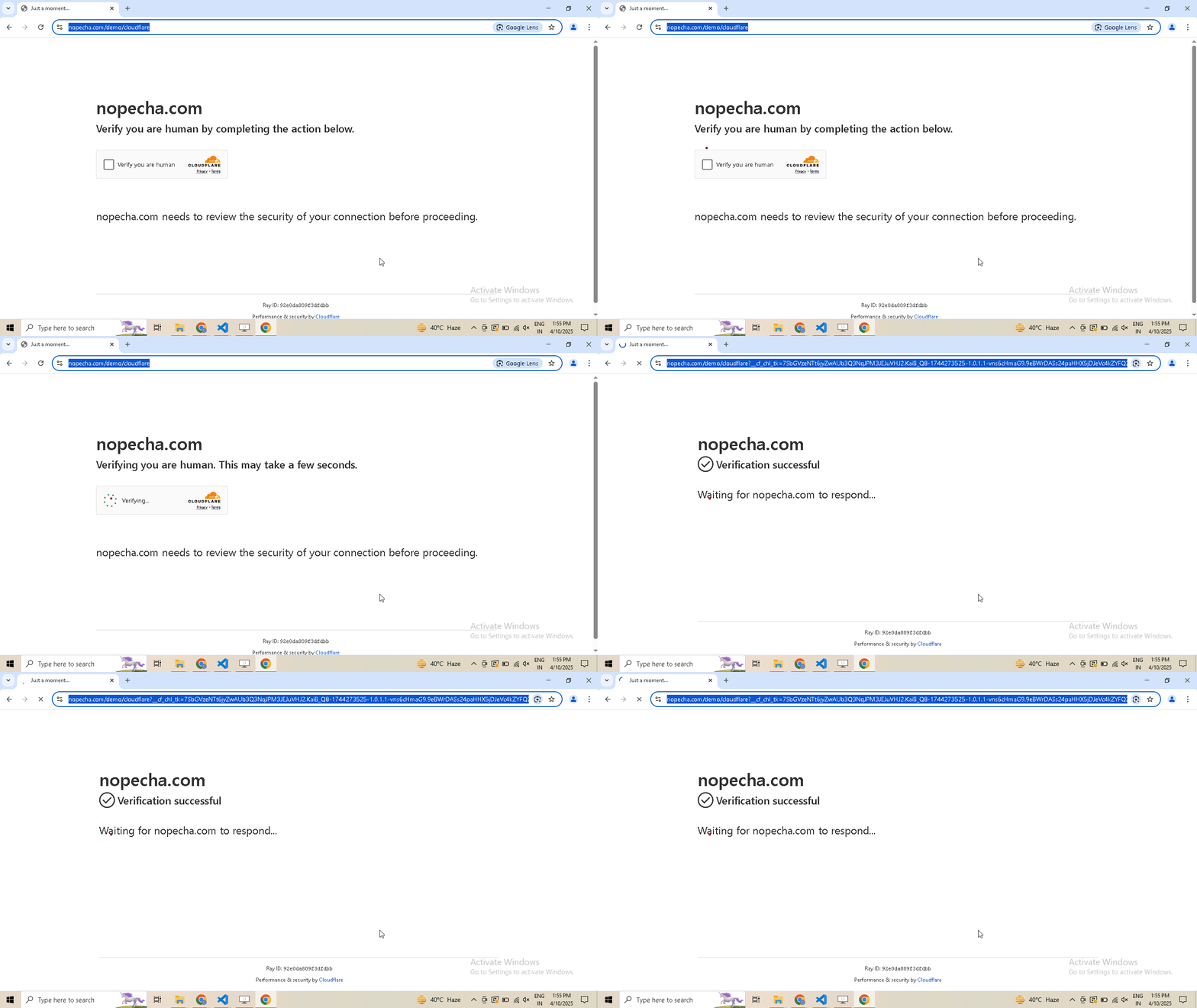
In the video below, watch as we bypass some of the best bot detection systems:
- ✅ Cloudflare Web Application Firewall (WAF)
- ✅ BrowserScan Bot Detection
- ✅ Fingerprint Bot Detection
- ✅ Datadome Bot Detection
- ✅ Cloudflare Turnstile CAPTCHA
🔗 Want to try it yourself? See the code behind these tests here
-
Perform realistic, human-like mouse movements and say sayonara to detection
-
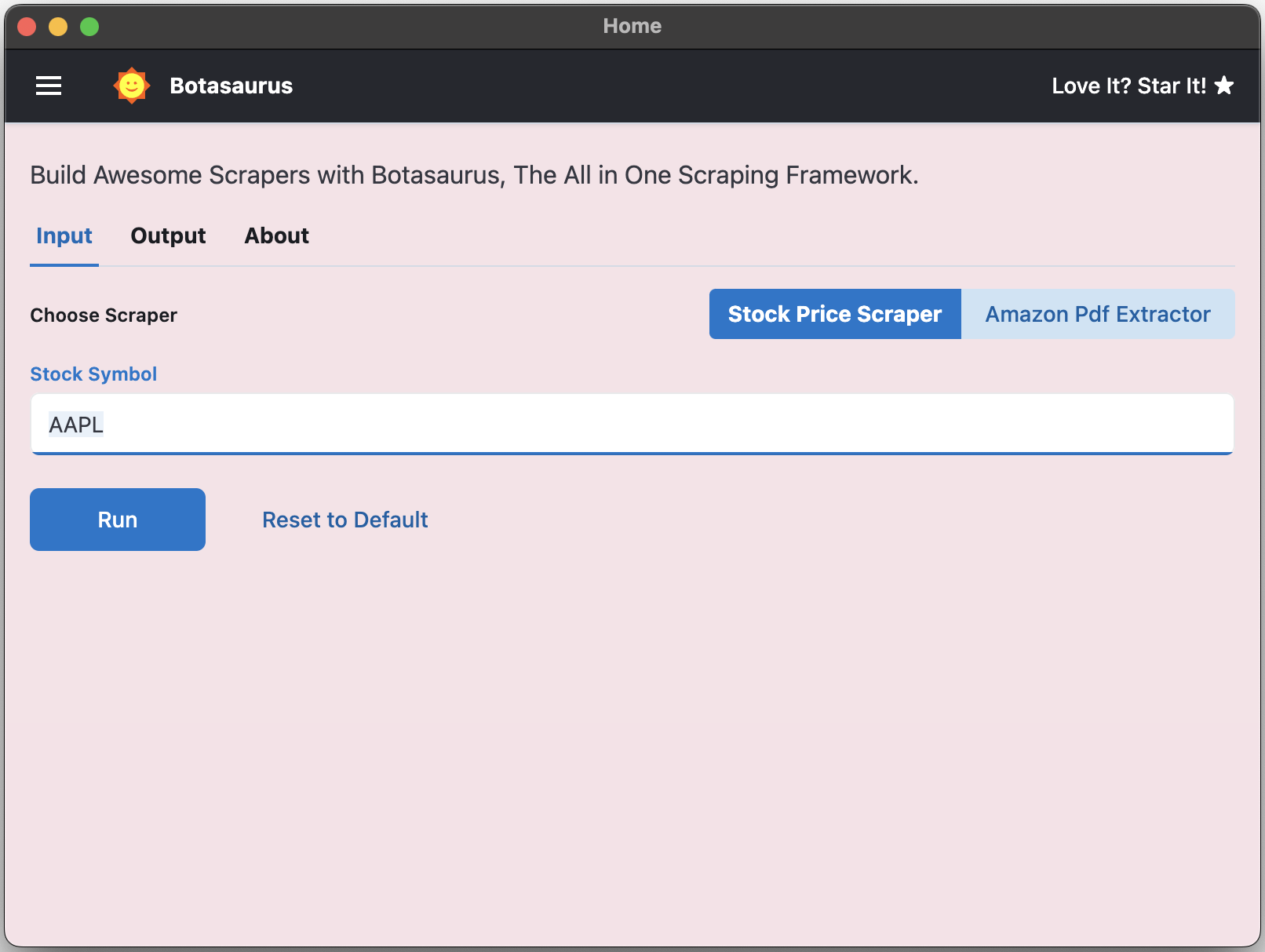
Convert your scraper into a desktop app for Mac, Windows, and Linux in 1 day, so not only developers but everyone can use your web scraper.
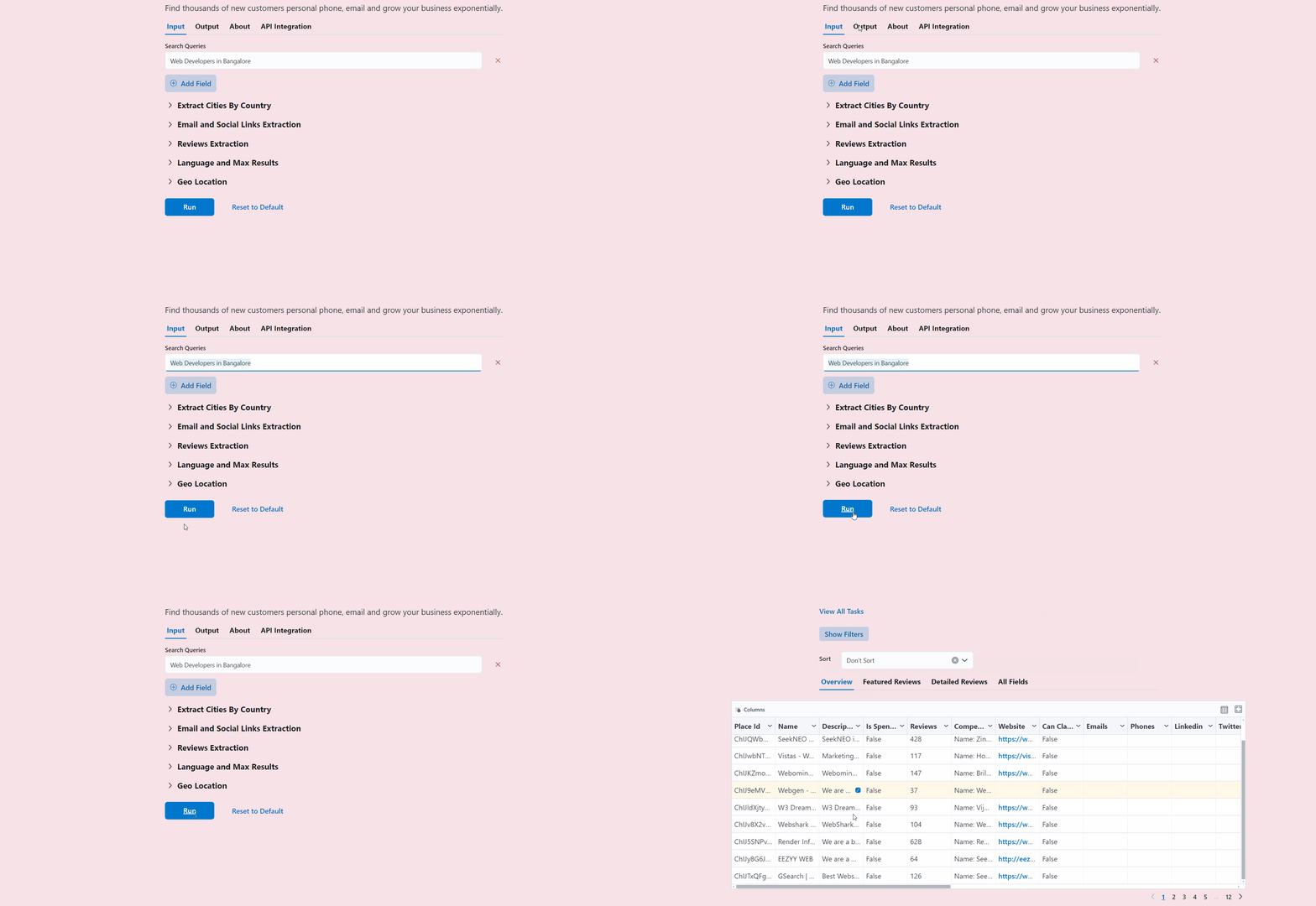
- Turn your scraper into a beautiful website, making it easy for your customers to use it from anywhere, anytime.
-
Save up to 97%, yes 97%, on browser proxy costs by using browser-based fetch requests.
-
Easily save hours of development time with easy parallelization, profiles, extensions, and proxy configuration. Botasaurus makes asynchronous, parallel scraping child's play.
-
Use caching, sitemap, data cleaning, and other utilities to save hours of time spent writing and debugging code.
-
Easily scale your scraper to multiple machines with Kubernetes, and get your data faster than ever.
And those are just the highlights. I mean!
There is so much more to Botasaurus that you will be amazed at how much time you will save with it.
🚀 Getting Started with Botasaurus
Let's dive right in with a straightforward example to understand Botasaurus.
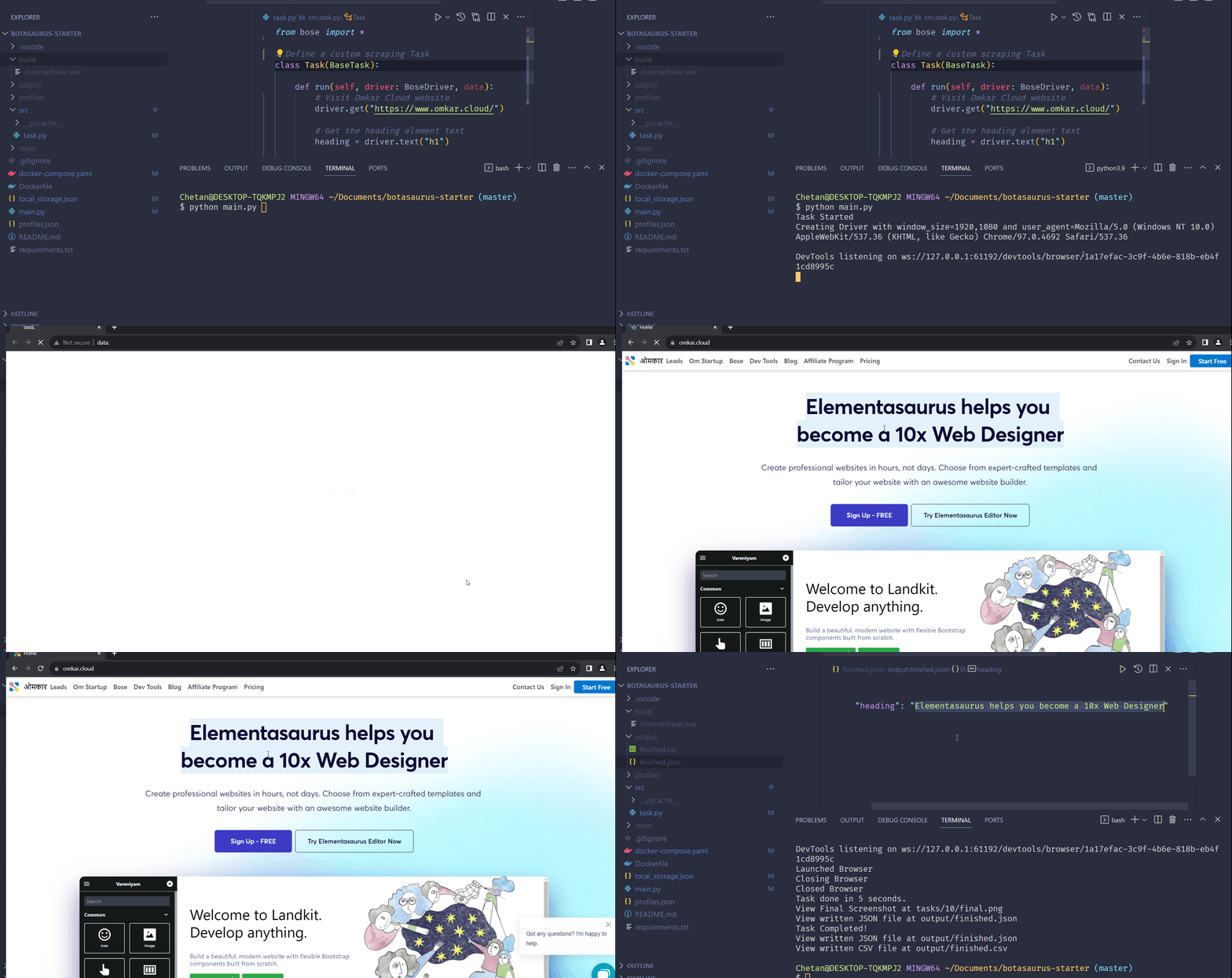
In this example, we will go through the steps to scrape the heading text from https://www.omkar.cloud/.
Step 1: Install Botasaurus
First things first, you need to install Botasaurus. Run the following command in your terminal:
python -m pip install --upgrade botasaurus
Step 2: Set Up Your Botasaurus Project
Next, let's set up the project:
- Create a directory for your Botasaurus project and navigate into it:
mkdir my-botasaurus-project
cd my-botasaurus-project
code .  # This will open the project in VSCode if you have it installed
Step 3: Write the Scraping Code
Now, create a Python script named main.py in your project directory and paste the following code:
from botasaurus.browser import browser, Driver

@browser
def scrape_heading_task(driver: Driver, data):
    # Visit the Omkar Cloud website
    driver.get("https://www.omkar.cloud/")

    # Retrieve the heading element's text
    heading = driver.get_text("h1")

    # Save the data as a JSON file in output/scrape_heading_task.json
    return {
        "heading": heading
    }

# Initiate the web scraping task
scrape_heading_task()
Let's understand this code:
- We define a custom scraping task,
scrape_heading_task, decorated with@browser:
@browser
def scrape_heading_task(driver: Driver, data):
- Botasaurus automatically provides a Humane Driver to our function:
def scrape_heading_task(driver: Driver, data):
- Inside the function, we:
- Visit Omkar Cloud
- Extract the heading text
- Return the data to be automatically saved as
scrape_heading_task.jsonby Botasaurus:
    driver.get("https://www.omkar.cloud/")
    heading = driver.get_text("h1")
    return {"heading": heading}
- Finally, we initiate the scraping task:
# Initiate the web scraping task
scrape_heading_task()
Step 4: Run the Scraping Task
Time to run it:
python main.py
After executing the script, it will:
- Launch Google Chrome
- Visit omkar.cloud
- Extract the heading text
- Save it automatically as output/scrape_heading_task.json.
Now, let's explore another way to scrape the heading using the request module. Replace the previous code in main.py with the following:
from botasaurus.request import request, Request
from botasaurus.soupify import soupify

@request
def scrape_heading_task(request: Request, data):
    # Visit the Omkar Cloud website
    response = request.get("https://www.omkar.cloud/")

    # Create a BeautifulSoup object
    soup = soupify(response)

    # Retrieve the heading element's text
    heading = soup.find('h1').get_text()

    # Save the data as a JSON file in output/scrape_heading_task.json
    return {
        "heading": heading
    }
# Initiate the web scraping task
scrape_heading_task()
In this code:
- We scrape the HTML using
request, which is specifically designed for making browser-like humane requests. - Next, we parse the HTML into a
BeautifulSoupobject usingsoupify()and extract the heading.
Step 5: Run the Scraping Task (which makes Humane HTTP Requests)
Finally, run it again:
python main.py
This time, you will observe the exact same result as before, but instead of opening a whole browser, we are making browser-like humane HTTP requests.
💡 Understanding Botasaurus
What is Botasaurus Driver, and why should I use it over Selenium and Playwright?
Botasaurus Driver is a web automation driver like Selenium, and the single most important reason to use it is because it is truly humane. You will not, and I repeat NOT, have any issues accessing any website.
Plus, it is super fast to launch and use, and the API is designed by and for web scrapers, and you will love it.
How do I access Cloudflare-protected pages using Botasaurus?
Cloudflare is the most popular protection system on the web. So, let's see how Botasaurus can help you solve various Cloudflare challenges.
Connection Challenge
This is the single most popular challenge and requires making a browser-like connection with appropriate headers. It's commonly used for: - Product Pages - Blog Pages - Search Result Pages
What Works?
- Visiting the website via Google Referrer (which makes it seem as if the user has arrived from a Google search).
from botasaurus.browser import browser, Driver

@browser
def scrape_heading_task(driver: Driver, data):
    # Visit the website via Google Referrer
    driver.google_get("https://www.cloudflare.com/en-in/")
    driver.prompt()
    heading = driver.get_text('h1')
    return heading

scrape_heading_task()
- Use the request module. The Request Object is smart and, by default, visits any link with a Google Referrer. Although it works, you will need to use retries.
from botasaurus.request import request, Request

@request(max_retry=10)
def scrape_heading_task(request: Request, data):
    response = request.get("https://www.cloudflare.com/en-in/")
    print(response.status_code)
    response.raise_for_status()
    return response.text

scrape_heading_task()
JS with Captcha Challenge
This challenge requires performing JS computations that differentiate a Chrome controlled by Selenium/Puppeteer/Playwright from a real Chrome. It also involves solving a Captcha. It's used to for pages which are rarely but sometimes visited by people, like: - 5th Review page - Auth pages
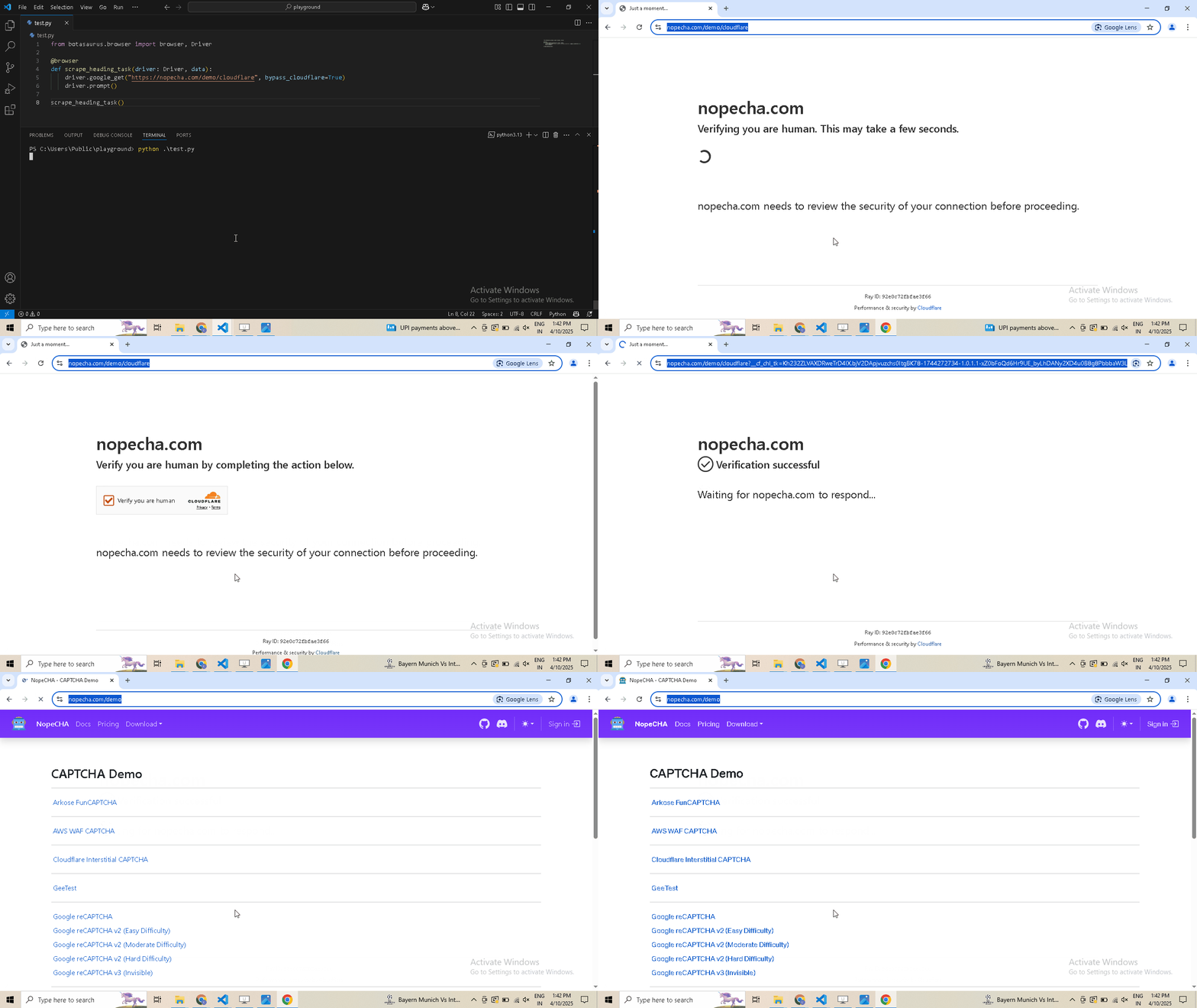
Example Page: https://nopecha.com/demo/cloudflare
What Does Not Work?
Using @request does not work because although it can make browser-like HTTP requests, it cannot run JavaScript to solve the challenge.
What Works?
Pass the bypass_cloudflare=True argument to the google_get method.
from botasaurus.browser import browser, Driver

@browser
def scrape_heading_task(driver: Driver, data):
    driver.google_get("https://nopecha.com/demo/cloudflare", bypass_cloudflare=True)
    driver.prompt()

scrape_heading_task()
What are the benefits of a UI scraper?
Here are some benefits of creating a scraper with a user interface:
- Simplify your scraper usage for customers, eliminating the need to teach them how to modify and run your code.
- Protect your code by hosting the scraper on the web and offering a monthly subscription, rather than providing full access to your code. This approach:
- Safeguards your Python code from being copied and reused, increasing your customer's lifetime value.
- Generate monthly recurring revenue via subscription from your customers, surpassing a one-time payment.
- Enable sorting, filtering, and downloading of data in various formats (JSON, Excel, CSV, etc.).
- Provide access via a REST API for seamless integration.
- Create a polished frontend, backend, and API integration with minimal code.
How to run a UI-based scraper?
Let's run the Botasaurus Starter Template (the recommended template for greenfield Botasaurus projects), which scrapes the heading of the provided link by following these steps:
-
Clone the Starter Template:
git clone https://github.com/omkarcloud/botasaurus-starter my-botasaurus-project cd my-botasaurus-project -
Install dependencies (will take a few minutes):
python -m pip install -r requirements.txt python run.py install -
Run the scraper:
python run.py
Your browser will automatically open up at http://localhost:3000/. Then, enter the link you want to scrape (e.g., https://www.omkar.cloud/) and click on the Run Button.
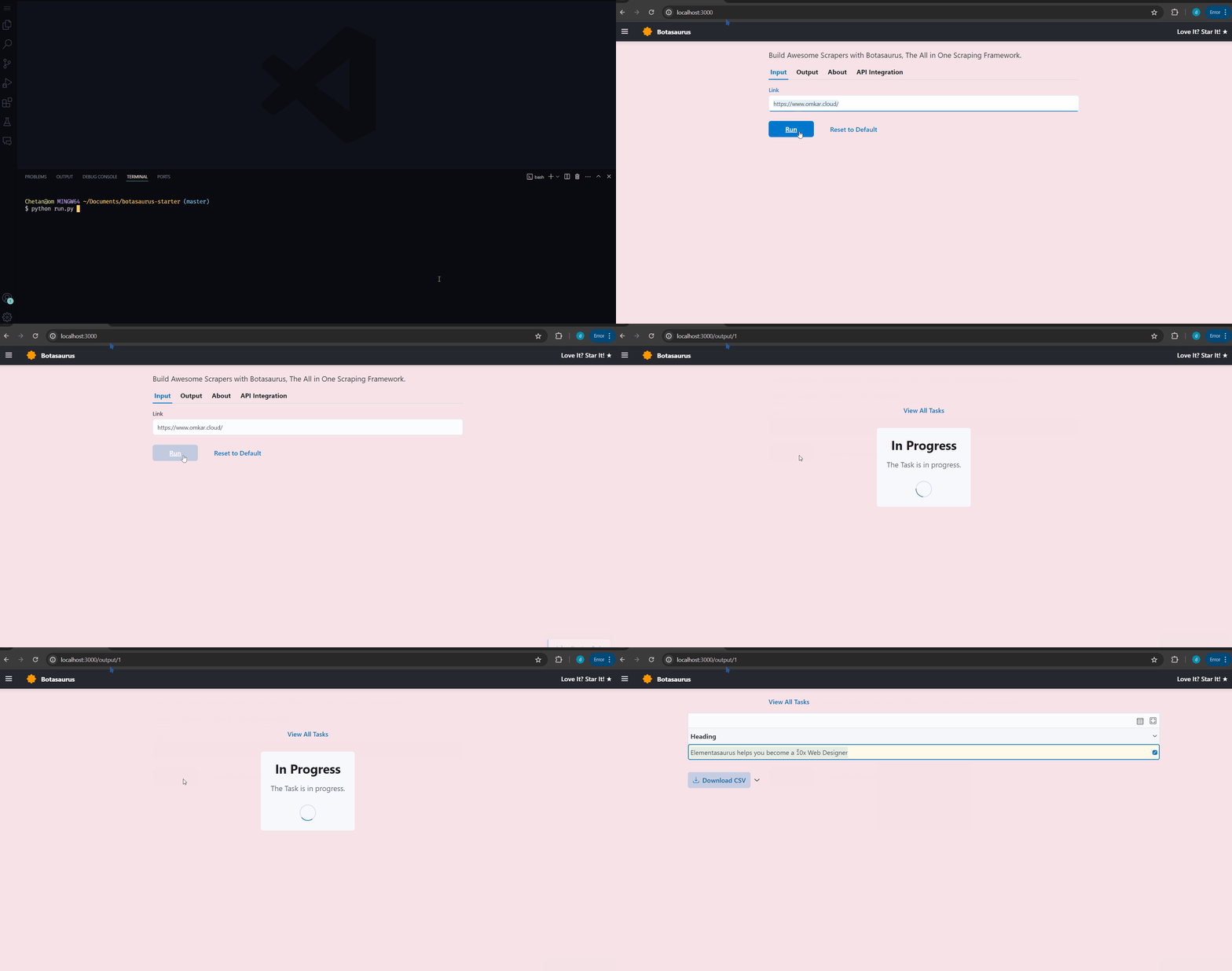
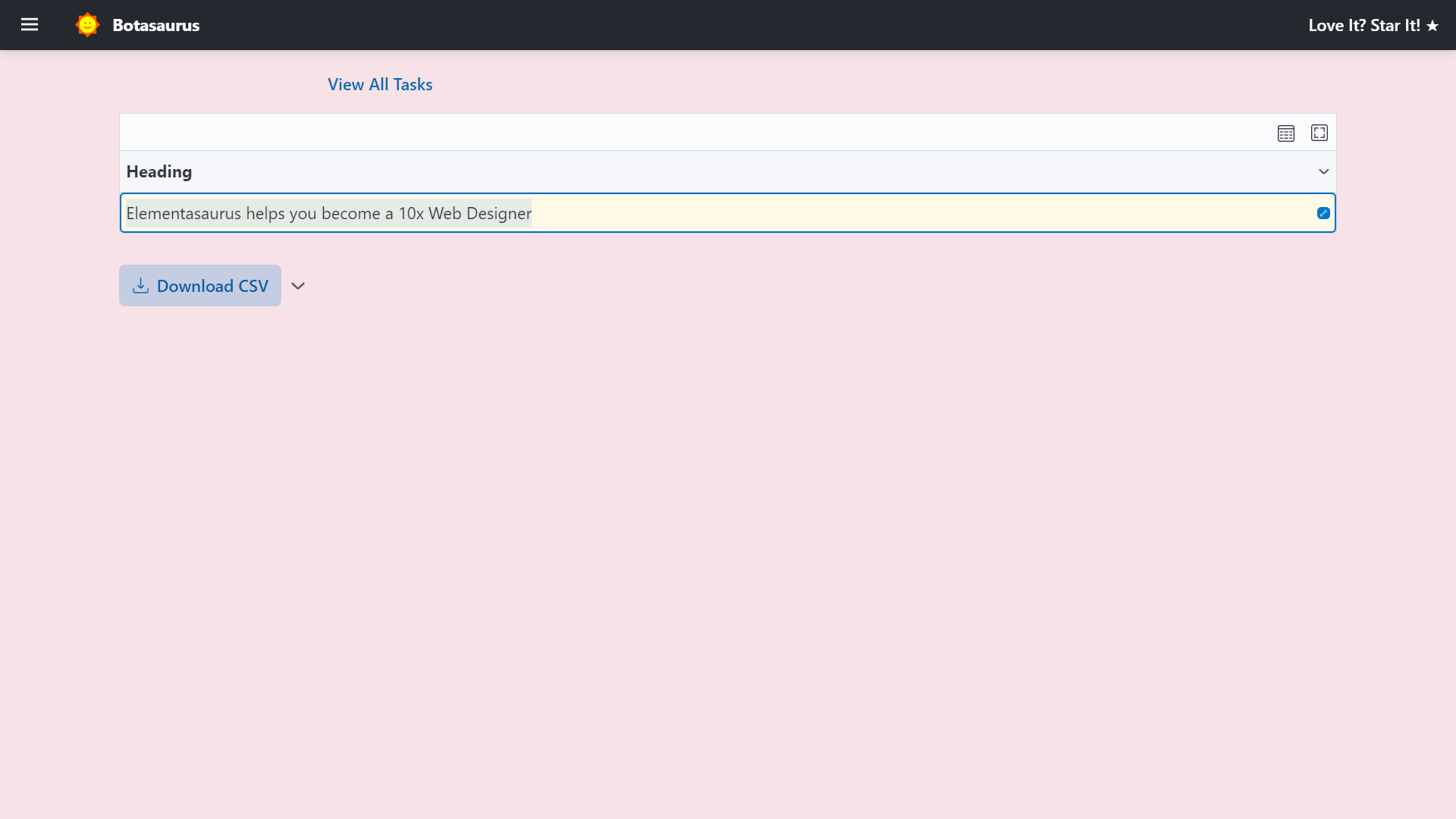
After some seconds, the data will be scraped.
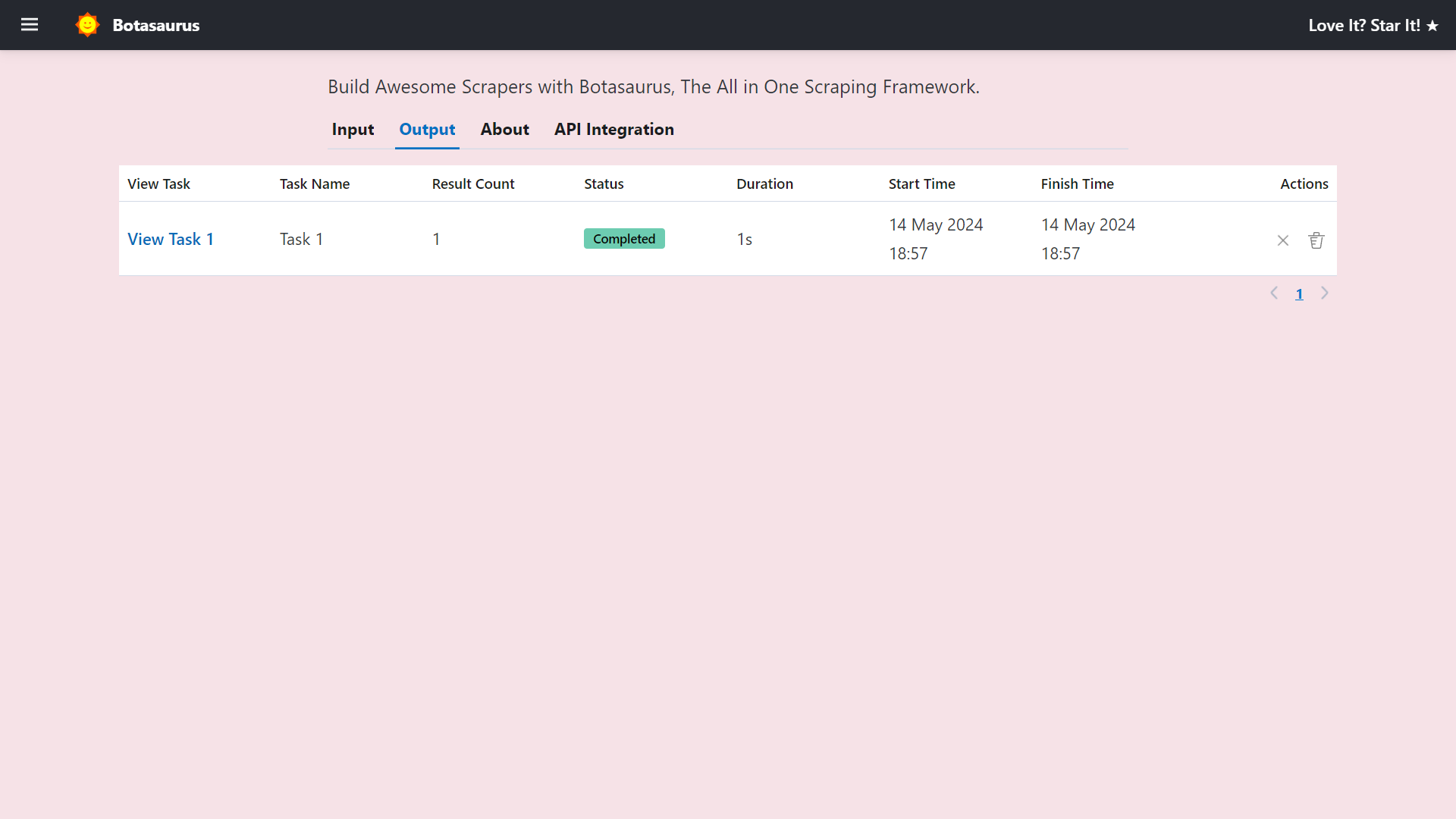
Visit http://localhost:3000/output to see all the tasks you have started.
Go to http://localhost:3000/about to see the rendered README.md file of the project.
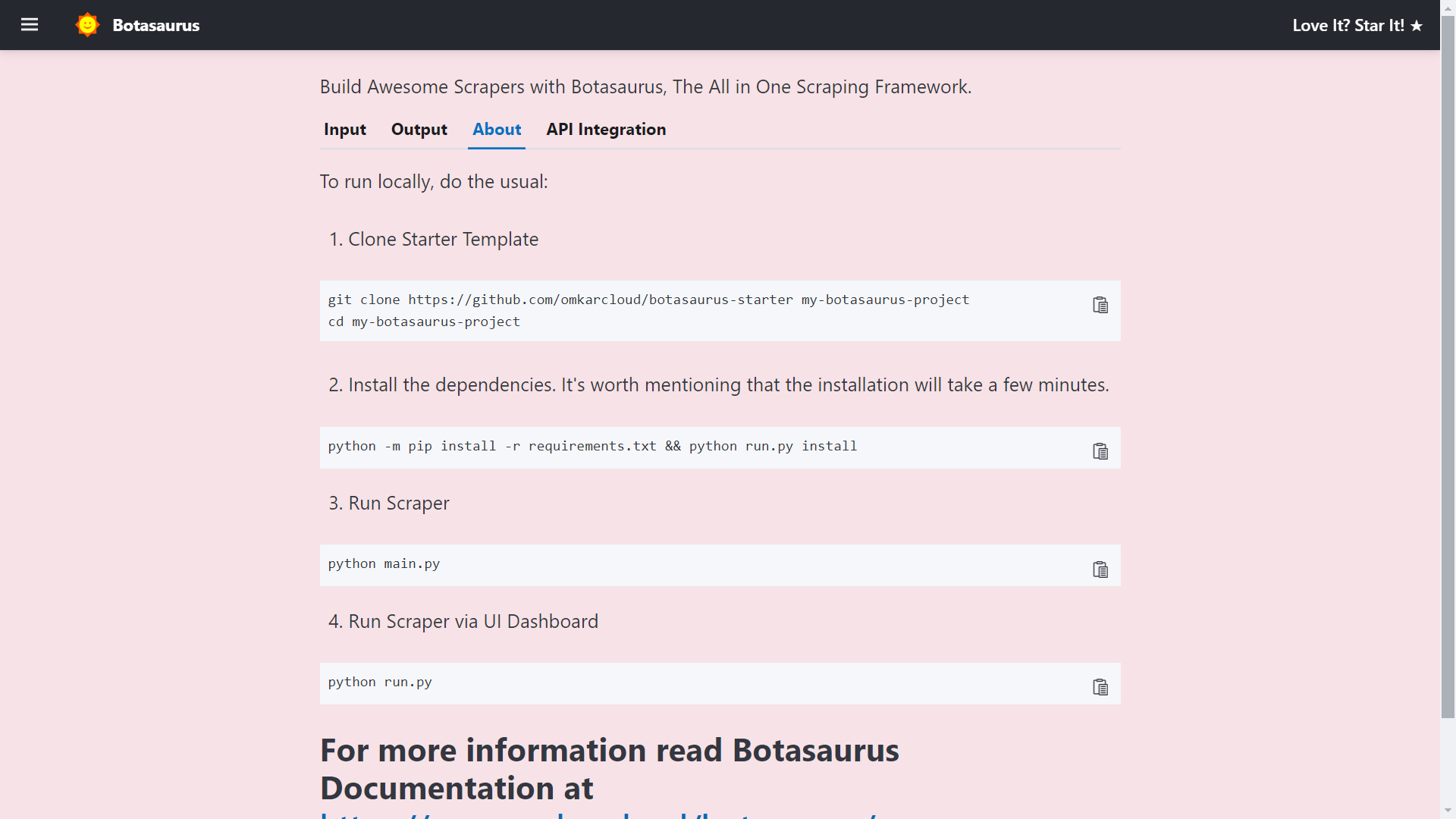
Finally, visit http://localhost:3000/api-integration to see how to access the scraper via API.
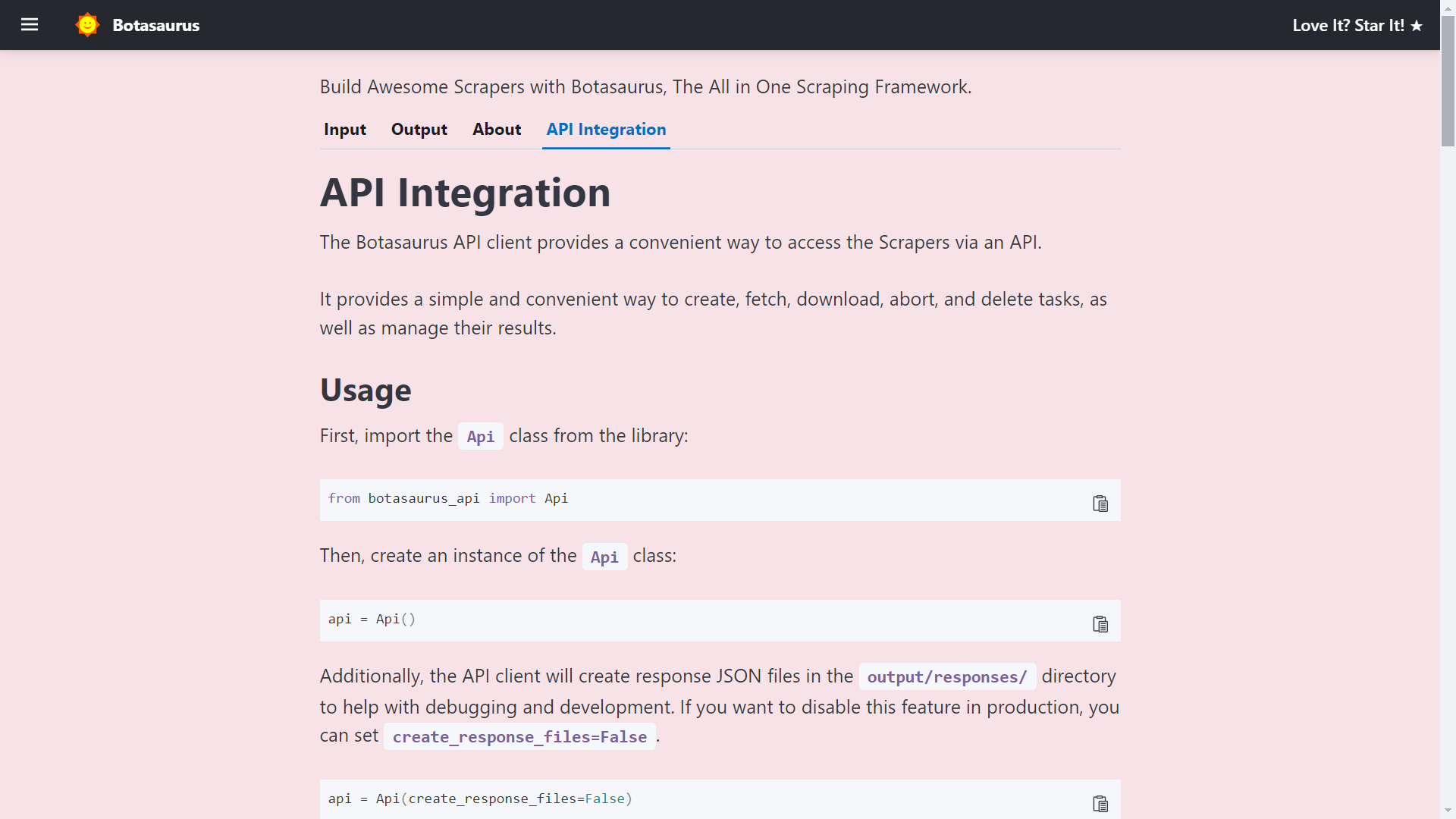
The API documentation is generated dynamically based on your scraper's inputs, sorts, filters, etc., and is unique to your scraper.
So, whenever you need to run the scraper via API, visit this tab and copy the code specific to your scraper.
How to create a UI scraper using Botasaurus?
Creating a UI scraper with Botasaurus is a simple 3-step process: 1. Create your scraper function 2. Add the scraper to the server using 1 line of code 3. Define the input controls for the scraper
To understand these steps, let's go through the code of the Botas
Extension points exported contracts — how you extend this code
browse all types & interfaces →
Core symbols most depended-on inside this repo
Shape
Languages
Modules by API surface
Dependencies from manifests, versioned
Datastores touched
For agents
$ claude mcp add botasaurus \
  -- python -m otcore.mcp_server <graph>