github.com/ollm/OpenComic @v1.6.5 sqlite
README
<img src="https://raw.githubusercontent.com/ollm/OpenComic/master/images/icon-border-transparent.png" width="128px" height="128px"/>
OpenComic
Comic and Manga reader
Guides | Screenshots | Features | Changelog | Download
Screenshot
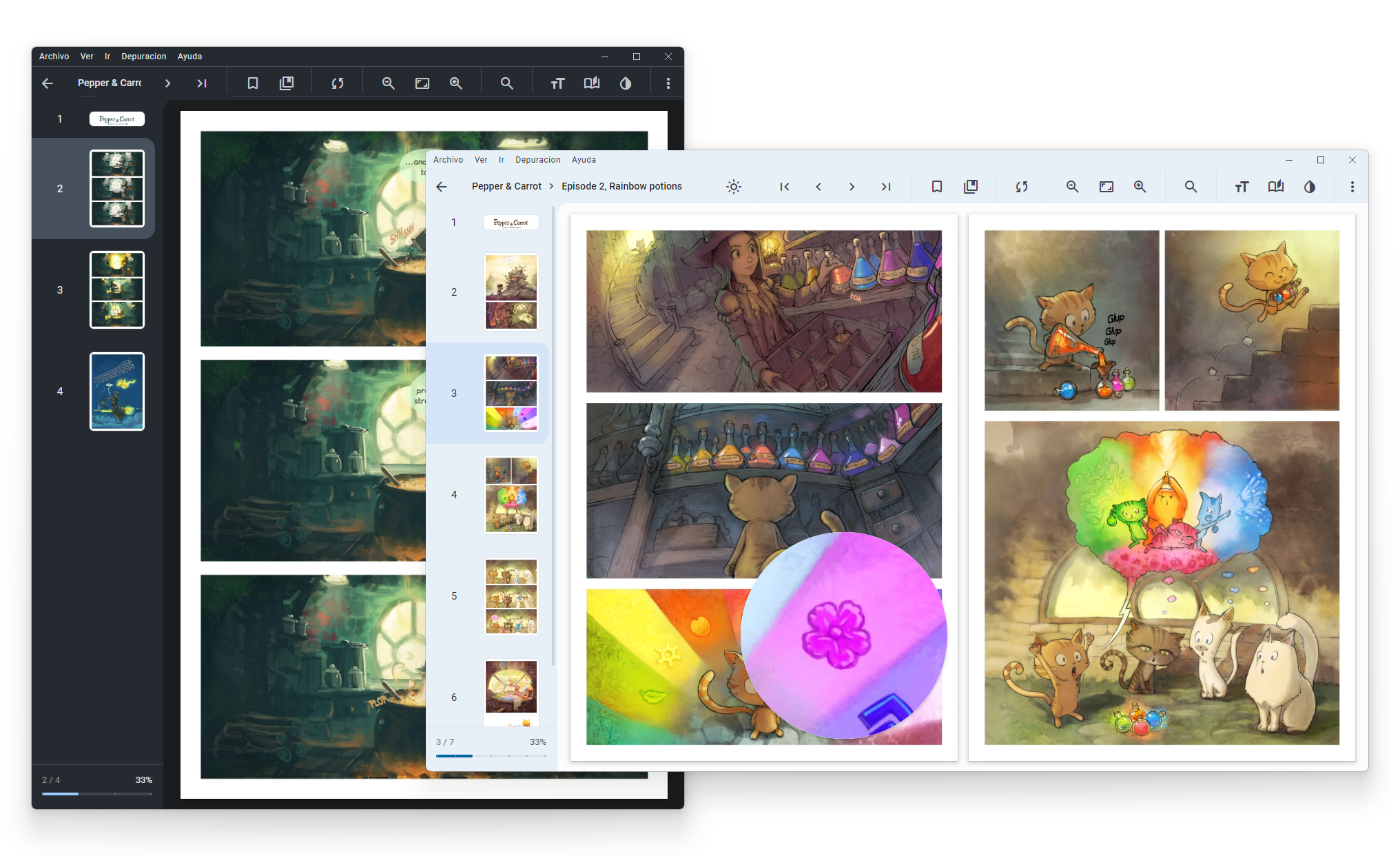
More Screenshots 📸
Features
- 🌄 Support this image formats:
JPG,JP2,JXR,JXL,PNG,APNG,AVIF,HEIC,WEBP,GIF,SVG,BMP,ICO - 📦 Support this compressed formats:
RAR,ZIP,7Z,TAR,LZH,ACE,CBR,CBZ,CBA,CB7,CBT - 📄 Support this documents/ebook formats:
PDF,EPUB(Alpha) - 🎵 Support background music from folder:
MP3,M4A,WEBM,WEBA,OGG,OPUS,WAV,FLAC - ☁️ Server connection support:
smb://,ftp://,ftps://,scp://,sftp://,ssh://,s3://,webdav://,webdavs:// - 📁 Master folders support
- 📚 OPDS support
- ❤️ Favorite labels
- 🏷️ Custom labels
- 🇯🇵 Manga read mode
- 🇰🇷 Webtoon read mode
- 📖 Double page view
- 🔖 Bookmarks and continue reading
- 🔍 Floating magnifying glass
- 🖱️ Reading in scroll or slide
- ⚪ Adjust the brightness, saturation, contrast, sepia, negative and invert colors
- 🎨 Colorize black and white images
- 🔄 Tracking with sites (AniList and MyAnimeList)
- 🎮 Gamepad navigation
- ⌨️ Custom shortcuts and tap zones
- 🔢 Multiple interpolation methods:
lanczos3,lanczos2,mitchell,cubic,linear,nearestand others
You can see the changes between versions in the Changelog 📝
Download v1.6.5
Stores




Windows
Windows Arm64
macOS
macOS Arm64
Linux
Linux Arm64
Website
Installation and Starting for development
Requirements: Git, Node and NPM
git clone https://github.com/ollm/OpenComic.git
cd OpenComic
npm install
npm start
Build from source
npm pull origin master
npm install
npm run build-<buildType>
Available builds types:
- Windows:
nsis,portable - macOS:
mac-dmg,mac-pkg(Both includearm) - Linux
deb,rpm,snap,flatpak,appimage,7z - Linux Arm:
deb-arm,rpm-arm,snap-arm,flatpak-arm,appimage-arm,7z-arm
Now the build files are located in dist folder.
If the build fails with error Not exists (Linux or macOS), you probably need to run a npm install --force inside the folder ./build/node-zstd-native-dependencies and then run npm install again in the main folder.
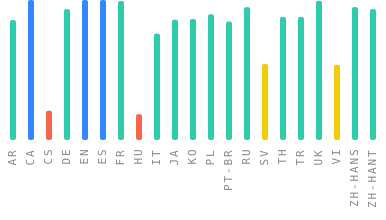
Translation
If you want to see OpenComic in your language, please help us to Translate.
Contributors

Backers

Sponsors

Mega Sponsors

GitHub Sponsors
Pepper & Carrot
This application contains as example the webcomic Pepper&Carrot by David Revoy licensed under the Creative Commons Attribution 4.0 International (CC BY 4.0).
Based on the universe of Hereva created by David Revoy with contributions by Craig Maloney. Corrections by Willem Sonke, Moini, Hali, CGand and Alex Gryson. Translated into Spanish by TheFaico.
Core symbols most depended-on inside this repo
readingViewIsShape
Languages
Modules by API surface
Dependencies from manifests, versioned
For agents
$ claude mcp add OpenComic \
  -- python -m otcore.mcp_server <graph>