github.com/nexu-io/open-design @open-design-v0.13.0 sqlite
README
Open Design: The open-source Claude Design alternative
🔥 Open Design 0.10.0 is here: the all-in-one Agentic design workspace. The whole craft now lives in one window — go from a vague idea to discovering references, gathering material, editing interactively, queuing comments, polishing motion, and handing off to an editor or a Code Agent — without leaving the app. With parallel sessions, it stops feeling like one assistant and starts feeling like a local design team working for you. Download 0.10.0 · Join the discussion
⚡ Open Design AMR (Agentic Model Router) — the official model service. One recharge to use GPT, Claude, Gemini, and DeepSeek inside Open Design: 20+ flagship models, zero config, billed by real token usage. Try AMR
🏅 The Open Design Fellow program is now open. If you also believe design should be open — become an Open Design Fellow, shape the product alongside the core team, and help more people take part in defining the future of design. Details →
MAINTAINERS.mdand Discord.

Website · Download · Model Router · Discord · Follow @OpenDesignHQ




English · Español · Português · Deutsch · Français · 简体中文 · 繁體中文 · 한국어 · 日本語 · العربية · Русский · Українська · Türkçe
What is Open Design
🎨 The local-first, open-source Claude Design alternative. 🖥️ Native desktop app for macOS and Windows. ⚡ 100+ skills · ✨ 150 brand-grade DESIGN.md systems · 📦 261 ready-to-use plugins. 🖼️ Generates web · desktop · mobile prototypes, live dashboards / artifacts, decks, images, video, plus HyperFrames motion graphics. 🔒 Sandboxed iframe preview · HTML / PDF / PPTX / MP4 export. 🤖 Runs on Claude Code · OpenClaw · Codex · Cursor · OpenCode · Qwen · Copilot · Amp · Hermes · Kimi · Antigravity and 22 local CLIs, or any OpenAI-compatible endpoint via BYOK.
Open Design is what you get when the agent-native loop Anthropic shipped with Claude Design — discover the brief, lock the direction, stream the artifact, critique, deliver — stops being closed and becomes a filesystem of skills, design systems, and plugins that the coding agents already on your laptop can read, write, and remix. Your CLI becomes the design engine, your laptop becomes the studio, and your team's DESIGN.md becomes the brand contract.
It's also the Figma alternative for the agent era — instead of pushing pixels on a canvas, it delivers single-page artifacts in real CSS, real fonts, real components, exported straight to HTML / PDF / PPTX / MP4 — already shaped by your design system, already runnable inside the agent you use every day.
Product tour
A quick look at what Open Design is and what it does. Start from Home, orchestrate repeat workflows with Automation, distill a brand contract in Design System, and extend with Plugins and integrations; inside any project's Studio, the same design system streams out prototypes, live artifacts, HyperFrames, decks, and images.
Core pages
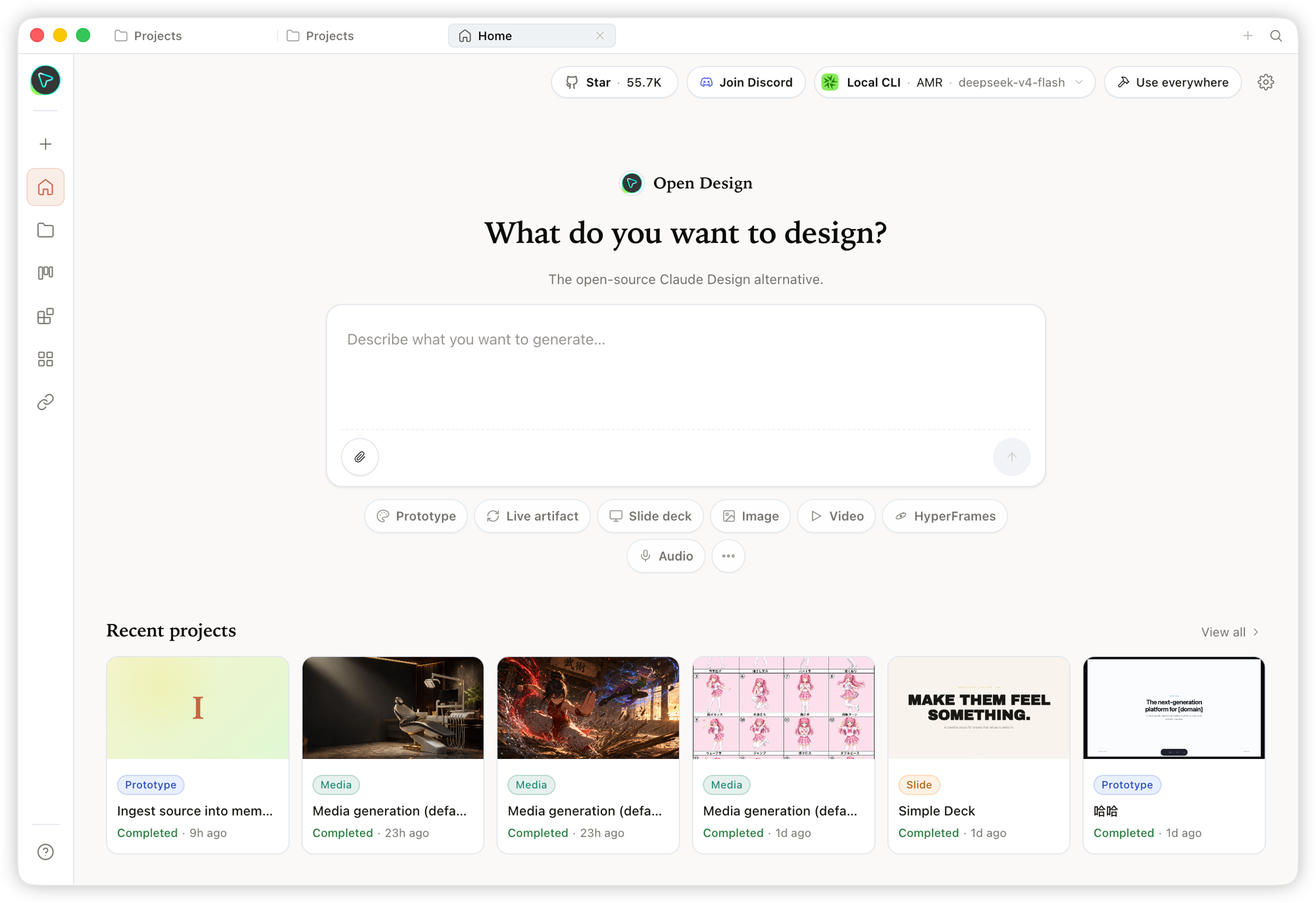 Home — the overview entry point. Pick a skill and a design system, type the brief, and kick off everything from one place.
|
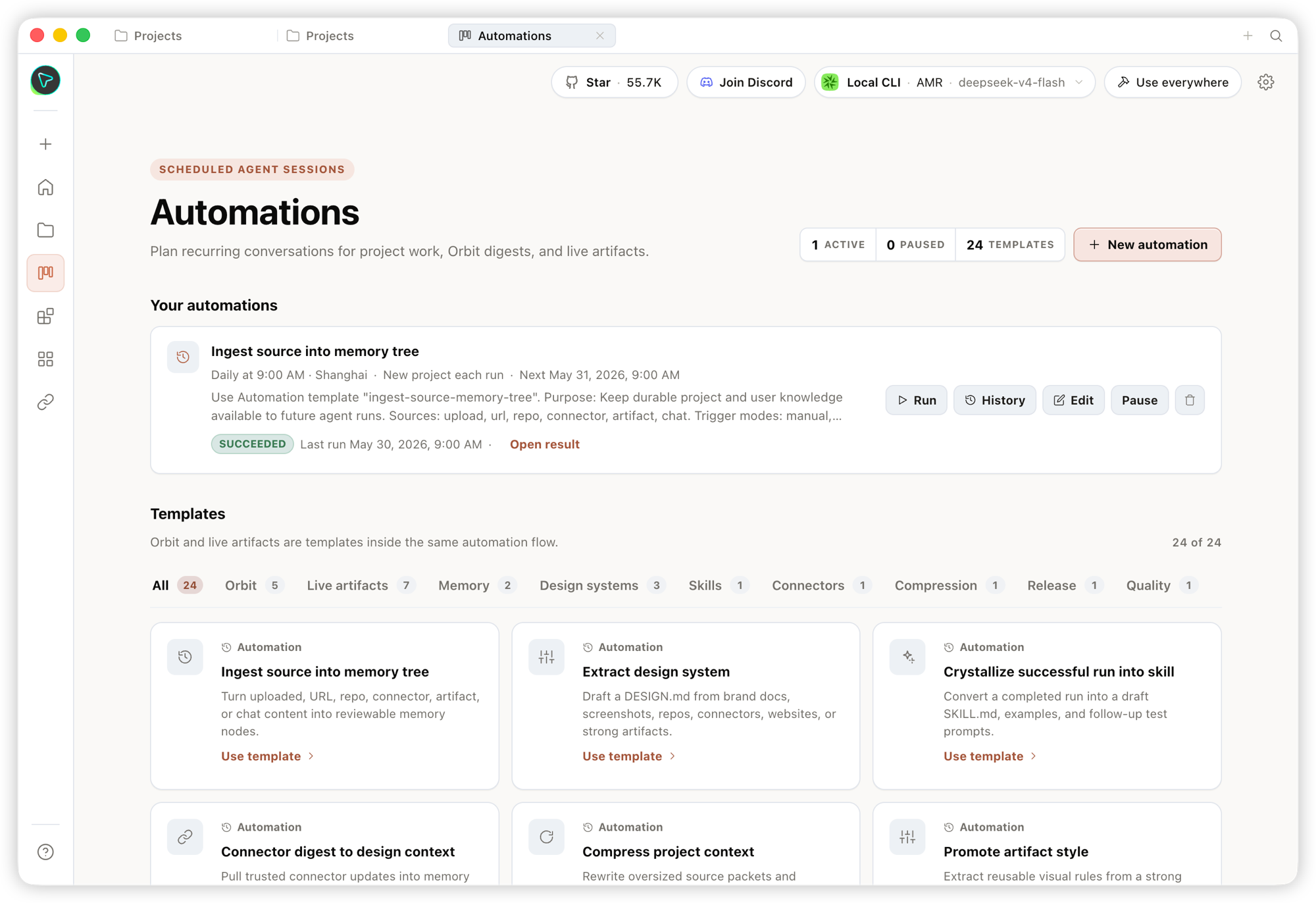 Automation — orchestrate repetitive design workflows into reusable, schedulable automations.
|
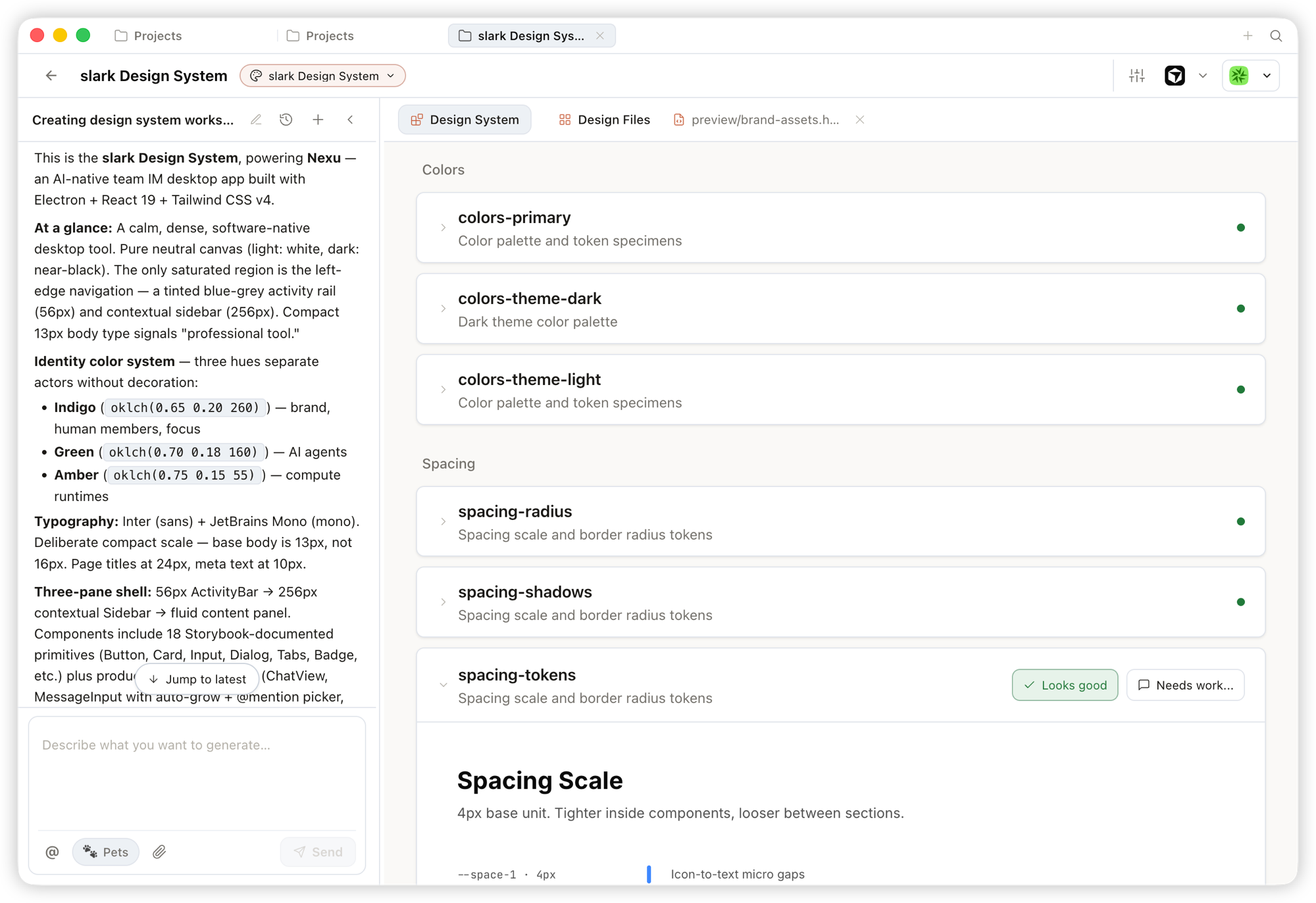 Design System — distill your team's
 DESIGN.md into a brand contract that shapes every output.
|
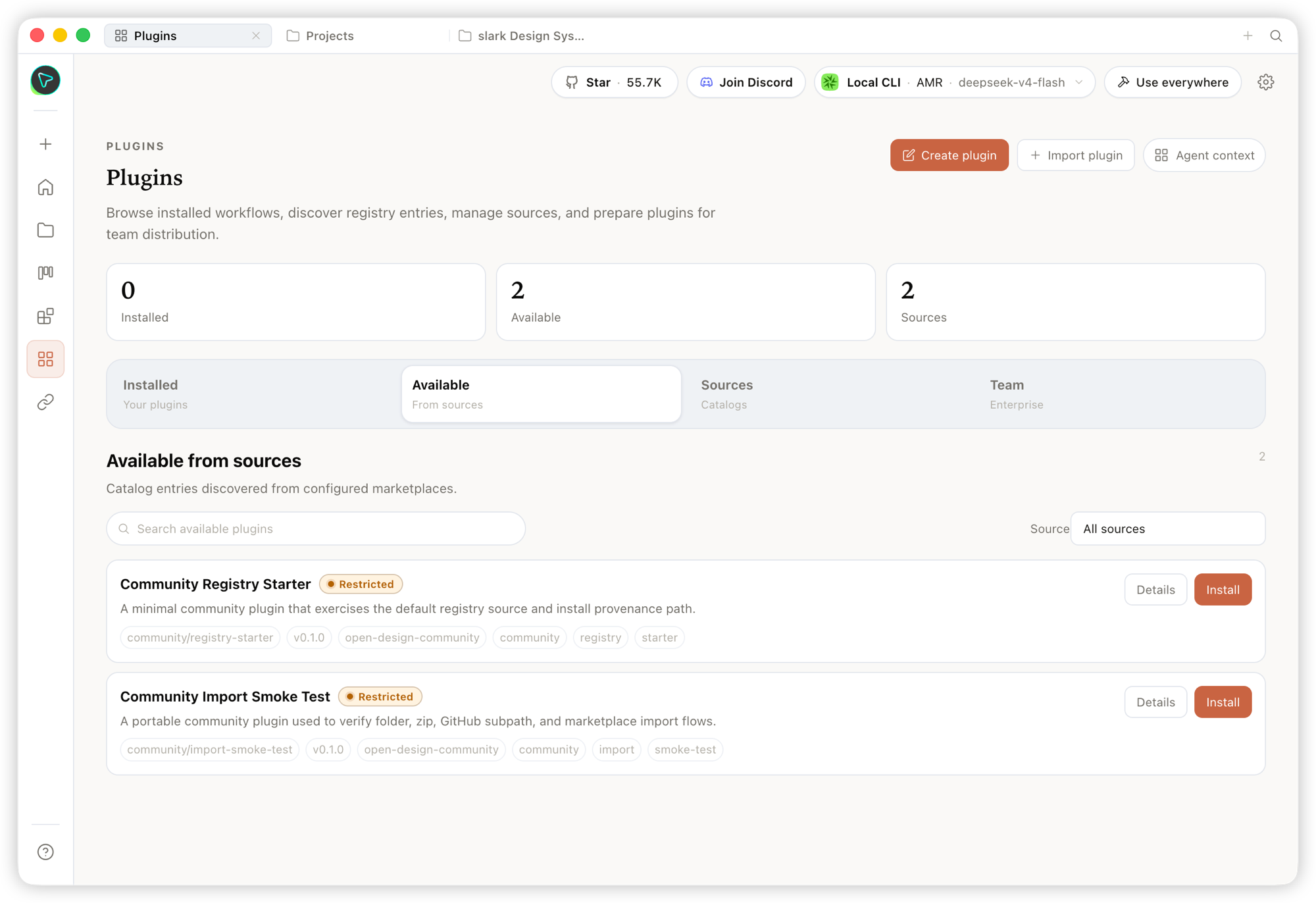 Plugin — browse, install, and distribute workflow plugins to extend generation on demand.
|
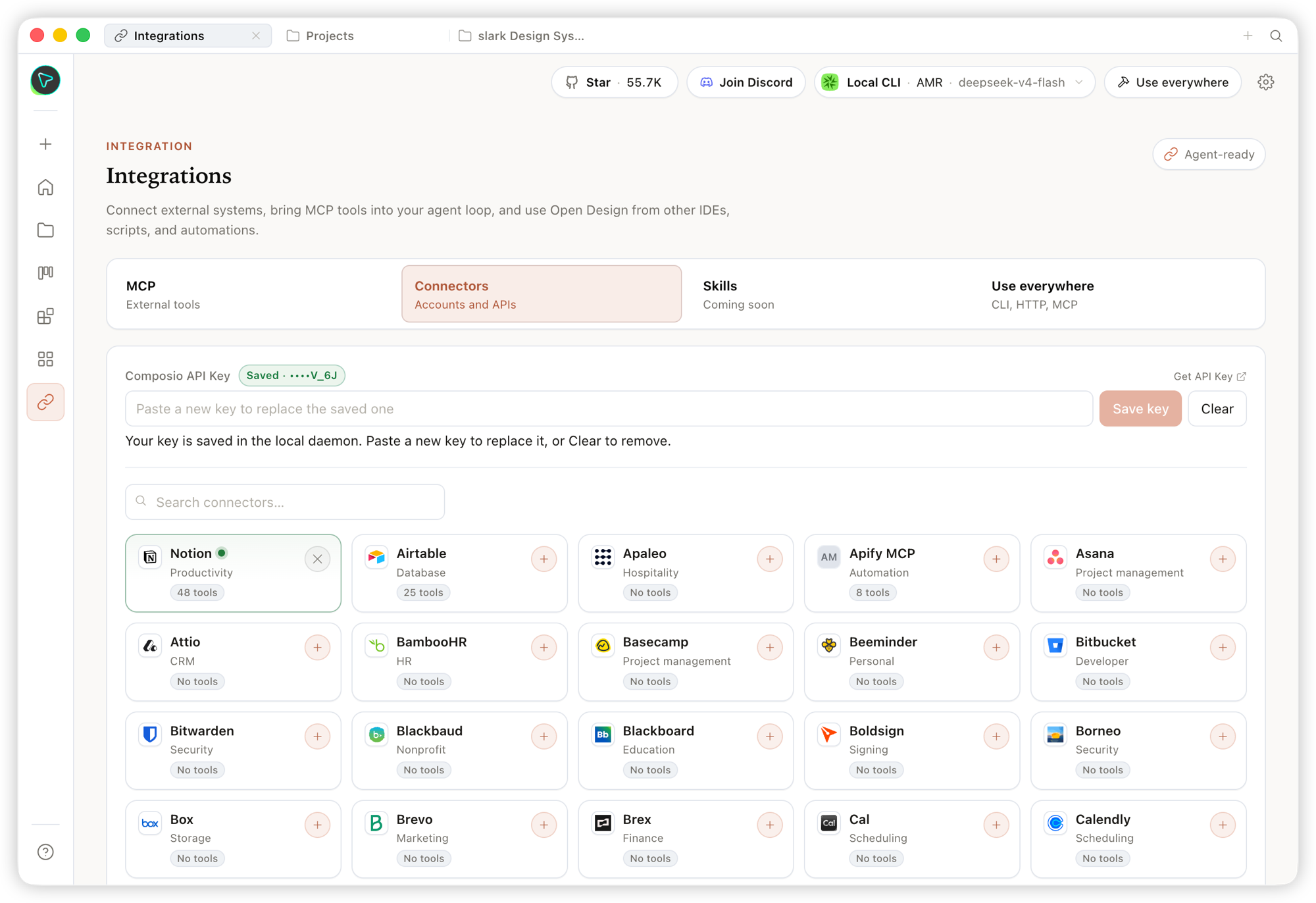 Integrations — connect external systems and MCP tools, and use Open Design from any IDE, script, or automation.
|
Studio — many artifact types in one project
Inside a project's Studio, the same design system streams out multiple artifact types:
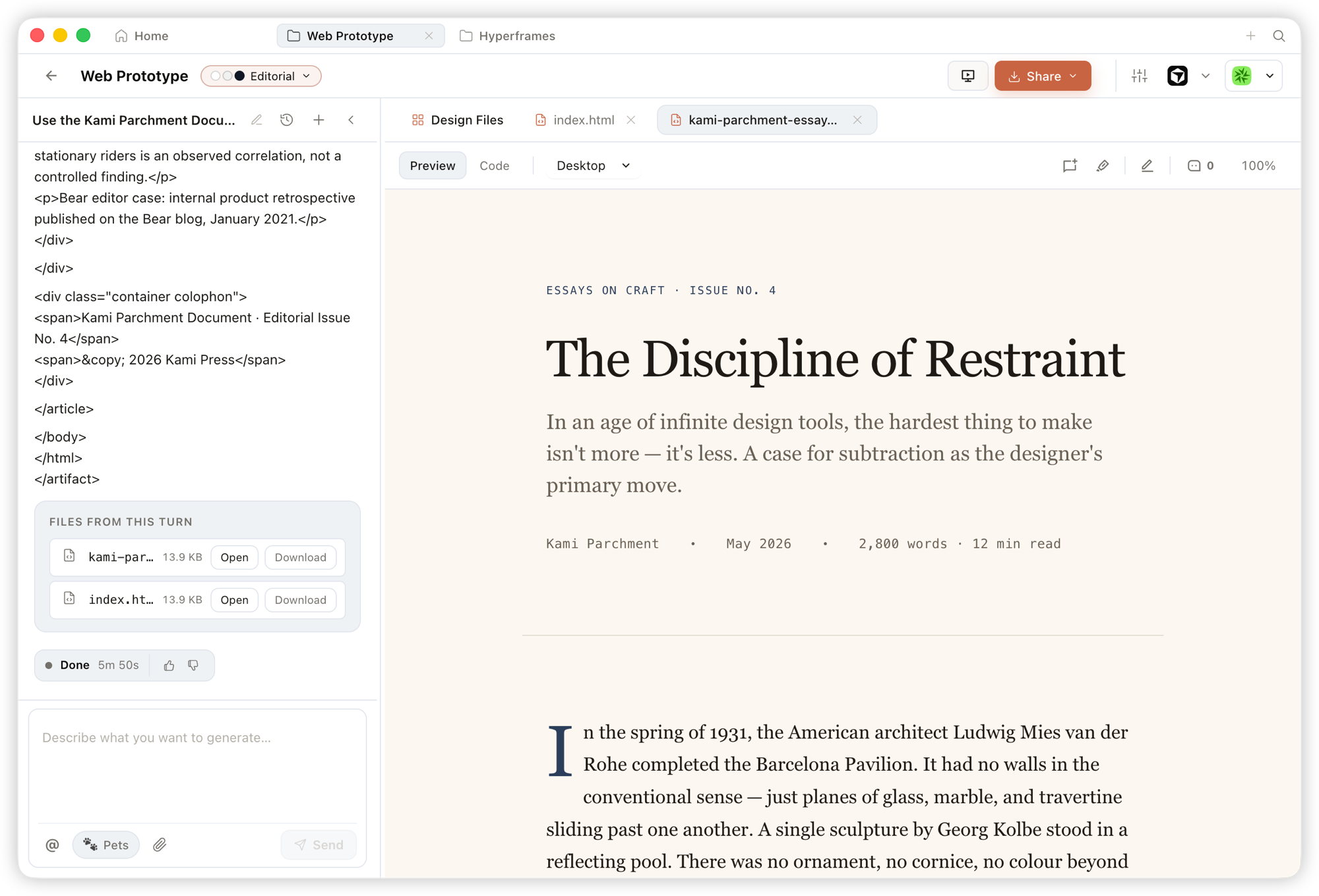 Prototype — single-page HTML artifacts that read your design system and render in a sandboxed iframe, previewable instantly and downloadable as source.
|
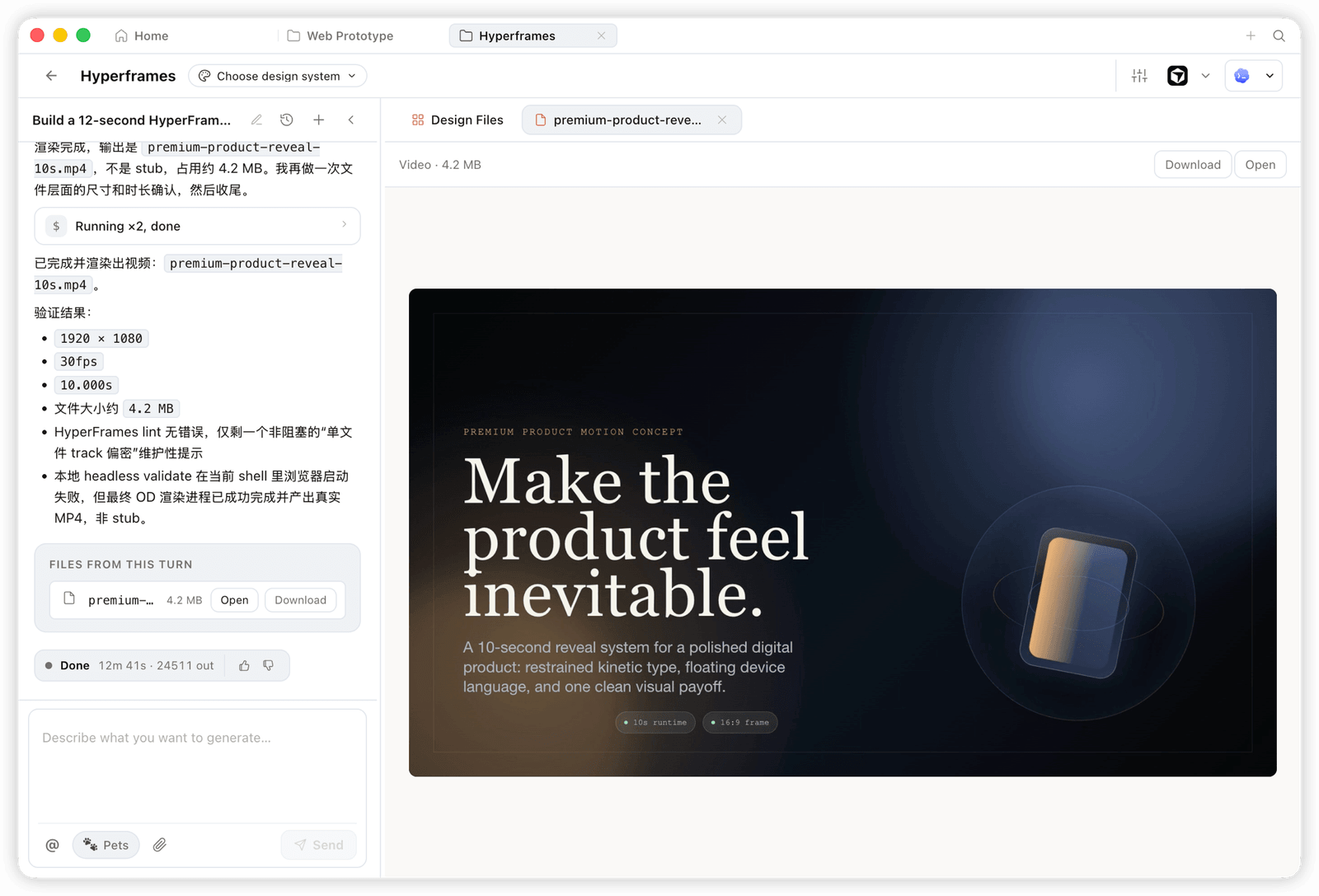 HyperFrame — programmatic motion and animated graphics, rendered to a real MP4 (e.g. 1920×1080 · 30fps).
|
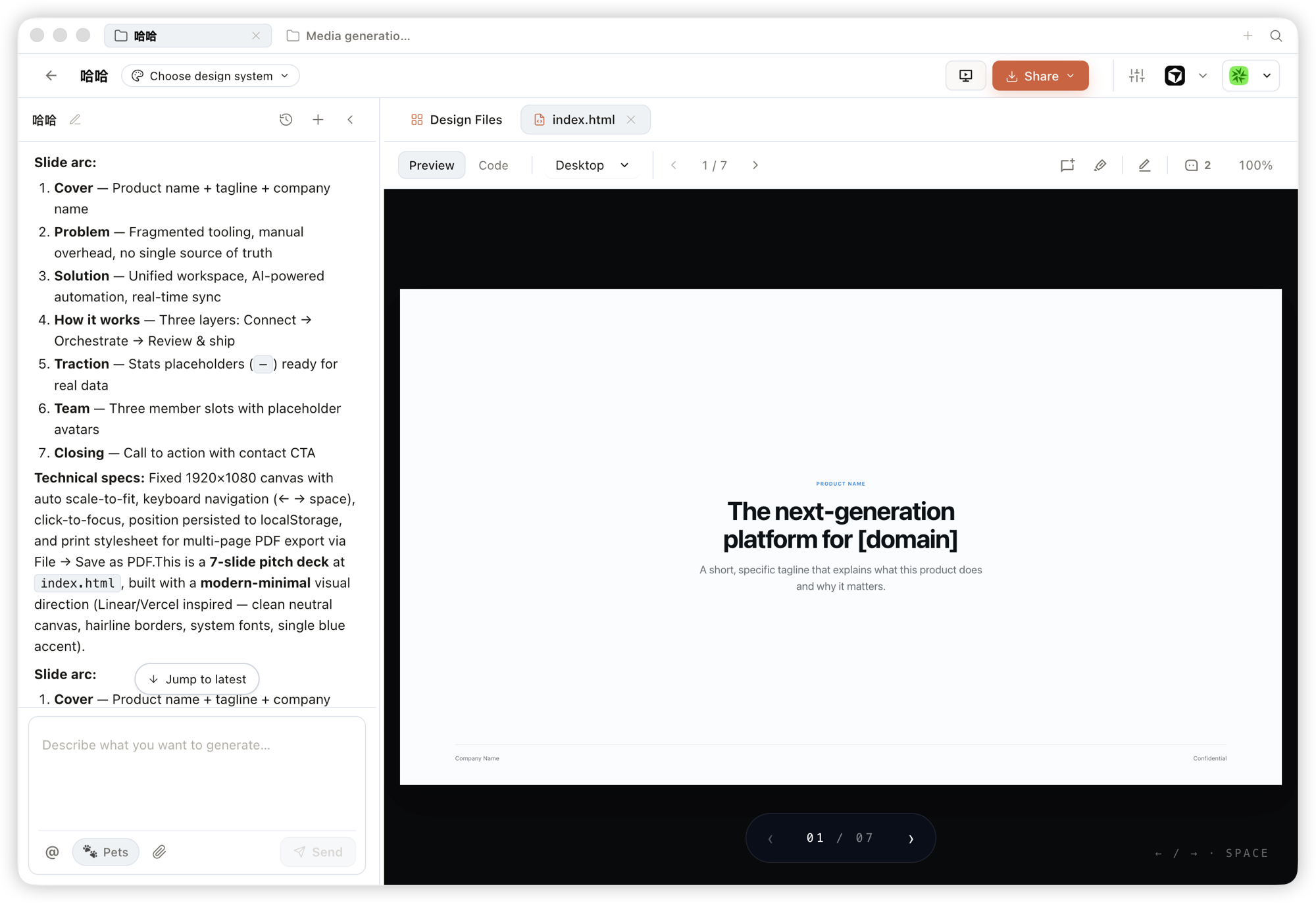 Deck — pitch decks you can page through, navigate by keyboard, and export to PPTX / PDF.
|
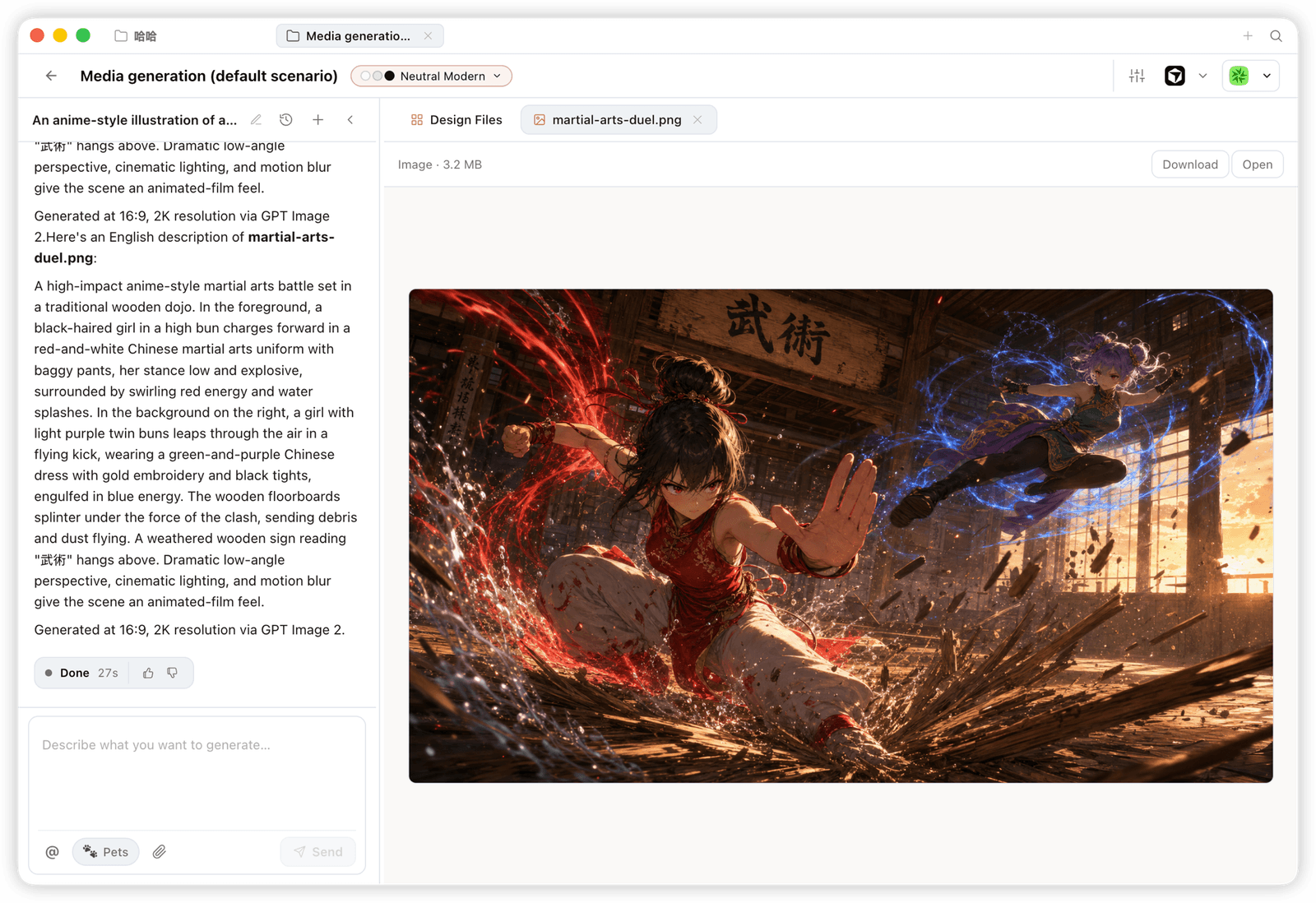 Image — brand-grade images and visual assets, with high-resolution generation and download.
|
Platform Compatibility
Open Design ships as skills, a CLI, and an MCP server that mainstream coding agents consume natively. Once OD is installed, a single
od mcp install <agent>wires the MCP server into that agent's config, and you call the same tools from inside any agent.
| Coding agent / platform | Status | One-line MCP server install |
|---|---|---|
| Claude Code | ✅ Supported | od mcp install claude |
| Codex CLI | ✅ Supported | od mcp install codex |
| Cursor | ✅ Supported | od mcp install cursor |
| VS Code + GitHub Copilot | ✅ Supported | od mcp install copilot |
| GitHub Copilot CLI | ✅ Supported | od mcp install copilot |
| Gemini CLI | ✅ Supported | od mcp install gemini |
| OpenCode | ✅ Supported | od mcp install opencode |
| OpenClaw | ✅ Supported | od mcp install openclaw |
| Antigravity | ✅ Supported | od mcp install antigravity |
| Cline | ✅ Supported | od mcp install cline |
| Trae | ✅ Supported | od mcp install trae |
| Kimi CLI | ✅ Supported | od mcp install kimi |
| Pi Agent | ✅ Supported | od mcp install pi |
| Mistral Vibe CLI | ✅ Supported | od mcp install vibe |
| Hermes Agent | ✅ Supported | od mcp install hermes |
od mcp install <agent> --print for a dry-run preview · --uninstall to remove · full list with od mcp install --help.
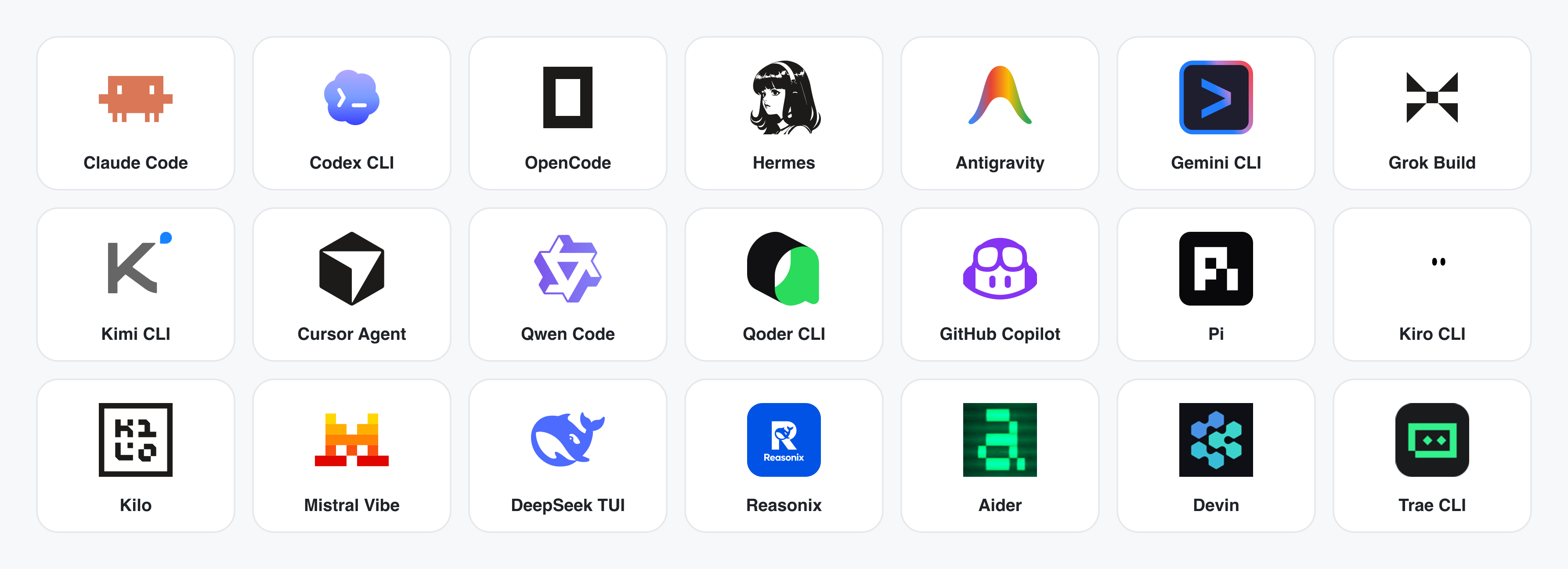
No CLI installed? The BYOK proxy at POST /api/proxy/{anthropic,openai,azure,google,ollama,senseaudio}/stream gives you the same loop (no process spawn) — paste baseUrl + apiKey + model, with support for OpenAI, Anthropic, Azure OpenAI, Google Gemini, Ollama, LM Studio, vLLM, or any OpenAI-compatible endpoint. Per-target SSRF protection blocks internal IPs / link-local / CGNAT at the daemon edge.
The adapter contract and stream parsers live in apps/daemon/src/agents.ts. Adding a new CLI is one entry — see docs/agent-adapters.md.
Demo
Four core product categories, all rendered by a coding agent running on your laptop. Click a thumbnail to see the real example.
1 · Prototypes — web · desktop · mobile
The default output surface. Single-page HTML artifacts that read your DESIGN.md and render in a sandboxed iframe.
 Entry view — pick a skill, pick a design system, type the brief. One surface for prototypes, dashboards, decks, mobile apps, magazine pages.
|
 Mobile prototype — pixel-accurate iPhone 15 Pro chrome, multi-screen flows. The agent never redraws the phone frame; shared device frames live in
 assets/frames/.
|
 Web prototype — an editorial dashboard with scrollbars, KPIs, and charts. Rendered straight from
 design-templates/dating-web/.
|
 Mobile app prototype — a three-screen gamified flow with XP ribbons and quest detail. Hand off straight to Cursor / Codex / Claude Code to turn into React/Next/Vue.
|
2 · Live artifacts & dashboards
Live dashboards, decision rooms, KPI walls — single-page artifacts that pull data through a tweaks panel and stay editable in place.
 Live dashboard — an editable KPI wall whose tweaks panel surfaces the parameters worth nudging. The agent emits a manifest, and the iframe re-renders without a reload.
|
 Decision room — a multi-source briefing artifact for product / research / ops meetings.
|
 GitHub-style dashboard — repo metrics presented as a live artifact.
|
 Flow live-dashboard template — a domain-specific KPI template, branded through the active
 DESIGN.md.
|
3 · Decks — magazine decks, weekly updates, pitches
 Deck mode
 |
Extension points exported contracts — how you extend this code
TestApp (Interface)Core symbols most depended-on inside this repo
getShape
Languages
Modules by API surface
Dependencies from manifests, versioned
For agents
$ claude mcp add open-design \
  -- python -m otcore.mcp_server <graph>