github.com/nerfstudio-project/nerfstudio @v1.1.5 sqlite
README
<a href="https://discord.gg/uMbNqcraFc"><img src="https://dcbadge.vercel.app/api/server/uMbNqcraFc?style=plastic"/></a>

<a href='https://docs.nerf.studio/'>
    <img src='https://readthedocs.com/projects/plenoptix-nerfstudio/badge/?version=latest' alt='Documentation Status' /></a>

<a href="https://badge.fury.io/py/nerfstudio"><img src="https://badge.fury.io/py/nerfstudio.svg" alt="PyPI version"></a>

<a href='https://github.com/nerfstudio-project/nerfstudio/actions/workflows/core_code_checks.yml'>
    <img src='https://github.com/nerfstudio-project/nerfstudio/actions/workflows/core_code_checks.yml/badge.svg' alt='Test Status' /></a>

<a href="https://github.com/nerfstudio-project/nerfstudio/blob/master/LICENSE">
    <img alt="License" src="https://img.shields.io/badge/License-Apache_2.0-blue.svg"></a>


<img alt="nerfstudio" src="https://docs.nerf.studio/_images/logo.png" width="400">
A collaboration friendly studio for NeRFs
<a href="https://docs.nerf.studio">
    <img alt="documentation" src="https://user-images.githubusercontent.com/3310961/194022638-b591ce16-76e3-4ba6-9d70-3be252b36084.png" width="150"></a>
<a href="https://viewer.nerf.studio/">
    <img alt="viewer" src="https://user-images.githubusercontent.com/3310961/194022636-a9efb85a-14fd-4002-8ed4-4ca434898b5a.png" width="150"></a>
<a href="https://colab.research.google.com/github/nerfstudio-project/nerfstudio/blob/main/colab/demo.ipynb">
    <img alt="colab" src="https://raw.githubusercontent.com/nerfstudio-project/nerfstudio/main/docs/_static/imgs/readme_colab.png" width="150"></a>
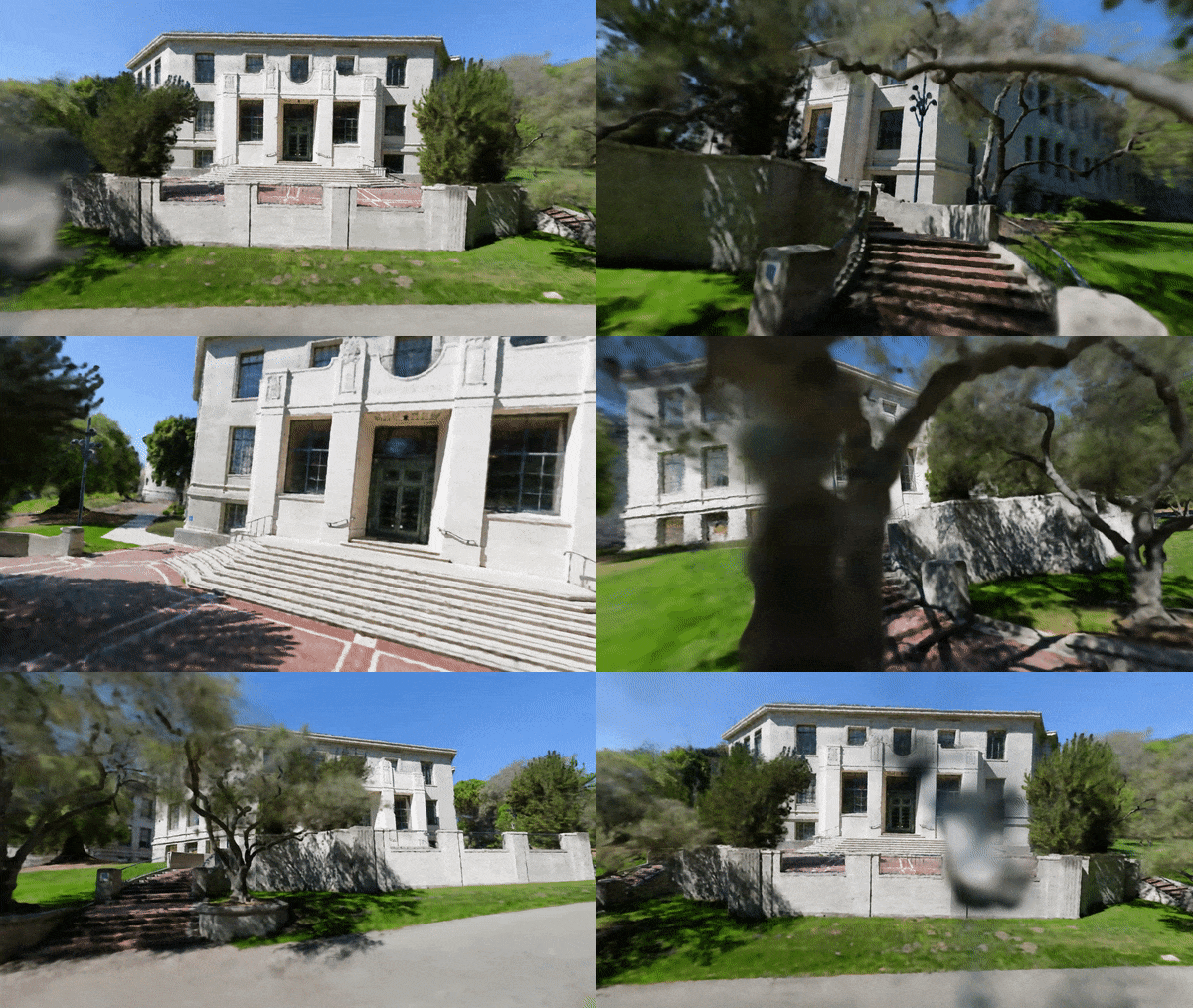
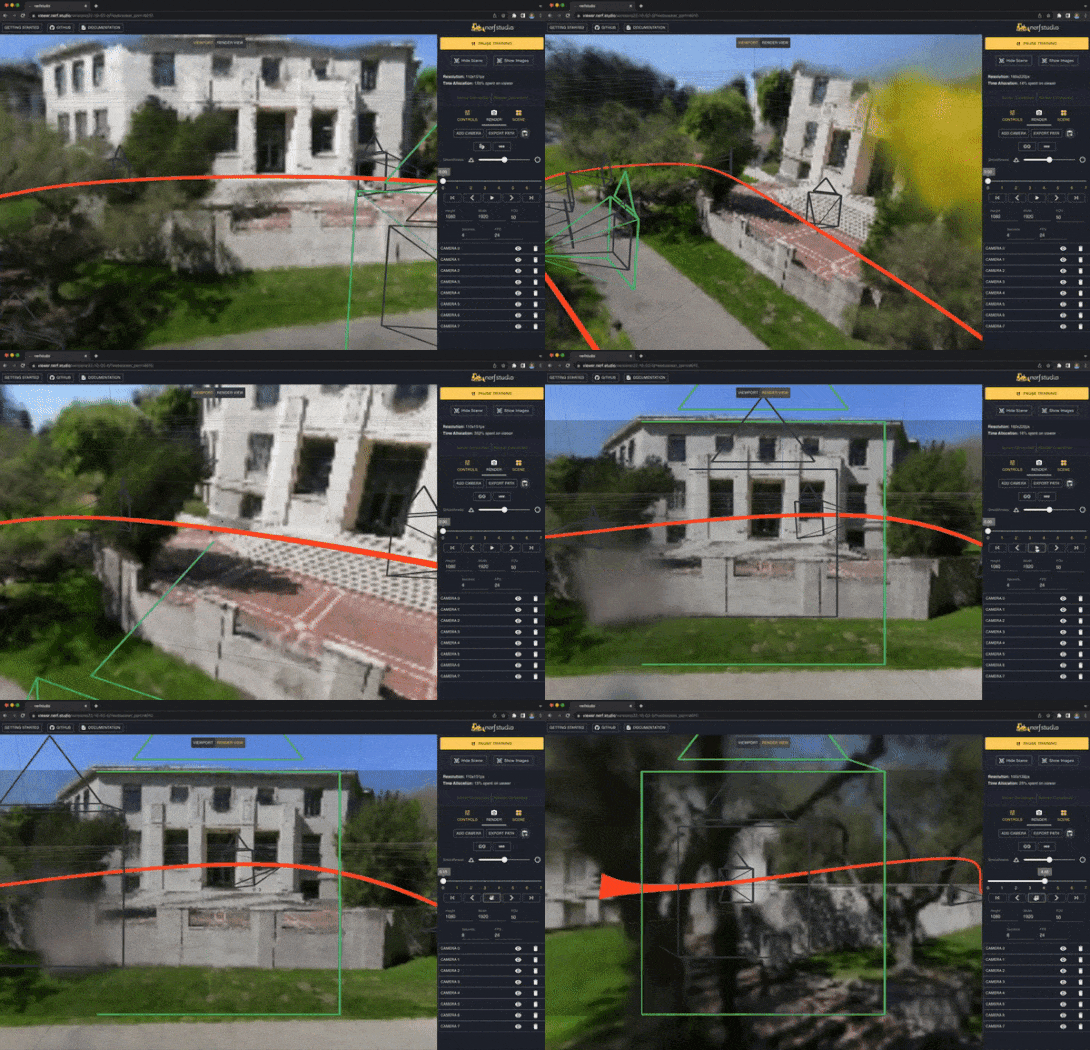
About
It’s as simple as plug and play with nerfstudio!
Nerfstudio provides a simple API that allows for a simplified end-to-end process of creating, training, and testing NeRFs. The library supports a more interpretable implementation of NeRFs by modularizing each component. With more modular NeRFs, we hope to create a more user-friendly experience in exploring the technology.
This is a contributor-friendly repo with the goal of building a community where users can more easily build upon each other's contributions. Nerfstudio initially launched as an opensource project by Berkeley students in KAIR lab at Berkeley AI Research (BAIR) in October 2022 as a part of a research project (paper). It is currently developed by Berkeley students and community contributors.
We are committed to providing learning resources to help you understand the basics of (if you're just getting started), and keep up-to-date with (if you're a seasoned veteran) all things NeRF. As researchers, we know just how hard it is to get onboarded with this next-gen technology. So we're here to help with tutorials, documentation, and more!
Have feature requests? Want to add your brand-spankin'-new NeRF model? Have a new dataset? We welcome contributions! Please do not hesitate to reach out to the nerfstudio team with any questions via Discord.
Have feedback? We'd love for you to fill out our Nerfstudio Feedback Form if you want to let us know who you are, why you are interested in Nerfstudio, or provide any feedback!
We hope nerfstudio enables you to build faster :hammer: learn together :books: and contribute to our NeRF community :sparkling_heart:.
Sponsors
Sponsors of this work includes Luma AI and the BAIR commons.
<a href="https://lumalabs.ai/">


    <img alt="Luma AI" src="https://github.com/nerfstudio-project/nerfstudio/raw/v1.1.5/docs/_static/imgs/luma_light.png" width="300">


</a>
<a href="https://bcommons.berkeley.edu/home">


    <img alt="BAIR" src="https://github.com/nerfstudio-project/nerfstudio/raw/v1.1.5/docs/_static/imgs/bair_light.png" width="300">


</a>
Quickstart
The quickstart will help you get started with the default vanilla NeRF trained on the classic Blender Lego scene. For more complex changes (e.g., running with your own data/setting up a new NeRF graph), please refer to our references.
1. Installation: Setup the environment
Prerequisites
You must have an NVIDIA video card with CUDA installed on the system. This library has been tested with version 11.8 of CUDA. You can find more information about installing CUDA here
Create environment
Nerfstudio requires python >= 3.8. We recommend using conda to manage dependencies. Make sure to install Conda before proceeding.
conda create --name nerfstudio -y python=3.8
conda activate nerfstudio
pip install --upgrade pip
Dependencies
Install PyTorch with CUDA (this repo has been tested with CUDA 11.7 and CUDA 11.8) and tiny-cuda-nn.
cuda-toolkit is required for building tiny-cuda-nn.
For CUDA 11.8:
pip install torch==2.1.2+cu118 torchvision==0.16.2+cu118 --extra-index-url https://download.pytorch.org/whl/cu118

conda install -c "nvidia/label/cuda-11.8.0" cuda-toolkit
pip install ninja git+https://github.com/NVlabs/tiny-cuda-nn/#subdirectory=bindings/torch
See Dependencies in the Installation documentation for more.
Installing nerfstudio
Easy option:
pip install nerfstudio
OR if you want the latest and greatest:
git clone https://github.com/nerfstudio-project/nerfstudio.git
cd nerfstudio
pip install --upgrade pip setuptools
pip install -e .
OR if you want to skip all installation steps and directly start using nerfstudio, use the docker image:
See Installation - Use docker image.
2. Training your first model!
The following will train a nerfacto model, our recommended model for real world scenes.
# Download some test data:
ns-download-data nerfstudio --capture-name=poster
# Train model
ns-train nerfacto --data data/nerfstudio/poster
If everything works, you should see training progress like the following:
<img width="800" alt="image" src="https://user-images.githubusercontent.com/3310961/202766069-cadfd34f-8833-4156-88b7-ad406d688fc0.png">
Navigating to the link at the end of the terminal will load the webviewer. If you are running on a remote machine, you will need to port forward the websocket port (defaults to 7007).
<img width="800" alt="image" src="https://user-images.githubusercontent.com/3310961/202766653-586a0daa-466b-4140-a136-6b02f2ce2c54.png">
Resume from checkpoint / visualize existing run
It is possible to load a pretrained model by running
ns-train nerfacto --data data/nerfstudio/poster --load-dir {outputs/.../nerfstudio_models}
Visualize existing run
Given a pretrained model checkpoint, you can start the viewer by running
ns-viewer --load-config {outputs/.../config.yml}
3. Exporting Results
Once you have a NeRF model you can either render out a video or export a point cloud.
Render Video
First we must create a path for the camera to follow. This can be done in the viewer under the "RENDER" tab. Orient your 3D view to the location where you wish the video to start, then press "ADD CAMERA". This will set the first camera key frame. Continue to new viewpoints adding additional cameras to create the camera path. We provide other parameters to further refine your camera path. Once satisfied, press "RENDER" which will display a modal that contains the command needed to render the video. Kill the training job (or create a new terminal if you have lots of compute) and run the command to generate the video.
Other video export options are available, learn more by running
ns-render --help
Generate Point Cloud
While NeRF models are not designed to generate point clouds, it is still possible. Navigate to the "EXPORT" tab in the 3D viewer and select "POINT CLOUD". If the crop option is selected, everything in the yellow square will be exported into a point cloud. Modify the settings as desired then run the command at the bottom of the panel in your command line.
Alternatively you can use the CLI without the viewer. Learn about the export options by running
ns-export pointcloud --help
4. Using Custom Data
Using an existing dataset is great, but likely you want to use your own data! We support various methods for using your own data. Before it can be used in nerfstudio, the camera location and orientations must be determined and then converted into our format using ns-process-data. We rely on external tools for this, instructions and information can be found in the documentation.
| Data | Capture Device | Requirements | ns-process-data Speed |
|---|---|---|---|
| 📷 Images | Any | COLMAP | 🐢 |
| 📹 Video | Any | COLMAP | 🐢 |
| 🌎 360 Data | Any | COLMAP | 🐢 |
| 📱 Polycam | IOS with LiDAR | Polycam App | 🐇 |
| 📱 KIRI Engine | IOS or Android | KIRI Engine App | 🐇 |
| 📱 Record3D | IOS with LiDAR | Record3D app | 🐇 |
| 📱 Spectacular AI | IOS, OAK, others | App / sai-cli |
🐇 |
| 🖥 Metashape | Any | Metashape | 🐇 |
| 🖥 RealityCapture | Any | RealityCapture | 🐇 |
| 🖥 ODM | Any | ODM | 🐇 |
| 👓 Aria | Aria glasses | Project Aria | 🐇 |
| 🛠 Custom | Any | Camera Poses | 🐇 |
5. Advanced Options
Training models other than nerfacto
We provide other models than nerfacto, for example if you want to tr
Extension points exported contracts — how you extend this code
LoadPathModalProps (Interface)Core symbols most depended-on inside this repo
appendShape
Languages
Modules by API surface
Dependencies from manifests, versioned
For agents
$ claude mcp add nerfstudio \
  -- python -m otcore.mcp_server <graph>