github.com/mikestefanello/pagoda @v0.27.0 sqlite
README
Pagoda: Rapid, easy full-stack web development starter kit in Go





Table of Contents
- Introduction
- Getting started
- Dependencies
- Getting the code
- Installing tools
- Create an admin account
- Start the application
- Live reloading
- Service container
- Dependency injection
- Test dependencies
- Configuration
- Database
- ORM
- Entity types
- New entity type
- Sessions
- Encryption
- Authentication
- Login / Logout
- Forgot password
- Registration
- Admins
- Authenticated user
- Email verification
- Admin panel
- Code generation
- Access
- Considerations
- Roadmap
- Routes
- Custom middleware
- Handlers
- Errors
- Redirects
- Testing
- User interface
- Why Gomponents?
- HTMX support
- CSS
- Request
- Components
- Layouts
- Pages
- Forms
- Models
- Icons
- Node caching
- Flash messaging
- Pager
- Cache
- Set data
- Get data
- Flush data
- Flush tags
- Tasks
- Queues
- Dispatcher
- Monitoring tasks and queues
- Cron
- Files
- Uploads
- Static files
- Public files
- Cache control headers
- HTTPS
- Logging
- Credits
Introduction
Overview
Pagoda is not a framework but rather a base starter-kit for rapid, easy full-stack web development in Go, aiming to provide much of the functionality you would expect from a complete web framework as well as establishing patterns, procedures and structure for your web application.
Built on a solid foundation of well-established frameworks and modules, Pagoda aims to be a starting point for any web application with the benefit over a mega-framework in that you have full control over all of the code, the ability to easily swap any frameworks or modules in or out, no strict patterns or interfaces to follow, and no fear of lock-in.
While separate JavaScript frontends have surged in popularity, many prefer the reliability, simplicity and speed of a full-stack approach with server-side rendered HTML. Even the popular JS frameworks all have SSR options. This project aims to highlight that Go alone can be powerful and easy to work with as a full-stack solution, and interesting frontend libraries can provide the same modern functionality and behavior without having to write any JS or CSS at all. In fact, you can even avoid writing HTML as well.
Foundation
While many great projects were used to build this, all of which are listed in the credits section, the following provide the foundation of the back and frontend. It's important to note that you are not required to use any of these. Swapping any of them out will be relatively easy.
Backend
- Echo: High performance, extensible, minimalist Go web framework.
- Ent: Simple, yet powerful ORM for modeling and querying data.
- Gomponents: HTML components written in pure Go. They render to HTML 5, and make it easy for you to build reusable components.
Frontend
Go server-side rendered HTML combined with the projects below enable you to create slick, modern UIs without writing any JavaScript or CSS.
- HTMX: Access AJAX, CSS Transitions, WebSockets and Server Sent Events directly in HTML, using attributes, so you can build modern user interfaces with the simplicity and power of hypertext.
- Alpine.js: Rugged, minimal tool for composing behavior directly in your markup. Think of it like jQuery for the modern web. Plop in a script tag and get going.
- DaisyUI: The Tailwind CSS plugin you will love! It provides useful component class names to help you write less code and build faster. No JavaScript dependencies.
Storage
- SQLite: A small, fast, self-contained, high-reliability, full-featured, SQL database engine and the most used database engine in the world.
Originally, Postgres and Redis were chosen as defaults but since the aim of this project is rapid, simple development, it was changed to SQLite which now provides the primary data storage as well as persistent, background task queues. For caching, a simple in-memory solution is provided. If you need to use something like Postgres or Redis, swapping those in can be done quickly and easily. For reference, this branch contains the code that included those (but is no longer maintained).
Screenshots
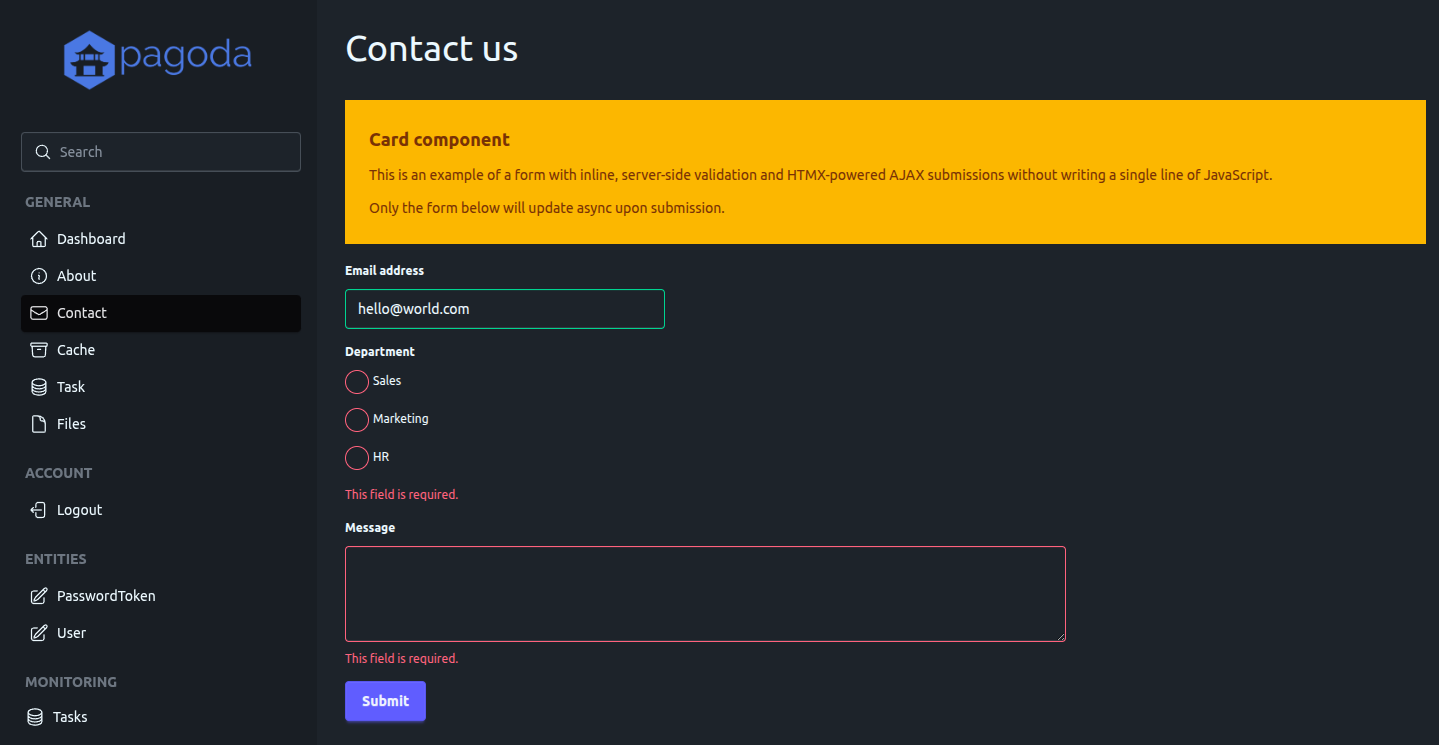
Inline form validation
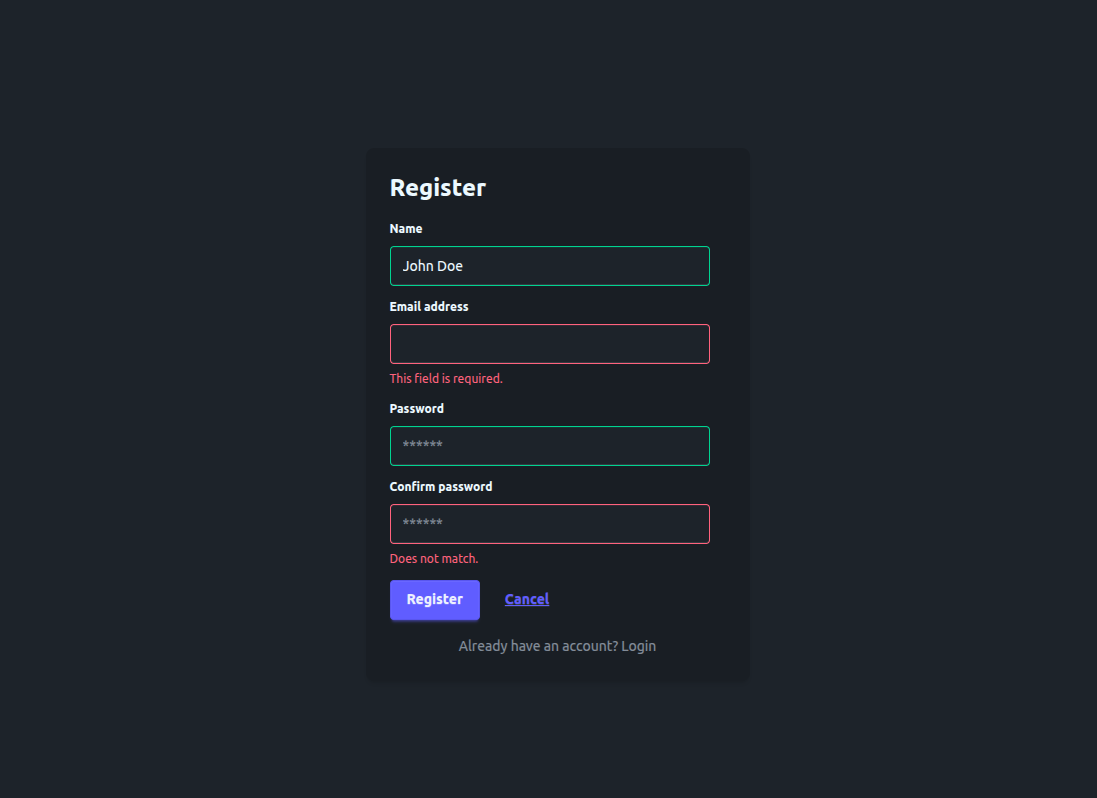
Switch layout templates, user registration
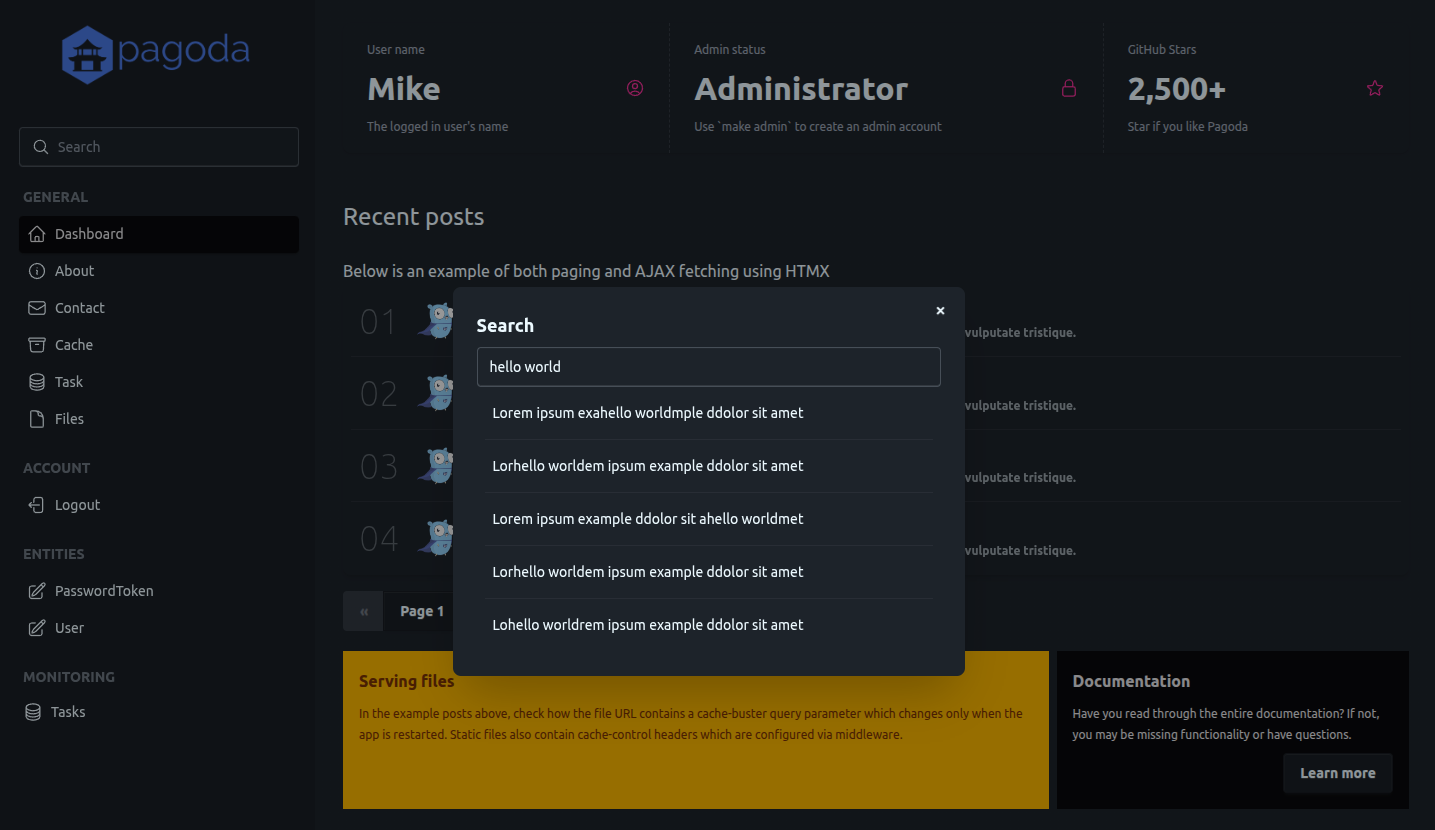
Alpine.js modal, HTMX AJAX request
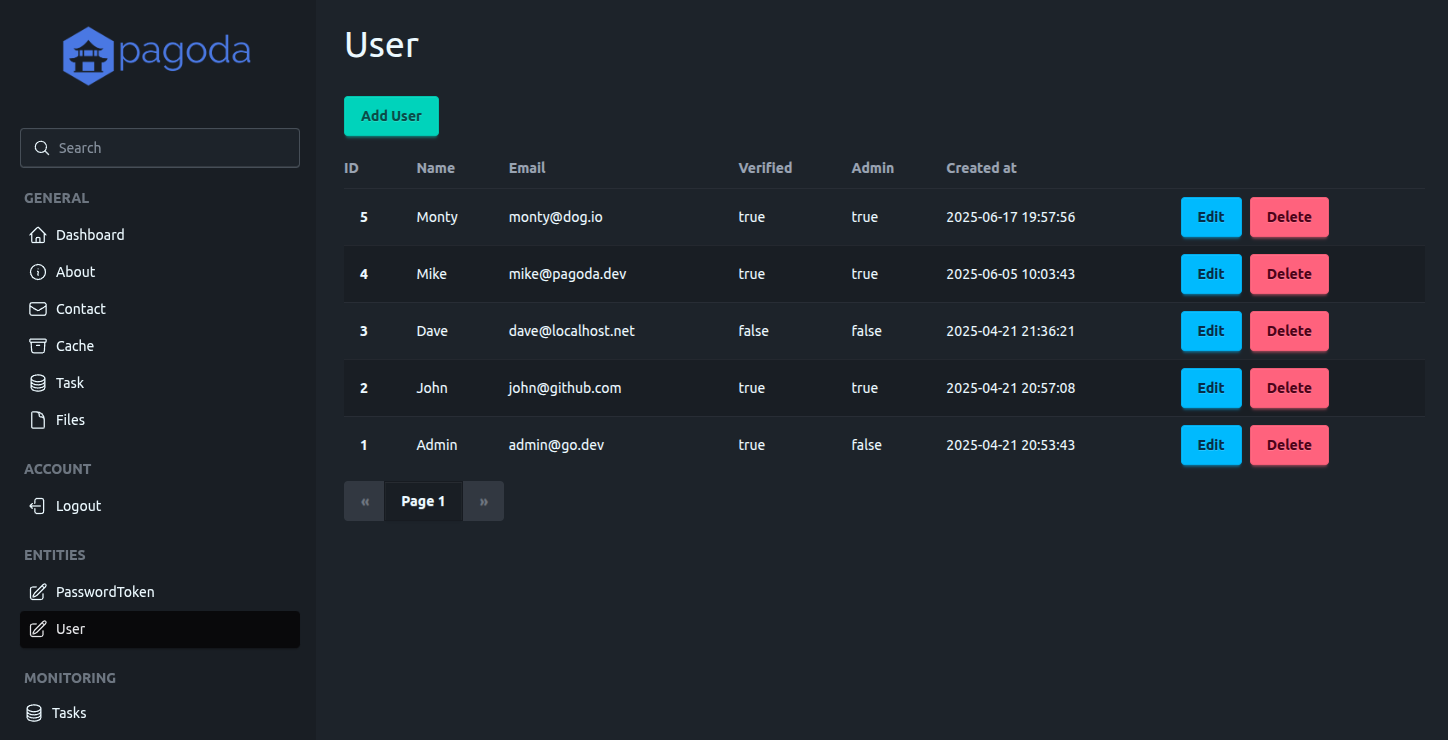
User entity list (admin panel)
User entity edit (admin panel)

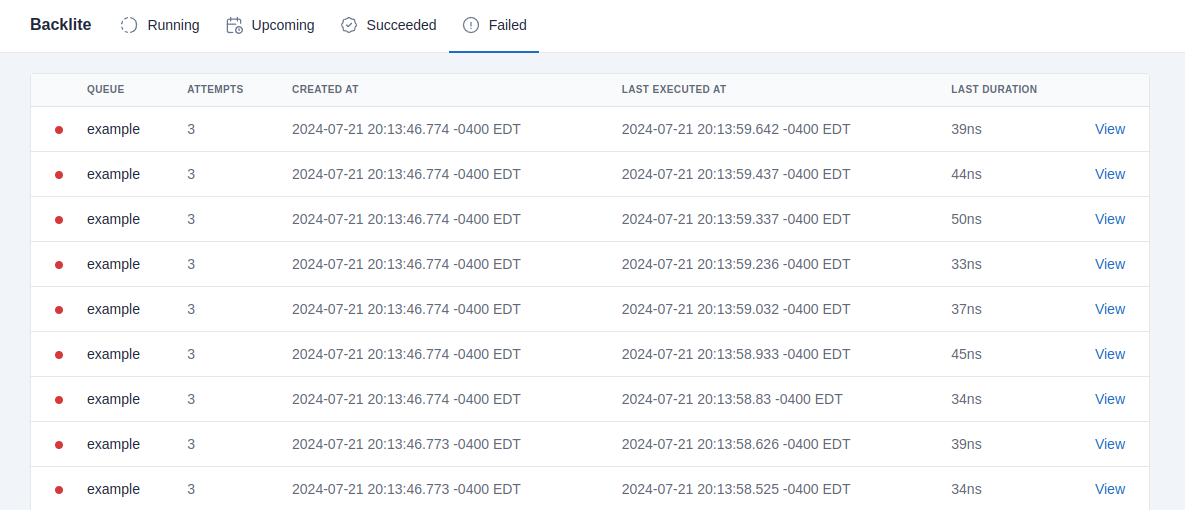
Monitor task queues (provided by Backlite via the admin panel)
Getting started
Dependencies
Ensure that Go is installed on your system.
Getting the code
Start by checking out the repository. Since this repository is a template and not a Go library, you do not use go get.
git clone git@github.com:mikestefanello/pagoda.git
cd pagoda
Installing tools
Several optional tools are available to make development easier for you. This includes Ent code-generator, for generating ORM code, Air CLI, to provide live reloading, and Tailwind CSS CLI, to generate CSS.
If you don't want to use Tailwind and/or Daisy UI, or don't want to use Tailwind's standalone CLI, but rather npm, for example, modify the tailwind-install and css make targets based on your preferences. If the script cannot automatically determine the proper Tailwind package to install, modify the TAILWIND_PACKAGE variable to match your operating system.
To easily install all tools, run make install from the root of the repo. There are also separate make targets for each tool (run make help to list all targets).
Create an admin account
To access the admin panel, you must log in with an admin user and to create your first admin user account, you must use the command-line. Execute make admin email=your@email.com from the root of the codebase, and an admin account will be generated using that email address. The console will print the randomly generated password for the account.
Once you have one admin account, you can use that account to manage other users and admins from within the UI.
Start the application
From within the root of the codebase, simply run make run.
By default, you should be able to access the application in your browser at localhost:8000. Your data will be stored within the dbs directory. If you ever want to quickly delete all data, just remove this directory.
These settings, and many others, can be changed via the configuration.
Live reloading
Rather than using make run, if you prefer live reloading so your app automatically rebuilds and runs whenever you save code changes, start by installing Air, if you haven't already, by running make air-install (or make install to install all tools), then use make watch to start the application with automatic live reloading.
When code changes are detected, make css will run to re-compile Tailwind styles automatically before restarting the app. If you choose not to use Tailwind, either modify make css to run whatever commands you require, or remove this from the make build target.
Service container
The container is located at pkg/services/container.go and is meant to house all of your application's services and/or dependencies. It is easily extensible and can be created and initialized in a single call. The services currently included in the container are:
- Authentication
- Cache
- Configuration
- Database
- Files
- ORM
- Tasks
- Validator
- Web
A new container can be created and initialized via services.NewContainer(). It can be later shutdown via Shutdown(), which will attempt to gracefully shutdown all services.
Dependency injection
The container exists to facilitate easy dependency-injection both for services within the container and areas of your application that require any of these dependencies. For example, the container is automatically passed to the Init() method of your route handlers so that the handlers have full, easy access to all services.
Test dependencies
It is common that your tests will require access to dependencies, like the database, or any of the other services available within the container. Keeping all services in a container makes it especially easy to initialize everything within your tests. You can see an example pattern for doing this here.
Configuration
The config package provides a flexible, extensible way to store all configuration for the application. Configuration is added to the Container as a Service, making it accessible across most of the application.
Be sure to review and adjust all the default configuration values provided in config/config.yaml.
Environment overrides
Leveraging the functionality of viper to manage configuration, all configuration values can be overridden by environment variables. The name of the variable is determined by the set prefix and the name of the configuration field in config/config.yaml.
In config/config.go, the prefix is set as pagoda via viper.SetEnvPrefix("pagoda"). Nested fields require an underscore between levels. For example:
http:
  port: 1234
can be overridden by setting an environment variable with the name PAGODA_HTTP_PORT.
Environments
The configuration value for the current environment (Config.App.Environment) is an important one as it can influence some behavior significantly (will be explained in later sections).
A helper function (config.SwitchEnvironment) is available to make switching the environment easy, but this must be executed prior to loading the co
Extension points exported contracts — how you extend this code
Handler (Interface)Core symbols most depended-on inside this repo
GetShape
Languages
Modules by API surface
Dependencies from manifests, versioned
For agents
$ claude mcp add pagoda \
  -- python -m otcore.mcp_server <graph>