github.com/mdbootstrap/material-design-for-bootstrap @4.20.0
README

Material Design for Bootstrap





The most popular UI KIT for building responsive, mobile-first websites and apps - free for personal & commercial use. Available jQuery, Angular, React and Vue versions.
Trusted by 2 000 000+ developers & designers. Used by companies like
 |
 |
 |

| 
| 
| 
| 
| 
| 
| 
| 
|
Our impressive collection of beautiful, 500+ material UI elements, 600+ material icons, 77+ CSS animations, 9+ useful plugins, SASS files, templates, tutorials and many more allows you to develop any kind of project.
We're maintaining a dedicated Support Forum for this purpose. This is also a go-to place for every suggestion, opinion, bug, and issue report if you'd like to receive help as soon as possible. Reports posted on Support Forum are prior to GitHub issues
Please read contribution rules before starting your improvements in order to help us make the cooperation and reviewing experience as pleasant and effective as possible
More Web Development Technologies
| ⠀ MDBootstrap Angular⠀ | ⠀ MDBootstrap React ⠀ | ⠀ MDBootstrap Vue⠀ | MDBootstrap 5 |
|---|---|---|---|
 |
⠀  ⠀ ⠀ |
⠀  |
 ⠀ ⠀ |
| # Quick Start Video |
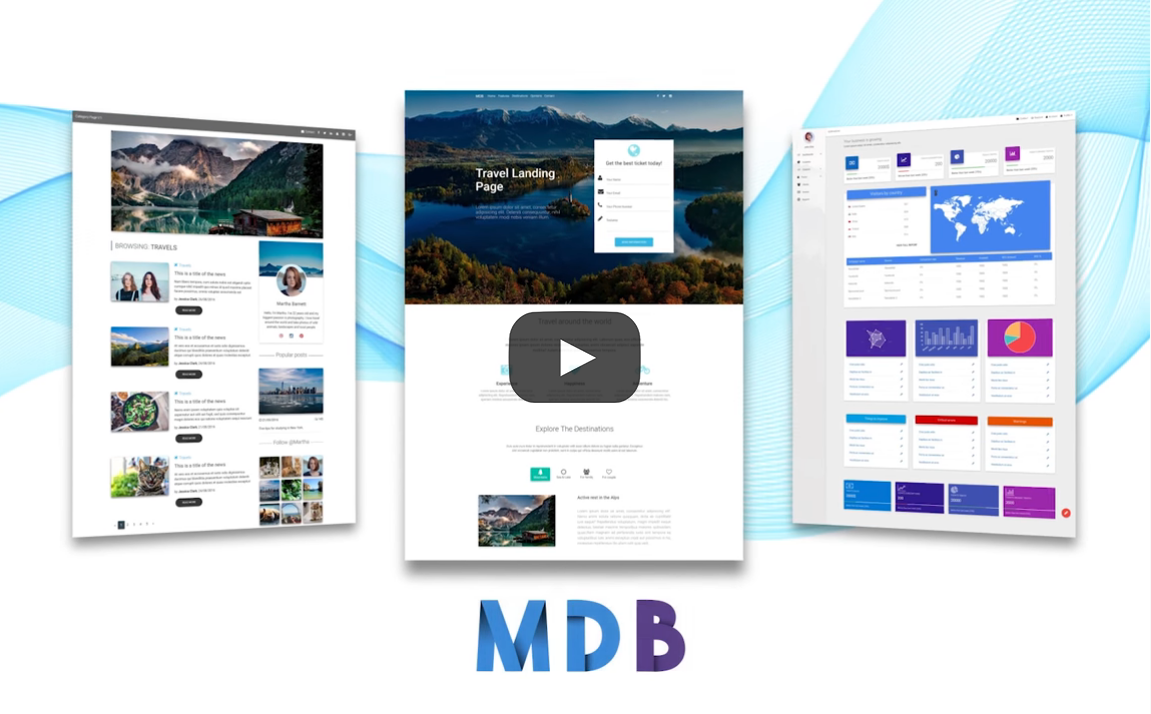
According to your preference, you can follow a video or written version
Also, you can install MDB Free using NPM installation guide
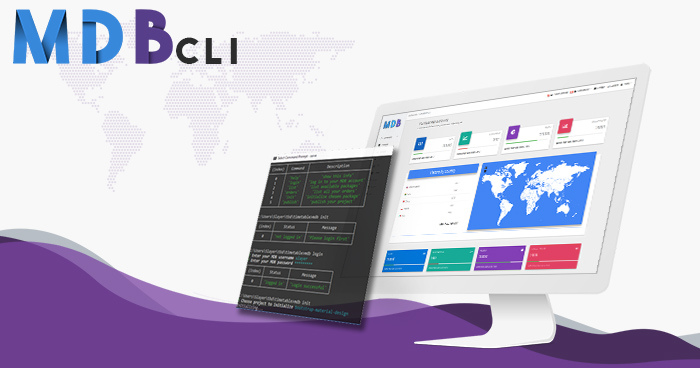
MDB CLI - the fastest way to create and host MDB projects
|
Initiate
With MDB CLI you can start a new project within seconds! Use mdb init command and start with a pre-set configuration!
|
Publish and host
Make your project visible with mdb publish, no need to store your code, simply get the link and share it with the world!
|
Get started |
Demo
Carousel
A slideshow component for cycling through elements—images or slides of text—like a carousel.
<img src="https://mdbootstrap.com/img/Marketing/campaigns/demo4-carousel-video.gif">
<img src="https://mdbootstrap.com/img/Marketing/campaigns/demo-carousel.gif">
Loader / Spinner
<img src="https://mdbootstrap.com/img/Marketing/campaigns/demo-loader.gif">
<img src="https://mdbootstrap.com/img/Marketing/campaigns/demo-color-spinners.gif">
<img src="https://mdbootstrap.com/img/Marketing/campaigns/demo4-multicolor.gif">
<img src="https://mdbootstrap.com/img/Marketing/campaigns/demo4-crazyloader.gif">
Buttons
You can use Bootstrap’s custom button styles for actions in forms, dialogs, and more with support for multiple sizes, states, and more...
<img src="https://mdbootstrap.com/img/Marketing/campaigns/demo4-buttons.gif">
<img src="https://mdbootstrap.com/img/Marketing/campaigns/demo4-social-buttons.png">
Cards
Bootstrap cards are components which display content built of different elements with characteristic shadows, depth and hover effects.
<img src="https://mdbootstrap.com/img/Marketing/campaigns/demo4-cards-cascading.png">
<img src="https://mdbootstrap.com/img/Marketing/campaigns/demo4-fancy-cards.gif">
<img src="https://mdbootstrap.com/img/Marketing/campaigns/demo4-cards-overlay.png">
Alerts
Bootstrap alerts are feedback messages that are displayed after specific actions performed by the user. The length of the text is unlimited.
<img src="https://mdbootstrap.com/img/Marketing/campaigns/demo4-alerts.png">
Hamburger Menu
Bootstrap alerts are feedback messages that are displayed after specific actions performed by the user. The length of the text is unlimited.
<img src="https://mdbootstrap.com/img/Marketing/campaigns/demo4-hamburgermenu.gif">
Footer
A footer is an additional navigation component. It can hold links, buttons, company info, copyrights, forms, and many other elements.
<img src="https://mdbootstrap.com/img/Marketing/campaigns/demo-footer.png">
<img src="https://mdbootstrap.com/img/Marketing/campaigns/demo4-footer-image.png">
<img src="https://mdbootstrap.com/img/Marketing/campaigns/demo4-footer-video.png">
Sidenav
Bootstrap's sidenav is a vertical navigation component which apart from traditional, text links, might embed icons, dropdowns, avatars or search forms.
<img src="https://mdbootstrap.com/img/Marketing/campaigns/demo4-sidenav.gif">
Use MDB modal plugin to add dialogs to your site for lightboxes, user notifications, or completely custom content.
<img src="https://mdbootstrap.com/img/Marketing/campaigns/demo-modal.gif">
Supported browsers
MDBootstrap supports the latest, stable releases of all major browsers and platforms.
Alternative browsers which use the latest version of WebKit, Blink, or Gecko, whether directly or via the platform’s web view API, are not explicitly supported. However, MDBootstrap should (in most cases) display and function correctly in these browsers as well.
Mobile devices
Generally speaking, MDBootstrap supports the latest versions of each major platform’s default browsers. Note that proxy browsers (such as Opera Mini, Opera Mobile’s Turbo mode, UC Browser Mini, Amazon Silk) are not supported.
| | 
Chrome | 
Firefox | 
Safari | Android Browser & WebView | 
Miscrosoft Edge | |:--------------------:|:---------------------------:|:----------------------------:|:----------------------------:|:----------------------------:|:-------------------------------------------------------------------------:| |⠀Android⠀|⠀Supported⠀|⠀Supported⠀|⠀N/A⠀| Android v5.0+ supported | Supported | |⠀iOS⠀|⠀Supported⠀|⠀Supported⠀|⠀Supported | N/A | Supported | |⠀Windows 10 Mobile⠀|⠀N/A⠀|⠀N/A⠀|⠀N/A⠀| N/A⠀| Supported |
Desktop browsers
Similarly, the latest versions of most desktop browsers are supported.
| |
Chrome |
Firefox |
Internet Explorer |
Edge | 
Opera | [<img src="https://raw.githubusercontent.c
Core symbols most depended-on inside this repo
nShape
Languages
Modules by API surface
For agents
$ claude mcp add material-design-for-bootstrap \
  -- python -m otcore.mcp_server <graph>