hub / github.com/matplotlib/cheatsheets
github.com/matplotlib/cheatsheets @main sqlite
19 symbols
100 edges
44 files
5 documented · 26%
README
Cheatsheets for Matplotlib users
Cheatsheets
| Cheatsheet (download pdf) | |
|---|---|
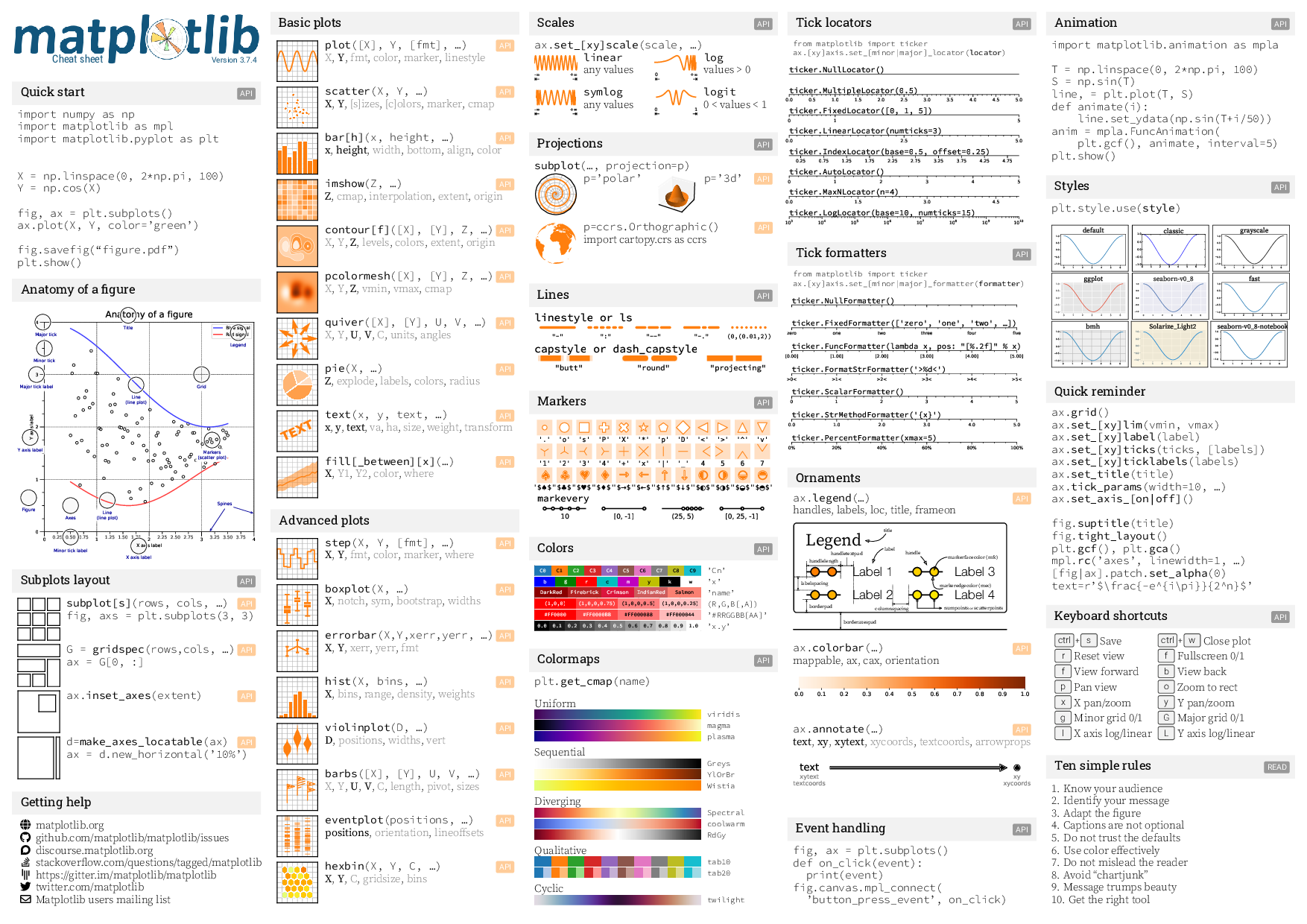 |
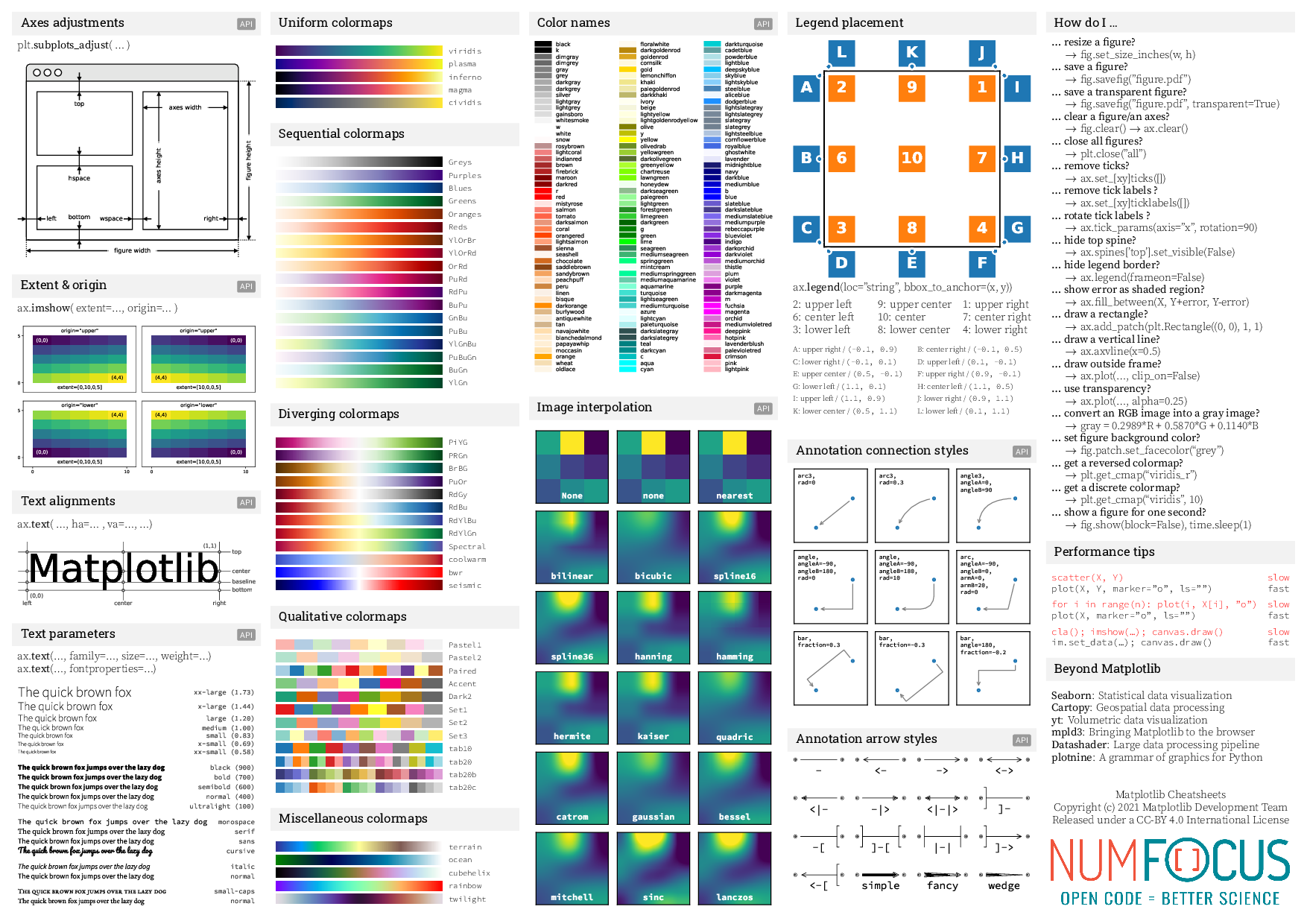 |
Handouts
| Beginner handout (download pdf) | Intermediate handout (download pdf) | Tips handout (download pdf) |
|---|---|---|
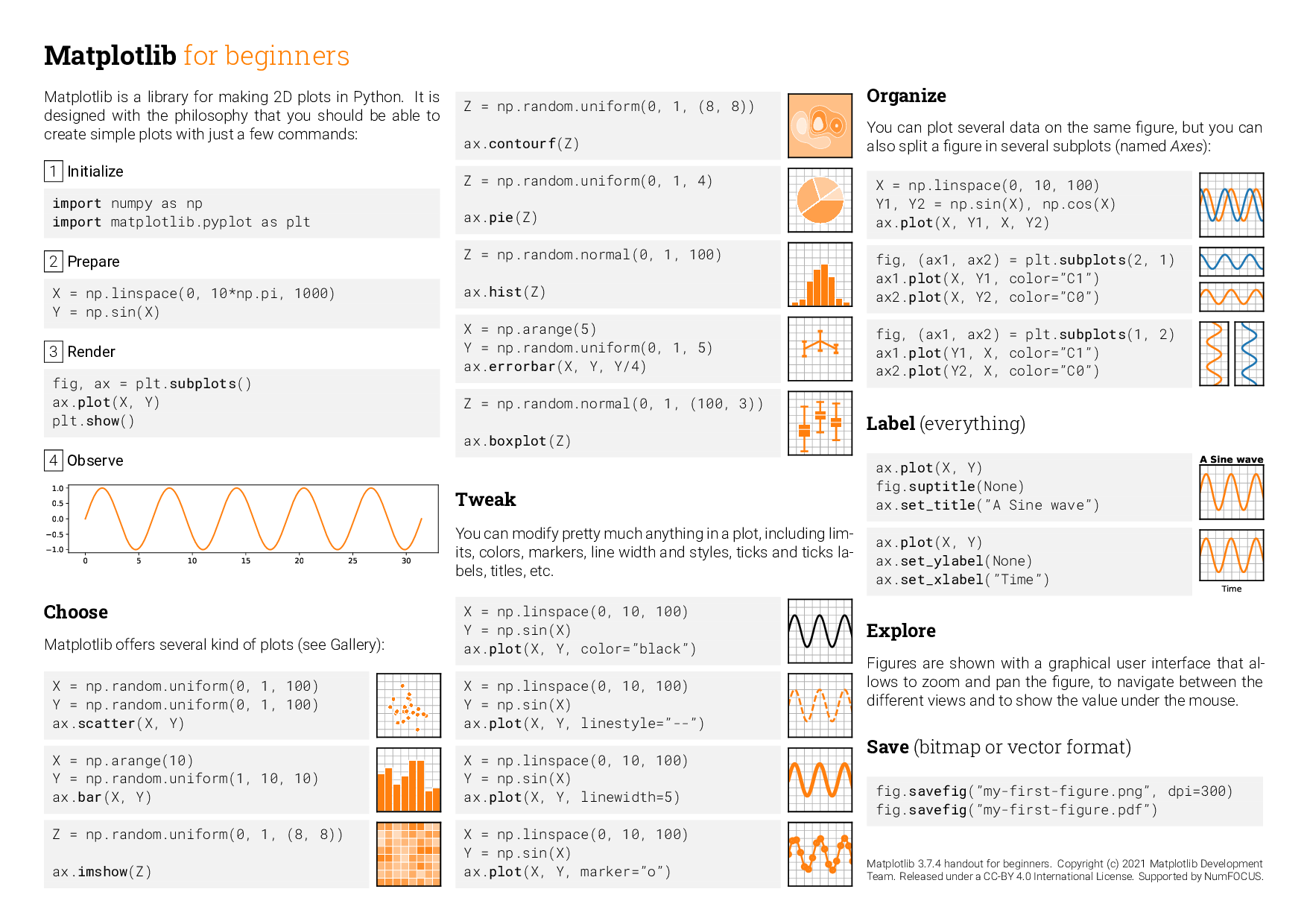 |
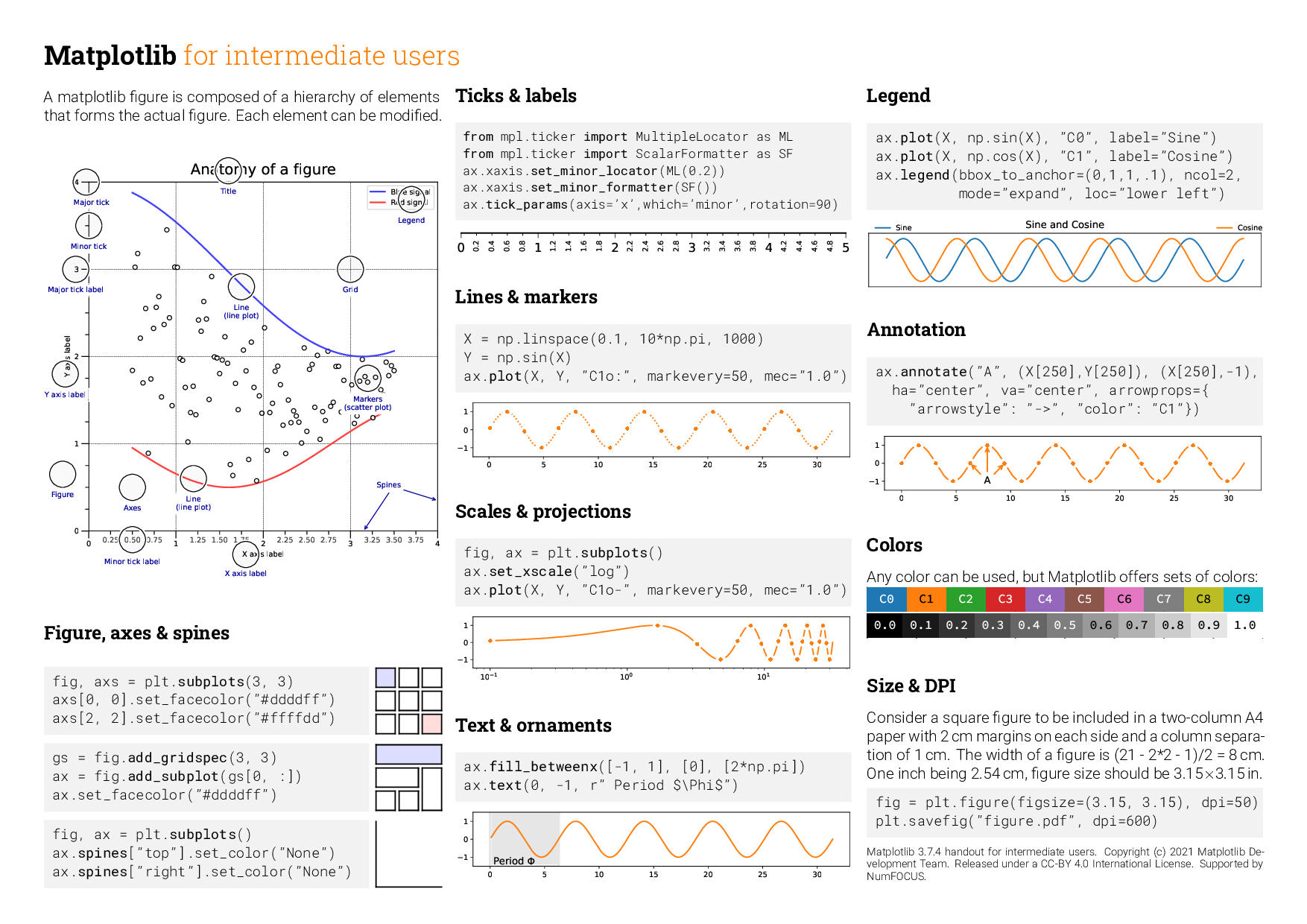 |
 |
For contributors to the cheatsheets
How to compile
-
You need to create a
fontsrepository with: -
fonts/roboto/*: See https://fonts.google.com/specimen/Roboto or https://github.com/googlefonts/roboto/tree/master/src/hinted fonts/roboto-slab/*: See https://fonts.google.com/specimen/Roboto+Slab or https://github.com/googlefonts/robotoslab/tree/master/fonts/staticfonts/source-code-pro/*: See https://fonts.google.com/specimen/Source+Code+Pro or https://github.com/adobe-fonts/source-code-pro/tree/release/OTFfonts/source-sans-pro/*: See https://fonts.google.com/specimen/Source+Sans+Pro or https://github.com/adobe-fonts/source-sans-pro/tree/release/OTFfonts/source-serif-pro/*: See https://fonts.google.com/specimen/Source+Serif+Pro or https://github.com/adobe-fonts/source-serif-pro/tree/release/OTFfonts/pacifico/*: See https://fonts.google.com/download?family=Pacifico
On Linux, with make installed, the fonts can be set up with the following command:
make -C fonts
The fonts can be made discoverable by matplotlib (through fontconfig) by creating the following in $HOME/.config/fontconfig/fonts.conf (see here):
<?xml version="1.0"?>
<!DOCTYPE fontconfig SYSTEM "fonts.dtd">
<fontconfig>
<dir>/path/to/cheatsheets/fonts/</dir>
...
</fontconfig>
- You need to generate all the figures:
$ cd scripts
$ for script in *.py; do python $script; done
$ cd ..
- Compile the sheet
$ xelatex cheatsheets.tex
$ xelatex cheatsheets.tex
Core symbols most depended-on inside this repo
textcalled by 21
scripts/legend.py
circle
called by 14
scripts/anatomy.py
text
called by 14
scripts/anatomy.py
point
called by 12
scripts/legend.py
demo_con_style
called by 9
scripts/annotation-connection-styles.py
setup
called by 8
scripts/tick-locators.py
setup
called by 7
scripts/tick-formatters.py
ext_arrow
called by 6
scripts/adjustements.py
Shape
Languages
Python100%
Modules by API surface
logos/mpl-logos2.py4 symbols
scripts/anatomy.py3 symbols
scripts/tick-formatters.py2 symbols
scripts/legend.py2 symbols
scripts/adjustements.py2 symbols
scripts/tip-font-family.py1 symbols
scripts/tick-locators.py1 symbols
scripts/linestyles.py1 symbols
scripts/annotation-connection-styles.py1 symbols
scripts/annotation-arrow-styles.py1 symbols
scripts/animation.py1 symbols
Dependencies from manifests, versioned
accessible-pygments0.0.5 · 1×
alabaster1.0.0 · 1×
autopep82.3.2 · 1×
babel2.18.0 · 1×
beautifulsoup44.14.3 · 1×
build1.4.0 · 1×
bump2version1.0.1 · 1×
cartopy0.22.0 · 1×
certifi2026.1.4 · 1×
cffi2.0.0 · 1×
cfgv3.5.0 · 1×
chardet4.0.0 · 1×
For agents
$ claude mcp add cheatsheets \
  -- python -m otcore.mcp_server <graph>