github.com/jpillora/cloud-torrent @v0.9.5 sqlite
README
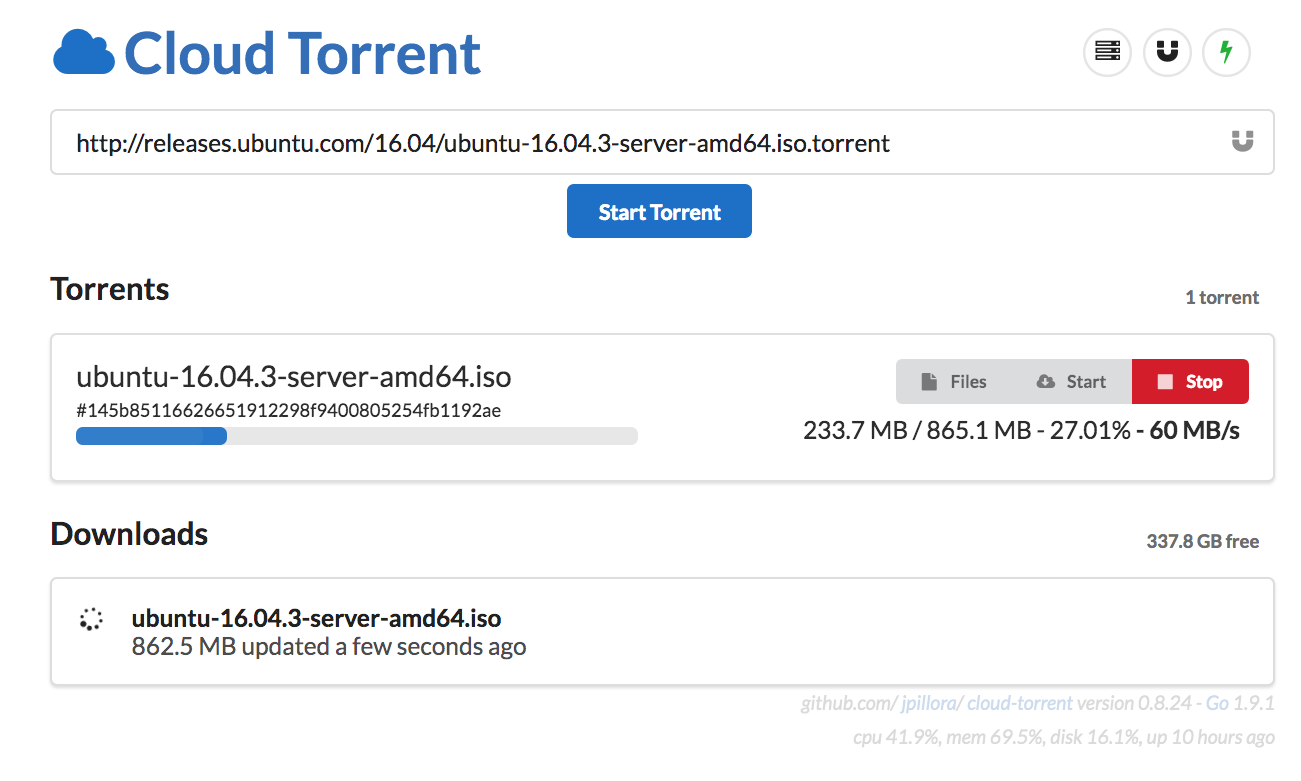
Cloud torrent is a a self-hosted remote torrent client, written in Go (golang). You start torrents remotely, which are downloaded as sets of files on the local disk of the server, which are then retrievable or streamable via HTTP.
Features
- Single binary
- Cross platform
- Embedded torrent search
- Real-time updates
- Mobile-friendly
- Fast content server
Install
Binaries


See the latest release or download and install it now with
curl https://i.jpillora.com/cloud-torrent! | bash
Tip: Auto-run cloud-torrent on boot
Docker

$ docker run -d -p 3000:3000 -v /path/to/my/downloads:/downloads jpillora/cloud-torrent
Source
Go is required to install from source
$ go get -v github.com/jpillora/cloud-torrent
VPS
- Sign up with free $10 credit
- "Create Droplet"
- "One-Click Apps"
- "Docker X.X.X on X.X"
- Choose server size ("$5/month" is enough)
- Choose server location
- OPTIONAL Add your SSH key
- "Create"
- You will be emailed the server details (
IP Address: ..., Username: root, Password: ...) - SSH into the server using these details (Windows: Putty, Mac: Terminal)
- Follow the prompts to set a new password
-
Run
cloud-torrentwith:docker run --name ct -d -p 63000:63000 \ --restart always \ -v /root/downloads:/downloads \ jpillora/cloud-torrent --port 63000
-
Visit
http://<IP Address from email>:63000/ - OPTIONAL In addition to
--portyou can specify the options below
- Sign up with free $10 credit here
- Follow the DO tutorial above, very similar steps ("Applications" instead of "One-Click Apps")
- Offers different server locations
Heroku (Heroku is no longer supported)
Usage
$ cloud-torrent --help

  Usage: cloud-torrent [options]

  Options:
  --title, -t        Title of this instance (default Cloud Torrent, env TITLE)
  --port, -p         Listening port (default 3000, env PORT)
  --host, -h         Listening interface (default all)
  --auth, -a         Optional basic auth in form 'user:password' (env AUTH)
  --config-path, -c  Configuration file path (default cloud-torrent.json)
  --key-path, -k     TLS Key file path
  --cert-path, -r    TLS Certicate file path
  --log, -l          Enable request logging
  --open, -o         Open now with your default browser
  --help
  --version, -v

  Version:
    0.X.Y

  Read more:
    https://github.com/jpillora/cloud-torrent
Future features
The next set of core features can be tracked here. This feature set requires large structural changes and therefore requires a complete rewrite for best results. This rewrite is in progress in the 0.9 branch though it will take quite some time.
In summary, the core features will be:
- Remote backends
It's looking like 0.9 will be more of a general purpose cloud transfer engine. It will be capable of transfering files from and source file-system to any destination file-system. A torrent can be viewed a folder with files, just like your local disk, and Dropbox. As long as it has a concept of files and folders, it could potentially be a cloud-torrent file-system backend. Track this issue https://github.com/jpillora/cloud-torrent/issues/24 for the list of proposed backends.
- File Transforms
During a file tranfer, one could apply different transforms against the byte stream for various effect. For example, supported transforms might include: video transcoding (using ffmpeg), encryption and decryption, media sorting (file renaming), and writing multiple files as a single zip file.
-
Automatic updates Binary will upgrade itself, adding new features as they get released.
-
RSS Automatically add torrents, with smart episode filter.
Once completed, cloud-torrent will no longer be a simple torrent client and most likely project be renamed.
Donate
If you'd like to buy me a coffee or more, you can donate via PayPal or BitCoin 1AxEWoz121JSC3rV8e9MkaN9GAc5Jxvs4.
Notes
This project is the rewrite of the original Node version.
Credits to @anacrolix for https://github.com/anacrolix/torrent
Copyright (c) 2017 Jaime Pillora
Core symbols most depended-on inside this repo
getTorrentShape
Languages
Modules by API surface
Dependencies from manifests, versioned
For agents
$ claude mcp add cloud-torrent \
  -- python -m otcore.mcp_server <graph>