github.com/fudan-generative-vision/hallo2 @main sqlite
README
Hallo2: Long-Duration and High-Resolution Audio-driven Portrait Image Animation
<a href='https://github.com/cuijh26' target='_blank'>Jiahao Cui</a><sup>1*</sup> 
<a href='https://github.com/crystallee-ai' target='_blank'>Hui Li</a><sup>1*</sup> 
<a href='https://yoyo000.github.io/' target='_blank'>Yao Yao</a><sup>3</sup> 
<a href='http://zhuhao.cc/home/' target='_blank'>Hao Zhu</a><sup>3</sup> 
<a href='https://github.com/NinoNeumann' target='_blank'>Hanlin Shang</a><sup>1</sup> 
<a href='https://github.com/Kaihui-Cheng' target='_blank'>Kaihui Cheng</a><sup>1</sup> 
<a href='' target='_blank'>Hang Zhou</a><sup>2</sup> 
<a href='https://sites.google.com/site/zhusiyucs/home' target='_blank'>Siyu Zhu</a><sup>1✉️</sup> 
<a href='https://jingdongwang2017.github.io/' target='_blank'>Jingdong Wang</a><sup>2</sup> 
<sup>1</sup>Fudan University  <sup>2</sup>Baidu Inc  <sup>3</sup>Nanjing University
<a href='https://github.com/fudan-generative-vision/hallo2'><img src='https://img.shields.io/github/stars/fudan-generative-vision/hallo2?style=social'></a>
<a href='https://fudan-generative-vision.github.io/hallo2/#/'><img src='https://img.shields.io/badge/Project-HomePage-Green'></a>
<a href='https://arxiv.org/abs/2410.07718'><img src='https://img.shields.io/badge/Paper-Arxiv-red'></a>
<a href='https://huggingface.co/fudan-generative-ai/hallo2'><img src='https://img.shields.io/badge/%F0%9F%A4%97%20HuggingFace-Model-yellow'></a>
<a href='https://openbayes.com/console/public/tutorials/8KOlYWsdiY4'><img src='https://img.shields.io/badge/Demo-OpenBayes贝式计算-orange'></a>
<a href='assets/wechat.jpeg'><img src='https://badges.aleen42.com/src/wechat.svg'></a>
📸 Showcase
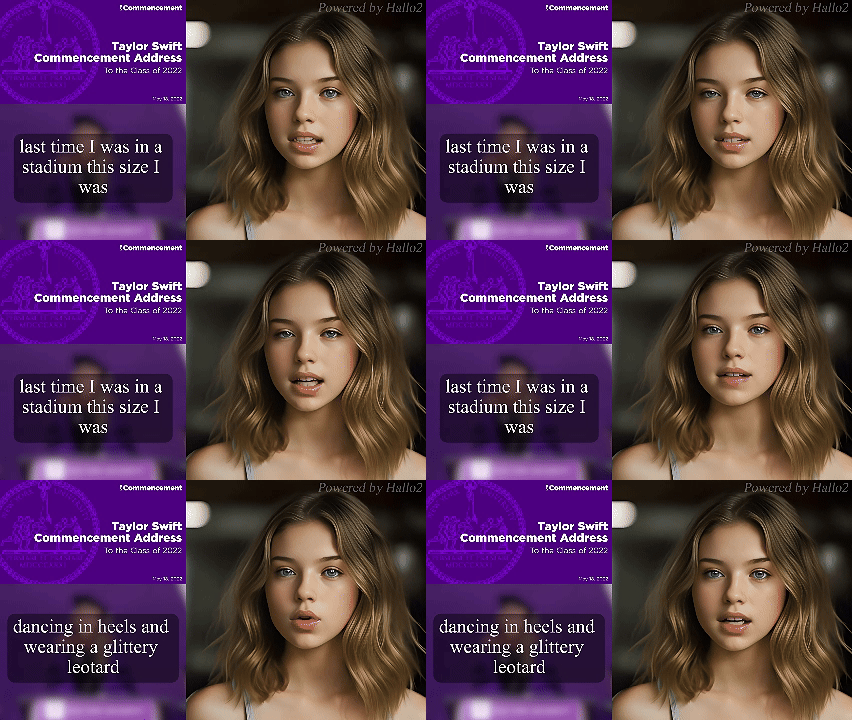
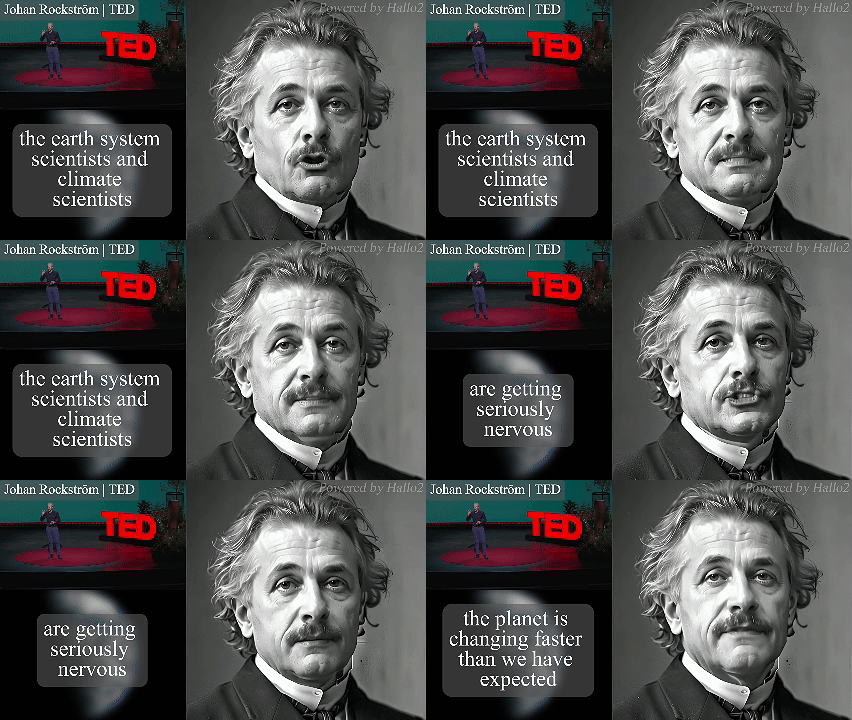
| Tailor Swift Speech @ NYU (4K, 23 minutes) | Johan Rockstrom Speech @ TED (4K, 18 minutes) |
 |
 |
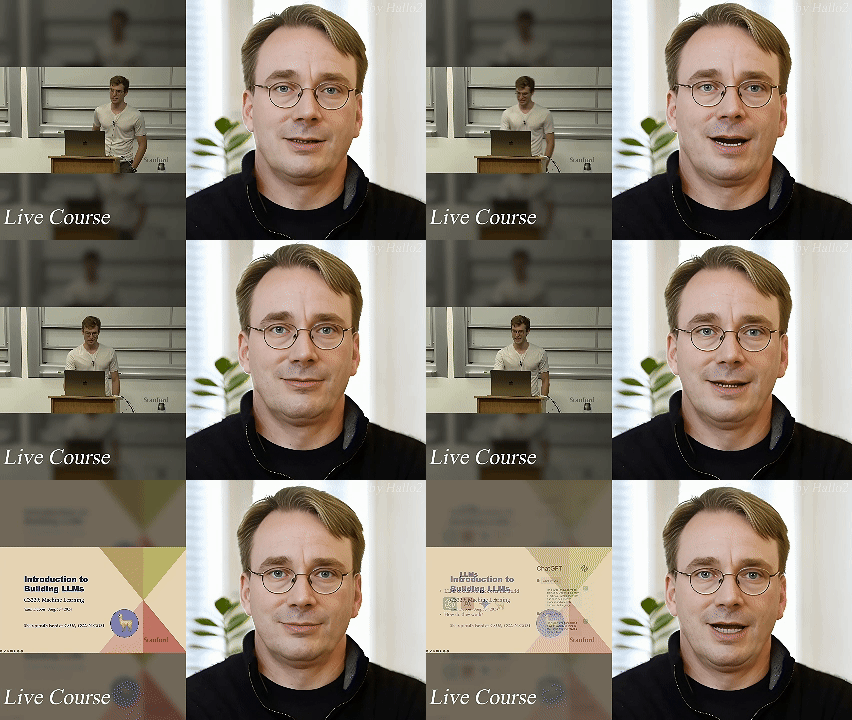
| Churchill's Iron Curtain Speech (4K, 4 minutes) | An LLM Course from Stanford (4K, up to 1 hour) |
 |
 |
Visit our project page to view more cases.
📰 News
2025/01/23: 🎉🎉🎉 Our paper has been accepted to ICLR 2025.2024/10/16: ✨✨✨ Source code and pretrained weights released.2024/10/10: 🎉🎉🎉 Paper submitted on Arxiv.
📅️ Roadmap
| Status | Milestone | ETA |
|---|---|---|
| ✅ | Paper submitted on Arixiv | 2024-10-10 |
| ✅ | Source code meet everyone on GitHub | 2024-10-16 |
| 🚀 | Accelerate performance on inference | TBD |
🔧️ Framework

⚙️ Installation
- System requirement: Ubuntu 20.04/Ubuntu 22.04, Cuda 11.8
- Tested GPUs: A100
Download the codes:
  git clone https://github.com/fudan-generative-vision/hallo2
  cd hallo2
Create conda environment:
  conda create -n hallo python=3.10
  conda activate hallo
Install packages with pip
  pip install torch==2.2.2 torchvision==0.17.2 torchaudio==2.2.2 --index-url https://download.pytorch.org/whl/cu118
  pip install -r requirements.txt
Besides, ffmpeg is also needed:
apt-get install ffmpeg
📥 Download Pretrained Models
You can easily get all pretrained models required by inference from our HuggingFace repo.
Using huggingface-cli to download the models:
cd $ProjectRootDir
pip install huggingface_hub
huggingface-cli download fudan-generative-ai/hallo2 --local-dir ./pretrained_models
Or you can download them separately from their source repo:
- hallo: Our checkpoints consist of denoising UNet, face locator, image & audio proj.
- audio_separator: KimVocal_2 MDX-Net vocal removal model. (_Thanks to KimberleyJensen)
- insightface: 2D and 3D Face Analysis placed into
pretrained_models/face_analysis/models/. (Thanks to deepinsight) - face landmarker: Face detection & mesh model from mediapipe placed into
pretrained_models/face_analysis/models. - motion module: motion module from AnimateDiff. (Thanks to guoyww).
- sd-vae-ft-mse: Weights are intended to be used with the diffusers library. (Thanks to stablilityai)
- StableDiffusion V1.5: Initialized and fine-tuned from Stable-Diffusion-v1-2. (Thanks to runwayml)
- wav2vec: wav audio to vector model from Facebook.
- facelib: pretrained face parse models
- realesrgan: background upsample model
- CodeFormer: pretrained Codeformer model, it's optional to download it, only if you want to train our video super-resolution model from scratch
Finally, these pretrained models should be organized as follows:
./pretrained_models/
|-- audio_separator/
|   |-- download_checks.json
|   |-- mdx_model_data.json
|   |-- vr_model_data.json
|   `-- Kim_Vocal_2.onnx
|-- CodeFormer/
|   |-- codeformer.pth
|   `-- vqgan_code1024.pth
|-- face_analysis/
|   `-- models/
|       |-- face_landmarker_v2_with_blendshapes.task  # face landmarker model from mediapipe
|       |-- 1k3d68.onnx
|       |-- 2d106det.onnx
|       |-- genderage.onnx
|       |-- glintr100.onnx
|       `-- scrfd_10g_bnkps.onnx
|-- facelib
|   |-- detection_mobilenet0.25_Final.pth
|   |-- detection_Resnet50_Final.pth
|   |-- parsing_parsenet.pth
|   |-- yolov5l-face.pth
|   `-- yolov5n-face.pth
|-- hallo2
|   |-- net_g.pth
|   `-- net.pth
|-- motion_module/
|   `-- mm_sd_v15_v2.ckpt
|-- realesrgan
|   `-- RealESRGAN_x2plus.pth
|-- sd-vae-ft-mse/
|   |-- config.json
|   `-- diffusion_pytorch_model.safetensors
|-- stable-diffusion-v1-5/
|   `-- unet/
|       |-- config.json
|       `-- diffusion_pytorch_model.safetensors
`-- wav2vec/
    `-- wav2vec2-base-960h/
        |-- config.json
        |-- feature_extractor_config.json
        |-- model.safetensors
        |-- preprocessor_config.json
        |-- special_tokens_map.json
        |-- tokenizer_config.json
        `-- vocab.json
🛠️ Prepare Inference Data
Hallo has a few simple requirements for input data:
For the source image:
- It should be cropped into squares.
- The face should be the main focus, making up 50%-70% of the image.
- The face should be facing forward, with a rotation angle of less than 30° (no side profiles).
For the driving audio:
- It must be in WAV format.
- It must be in English since our training datasets are only in this language.
- Ensure the vocals are clear; background music is acceptable.
We have provided some samples for your reference.
🎮 Run Inference
Long-Duration animation
Simply to run the scripts/inference_long.py and change source_image, driving_audio and save_path in the config file:
python scripts/inference_long.py --config ./configs/inference/long.yaml
Animation results will be saved at save_path. You can find more examples for inference at examples folder.
For more options:
usage: inference_long.py [-h] [-c CONFIG] [--source_image SOURCE_IMAGE] [--driving_audio DRIVING_AUDIO] [--pose_weight POSE_WEIGHT]
                    [--face_weight FACE_WEIGHT] [--lip_weight LIP_WEIGHT] [--face_expand_ratio FACE_EXPAND_RATIO]

options:
  -h, --help            show this help message and exit
  -c CONFIG, --config CONFIG
  --source_image SOURCE_IMAGE
                        source image
  --driving_audio DRIVING_AUDIO
                        driving audio
  --pose_weight POSE_WEIGHT
                        weight of pose
  --face_weight FACE_WEIGHT
                        weight of face
  --lip_weight LIP_WEIGHT
                        weight of lip
  --face_expand_ratio FACE_EXPAND_RATIO
                        face region
High-Resolution animation
Simply to run the scripts/video_sr.py and pass input_video and output_path:
python scripts/video_sr.py --input_path [input_video] --output_path [output_dir] --bg_upsampler realesrgan --face_upsample -w 1 -s 4
Animation results will be saved at output_dir.
For more options:
usage: video_sr.py [-h] [-i INPUT_PATH] [-o OUTPUT_PATH] [-w FIDELITY_WEIGHT] [-s UPSCALE] [--has_aligned] [--only_center_face] [--draw_box]
                   [--detection_model DETECTION_MODEL] [--bg_upsampler BG_UPSAMPLER] [--face_upsample] [--bg_tile BG_TILE] [--suffix SUFFIX]

options:
  -h, --help            show this help message and exit
  -i INPUT_PATH, --input_path INPUT_PATH
                        Input video
  -o OUTPUT_PATH, --output_path OUTPUT_PATH
                        Output folder.
  -w FIDELITY_WEIGHT, --fidelity_weight FIDELITY_WEIGHT
                        Balance the quality and fidelity. Default: 0.5
  -s UPSCALE, --upscale UPSCALE
                        The final upsampling scale of the image. Default: 2
  --has_aligned         Input are cropped and aligned faces. Default: False
  --only_center_face    Only restore the center face. Default: False
  --draw_box            Draw the bounding box for the detected faces. Default: False
  --detection_model DETECTION_MODEL
                        Face detector. Optional: retinaface_resnet50, retinaface_mobile0.25, YOLOv5l, YOLOv5n. Default: retinaface_resnet50
  --bg_upsampler BG_UPSAMPLER
                        Background upsampler. Optional: realesrgan
  --face_upsample       Face upsampler after enhancement. Default: False
  --bg_tile BG_TILE     Tile size for background sampler. Default: 400
  --suffix SUFFIX       Suffix of the restored faces. Default: None
NOTICE: The High-Resolution animation feature is a modified version of CodeFormer. When using or redistributing this feature, please comply with the S-Lab License 1.0. We kindly request that you respect the terms of this license in any usage or redistribution of this component.
🔥Training
Long-Duration animation
prepare data for training
The training data, which utilizes some talking-face videos similar to the source images used for inference, also needs to meet the following requirements:
- It should be cropped into squares.
- The face should be the main focus, making up 50%-70% of the image.
- The face should be facing forward, with a rotation angle of less than 30° (no side profiles).
Organize your raw videos into the following directory structure:
dataset_name/
|-- videos/
|   |-- 0001.mp4
|   |-- 0002.mp4
|   |-- 0003.mp4
|   `-- 0004.mp4
You can use any dataset_name, but ensure the videos directory is named as shown above.
Next, process the videos with the following commands:
python -m scripts.data_preprocess --input_dir dataset_name/videos --step 1
python -m scripts.data_preprocess --input_dir dataset_name/videos --step 2
Note: Execute steps 1 and 2 sequentially as they perform different tasks. Step 1 converts videos into frames, extracts audio from each video, and generates the necessary masks. Step 2 generates face embedd
Core symbols most depended-on inside this repo
getShape
Languages
Modules by API surface
Dependencies from manifests, versioned
For agents
$ claude mcp add hallo2 \
  -- python -m otcore.mcp_server <graph>