github.com/exa-labs/company-researcher @main
Chat with this repoWhat it actually does AI analysis from the code graph — generated when you open this
README
🔎 Company Researcher
Powered by Exa.ai - The Search Engine for AI Applications
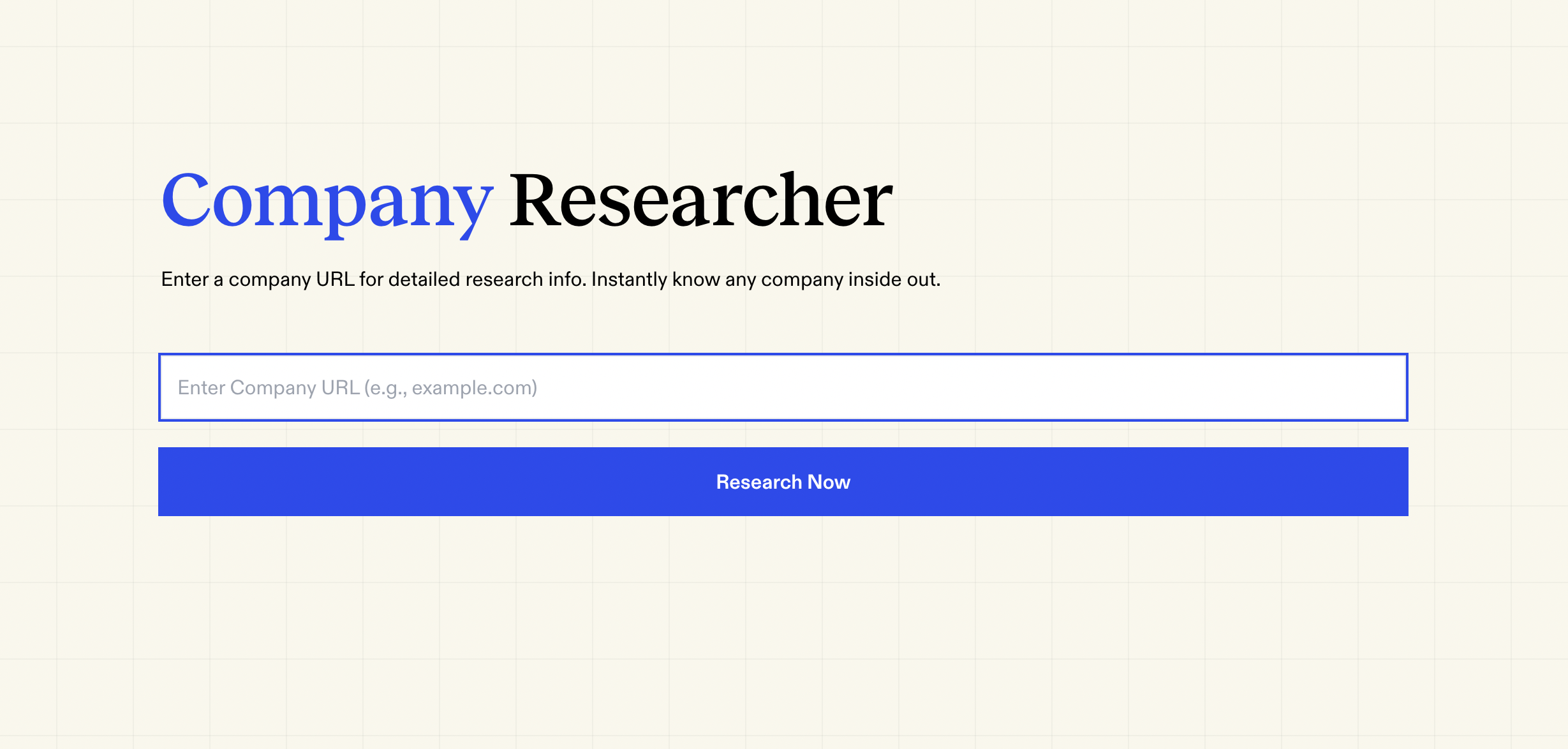
🎯 What is Company Researcher?
Company Researcher is a free and open-source tool that helps you instantly understand any company inside out. Simply input a company's URL, and the tool gathers comprehensive information from across the web, presenting you with detailed insights about the organization, its products, funding, social presence, and more.
📊 Data Sources & API Endpoints
All data is fetched using Exa's powerful search API. Each section below includes a direct link to try the API call in Exa's playground.
- Website Information
- Company Website Content (Try API)
-
Subpages (About, FAQs, Pricing, Blog) (Try API)
-
LinkedIn Data
- Company Profile (Try API)
-
Founders' Profiles (Try API)
-
Financial Information
- Funding Details (Try API)
- Crunchbase Profile (Try API)
- PitchBook Profile (Try API)
- Tracxn Profile (Try API)
-
10K Financial Reports (Try API)
-
Market Intelligence
- News Coverage (Try API)
- Competitor Analysis (Try API)
-
Wikipedia Information (Try API)
-
Social Media Presence
- Twitter/X Profile (Try API)
- Recent Tweets (Try API)
- YouTube Videos (Try API)
- TikTok Presence (Try API)
- Reddit Discussions (Try API)
- GitHub Profile (Try API)
💻 Tech Stack
- Search Engine: Exa.ai - Web search API optimized for AI applications
- Frontend: Next.js with App Router, TailwindCSS, TypeScript
- AI Integration: Vercel AI SDK
- Hosting: Vercel
🚀 Getting Started
Prerequisites
- Node.js
- Exa.ai API key
- Anthropic API key
- (Optional) YouTube API key
- (Optional) GitHub token
Installation
- Clone the repository
git clone https://github.com/exa-labs/company-researcher.git
cd company-researcher
- Install dependencies
npm install
# or
yarn install
-
Set up environment variables as described in the section below
-
Run the development server
npm run dev
# or
yarn dev
- Open http://localhost:3000 in your browser
🔑 API Keys & Environment Setup
Required API Keys
- Exa API Key: Get from Exa Dashboard
- Anthropic API Key: Get from Anthropic Console
Optional API Keys (for additional features)
- YouTube API Key: Get from Google Cloud Console (for YouTube video fetching)
- GitHub Token: Get from GitHub Settings (for GitHub repository data)
Note: The application can run without the optional API keys. YouTube and GitHub features can be disabled by commenting out their respective code sections.
Environment Setup
Create a .env.local file in the root directory with the following structure:
# Required
EXA_API_KEY=your_exa_api_key
ANTHROPIC_API_KEY=your_anthropic_api_key

# Optional - for additional features
YOUTUBE_API_KEY=your_youtube_api_key
NEXT_PUBLIC_GITHUB_TOKEN=your_github_token
For deployment on platforms like Vercel, add these environment variables in your platform's settings.
Alternatively, you can create a copy of our example environment file:
cp .env.example .env.local
Then fill in your API keys in the newly created .env.local file.
⭐ About Exa.ai
This project is powered by Exa.ai, a powerful search engine and web search API designed specifically for AI applications. Exa provides:
- Advanced semantic search capabilities
- Clean web content extraction
- Real-time data retrieval
- Comprehensive web search functionality
- Superior search accuracy for AI applications
Built with ❤️ by team Exa
Extension points exported contracts — how you extend this code
Core symbols most depended-on inside this repo
Shape
Languages
Modules by API surface
For agents
$ claude mcp add company-researcher \
  -- python -m otcore.mcp_server <graph>