hub / github.com/evilsocket/gptop
github.com/evilsocket/gptop @0.2.0
Chat with this repo
156 symbols
350 edges
16 files
44 documented · 28%
What it actually does AI analysis from the code graph — generated when you open this
loading…
README
gptop
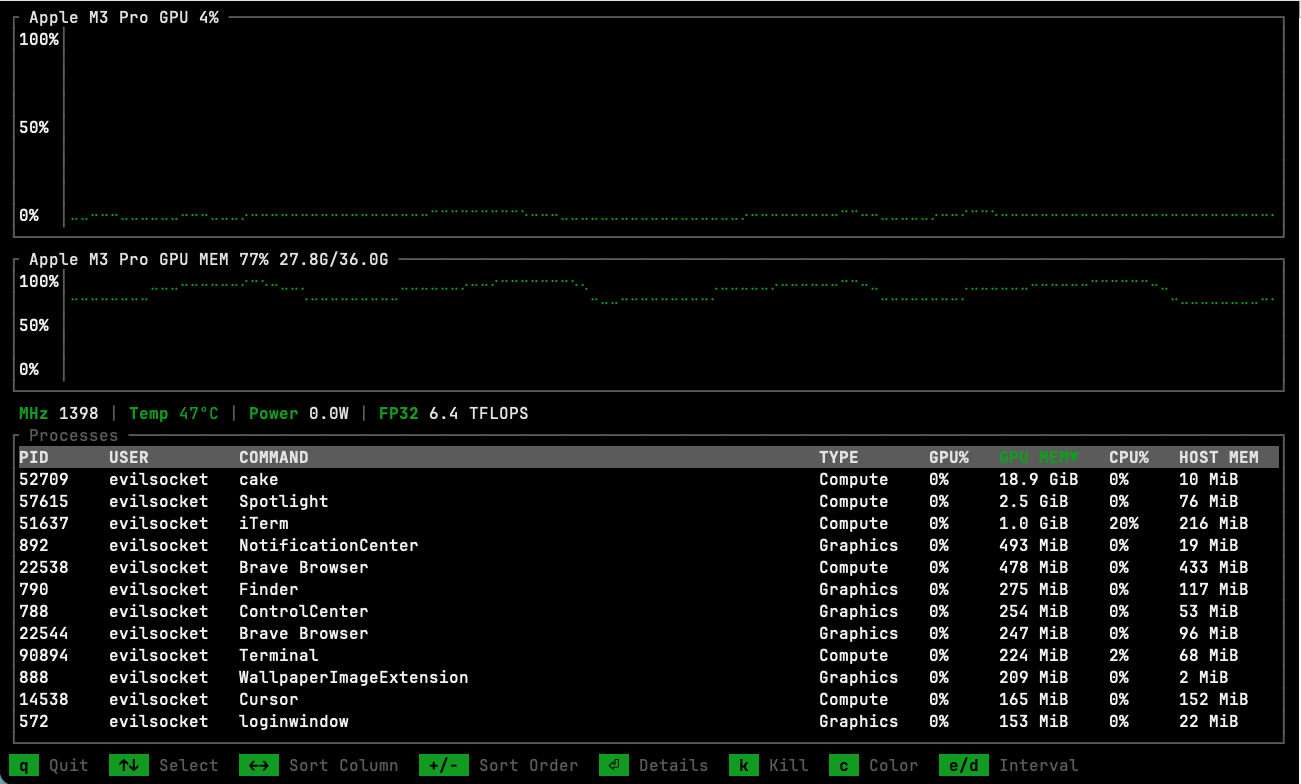
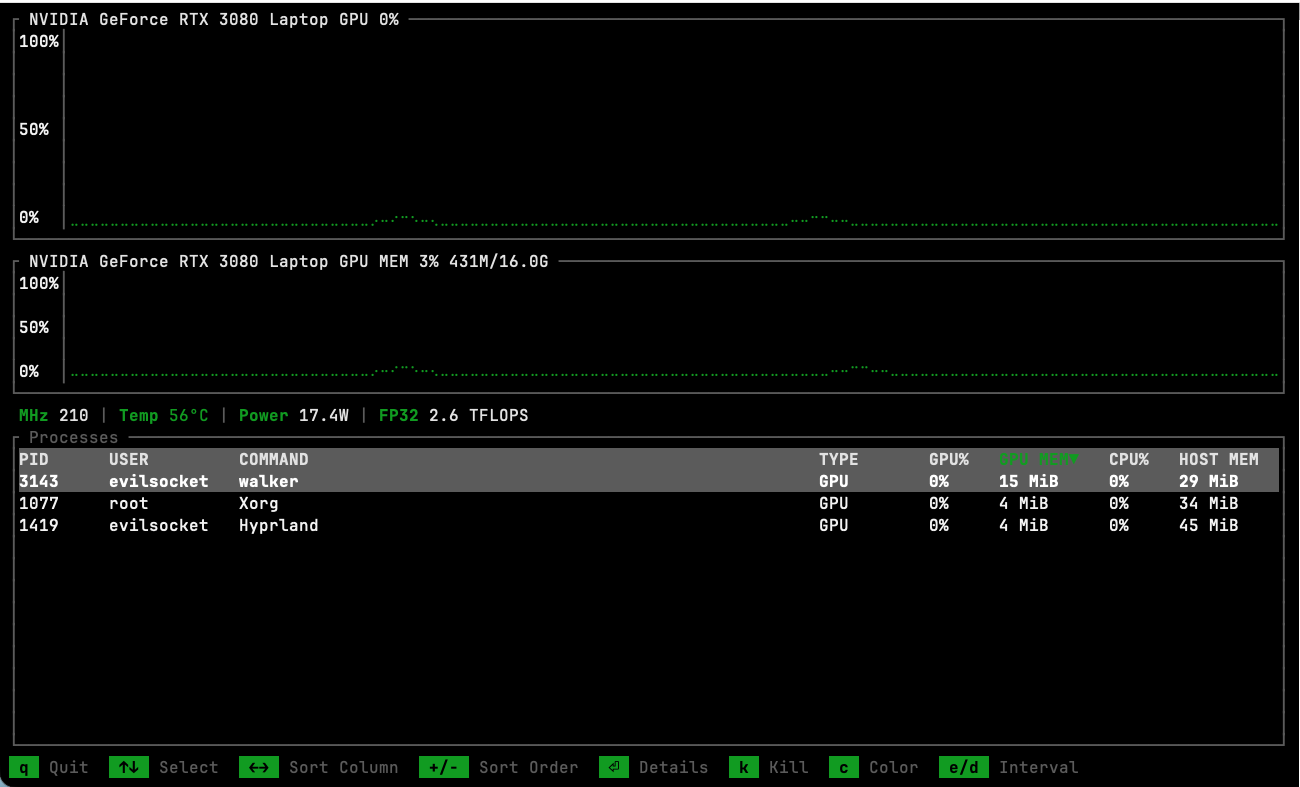
A cross-platform GPU monitor TUI with support for both Apple Silicon and NVIDIA GPUs.




Features
- Apple Silicon and NVIDIA supported, more to come.
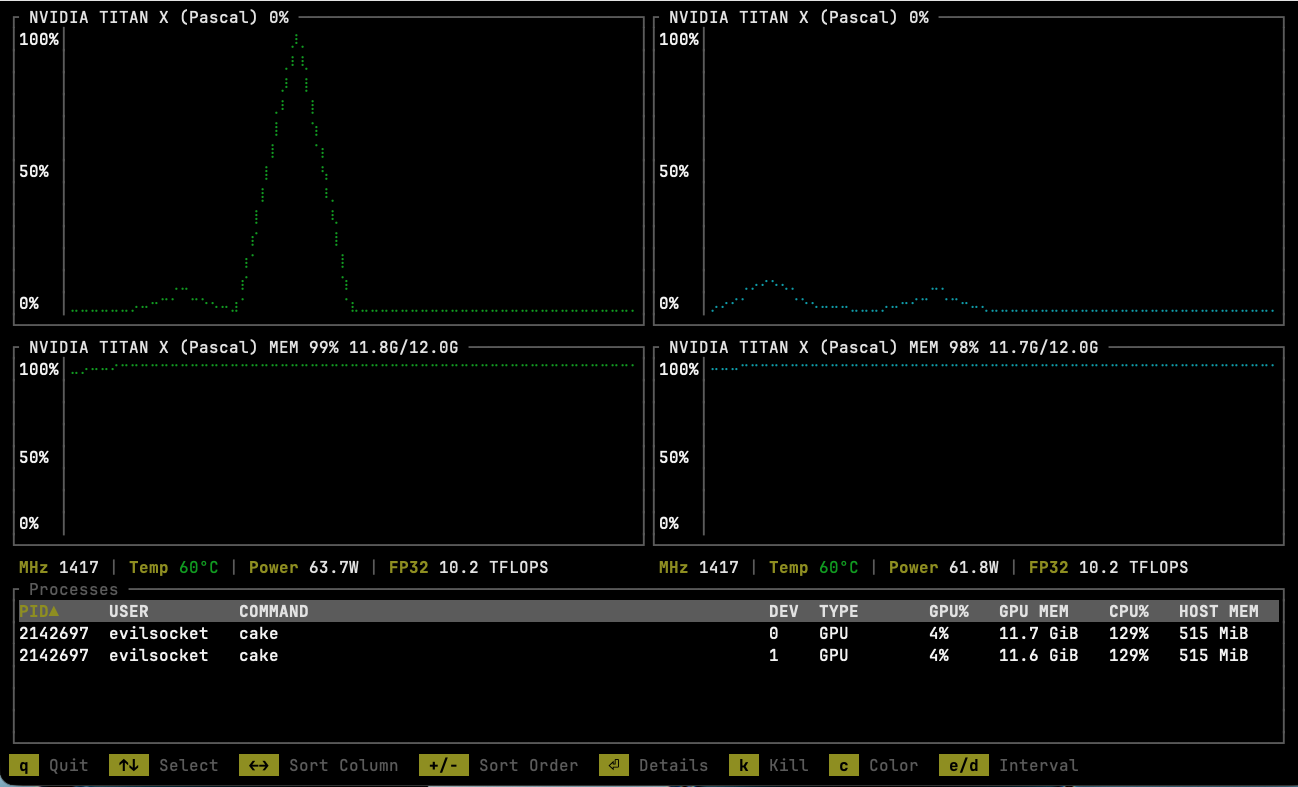
- Real-time GPU and memory utilization charts
- Live stats: clock speed, temperature, power draw, FP32 TFLOPS
- Per-process GPU usage, memory and CPU breakdown
- Process inspector with detailed info (path, CWD, command line, etc.)
- Kill processes directly from the TUI
- Multi-GPU support with side-by-side charts
- Advanced view: hostname, uptime, external IP, RAM/Swap, encoder/decoder, fan speed
- JSON output mode for scripting and monitoring pipelines
- Configurable update interval and accent colors (persisted across sessions)
Quick Start
If you're a Homebrew user, you can install it with a custom tap:
brew tap evilsocket/gptop https://github.com/evilsocket/gptop
brew install evilsocket/gptop/gptop
If you have Cargo installed, you can install directly from crates.io:
cargo install gptop
From source
cargo install --path .
Usage
# Launch the TUI
gptop

# Output a single JSON snapshot and exit
gptop --json

# JSON with custom sample interval (ms)
gptop --json --interval 2000
Keybindings
| Key | Action |
|---|---|
q / Ctrl+C |
Quit |
Up / Down |
Select process |
Enter |
Process details |
k |
Kill selected process |
Left / Right |
Change sort column |
+ / - |
Toggle sort order (asc/desc) |
c |
Cycle accent color |
e / d |
Increase / decrease update interval |
a |
Toggle Advanced view |
Contributors
Star History
License
gptop is released under the GPL 3 license. To see the licenses of the project dependencies, install cargo license with cargo install cargo-license and then run cargo license.
Extension points exported contracts — how you extend this code
GpuBackend (Interface)The backend trait — implement for each GPU vendor [2 implementers]
src/backend/mod.rs
Core symbols most depended-on inside this repo
ps_fieldcalled by 23
src/app.rs
save
called by 8
src/config.rs
native_bsdinfo
called by 8
src/app.rs
from_cfstring
called by 6
src/backend/apple/coreutils.rs
mach_timebase_ratio
called by 5
src/backend/apple/mod.rs
native_taskinfo
called by 4
src/app.rs
ok_or_unsupported
called by 4
src/backend/nvidia.rs
read_key_float
called by 4
src/backend/apple/smc.rs
Shape
Languages
Rust95%
Python4%
Ruby1%
Modules by API surface
src/app.rs38 symbols
src/backend/apple/mod.rs28 symbols
src/backend/apple/smc.rs14 symbols
src/backend/nvidia.rs11 symbols
src/backend/apple/ioreport.rs9 symbols
src/config.rs8 symbols
src/ui/charts.rs7 symbols
src/backend/mod.rs6 symbols
src/backend/apple/coreutils.rs6 symbols
pkg/release.py6 symbols
src/ui/processes.rs5 symbols
src/ui/mod.rs5 symbols
For agents
$ claude mcp add gptop \
  -- python -m otcore.mcp_server <graph>