github.com/ever-co/ever-gauzy @v111.0.2 sqlite
README
Ever Gauzy Platform



💡 What's New
We released Ever Teams platform for Work & Project Management. Please check https://github.com/ever-co/ever-teams and make it ⭐ on GitHub! It's built with a React (NextJs) / ReactNative (Expo) stack and connects to headless Ever Gauzy Platform APIs.
🌟 What is it
Ever® Gauzy™ - Open Business Management Platform for Collaborative, On-Demand and Sharing Economies.
- Enterprise Resource Planning (ERP)
- Customer Relationship Management (CRM)
- Human Resource Management (HRM)
- Applicant Tracking System (ATS)
- Work and Project Management (PM)
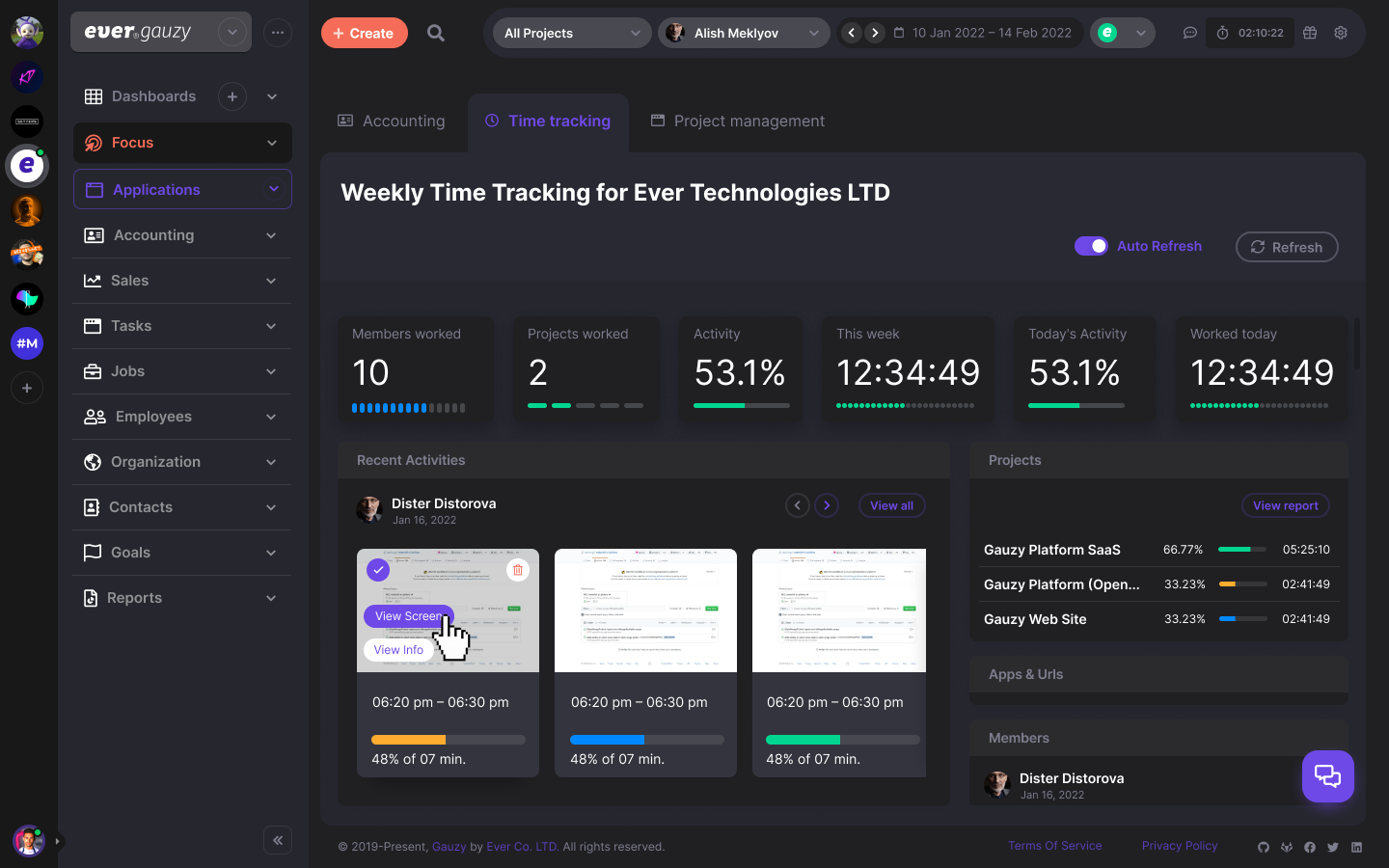
- Employee Time-Tracking, Activity & Productivity Tracking
Ever® Gauzy™ Platform is a part of our larger Open Platform for Collaborative, On-Demand and Sharing Economies - Ever® Platform™.
✨ Features
Main features:
- Human Resources Management (HRM) with Time Management / Tracking and Employees Performance Monitoring
- Customer Relationship Management (CRM)
- Enterprise Resource Planning (ERP)
- Projects / Tasks Management
- Sales Management
- Financial and Cost Management (including Accounting, Invoicing, etc)
- Inventory, Supply Chain Management, and Production Management
A more detailed list of the features available in the platform:
- Headless APIs
- Dashboard (provides an overview of different metrics, such as company income/expenses, employee bonuses, etc.)
- Time Management / Time Tracking / Activity Tracking / Timesheets
- Employees Management (register of company employees/contractors, rates of employees, etc.)
- Employee Onboarding
- Applicant Tracking System (ATS) / Candidates Interviews
- Contacts Management (Clients / Customers / Leads / etc.)
- Schedules / Appointments / Events
- Project Management / Tasks
- Goals / KPI / Objectives / Key Results
- Sales Pipelines
- Proposals
- Accounting / Invoicing / Estimates
- Billing
- Payments
- Income / Expenses Management
- Time Off Management / Holidays / Approvals
- Inventory
- Equipment / Sharing
- Multiple Organizations Management
- Organization Departments and Teams
- Organization Clients and Vendors
- Help Center / Knowledge Base
- Tags / Labels
- Reports / Insights / Analytics
- Organization and Employee Public Pages
- Integrations (Upwork, HubStaff, etc.)
- Email History / Email Templates
- Data Import / Export
- Roles / Permissions
- Multi-currency
- Multi-lingual
- Dark / Light / Corporate / Material and other Themes
Read more about Gauzy and how to use it at your company, on-demand business, freelance business, agency, studio or in-house teams.
🌼 Screenshots
Show / Hide Screenshots
Web UI
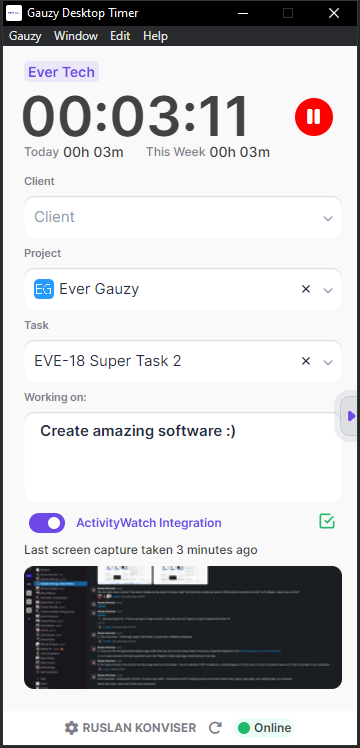
Desktop Timer UI (Standard)
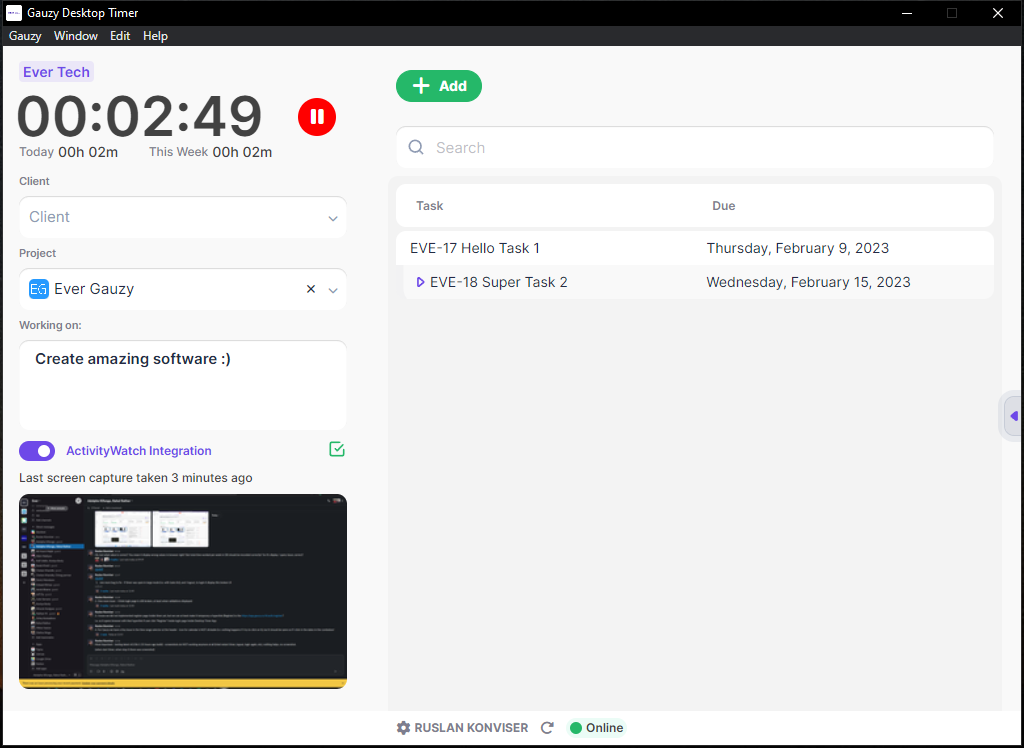
Desktop Timer UI (Expanded)
🔗 Links
- https://gauzy.co - check more information about the platform at the official website.
- https://app.gauzy.co - SaaS (Important: it's currently in Alpha version/testing mode, please use it cautiously).
- https://demo.gauzy.co - Online Demo (see more info below).
- https://gauzy.co/downloads - Download Platform & Apps (see also more info below about available downloads).
- https://docs.gauzy.co - Platform Documentation (WIP). See also our Wiki.
- https://ever.co - get more information about our company products.
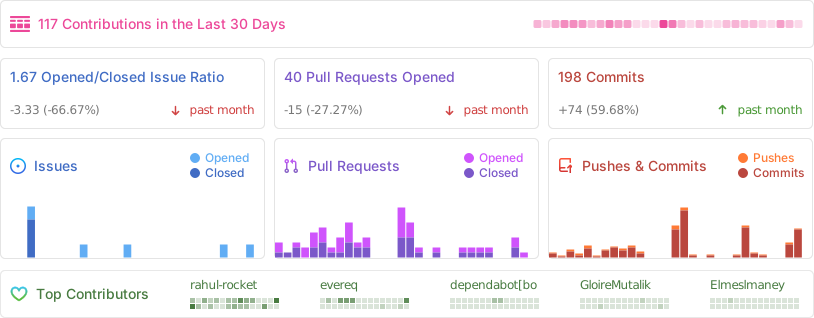
📊 Activity
💻 Demo, Downloads, Testing and Production
Demo
Ever Gauzy Platform Demo at https://demo.gauzy.co.
Notes:
- Default super-admin user login is
admin@ever.coand the password isadmin - Content of demo DB resets on each deployment to the demo environment (usually daily)
- Demo environment deployed using CI/CD from the
developbranch
Downloads
You can download Gauzy Platform, Gauzy Server, or Desktop Apps (Windows/Mac/Linux) from the official Downloads page.
In addition, all releases and pre-releases downloads are also available from the following pages:
Production (SaaS)
Ever® Gauzy™ Platform SaaS is available at https://app.gauzy.co.
Note: it's currently in Alpha version/testing mode, please use it cautiously!
Staging
- Gauzy Platform Staging builds (using CI/CD, from the
stagebranch) are available at https://stage.gauzy.co - We are using the Staging environment to test releases before they are deployed to the production environment
- Our pre-releases of desktop/server apps are built from this environment and can be configured manually (in settings) to connect to Stage API: https://apistage.gauzy.co
Server & Desktop Apps
We have Gauzy Server and two Desktop Apps (for Windows/Mac/Linux):
-
Ever® Gauzy™ Server - includes Gauzy API, SQLite DB (or connects to external PostgreSQL) and serves Guazy frontend. It allows to quickly run Gauzy Server for multiple clients (browser-based or Desktop-based). It's a recommended option if you want to setup the Ever Gauzy Platform in small to medium organizations.
-
Ever® Gauzy™ Desktop App - includes Gauzy frontend (UI), Gauzy API, SQLite DB, etc., all-in-one! It allows to quickly run the whole Gauzy solution locally, both UI and Timer (for time tracking, optionally of course). In addition, it allows you to connect to the external database (e.g. PostgreSQL) or external API (if you have Gauzy Server with API / DB installed on a different computer or if you want to connect to our live API). It's a recommended option if you want to try Gauzy quickly / for personal use or if you want to connect to Gauzy Server in the "client-server" configuration (and use Desktop App instead of web browser).
-
Ever® Gauzy™ Desktop Timer App - allows running Time and Activity Tracking for employees/contractors with screenshots and activity monitoring. It is recommended to setup by organization employees as long as they are not interested in other Gauzy Platform features (e.g. accounting) and only need to track work time.
More information about our Server & Desktop Apps:
- Download for your OS from the official Downloads page or see the section "Download" above for other links to our releases pages.
- Setup Gauzy Server with default choices in Setup Wizard and run it.
- You can also setup Gauzy Desktop App (can run independently or connect to Gauzy Server) or Gauzy Desktop Timer App (should be connected to Gauzy Server)
- You can login with
admin@ever.coand passwordadminto check Admin functionality if you installed Gauzy Server or Gauzy Desktop App. Note: such an Admin user is not an employee, so you will not be able to track time. - You can login with
employee@ever.coand password12345678to check Employee-related functionality in Gauzy UI or to run Desktop Timer from an "Employee" perspective (such a user is an Employee and can track time). - If you install Gauzy Server, it is possible to connect to it using a browser (by default on http://localhost:4200) or using Gauzy Desktop Apps (make sure to configure Desktop apps to connect to Gauzy API on http://127.0.0.1:3000/api because it's where Gauzy Server API runs by default).
- You can read more information about our Desktop Apps on the Desktop Apps Wiki Page and our Server at the Server Wiki Page.
🧱 Technology Stack and Requirements
For Production, we recommend:
Note: thanks to TypeORM / MikroORM, Gauzy will support lots of DBs: SQLite (default, for demos), PostgreSQL (development/production), MySql (development/production), MariaDb, CockroachDb, MS SQL, Oracle, MongoDb, and others (with minimal changes).
See also README.md and CREDITS.md files in relevant folders for lists of libraries and software included in the Platform, information about licenses, and other details
📄 Documentation
Please refer to our official Platform Documentation and our Wiki (WIP).
🚀 Quick Start
With Docker Compose
- Clone repo.
- Make sure you have the latest Docker Compose installed locally. Important: you need a minimum v2.20.
Demo
- Run
docker-compose -f docker-compose.demo.yml up, if you want to run the platform in basic configuration (e.g. for Demo / explore functionality / quick run) using our prebuilt Docker images. Check.env.demo.composefile for different settings (optionally), e.g. DB type. (Note: Docker Compose will use latest images pre-build automatically from head ofmasterbranch using GitHub CI/CD.) - Open http://localhost:4200 in your browser.
- Login with email
admin@ever.coand password:adminfor Super Admin user. - Login with email
employee@ever.coand password:12345678for Employee user. - Enjoy!
Production
- Edit
.env.compose(if needed) to use your custom settings, e.g. DB type. - Run
docker-compose up -d, if you want to run the platform in minimal production configuration using our prebuilt Docker images. (Note: Docker Compose will use latest images pre-build automatically from head ofmasterbranch using GitHub CI/CD.)
Note: we recommend using Kubernetes for production workloads instead of Docker Compose!
Build
- Edit
.env.compose(if needed) to use your custom settings, e.g. DB type. - Run
docker-compose -f docker-compose.build.yml up -d, if you want to build everything (code and Docker images) locally. (Note: this is extremely long process because it builds whole platform locally. Other options above are much faster!) - :coffee: time... It might take some time for our API to seed fake data in the DB during the first Docker Compose run, even if you used prebuilt Docker images.
Notes:
- while demo
docker-compose.demo.ymlruns a minimum amount of containers (API, Web UI, and DB), other Docker Compose files run multiple infrastructure dependencies (see full list below). - you can also run ONLY infra dependencies (without our API / Web containers) with
docker-compose -f docker-compose.infra.yml up -dcommand. We already doing it usingincludein our main docker compose files. - you can add something like
--env-file .env.somethingto the docker-composeupcommand to instruct Docker Compose to use a specific.env.somethingfile with your custom settings
Together with Gauzy, the Docker Compose commands described above for Production (docker-compose.yml) and Build (docker-compose.build.yml) will run the following infrastructure components:
- PostgreSQL - Primary Database.
- Pgweb - Cross-platform client for PostgreSQL DBs, available on http://localhost:8081.
- OpenSearch - Search Engine.
- OpenSearch Dashboards - Search Engine Dashboards, available on http://localhost:5601. Default username:
adminand password:Gauzy_password_123 - Dejavu - Web UI for OpenSearch, available on http://localhost:1358.
- MinIO - Multi-Cloud ☁️ Object Storage (AWS S3 compatible).
- Jitsu - Jitsu is an open-source Segment alternative (data ingestion engine).
- Redis - In-memory data store/caching (also used by Jitsu)
- Cube - "Semantic Layer" used for Reports, Dashboards, Analytics, and other BI-related features, with UI available on <http://localhost:40
Extension points exported contracts — how you extend this code
IAccessSpecification (Interface)Core symbols most depended-on inside this repo
queryShape
Languages
Modules by API surface
Dependencies from manifests, versioned
For agents
$ claude mcp add ever-gauzy \
  -- python -m otcore.mcp_server <graph>