github.com/ethan-leonard/FailMail @main
Chat with this repoWhat it actually does AI analysis from the code graph — generated when you open this
README
FailMail - Rejection Email Tracking Dashboard


Overview
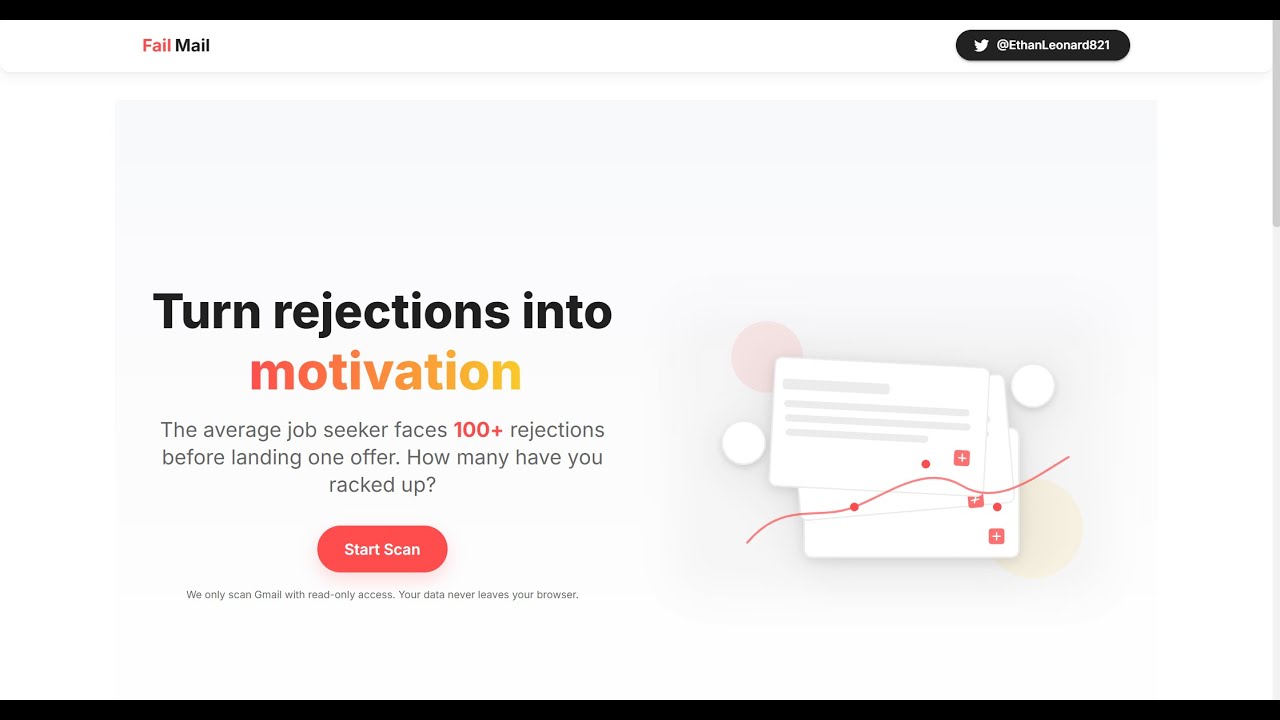
FailMail is a completed web application that helps users track and analyze job rejection emails from their Gmail account. This tool allows job seekers to visualize their job search journey, turning rejection emails into meaningful insights and statistics.
Video Demo
Key Features
- Google Sign-In: Secure authentication using Google account (Gmail OAuth)
- Privacy-First Design: No raw email data is stored on any server
- Session-Only Scanning: Analyzes your inbox during the current session only
- Detailed Analytics:
- Total number of rejections
- Monthly rejection histogram
- "Hall of Shame" for notable rejections (FAANG companies, etc.)
- Interactive Dashboard: Clean, responsive UI with modern design patterns
- Shareable Stats: Export dashboard as PNG or share via Web Share API
- Dark Mode Support: Automatic theme detection and seamless transitions
Architecture
FailMail follows a modern client-server architecture with these key components:
Backend (Python FastAPI)
- RESTful API endpoints using FastAPI
- Gmail API integration for secure email scanning
- Google OAuth token validation
- Stateless design (no persistent data storage)
- Docker containerization for deployment
Frontend (React TypeScript)
- React 18 with TypeScript for type safety
- Material-UI (MUI) components
- Chart.js for data visualization
- Firebase hosting for production deployment
- Responsive design for all device sizes
Project Structure
FailMail/
├── backend/                       # FastAPI backend
│   ├── main.py                    # Main API endpoints
│   ├── auth.py                    # Google OAuth validation
│   ├── gmail_scanner.py           # Email analysis logic
│   ├── models.py                  # Pydantic data models
│   ├── Dockerfile                 # Container configuration
│   └── requirements.txt           # Python dependencies
│
├── frontend/                      # React frontend
│   ├── public/                    # Static assets
│   ├── src/
│   │   ├── components/            # UI components
│   │   │   └── landing/           # Landing page components
│   │   ├── firebase/              # Firebase configuration
│   │   ├── hooks/                 # Custom React hooks
│   │   ├── pages/                 # Page components
│   │   ├── App.tsx                # Main application
│   │   └── main.tsx               # Entry point
│   ├── package.json               # Node.js dependencies
│   └── firebase.json              # Firebase configuration
│
├── start-app.sh                   # Development startup script
└── README.md                      # This file
Technical Implementation
Backend Implementation
The backend service handles:
- Google OAuth Validation: Verifies user tokens for authenticated API access
- Gmail API Processing: Securely searches and analyzes email content
- Pattern Recognition: Identifies rejection emails using keyword analysis
- Data Processing: Transforms email data into statistical insights
- Privacy Protection: Processes data in-memory only with no persistence
Frontend Implementation
The client application provides:
- Authentication Flow: Manages Google OAuth login process
- Interactive Dashboard: Visualizes rejection statistics
- Responsive Design: Adapts to various screen sizes
- Theme Management: Supports light and dark modes
- Data Visualization: Charts showing rejection trends over time
Getting Started
Prerequisites
- Python 3.10 or later
- Node.js 18 or later
- Google Cloud Platform account
- Gmail account
Google Cloud Setup
- Create a new project in the Google Cloud Console
- Enable the Gmail API
- Configure OAuth consent screen (External user type)
- Add scopes:
../auth/gmail.readonly../auth/userinfo.email../auth/userinfo.profile- Create OAuth 2.0 Client ID for web application
- Add authorized JavaScript origins and redirect URIs
Local Development Setup
# Clone the repository
git clone https://github.com/yourusername/FailMail.git
cd FailMail

# Set up environment variables
# Create frontend/.env with:
# VITE_GOOGLE_CLIENT_ID="YOUR_CLIENT_ID"
# VITE_API_BASE_URL="http://localhost:8000"

# Backend setup
cd backend
python -m venv venv
source venv/bin/activate  # On Windows: venv\Scripts\activate
pip install -r requirements.txt
cd ..

# Frontend setup
cd frontend
npm install
cd ..

# Start both servers with the convenience script
chmod +x start-app.sh
./start-app.sh
The script will start: - Backend at http://localhost:8000 - Frontend at http://localhost:5173
Docker Deployment
The backend includes a Dockerfile for containerized deployment:
# Build container
cd backend
docker build -t failmail-backend .

# Push to registry (example for Google Artifact Registry)
docker tag failmail-backend us-west1-docker.pkg.dev/failmail/failmail-repo/failmail-backend:latest
docker push us-west1-docker.pkg.dev/failmail/failmail-repo/failmail-backend:latest
The frontend can be deployed to Firebase Hosting:
cd frontend
npm run build
firebase deploy --only hosting
Usage Flow
- Visit the FailMail website
- Click "Sign in with Google"
- Grant necessary permissions
- After authentication, the dashboard appears
- Click "Scan My Gmail" to analyze your inbox
- View your rejection statistics and insights
- Optionally export or share your dashboard
Privacy Statement
FailMail prioritizes your privacy:
- Zero Data Storage: No email content is stored on any server
- In-Memory Processing: All analysis happens during your active session
- Read-Only Access: The application cannot modify your emails
- Limited Scope: Only the minimum required permissions are requested
- Session-Limited Tokens: Authentication tokens are not persisted
Technologies Used
Backend
- Python 3.12
- FastAPI
- Uvicorn
- Pydantic
- Google API Client Library
- Docker
Frontend
- TypeScript
- React 18
- Vite
- Material-UI (MUI)
- Chart.js
- Firebase Hosting
License
This project is available under the MIT License - see the LICENSE file for details.
Contact
For questions or support, please open an issue on the GitHub repository.
Note: FailMail is a complete project ready for use. The application enables users to gain insights from their job search journey by analyzing rejection emails in a privacy-focused manner.
Extension points exported contracts — how you extend this code
ImportMetaEnv (Interface)Core symbols most depended-on inside this repo
showNotificationShape
Languages
Modules by API surface
For agents
$ claude mcp add FailMail \
  -- python -m otcore.mcp_server <graph>