github.com/erfjab/holderbot @v0.6.0
Chat with this repoWhat it actually does AI analysis from the code graph — generated when you open this
README
HolderBot
A powerful Telegram bot for managing multiple VPN panels with advanced features and ease of use.
Supported Panels
- [x] Marzneshin
- [x] Marzban
- [ ] Alireza
- [ ] Hiddify
- [ ] 3x-ui
Features
Multi-Server & Multi-Panel Support
- Manage multiple servers and panels from a single bot.
Bulk User Creation
- Create users in bulk with custom admin selection.
- Add custom suffixes to usernames.
- Send QR codes and user data after creation (customizable).
- Select custom data limits, expiration dates, and configurations.
- Create users using predefined templates.
User Management
- User Menu:
- Filter users by status: active, expired, or limited.
- Display icons for user status.
- User Search:
- Search users with
/user serverid username. - Show up to 10 users matching the search criteria.
- User Modifications:
- Add notes.
- Set data and date limits.
- Activate or disable users.
- Charge users using templates (optional reset of data usage).
- Reset usage.
- Revoke subscriptions.
- Send QR codes with user data (customizable).
- Set or change the owner.
- Modify configurations.
- Remove users.
Admin Management
- Activate or deactivate admin users.
- Delete expired, limited, or admin users.
- Transfer users from one admin to another.
- Add or remove configurations for all users.
Node Monitoring
- Monitor nodes for issues.
- Automatically restart nodes if needed.
Setup
Server and Docker Setup
Show Server Commands
1. Update the Server
sudo apt update && sudo apt upgrade -y
2. Install Docker
curl -fsSL https://get.docker.com | sh
Install & Run the Bot
Show Run Commands
1. Create Directory and Download Files
mkdir -p /opt/erfjab/holderbot/data
curl -o /opt/erfjab/holderbot/docker-compose.yml https://raw.githubusercontent.com/erfjab/holderbot/master/docker-compose.yml
cd /opt/erfjab/holderbot
curl -o .env https://raw.githubusercontent.com/erfjab/holderbot/master/.env.example
nano .env
2. Pull Docker Image
docker compose pull
3. Start the Bot
docker compose up -d
After a few moments, the bot will start running.
Update the Bot
Show Update Commands
Make sure you're in the HolderBot directory:
cd /opt/erfjab/holderbot
Then update the bot:
docker compose pull && docker compose up -d
Manage the Bot
Show Manage Commands
Make sure you're in the HolderBot directory:
cd /opt/erfjab/holderbot
-
Restart the Bot:
bash docker compose restart -
Stop the Bot:
bash docker compose down -
View Logs:
bash
  docker compose logs -f
Switch to GA Mode (preview mode)
Show GA Commands
Make sure you're in the HolderBot directory:
cd /opt/erfjab/holderbot
-
Open the Docker Compose File:
bash nano docker-compose.yml -
Change the Image Tag:
From:
yaml
  erfjab/holderbot:latest
To:
yaml
  erfjab/holderbot:ga
-
Pull the Docker Image:
bash docker compose pull -
Start the Bot:
bash
  docker compose up -d
Support
- Telegram Channel: @ErfJabs
- Telegram Group: @ErfJabGroup
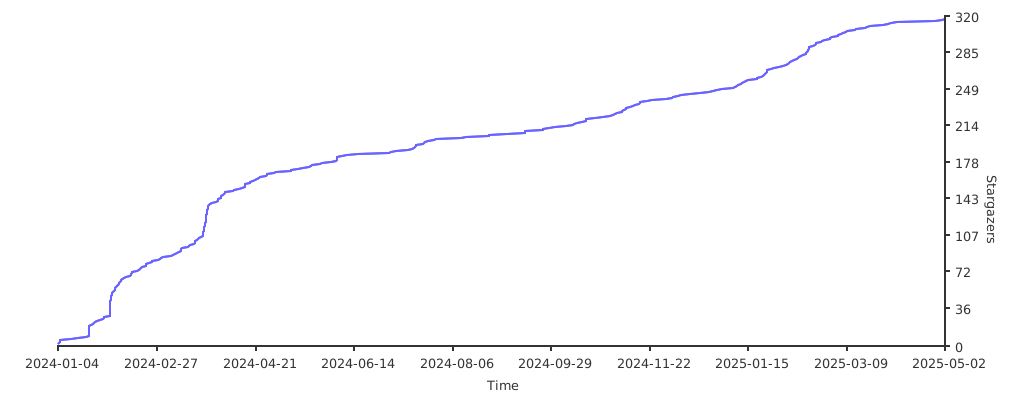
⭐ Star the Project:
Core symbols most depended-on inside this repo
Shape
Languages
Modules by API surface
For agents
$ claude mcp add holderbot \
  -- python -m otcore.mcp_server <graph>