github.com/emdgroup/baybe @0.15.0
Chat with this repoWhat it actually does AI analysis from the code graph — generated when you open this
README










Homepage • User Guide • Documentation • Contribute
BayBE — A Bayesian Back End for Design of Experiments
The Bayesian Back End (BayBE) helps to find good parameter configurations within complex parameter search spaces.
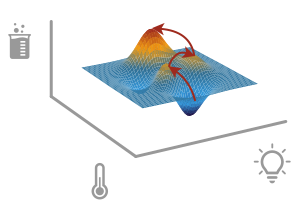
BayBE can help to solve many real-world optimization problems, such as:
- 🧪 Find chemical reaction conditions or process parameters
- 🥣 Create materials, chemical mixtures or formulations with desired properties
- ✈️ Optimize the 3D shape of a physical object
- 🖥️ Optimize a virtual simulation
- ⚙️ Select model hyperparameters
- 🫖 Find tasty espresso machine settings
This is achieved via Bayesian Design of Experiments, which helps to efficiently navigate parameter search spaces. It balances exploitation of parameter space regions known to lead to good outcomes and exploration of unknown regions.
BayBE provides a general-purpose toolbox for Bayesian Design of Experiments, focusing on making this procedure easily accessible for real-world experiments. Its utility was already shown in a variety of real-world experimental campaigns in both industry and academia.
🔋 Batteries Included
BayBE offers a range of ✨built‑in features✨, including:
🛠️ Flexible modeling options


<ul>
  <li>Use both continuous and discrete parameters within a single <a href="https://emdgroup.github.io/baybe/stable/examples/Searchspaces/hybrid_space.html">hybrid search space</a>.</li>
  <li>Exclude undesired or impossible parameter configurations (e.g., to define a maximal number of mixture components) using <a href="https://emdgroup.github.io/baybe/stable/components/constraints.html">constraints</a>.</li>
  <li>Choose between different optimization strategies to balance exploration and exploitation of the search space:
    <ul>
      <li>Smartly acquire training data for model building via <a href="https://emdgroup.github.io/baybe/stable/concepts/active_learning.html">active learning</a>.</li>
      <li>Conduct AB testing via <a href="https://emdgroup.github.io/baybe/stable/examples/Multi_Armed_Bandit/Multi_Armed_Bandit.html">bandit models</a>.</li>
    </ul>
  </li>
  <li>Specify the desired target value via <a href="https://emdgroup.github.io/baybe/stable/components/transformations.html">target transformations</a>.</li>
  <li>Optimize multiple targets at the same time via <a href="https://emdgroup.github.io/baybe/stable/components/objectives.html#paretoobjective">Pareto optimization</a> or <a href="https://emdgroup.github.io/baybe/stable/components/objectives.html#desirabilityobjective">desirability scalarization</a>.</li>
</ul>


📚 Mechanisms for leveraging additional information


<ul>
  <li>Capture relationships between categories via <a href="https://emdgroup.github.io/baybe/stable/components/parameters.html#customdiscreteparameter">custom encodings for categorical</a> data.</li>
  <li>Use built-in <a href="https://emdgroup.github.io/baybe/stable/components/parameters.html#substanceparameter">chemical encodings</a> for chemistry-related parameters.</li>
  <li>Add mechanistic process understanding via <a href="https://emdgroup.github.io/baybe/stable/components/surrogates.html#using-custom-models">custom surrogate</a> models.</li>
  <li>Leverage additional data from similar campaigns to accelerate optimization via <a href="https://emdgroup.github.io/baybe/stable/concepts/transfer_learning.html">transfer learning</a>.</li>
</ul>


🔗 Advanced optimization workflows


<ul>
  <li>Run campaigns <a href="https://emdgroup.github.io/baybe/stable/concepts/async.html">asynchronously</a> with partial measurements and pending experiments.</li>
  <li>Store BayBE objects and use API wrappers with the <a href="https://emdgroup.github.io/baybe/stable/concepts/serialization.html">serialization</a> functionality.</li>
</ul>


🔍 Performance evaluation tools


<ul>
  <li>Gain <a href="https://emdgroup.github.io/baybe/stable/components/insights.html">insights</a> about the optimization campaigns by analyzing model behavior and feature importance.</li>
  <li>Conduct benchmarks to select between different Bayesian optimization settings via <a href="https://emdgroup.github.io/baybe/stable/concepts/simulation.html">backtesting</a>.</li>
</ul>
⚡ Quick Start
To perform Bayesian Design of Experiments with BayBE, you should first specify the parameter search space and objective to be optimized. Based on this information and any available data about outcomes of specific parameter configurations, BayBE will recommend the next set of parameter configurations to be measured. To inform the next recommendation cycle, the newly generated measurements can be added to BayBE.

From the user perspective, the most important part is the "setup" step (top of the figure).
Below we show a simple optimization procedure, starting with the setup step and subsequently performing the recommendation loop. The provided example aims to maximize the yield of a chemical reaction by adjusting its parameter configurations (also known as reaction conditions).
First, install BayBE into your Python environment:
pip install baybe
For more information on this step, see our detailed installation instructions.
Defining the Optimization Objective
In BayBE's language, the reaction yield can be represented as a NumericalTarget,
which we wrap into a SingleTargetObjective:
from baybe.targets import NumericalTarget
from baybe.objectives import SingleTargetObjective

target = NumericalTarget(name="Yield")
objective = SingleTargetObjective(target=target)
In cases where we are confronted with multiple (potentially conflicting) targets
(e.g., yield vs selectivity),
the ParetoObjective or DesirabilityObjective can be used to define how the targets should be balanced.
For more details, see the
objectives section
of the user guide.
Defining the Search Space
Next, we inform BayBE about the available "control knobs", that is, the underlying
reaction parameters we can tune to optimize the yield.
In this case we tune granularity, pressure and solvent, each being encoded as a Parameter.
We also need to specify which values individual parameters can take.
from baybe.parameters import (
    CategoricalParameter,
    NumericalDiscreteParameter,
    SubstanceParameter,
)

parameters = [
    CategoricalParameter(
        name="Granularity",
        values=["coarse", "medium", "fine"],
        encoding="OHE",  # one-hot encoding of categories
    ),
    NumericalDiscreteParameter(
        name="Pressure[bar]",
        values=[1, 5, 10],
        tolerance=0.2,  # allows experimental inaccuracies up to 0.2 when reading values
    ),
    SubstanceParameter(
        name="Solvent",
        data={
            "Solvent A": "COC",
            "Solvent B": "CCC",  # label-SMILES pairs
            "Solvent C": "O",
            "Solvent D": "CS(=O)C",
        },
        encoding="MORDRED",  # chemical encoding via scikit-fingerprints
    ),
]
For more parameter types and their details, see the parameters section of the user guide.
Additionally, we can define a set of constraints to further specify allowed ranges and relationships between our parameters. Details can be found in the constraints section of the user guide. In this example, we assume no further constraints.
With the parameter definitions at hand, we can now create our
SearchSpace based on the Cartesian product of all possible parameter values:
from baybe.searchspace import SearchSpace

searchspace = SearchSpace.from_product(parameters)
See the search spaces section of our user guide for more information on the structure of search spaces and alternative ways of construction.
Optional: Defining the Optimization Strategy
As an optional step, we can specify details on how the optimization of the experimental configurations should be performed. If omitted, BayBE will choose a default Bayesian optimization setting.
For our example, we combine two recommenders via a so-called meta recommender named
TwoPhaseMetaRecommender:
- In cases where no measurements have been made prior to the interaction with BayBE,
the parameters will be recommended with the
initial_recommender. - As soon as the first measurements are available, we switch to the
recommender.
from baybe.recommenders import (
    BotorchRecommender,
    FPSRecommender,
    TwoPhaseMetaRecommender,
)

recommender = TwoPhaseMetaRecommender(
    initial_recommender=FPSRecommender(),  # farthest point sampling
    recommender=BotorchRecommender(),  # Bayesian model-based optimization
)
For more details on the different recommenders, their underlying algorithmic details and how their settings can be adjusted, see the recommenders section of the user guide.
The Optimization Loop
We can now construct a Campaign that performs the Bayesian optimization of the experimental configurations:
from baybe import Campaign

campaign = Campaign(searchspace, objective, recommender)
With this object at hand, we can start our optimization cycle. In particular:
- The campaign can
recommendnew experiments. - We can
add_measurementsof target values for the measured parameter configurations to the campaign's database.
Note that these two steps can be performed in any order. In particular, available measurements can be submitted at any time and also several times before querying the next recommendations.
df = campaign.recommend(
    batch_size=3
)  # Recommend three experimental configurations to test
print(df)
The below table shows the three parame
Core symbols most depended-on inside this repo
from_productShape
Languages
Modules by API surface
For agents
$ claude mcp add baybe \
  -- python -m otcore.mcp_server <graph>