github.com/dweymouth/supersonic @v0.21.1
Chat with this repoWhat it actually does AI analysis from the code graph — generated when you open this
README



Supersonic



A lightweight cross-platform desktop client for Subsonic and Jellyfin music servers.
Jump to installation instructions
Screenshots
Screenshots of Supersonic running against the Navidrome demo server, showcasing the builtin dark and light themes.
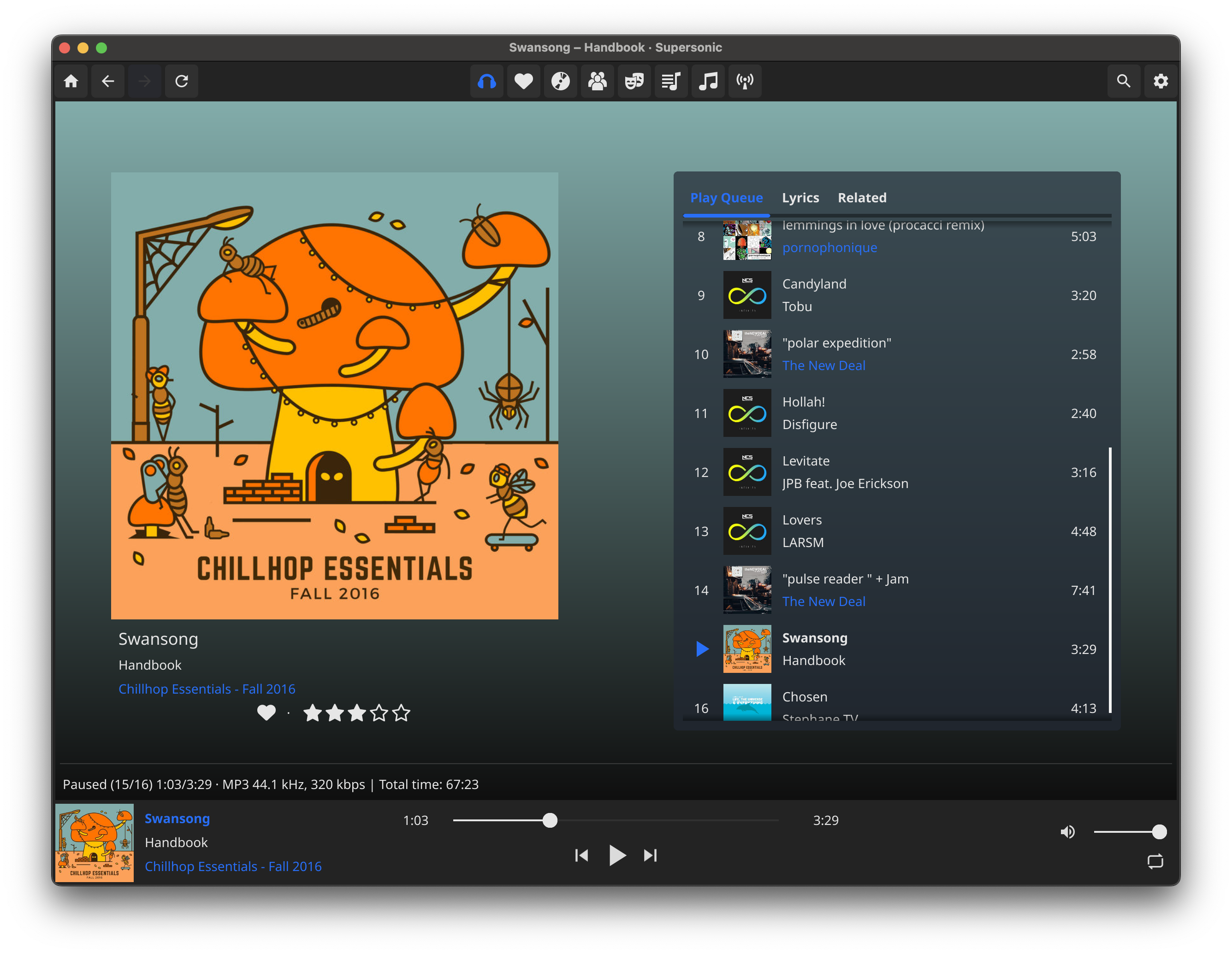
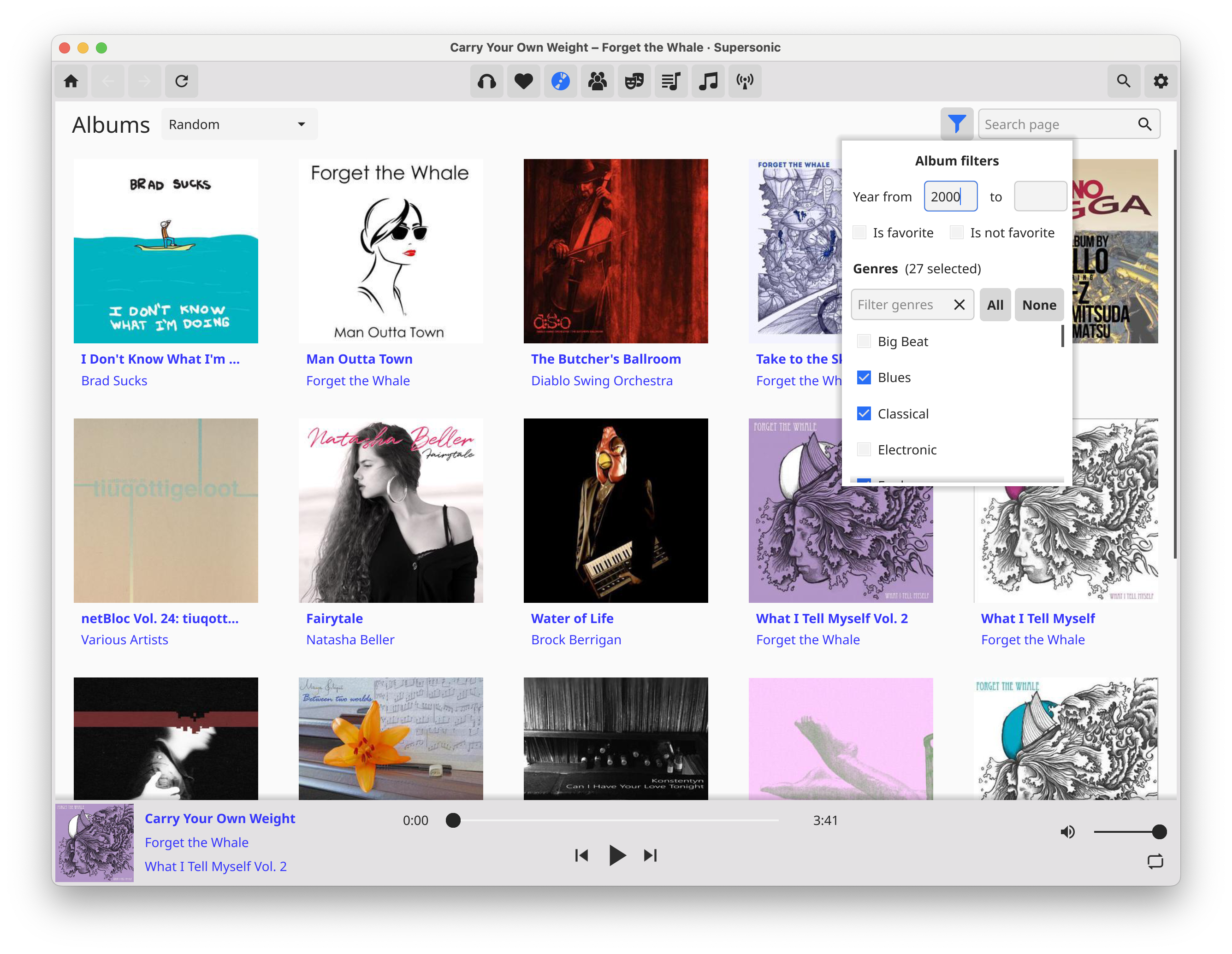

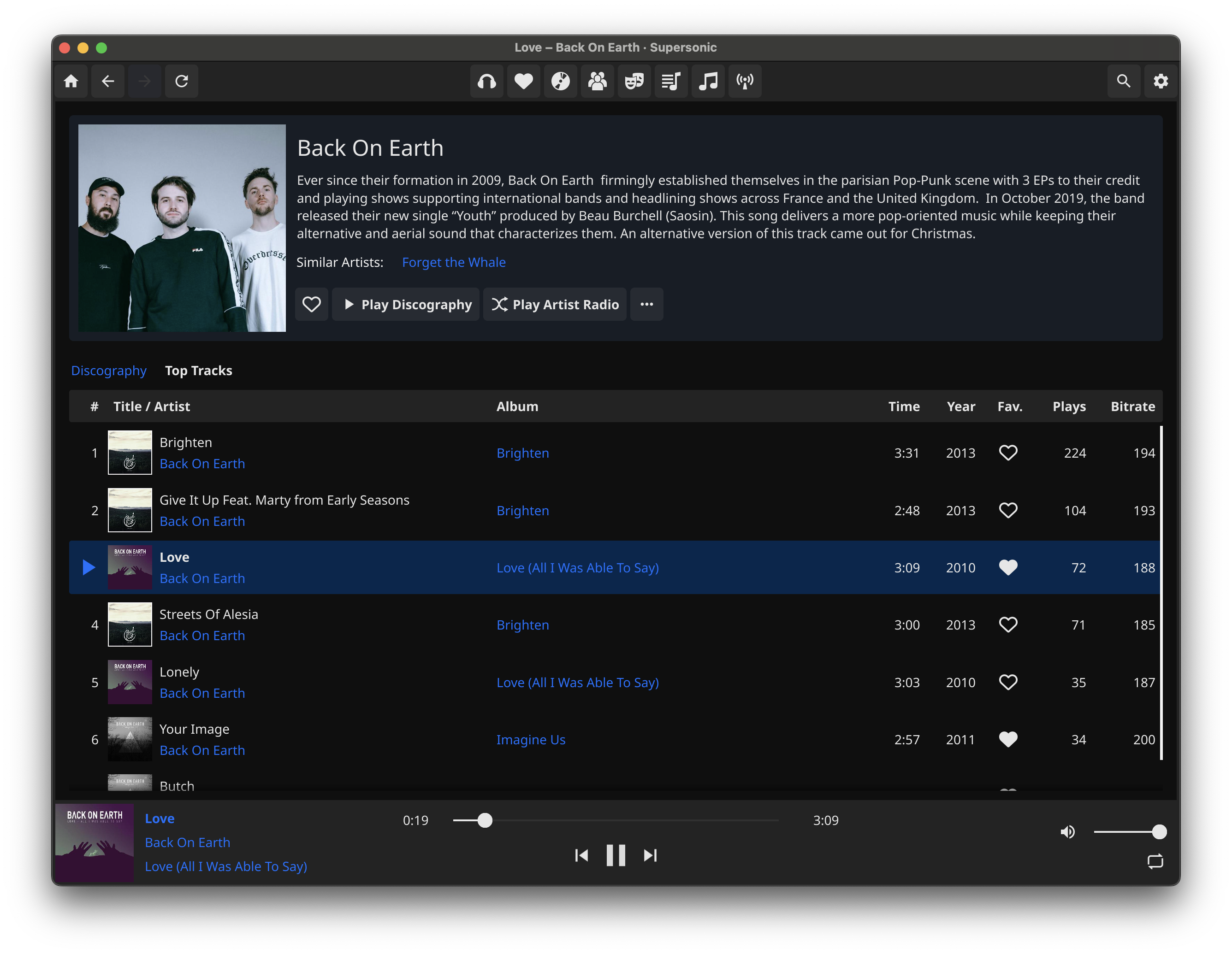
Supported servers
Supersonic supports any music server with a Subsonic (or OpenSubsonic) API, or Jellyfin. A partial list of supported servers is as follows:
Features
- [x] Fast, lightweight, native UI with infinite scrolling
- [x] Light and Dark themes, with optional auto theme switching
- [x] High-quality gapless audio playback powered by MPV, with optional audio exclusive mode
- [x] ReplayGain support (depends on files being tagged on server)
- [x] Waveform seekbar
- [x] Custom themes
- [x] MPRIS, Windows SMTC, and Mac OS media center integration for media key and desktop control
- [x] Built-in 15-band graphic equalizer
- [x] Scrobble plays to server, with configurable criteria
- [x] Add and switch between multiple servers
- [x] Primary and alternate server hostnames, e.g. for internal and external URLs
- [x] Set filters in albums browsing view
- [x] Play "artist radio" (mix of songs from given artist and similar artists, depends on your server's support)
- [x] Sort tracklist views by column and configure visible tracklist columns
- [x] Download songs, albums or playlists
- [x] Shuffle and repeat playback modes (partial; shuffle album, playlist, artist radio, random songs; repeat one/all)
- [x] Lyrics support
- [x] Internet radio station support (Subsonic)
- [x] Cast to uPnP/DLNA devices
- [ ] Server jukebox control (planned)
- [ ] Browse by folders (planned)
- [ ] Offline mode (eventually planned)
- [ ] iOS/Android support (maybe eventually planned)
Installation
Platform-specific installation instructions are listed below. In addition to the most recent stable release, you can also download the latest build from the main branch via the Actions tab to get unreleased features and bug fixes (you must be signed in to Github to do this). If you prefer to build from source, then see the build instructions for your platform.
Linux
- AppImage: On the latest release page, you can download an AppImage package with the MPV library bundled.
Tested OSes:
ubuntu 22.04+
debian 12+
fedora 42+
-
(Debian) .tar.xz: The.tar.xz builds from the Releases page support Debian-based distros. You must have libmpv installed on your system, and choose the correct release build (libmpv2 or libmpv1) based on which is available in your distro's package manager. On apt-based systems, run
sudo apt install libmpv1(or libmpv2) if it is not already installed. To install the Linux release build, after ensuring the required libmpv is installed, extract the .tar.xz bundle and runmake user-installorsudo make install. -
Packages: On Linux, Supersonic is available as a Flatpak. (Thank you @anarcat!) Third-party packages are also available for Arch and Nix OS. Please note that the Flatpak package currently does not support CJK fonts as the sandboxing breaks font lookup.
Windows
Download the latest release. You can choose between the installer, or a standalone zip file which can be extracted and run without requiring system installation.
Mac OS
Supersonic is available on Homebrew via a custom brew tap, or via downloading the .app bundle from the Releases page.
To install Supersonic with Homebrew run:
brew tap supersonic-app/supersonic
brew install supersonic
xattr -r -d com.apple.quarantine /Applications/Supersonic.app
The xattr -r -d com.apple.quarantine command is important because Supersonic is distributed without having been notarized, and therefore will not run without this.
You should also re-run that xattr command when upgrading in future.
To install the downloaded .app bundle from the Releases page, unzip and then drag Supersonic.app to the Applications folder.
:warning: Apple Silicon (M1 and newer) Macs: You will have to remove the "quarantine bit" that Mac will automatically set, being an application downloaded from the internet. After copying the .app bundle to your Applications folder, in the terminal run xattr -r -d com.apple.quarantine /Applications/Supersonic.app
Building from source
Build instructions for Linux, Windows, and Mac are listed here
Extension points exported contracts — how you extend this code
CanSelectAll (Interface)Core symbols most depended-on inside this repo
DoShape
Languages
Modules by API surface
For agents
$ claude mcp add supersonic \
  -- python -m otcore.mcp_server <graph>