github.com/dropcreations/Manzana-Apple-TV-Plus-Trailers @v2.2.0
Chat with this repoWhat it actually does AI analysis from the code graph — generated when you open this
README
Manzana Apple TV Plus Trailers
A python program to download Apple TV Plus movie and tv-show trailers. Video streams upto 4K with Dolby Vision, HDR10+ and SDR. Audio streams with HE-AAC, AAC, AC-3 and Dolby Atmos (EAC-3 JOC). Audio descriptions are also available. SDH and forced subtitle streams are also available. You can choose what streams you want to download.
<img alt="Apple TV Plus" src="https://raw.githubusercontent.com/dropcreations/Manzana-Apple-TV-Plus-Trailers/main/assets/manzana__lightmode.png">
Required
Demo
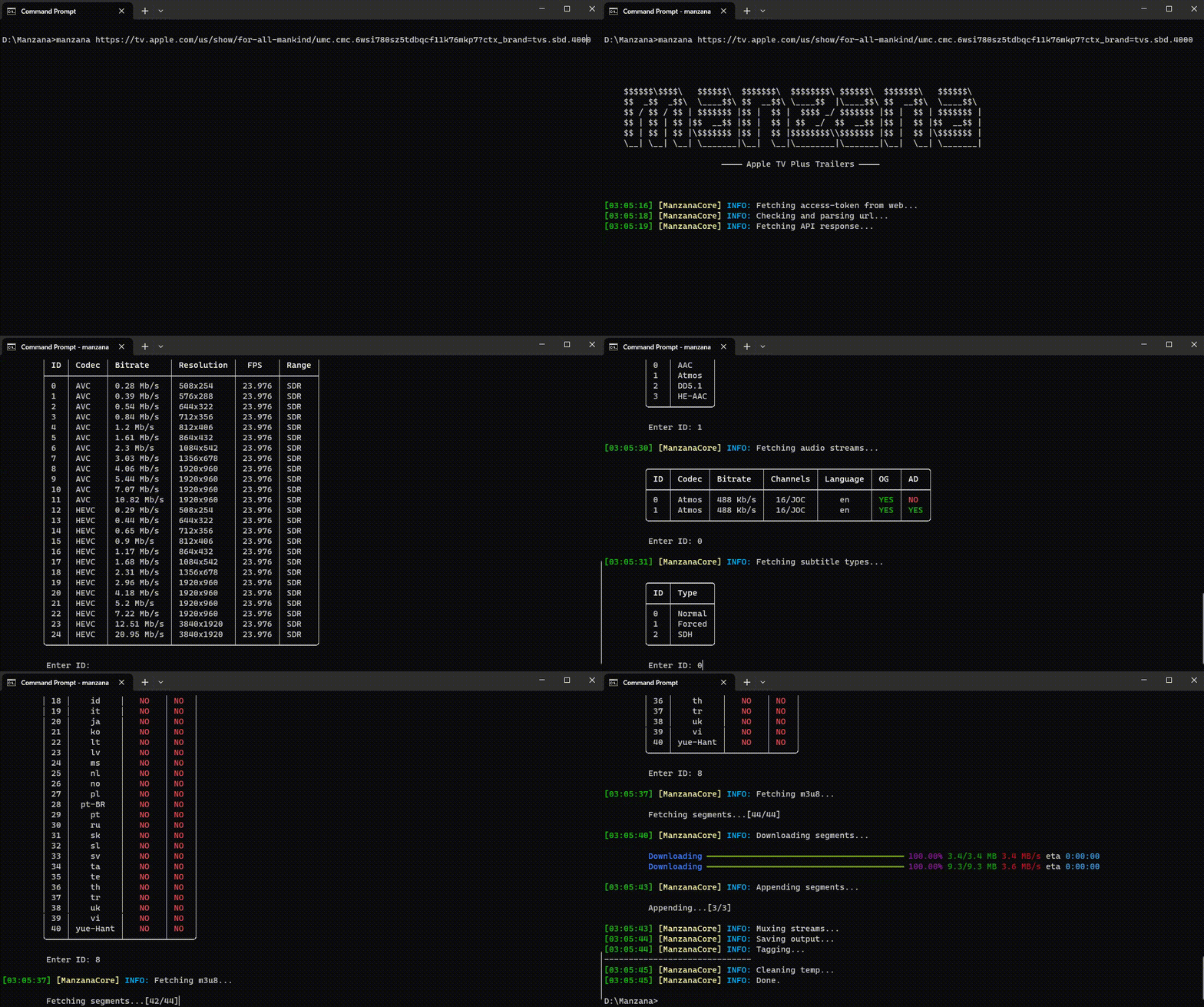
How to use?
First of all clone this project or download the project as a zip file and extract it to your pc. (or you can see Releases)
git clone https://github.com/dropcreations/Manzana-Apple-TV-Plus-Trailers.git
cd Manzana-Apple-TV-Plus-Trailers
Install required modules for python (use pip3 if pip doesn't work for you)
pip install -r requirements.txt
Now open terminal and run below command (Use py or python3 if python doesn't work for you)
python manzana.py [url]
While downloading streams you will ask what stream you want. When it asked for stream's ID, you can use multiple options as mentioned below.
Video stream
- You can only select one stream for the ouput, give it's
ID.
Audio stream
- You can select multiple streams or all streams, give
IDs as a space seperated list or typeallora. (ex: 5 2 16 20...)
Subtitle stream
- You can also select multiple streams or all streams if you want. Give
IDs as a space seperated list or simply typeallorato get all tracks.
If you don't need audio. just use --no-audio or -an argument with command
python manzana.py --no-audio [url]
If you don't need subtitles. just use --no-subs or -sn argument with command
python manzana.py --no-subs [url]
This will ask for you what trailer to download when the url has multiple trailers. If you want all, simply type all or a to select all or type the ID. If you want to downlaod the default trailer in the url without seeing available trailers, use --default or -d argument with command
python manzana.py --d [url]
Get help using -h or --help command
usage: manzana.py [-h] [-v] [-d] [-an] [-sn] url

Manzana: Apple TV Plus Trailers Downloader

positional arguments:
  url              AppleTV+ URL for a movie or a tv-show.

optional arguments:
  -h, --help       show this help message and exit
  -v, --version    show program's version number and exit
  -d, --default    get only the default content trailer. (default: False)
  -an, --no-audio  don't download audio streams. (default: False)
  -sn, --no-subs   don't download subtitle streams. (default: False)
Support

- NOTE: If you found any issue using this program, mention in issues section
Core symbols most depended-on inside this repo
Shape
Languages
Modules by API surface
For agents
$ claude mcp add Manzana-Apple-TV-Plus-Trailers \
  -- python -m otcore.mcp_server <graph>