github.com/droidrun/mobilerun @v0.6.8 sqlite
README

Mobilerun is an open-source framework for controlling Android and iOS devices with LLM agents.
It gives agents mobile-native tools to inspect UI state, understand screenshots, tap, swipe, type, plan multi-step workflows, and return results through a CLI or Python API.
📕 Documentation · ☁️ Mobilerun Cloud






Deutsch | Español | français | 日本語 | 한국어 | Português | Русский | 中文

- 🤖 Control Android and iOS devices with natural language commands
- 🔀 Use OpenAI, Anthropic, Gemini, Ollama, DeepSeek, OpenRouter, and OpenAI-compatible models
- 🧠 Run direct tasks or enable reasoning mode for complex multi-step automation
- 💻 Automate from the CLI, a terminal UI, Docker, or Python code
- 🐍 Extend agents with custom tools, structured output, app cards, and credentials
- 📸 Combine accessibility trees with screenshots for visual understanding
- Trace execution with Arize Phoenix or Langfuse
Use the framework when you want to run the agent on your machine. Use Mobilerun Cloud when you want a ready-to-go solution for your local phones or cloud-hosted virtual/physical phones, managed infrastructure, and API-driven device workflows without running the agent on your local machine. Check out our benchmark results.
📦 Installation
Note: Python 3.14 is not currently supported. Please use Python
>=3.11,<3.14.
Install Mobilerun with uv:
# CLI usage
uv tool install mobilerun
# CLI + Python integration
uv pip install mobilerun
Most LLM providers are included by default. For Anthropic support, install the optional extra:
uv tool install "mobilerun[anthropic]"
🚀 Quickstart
uv tool install mobilerun
mobilerun setup
mobilerun configure
mobilerun run "Open settings and turn on dark mode"
Before starting, make sure you have ADB installed and an Android device with Developer options and USB debugging enabled. iOS setup is supported separately through the iOS Portal flow.
1. Install the Portal on your device
mobilerun setup
This installs the Mobilerun Portal app, enables its accessibility service, and prepares the device for local control.
2. Verify the connection
mobilerun ping
You should see confirmation that the Portal is installed and accessible.
3. Configure your LLM provider
mobilerun configure
The wizard walks you through choosing a provider, auth method, and model. You can also use provider environment variables such as GOOGLE_API_KEY, OPENAI_API_KEY, or ANTHROPIC_API_KEY.
4. Run your first command
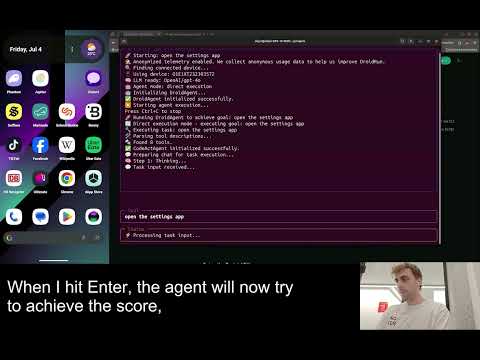
mobilerun run "Open the settings app and tell me the Android version"
Useful run options:
mobilerun run "Open settings and turn on dark mode"
mobilerun run "What app is currently open?" --vision
mobilerun run "Find a contact named John and send him an email" --reasoning
mobilerun run "Take a screenshot" --ios
mobilerun run "Open Settings" --steps 30 --debug
Read the full framework documentation.
⚙️ Features
- CLI: Run one-off natural language tasks, inspect devices, replay macros, and debug from the terminal.
- Python API: Build custom mobile automation workflows with Python and use custom tools.
- Android and iOS support: Control Android through the Portal app or target iOS through the iOS Portal flow.
- Portal-based control: Use UI trees, screenshots, text input, gestures, app launching, and device state from the Portal runtime.
- Vision mode: Send screenshots to the LLM with
--vision, or use screenshot-only control with--vision-only(useful for the apps that do not have a11y tree information). - Reasoning mode: Use
--reasoningfor manager-executor planning on longer or more complex tasks. - Tracing and telemetry: Debug execution with Arize Phoenix, Langfuse, saved trajectories, and detailed logs.
- Structured output: Return structured data from mobile workflows.
- App cards and custom tools: Add app-specific guidance to make agent perform better on your use-cases.
- Docker: Run Mobilerun in a container for repeatable local environments.
☁️ Framework vs Cloud
| Mobilerun Framework | Mobilerun Cloud | |
|---|---|---|
| Best for | Running agents locally on your own machine and devices | Ready-to-go local phone control, hosted real or virtual devices, API workflows, and managed device operations |
| Runtime | Your machine | Mobilerun-managed infrastructure |
| Interface | CLI, Docker, and Python API | Dashboard, REST API, SDKs, and hosted devices |
Use the framework when you want full local control of the agent runtime. Use Mobilerun Cloud when you want managed devices, fleet workflows, or cloud APIs without running the agent locally. Learn more in the framework overview and the cloud docs.
Which should I choose?
- Choose Mobilerun Framework for local agent execution and code-level control.
- Choose Mobilerun Cloud for managed phones, APIs, and scale without running agents locally.
Cloud Device Types
| Device type | What it is | Best for |
|---|---|---|
| Personal | Your own hardware connected to Mobilerun Cloud | Quick automation on devices you own |
| Cloud Phone (Hosted) | Instantly available cloud-hosted phone | Scalable hosted automation |
| Physical Phone (Hosted) | Real hardware with stronger identity characteristics | Workflows that need high device authenticity and trust |
🎬 Demo Videos
Book accommodation from a prompt
Shows multi-step navigation, text input, and app-state reasoning while Mobilerun searches for accommodation.

Find trending content
Shows browsing, app navigation, and result extraction from a natural-language task.

Maintain an app streak
Shows a short recurring mobile workflow that can be automated from a prompt.

💡 Example Use Cases
- Mobile app QA and regression testing
- Guided workflows for non-technical users
- Repetitive task automation on mobile devices
- Event-driven automation from schedules, notifications, or custom triggers
- Data extraction from native mobile apps
- Running automations on multiple devices at once
📚 Documentation
- Framework quickstart
- Mobilerun cloud quickstart
- Device setup
- CLI guide
- SDK reference
- Custom tools
- Agent architecture
- Structured output
- Tracing
👥 Contributing
Contributions are welcome. Please feel free to submit a pull request or open an issue.
📄 License
This project is licensed under the MIT License. See LICENSE for details.
Security Checks
To help catch security issues before submitting changes, run:
bandit -r mobilerun
safety scan
Core symbols most depended-on inside this repo
listShape
Languages
Modules by API surface
Dependencies from manifests, versioned
For agents
$ claude mcp add mobilerun \
  -- python -m otcore.mcp_server <graph>