github.com/dot-agent/nextpy @0.3.2
Chat with this repoWhat it actually does AI analysis from the code graph — generated when you open this
README


<a href="https://github.com/dot-agent/nextpy/raw/0.3.2/docs/🌎/繁體中文/README.md">繁體中文</a>
.
<a href="https://github.com/dot-agent/nextpy/raw/0.3.2/docs/🌎/简体中文/README.md">简体中文 </a>
.
<a href="https://github.com/dot-agent/nextpy/raw/0.3.2/docs/🌎/Français/README.md">Français </a>
·
<a href="https://github.com/dot-agent/nextpy/raw/0.3.2/docs/🌎/German/README.md">German</a>
·
<a href="https://github.com/dot-agent/nextpy/raw/0.3.2/docs/🌎/Italiano/README.md">Italiano</a>
·
<a href="https://github.com/dot-agent/nextpy/raw/0.3.2/docs/🌎/Português/README.md">Português</a>
·
<a href="https://github.com/dot-agent/nextpy/raw/0.3.2/docs/🌎/Tamil/README.md">Tamil</a>
·
<a href="https://github.com/dot-agent/nextpy/raw/0.3.2/docs/🌎/Ukrainian/README.md">Ukrainian</a>
·
<a href="https://github.com/dot-agent/nextpy/raw/0.3.2/docs/🌎/русский/README.md">русский</a>
·
<a href="https://github.com/dot-agent/nextpy/raw/0.3.2/docs/🌎/عربي/README.md">عربي</a>
·
<a href="https://github.com/dot-agent/nextpy/raw/0.3.2/docs/🌎/Español/README.md">Español</a>
·
<a href="https://github.com/dot-agent/nextpy/raw/0.3.2/docs/🌎/हिंदी/README.md">हिंदी</a>
·
<a href="https://github.com/dot-agent/nextpy/raw/0.3.2/docs/🌎/Türkçe/README.md">Türkçe</a>
·
<a href="https://github.com/dot-agent/nextpy/raw/0.3.2/docs/🌎/한국어/README.md">한국어</a>


Streamlit's simplicity (but 4-10x faster) + FastAPI's full power + (Pydantic & SQL Alchemy)'s robustness
+ 🤖 Searching for 'OpenAMS' or 'OpenAgent'? They're now seamlessly integrated into Nextpy. +
🤩 Nextpy : Fast, Pure Pythonic Web Apps
Build any web app —effortlessly and quickly ⚡. It simplifies Pythonic development for everything from backends to frontends (yes, visually 🦚stunning frontends in Python!), AI integrations, APIs, and beyond—empowering both humans and AI agents.
Nextpy is designed to solve compatibility issues and improve code generation. It is built on our insight🔍 that the choice of underlying frameworks significantly affects the efficiency of AI code generation, regardless of other factors such as LLMs, prompts, or fine-tuning methods.
-
⏰ What You Can Build in 1 hour: Beautiful portfolios, dashboards, portals, data apps, internal tools, APIs etc.
-
📚 & The best part? Transferable Knowledge: Building with nextpy
progressivelyteaches you framework-agnostic fundamentals and the best python libraries- FastAPI, Pydantic, SQLModel, Pandas, Jinja2, SQLAlchemy, etc. -
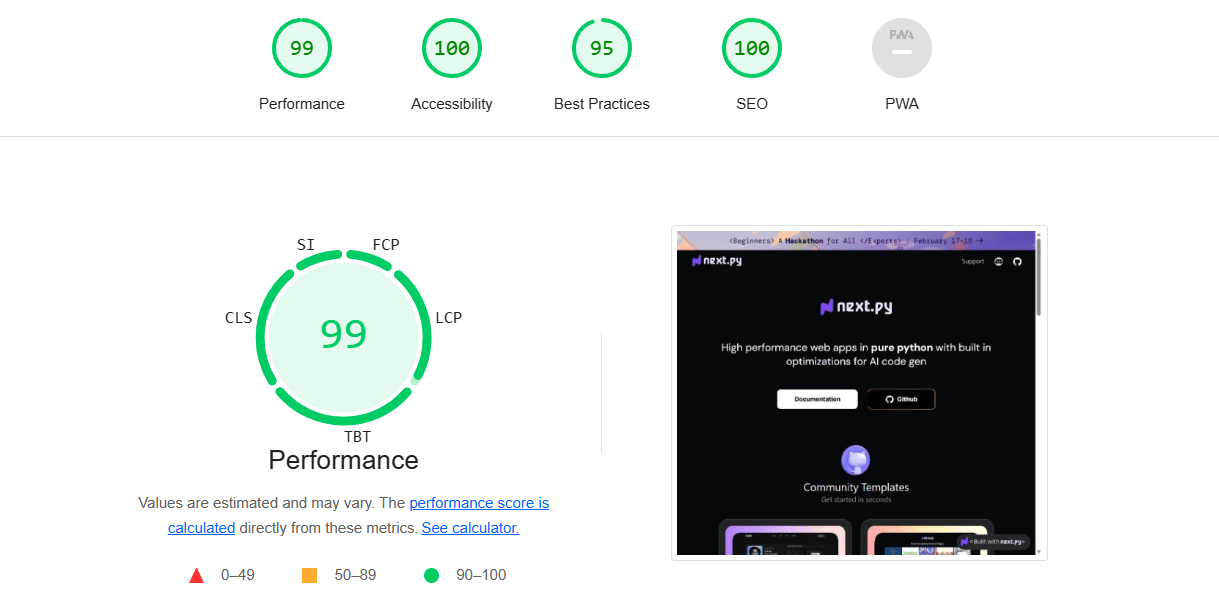
⚡ 4-10x faster than Streamlit: Our compiled app achieves a staggering 4-10x performance leap over Streamlit. See the difference for yourself at nextpy.org, boasting a PageSpeed score of 99/100
💡 Key Features
Simplifying App Development:🧩
-
🐍 Unleash Python's Full Potential - Eliminate complexities and build everything—frontend and backend—in Python, seamlessly integrating any Python library.
-
🎨 Rich UI Library - Over 100 fully customizable built-in components for rapid UI development.
-
⚛️ Tap into React's Power with Pythonic Wrappers - Harness the vast React ecosystem directly within Python, utilizing any React library without JavaScript knowledge.
-
🚀 Built-in Performance Optimizations - Deliver exceptional user experiences with automatic image, font, and script optimizations for lightning-fast loading speeds and responsiveness. See the difference for yourself at nextpy.org.
-
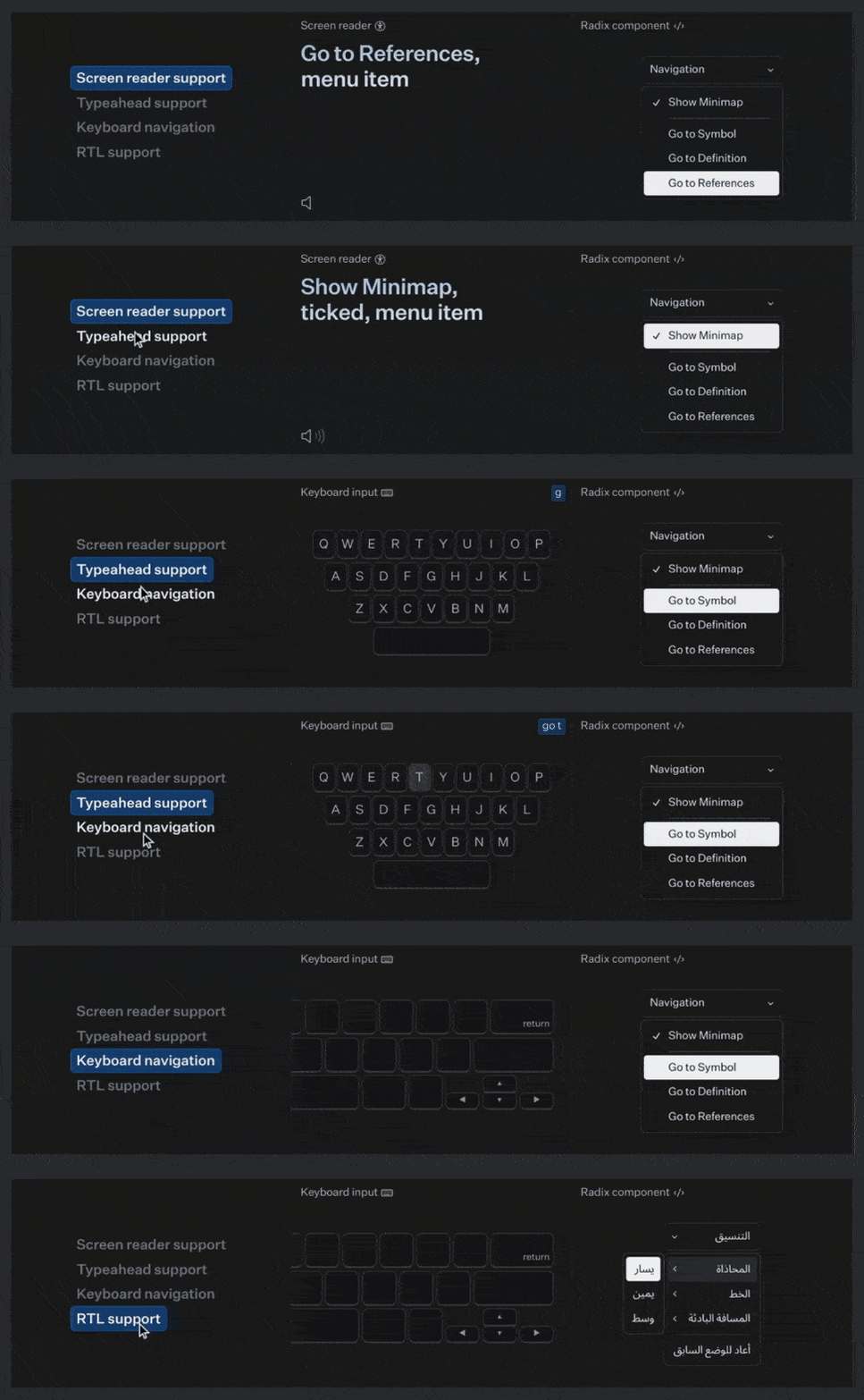
👁️🗨️ Accessibility Out of the Box - Achieving accessibility can be complex. We've selected the best UI React components, like Radix, to ensure accessibility is a standard feature, not an afterthought.
Better AI Generations: 🤖
-
🧠 More Effective Than Chaining or Prompt Engineering - Next.py aligns with LLM processing patterns, enabling precise output control and optimal model utilization.
-
💡 Optimized for Code Generation - Regardless of the LLMs, prompts, or fine-tuning used, the underlying app framework significantly impacts the efficiency of code generation. Next.py's architecture is specifically engineered to maximize efficiency.
-
💾 Session State with LLM - Efficiently maintain state with LLMs, leveraging KV caches to convert multiple output tokens into prompt token batches. This approach reduces redundant generations, accelerating the handling of lengthy and intricate prompts. (only for open-source models)
-
🧪 Detect Syntax Errors: Test LLM-generated code, identifying and correcting LLM hallucinations, invalid Nextpy methods, and automatically generating prompts for seamless fixes.
Developer-First: ❤️
-
📘 Transferable Knowledge - Learning Next.py teaches you framework-agnostic fundamentals and the best Python libraries, improving your python development expertise and enabling you to excel across any framework.
-
🛠️ Extensible - If you know how to do something in Python or plain English, you can integrate it with nextpy.
🚀 Quick Start (3 mins)
1. Installing Nextpy
Open your terminal and prepare for an adventure of a lifetime!
pip install nextpy
(Remember, Python 3.7 or later is required.)
2. Initializing Your App
Navigate to the desired directory for your project in the terminal. Use the nextpy init command to initialize a template app in your new directory.
nextpy init
3. Choose your template:
For now, just press enter to automatically default to the blank template.
    Blank Template: A simple single page template
    Base Template: A multi-page app with a sidebar
4. Running the App
In the same directory where you previously ran nextpy init, enter the following command:
nextpy run
5. View the App:
Check out your app by visiting http://localhost:3000
[!NOTE] Your application is now fully functional. To view the frontend, navigate to
localhost:3000. The backend server is accessible atlocalhost:8000. While it's unlikely you'll ever directly interact with it, the backend API documentation can be found atlocalhost:8000/docs, and the openapi.json file is located atlocalhost:8000/openapi.json.
🎨 Start with a template!
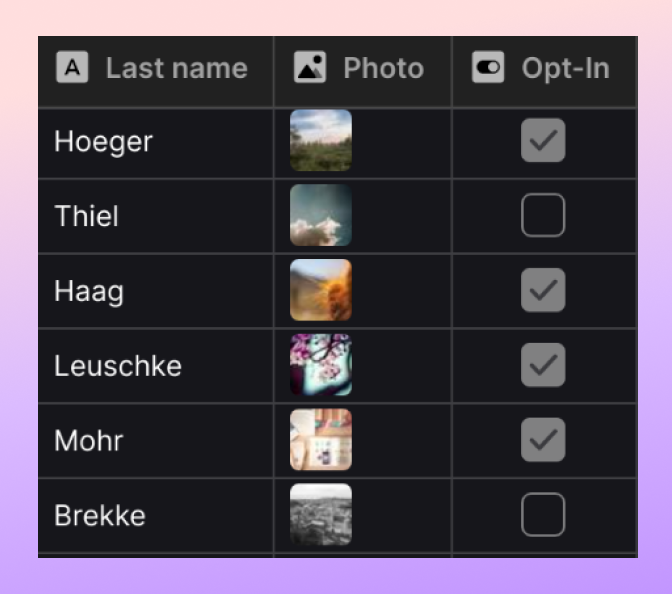
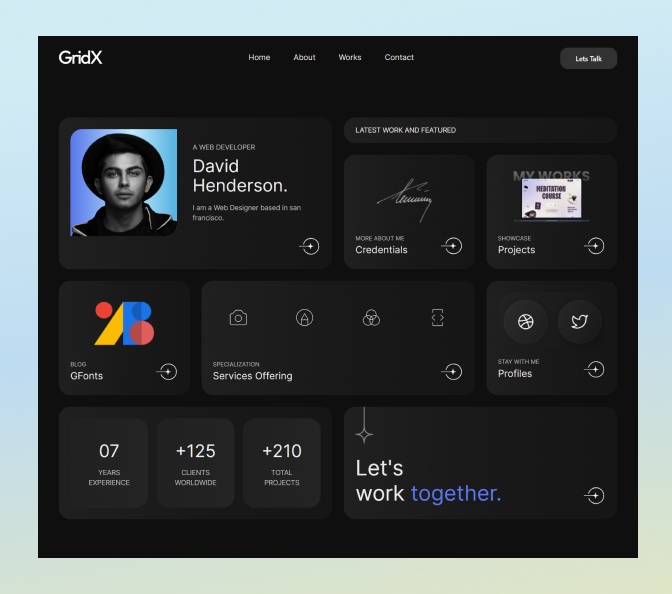
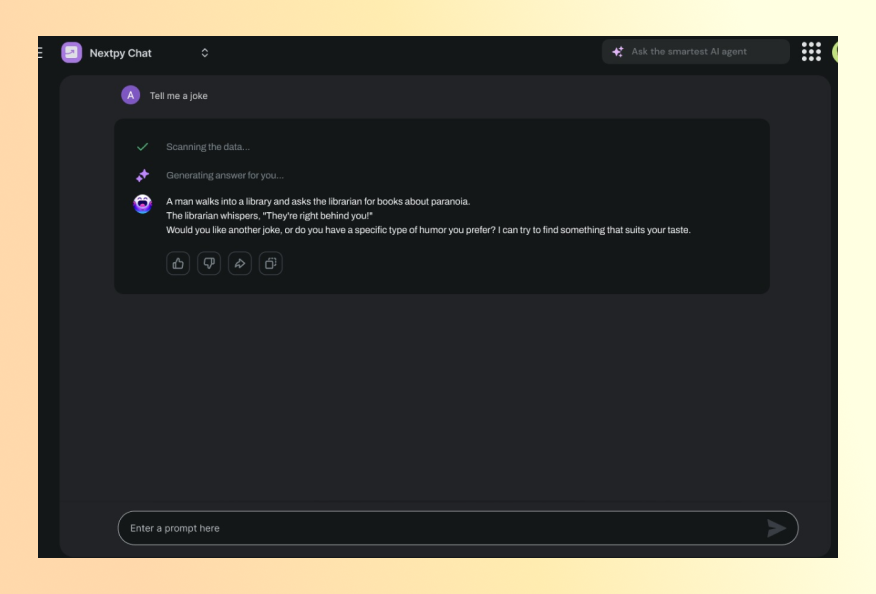
We speedup your development with a ever growing list of community templates. Some examples:
|
|
|
|

|
|
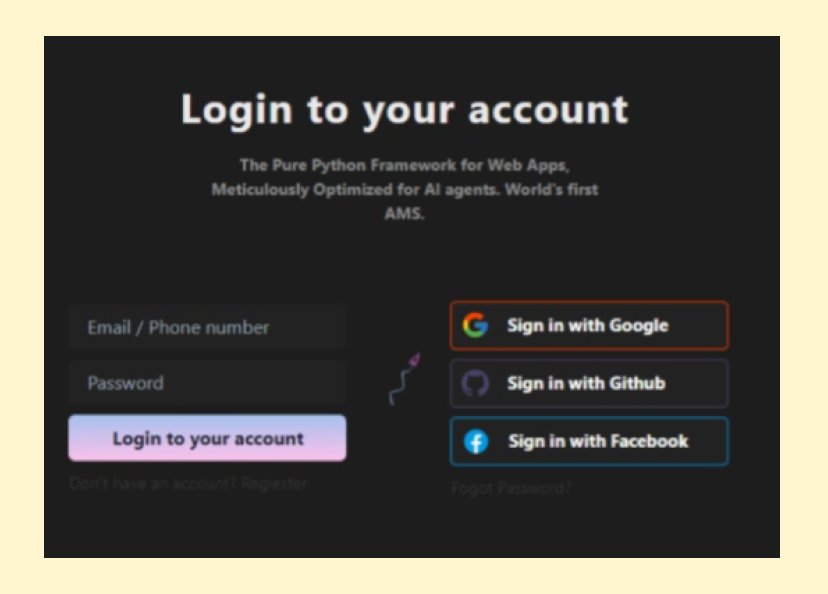
| Powerful tables | Portfolio Sites | Interactive Charts | AI chat | Crud Apps | Onboarding |
Setting Up the Template
- Copy the template files to your local folder.
- Install necessary dependencies with
pip install -r requirements.txt. - Initialize your app by running
nextpy init. - Launch the app with
nextpy runto see it in action. To check the site visitlocalhost:3000
➖ or ➖
🤣 Building a Joke Generator App (5 mins)
Edit myapp/myapp.py to create your app.
1. Import Libraries
import nextpy as xt
import pyjokes
Start by importing nextpy for development and pyjokes for random jokes.
2. Set Up the App State
class State(xt.State):
    joke: str = "Click the button to get a joke!"

    def generate_joke(self):
        self.joke = pyjokes.get_joke()
Create a State class with a joke variable. Use generate_joke to fetch new jokes.
3. Design the Main Page
def index():
    layout = xt.vstack(
        xt.text(State.joke, font_size="2em"),
        xt.button("Generate Joke", on_click=State.generate_joke),
    )
    return layout
The index function arranges a joke display and a button. vstack is used to stack components vertically, while hstack is used to stack components horizontally.
4. Optional Styling
def index():
    layout = xt.vstack(
        xt.text(State.joke, font_size="2em"),
        xt.button("Generate Joke", on_click=State.generate_joke),

        spacing="1em",
        align_items="center",
        justify_content="center",
        height="100vh",
   )
    return layout
The spacing attribute adds space between the text and button elements, while align_items and justify_content ensure that these elements are centered. The stack's height is set to 100% of the Viewport Height (100vh), which allows the vertical stack to fill the entire height of your screen.
5. Setup the app
app = xt.App()
app.add_page(index)
Set up the app, add the main page. To view the frontend, navigate to localhost:3000.
🛣️ Project Roadmap
🌟 Upcoming Features
- Frontend Magic Components
-
🪄 PDF Resume to Personal Site: Create a "magic component" that converts PDF resumes into customizable, full-stack personal websites.
-
Backend Modules
- 🔐 User Authentication and Email Integration: Add modules for robust login functionality and email subscription.
-
🛒 Modules for Blogging and E-commerce: Add backend modules to facilitate blog management and e-commerce webapps.
-
Build and Performance Optimization
-
🔧 Compiler Enhancement with Rust or mojo: Transitioning our existing compiler to Rust or mojo to achieve faster performance.
-
Generative AI
- 🐍 Nextpy LLM: Build the best Python LLM.
- 💬 End-User Copilot Feature: A chat-based copilot for app users that lets them interact with your product and do things by text. We have all the modules ready for this, we just need to simplify the abstraction. Just set
copilot = Truein xtconfig and you’re should be good to go.
🤗 Get Involved
We welcome contributors of all skill levels! 🤝
Want to make a difference? Start by forking our repository and sending in your pull requests. We're excited to welcome you to our community. Together, we'll craft something truly remarkable! ✨
Why another framework?
In our quest to create apps that write themselves, we delved deep into a labyrinth of coding tools, frameworks, and libraries. Our experiments spanned all major large language models (LLMs), thousands of prompts, and every major web development framework, from React to Streamlit.
Insight
[!TIP] We found that the choice of the foundational app framework significantly influences code generation efficiency, irrespective of the LLMs, prompts, or fine-tuning methods.
Initially, reflex's flexibility seemed promising, aligning with several of our requirements. However, as we experimented with different web apps, crucial feature gaps emerged. Bridging these gaps necessitated extensive "glue code," which dramatically slowed down development.
For months, we resisted the urge to reinvent the wheel and tried to assemble different tools to bring our vision to life. Instead of creating a framework from scratch, we aimed to create an opinionated app starter kit by selectively incorporating the best features from top frameworks. Although we still view this project as a full stack app starter kit rather than a framework, the distinction is becoming somewhat blurred as we have developed several custom modules and made specific design decisions.
This novel framework merges the simplicity of Strea
Core symbols most depended-on inside this repo
appendShape
Languages
Modules by API surface
Datastores touched
For agents
$ claude mcp add nextpy \
  -- python -m otcore.mcp_server <graph>