github.com/doonv/bevy_smooth_pixel_camera @v0.4.1
Chat with this repoWhat it actually does AI analysis from the code graph — generated when you open this
README
bevy_smooth_pixel_camera




A bevy plugin that adds a simple smooth pixel camera.
It works by rendering the main camera to a small viewport which is then rendered by a second camera spawned by the plugin. This allows for hybrid rendering of both a pixelated world and high resolution assets on top.
This plugin has a smoothing feature, which makes the camera's movement appear smooth while keeping the world itself locked
to a pixel grid. It works by moving the canvas in the opposite direction of the world camera's subpixel position. See the
[how_smoothing_works] example for a demonstration of how it works behind the scenes.
| Smoothing OFF | Smoothing ON |
|---|---|
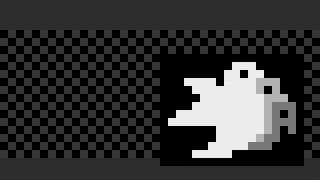 |
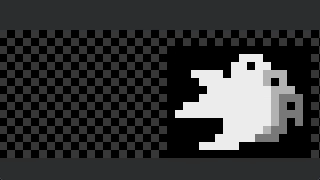 |
Usage
-
Add the
bevy_smooth_pixel_cameracrate to your project.sh cargo add bevy_smooth_pixel_camera -
Add the [
PixelCameraPlugin] and set [ImagePlugin] to [default_nearest].```rust use bevy::prelude::; use bevy_smooth_pixel_camera::prelude::;
App::new() .add_plugins(( DefaultPlugins.set(ImagePlugin::default_nearest()), PixelCameraPlugin, )) .run(); ```
-
Add a
PixelCamerato your world.```rust use bevy::prelude::; use bevy_smooth_pixel_camera::prelude::;
fn setup(mut commands: Commands) { commands.spawn(PixelCamera::from_size(ViewportScalingMode::PixelSize(4.0))); } ```
-
That's it!
Features
picking (default) - Enables picking through the viewport.
Bevy Compatibility
| bevy | bevy_smooth_pixel_camera |
|---|---|
| 0.18.* | 0.4.x - [main] |
| 0.13.* | 0.3.0 |
| 0.12.* | 0.1.0 - 0.2.1 |
Core symbols most depended-on inside this repo
Shape
Languages
Modules by API surface
For agents
$ claude mcp add bevy_smooth_pixel_camera \
  -- python -m otcore.mcp_server <graph>