github.com/dfranx/ImFileDialog @main
Chat with this repoBrowse by type
What it actually does AI analysis from the code graph — generated when you open this
README
ImFileDialog
A simple file dialog library for Dear ImGui.
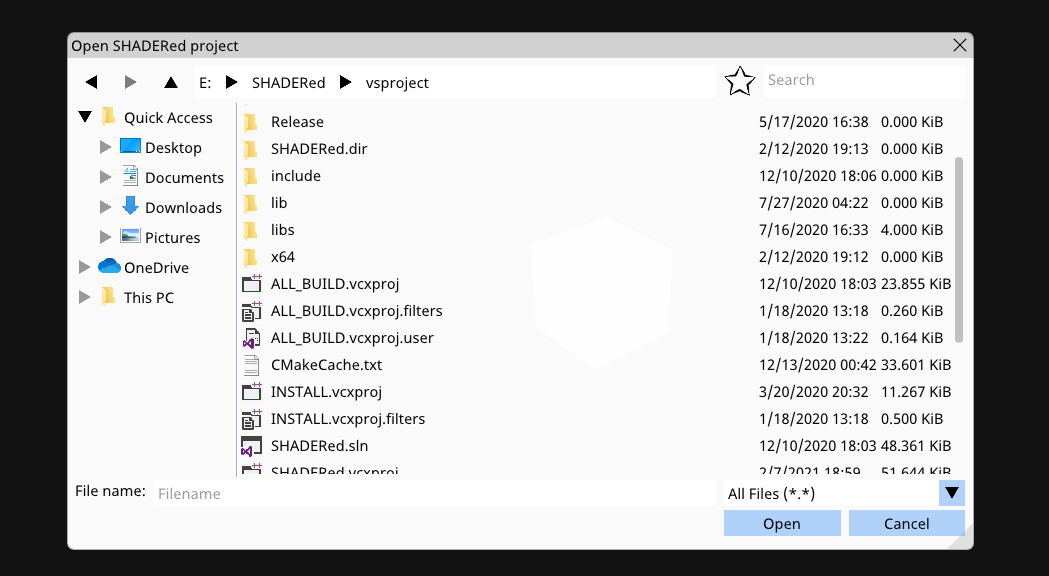
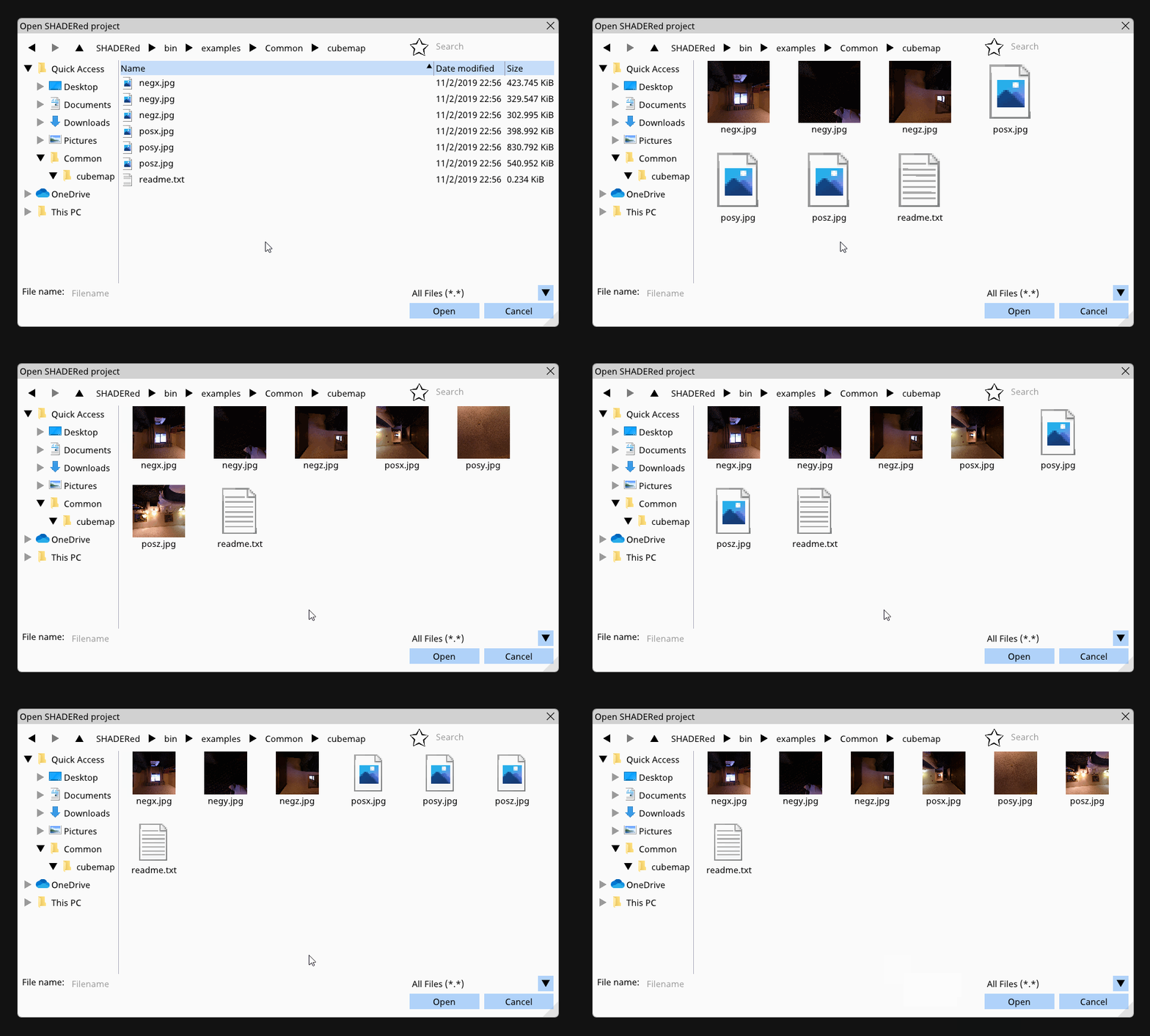
This library supports favorites, actual Windows icons, image previews, zooming in, etc...
DISCLAIMER: This library was designed and built for use in SHADERed - it uses older version of Dear ImGui so some changes might be required to get it compiled. The way the file filter and the library itself looks was also limited due to me not wanting to break SHADERed's plugins.
Requirements
This library uses C++17's std::filesystem but it also needs these libraries:
* Dear ImGui
* stb_image.h
Usage
To use ImFileDialog in your project, just add ImFileDialog.h and ImFileDialog.cpp to it.
Here's an example on how to use ImFileDialog:
- You need to set the CreateTexture and DeleteTexture function
ifd::FileDialog::Instance().CreateTexture = [](uint8_t* data, int w, int h, char fmt) -> void* {
    GLuint tex;

    glGenTextures(1, &tex);
    glBindTexture(GL_TEXTURE_2D, tex);
    glTexParameteri(GL_TEXTURE_2D, GL_TEXTURE_MIN_FILTER, GL_NEAREST);
    glTexParameteri(GL_TEXTURE_2D, GL_TEXTURE_MAG_FILTER, GL_NEAREST);
    glTexParameteri(GL_TEXTURE_2D, GL_TEXTURE_WRAP_S, GL_CLAMP_TO_EDGE);
    glTexParameteri(GL_TEXTURE_2D, GL_TEXTURE_WRAP_T, GL_CLAMP_TO_EDGE);
    glTexImage2D(GL_TEXTURE_2D, 0, GL_RGBA, w, h, 0, (fmt == 0) ? GL_BGRA : GL_RGBA, GL_UNSIGNED_BYTE, data);
    glGenerateMipmap(GL_TEXTURE_2D);
    glBindTexture(GL_TEXTURE_2D, 0);

    return (void*)tex;
};
ifd::FileDialog::Instance().DeleteTexture = [](void* tex) {
    GLuint texID = (GLuint)tex;
    glDeleteTextures(1, &texID);
};
- Open a file dialog on button press (just an example):
if (ImGui::Button("Open a texture"))
    ifd::FileDialog::Instance().Open("TextureOpenDialog", "Open a texture", "Image file (*.png;*.jpg;*.jpeg;*.bmp;*.tga){.png,.jpg,.jpeg,.bmp,.tga},.*");
- Render and check if done:
if (ifd::FileDialog::Instance().IsDone("TextureOpenDialog")) {
    if (ifd::FileDialog::Instance().HasResult()) {
        std::string res = ifd::FileDialog::Instance().GetResult().u8string();
        printf("OPEN[%s]\n", res.c_str());
    }
    ifd::FileDialog::Instance().Close();
}
File filter syntax:
Name1 {.ext1,.ext2}, Name2 {.ext3,.ext4},.*
Running the example
If you want to test ImFileDialog, run these commands:
cmake .
make
./ImFileDialogExample
Screenshots
1. Table view:
2. Icon view:

3. Zooming in:

4. Favorites:

5. Image preview + threading (CTRL + scroll):
TODO
- selecting multiple files
- preview pane / layout options
LICENSE
ImFileDialog is licensed under MIT license. See LICENSE for more details.
Core symbols most depended-on inside this repo
Shape
Languages
Modules by API surface
For agents
$ claude mcp add ImFileDialog \
  -- python -m otcore.mcp_server <graph>