github.com/devbret/mapping-website-internal-links @main
Chat with this repoBrowse by type
What it actually does AI analysis from the code graph — generated when you open this
README
Mapping A Website's Internal Links
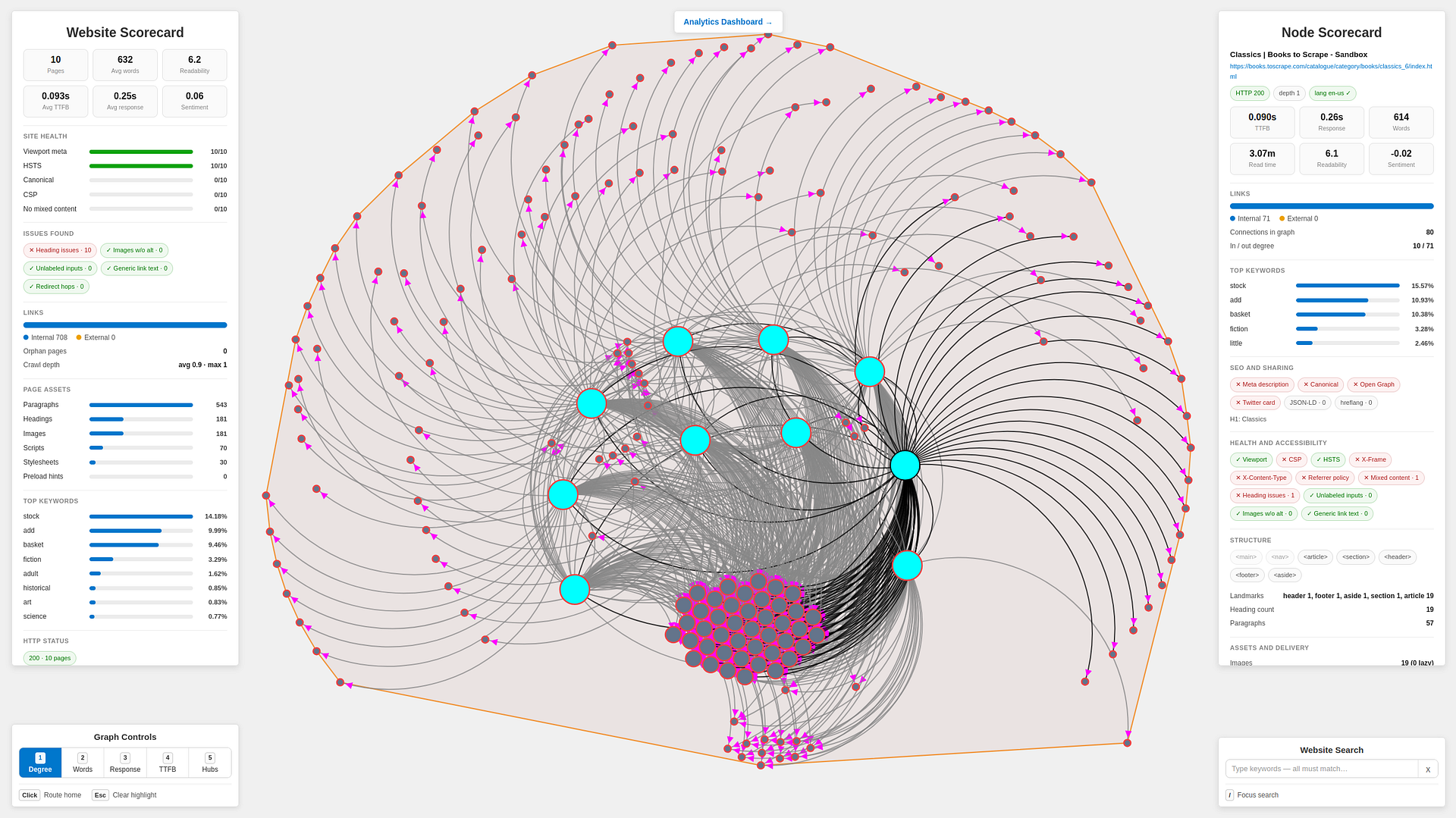
Crawl a website’s internal pages to extract SEO, accessibility, performance and link-structure data, then visualize the results as a D3 network graph with page scorecards and analysis from Claude.
Application Overview
The Python crawler in app.py begins with a chosen website, visits up to a user-defined number of internal pages and extracts details about accessibility, performance, security, links and more. It then saves the generated site map and audit data to links.json before launching a Flask server for interactive analysis.
On the frontend, main.js loads links.json and renders the crawled website as a D3 network graph, with pages represented as nodes and internal links shown as connections. The Flask backend in flask_server.py provides an API for analyzing selected pages, while anthropic_api.py sends each page’s structured crawl data to Claude for a review of SEO, accessibility and suggested improvements.
Basic Setup Instructions
Below are the required software programs and instructions for using this application on a Linux machine.
Programs Needed
Setup Steps
-
Install the above programs
-
Open a terminal
-
Clone this repository:
git clone git@github.com:devbret/mapping-website-internal-links.git -
Navigate to the repo's directory:
cd mapping-website-internal-links -
Create a virtual environment:
python3 -m venv venv -
Activate your virtual environment:
source venv/bin/activate -
Install the needed dependencies:
pip install -r requirements.txt -
Change the local
.env.templatefile into a.envfile:cp .env.template .env -
Set the environment variable for your Anthropic API key in the new
.envfile -
In the new
.envfile, set theWEBSITE_TO_CRAWLvariable to your chosen website -
In the new
.envfile, set theMAX_PAGES_TO_CRAWLvariable to the maximum number of pages to crawl -
Run the primary script:
python3 app.py -
Open a second terminal
-
Navigate to the repo's directory again:
cd mapping-website-internal-links -
Launch a local
HTTPserver:python3 -m http.server -
Open the local app in your browser:
http://localhost:8000 -
When finished exploring, stop the local
HTTPserver:CTRL + C -
Also stop the
Flaskserver:CTRL + C -
Exit the virtual environment:
deactivate
Other Considerations
Below you will find additional context about the project beyond setup and usage. It highlights the technical abilities this repo is demonstrates, provides license information and offers troubleshooting tips for common issues.
Abilities Demonstrated
This project repo is intended to demonstrate an ability to do the following:
-
Crawl a website’s internal pages and turn the structure into a JSON dataset
-
Extract SEO, accessibility, performance, security and other measurements from each page crawled
-
Visualize the website as a D3 network graph, making internal links easier to explore
-
Enable users to request analysis by
Claudefor improvement suggestions
License Information
This project is released under the MIT License. You are free to use, copy, modify, merge, publish, distribute, sublicense and/or sell copies of this software, provided the original copyright notice and permission notice are included in all copies or substantial portions of the software. The software is provided "as is", without a warranty of any kind.
Troubleshooting
If working with GitHub codespaces, you may have to:
python -m nltk.downloader punkt_tab
If all else fails, please contact the maintainer here on GitHub or via LinkedIn.
Cheers!
Core symbols most depended-on inside this repo
Shape
Languages
Modules by API surface
For agents
$ claude mcp add mapping-website-internal-links \
  -- python -m otcore.mcp_server <graph>