hub / github.com/ddoemonn/react-beautiful-color
github.com/ddoemonn/react-beautiful-color @v2.1.0
Chat with this repo
93 symbols
233 edges
28 files
0 documented · 0%
● updated 5d agov2.0.0 · 2025-08-31★ 757 open issues
What it actually does AI analysis from the code graph — generated when you open this
loading…
README
react-beautiful-color
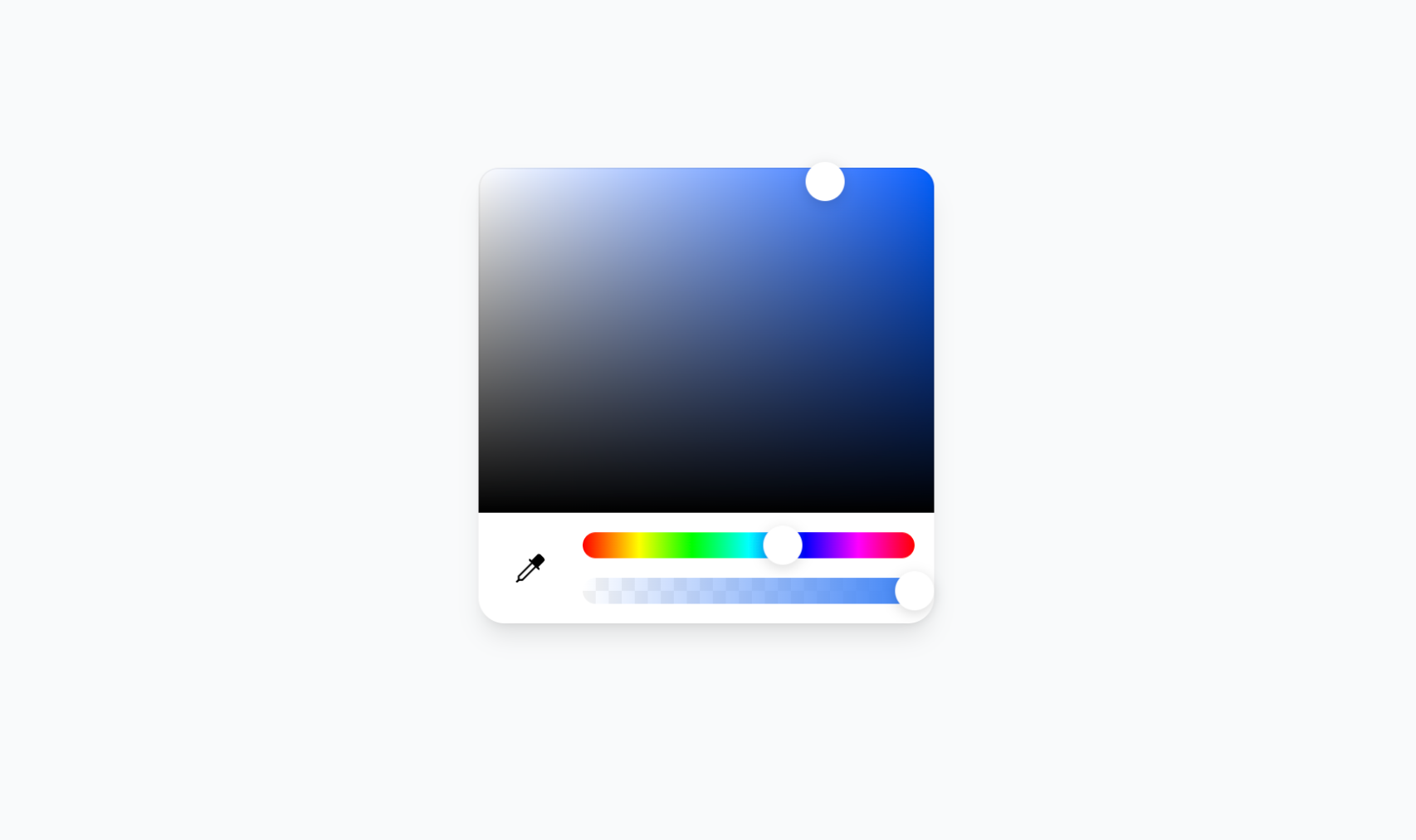
The most flexible and beautiful color picker for React. Built with compound components for maximum customization.
Why Choose This Over Others?
- 🧩 Compound Components - Compose your own layout, unlike rigid alternatives
- 🎨 Beautiful Design - Clean, modern UI that fits any design system
- ⚡ Smart Hook -
useColorStatepreserves your input format while providing all color formats instantly - 🛡️ Type-Safe API - Full TypeScript support with comprehensive type definitions
- 👁️ Eye Dropper Support - Built-in screen color picker (where browser supports it)
- 🎯 Format Preservation - Maintains your original color format throughout interactions
- 🌈 Universal Format Support - Hex, RGB/RGBA, HSL/HSLA, HSV/HSVA with alpha channel
- 🪶 Lightweight - Pure Tailwind CSS, no external dependencies
- 🛠️ Fully Customizable - Style and arrange components however you want
- 🔧 Rich Utilities - Comprehensive color conversion and manipulation utilities
Installation
bun add react-beautiful-color
Quick Start
1. Add CSS to your layout file:
// app/layout.tsx (Next.js) or pages/_app.tsx or index.tsx
import 'react-beautiful-color/dist/react-beautiful-color.css';
2. Use the component:
import { ColorPicker, useColorState } from 'react-beautiful-color';
import { Pipette } from 'lucide-react';

function App() {
  const [{ colorInput, colorState }, setColor] = useColorState({ type: 'hex', value: '#3b82f6' });

  return (
    <ColorPicker color={colorInput} onChange={setColor}>
      <ColorPicker.Saturation className="flex-1 mb-3" />


        <ColorPicker.EyeDropper>
          <Pipette />
        </ColorPicker.EyeDropper>


          <ColorPicker.Hue className="h-4" />
          <ColorPicker.Alpha className="h-4" />


    </ColorPicker>
  );
}
Components
🎨 ColorPicker
Compose your own layout with these sub-components:
ColorPicker.Saturation- Saturation and brightness selection areaColorPicker.Hue- Hue selection sliderColorPicker.Alpha- Alpha/transparency sliderColorPicker.EyeDropper- Eye dropper tool (browser-dependent)
📖 Learn more about ColorPicker →
⚡ useColorState Hook
Intelligent state management with format preservation:
const [{ colorInput, colorState }, setColor] = useColorState({
  type: 'hsva',
  h: 334, s: 100, v: 100, a: 0.5
});

// colorInput preserves your format - always HSVA!
console.log(colorInput); // { type: 'hsva', h: 334, s: 100, v: 100, a: 0.5 }

// colorState provides ALL formats instantly
console.log(colorState.hex);   // "#ff6b9d"
console.log(colorState.rgb);   // { r: 255, g: 107, b: 157 }
console.log(colorState.hsl);   // { h: 334, s: 100, l: 71 }
console.log(colorState.alpha); // 0.5
📖 Learn more about useColorState →
Utilities
Powerful color conversion and manipulation utilities:
import { hexToRgb, rgbToHex, hexToHsl, hslToHex } from 'react-beautiful-color';

// Color conversions
const rgb = hexToRgb('#ff6b9d');      // { r: 255, g: 107, b: 157 }
const hex = rgbToHex(255, 107, 157);  // "#ff6b9d"
const hsl = hexToHsl('#ff6b9d');      // { h: 334, s: 100, l: 71 }
📖 View all utility functions →
Advanced Usage
Multiple Format Support
Set colors in any format with complete type safety:
setColor({ type: 'hex', value: '#ff0000' });
setColor({ type: 'rgb', r: 255, g: 0, b: 0 });
setColor({ type: 'hsl', h: 0, s: 100, l: 50 });
setColor({ type: 'rgba', r: 255, g: 0, b: 0, a: 0.5 });
setColor({ type: 'hsla', h: 0, s: 100, l: 50, a: 0.8 });
setColor({ type: 'hsva', h: 0, s: 100, v: 100, a: 0.9 });
Alternative without Hook
Use the Color class directly for more control:
import { useState } from 'react';
import { ColorPicker, Color } from 'react-beautiful-color';

function App() {
  const [color, setColor] = useState(new Color({ type: 'hex', value: '#3b82f6' }));

  // Access color properties
  const rgba = color.getRgba();
  const hex = color.getHex();
  const hsl = color.getHsl();

  return (
    <ColorPicker color={color} onChange={setColor}>
      <ColorPicker.Saturation className="flex-1 mb-3" />


        <ColorPicker.EyeDropper />


          <ColorPicker.Hue className="h-4" />
          <ColorPicker.Alpha className="h-4" />


    </ColorPicker>
  );
}
Documentation
- Getting Started - Installation and basic setup
- ColorPicker Component - Main component API
- useColorState Hook - Intelligent state management
- Individual Components - Saturation, Hue, Alpha components
- Utility Functions - Color conversion utilities
Support

Extension points exported contracts — how you extend this code
RgbColor (Interface)
(no doc)
src/types.ts
HueProps (Interface)
(no doc)
src/components/Hue.tsx
RgbaColor (Interface)
(no doc)
src/types.ts
Interaction (Interface)
(no doc)
src/components/Interactive.tsx
HslColor (Interface)
(no doc)
src/types.ts
InteractiveProps (Interface)
(no doc)
src/components/Interactive.tsx
HslaColor (Interface)
(no doc)
src/types.ts
PointerProps (Interface)
(no doc)
src/components/Pointer.tsx
Core symbols most depended-on inside this repo
clamp
called by 9
src/utils/internal.ts
convertColor
called by 8
src/utils/public.ts
cn
called by 8
src/utils/internal.ts
round
called by 8
src/utils/internal.ts
useColorState
called by 6
src/hooks/useColorState.ts
getHsva
called by 4
src/types.ts
getHex
called by 4
src/types.ts
useColorPickerContext
called by 4
src/components/ColorPicker.tsx
Shape
Languages
TypeScript100%
Modules by API surface
src/utils/public.ts21 symbols
src/types.ts21 symbols
src/components/ColorPicker.tsx13 symbols
src/utils/internal.ts9 symbols
docs/components/ColorPickerExample.tsx5 symbols
src/components/Interactive.tsx4 symbols
src/components/Alpha.tsx3 symbols
docs/app/docs/[[...slug]]/page.tsx3 symbols
src/hooks/useColorState.ts2 symbols
src/components/Saturation.tsx2 symbols
src/components/Pointer.tsx2 symbols
src/components/Hue.tsx2 symbols
For agents
$ claude mcp add react-beautiful-color \
  -- python -m otcore.mcp_server <graph>