github.com/datamllab/autovideo @1.2.1
Chat with this repoWhat it actually does AI analysis from the code graph — generated when you open this
README
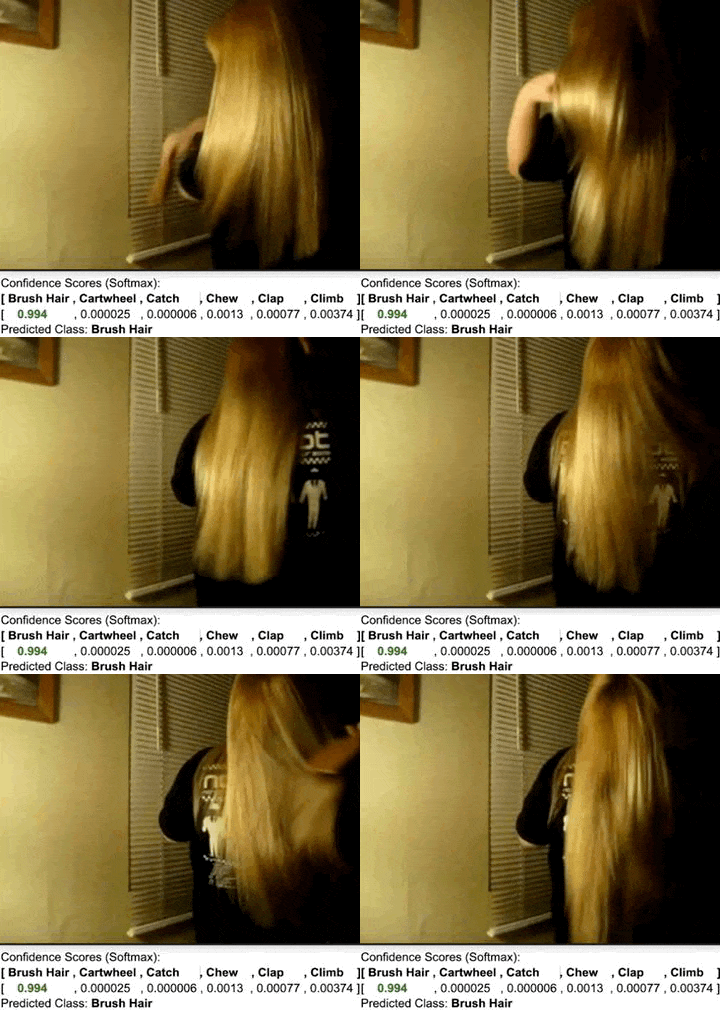
AutoVideo: An Automated Video Action Recognition System




AutoVideo is a system for automated video analysis. It is developed based on D3M infrastructure, which describes machine learning with generic pipeline languages. Currently, it focuses on video action recognition, supporting a complete training pipeline consisting of data processing, video processing, video transformation, and action recognition. It also supports automated tuners for pipeline search. AutoVideo is developed by DATA Lab at Rice University.
- Paper: https://arxiv.org/abs/2108.04212
- Demo Video: https://youtu.be/vXpRfsdt1a0
- Tutorial: [Towards Data Science] AutoVideo: An Automated Video Action Recognition System
- Related Project: TODS: Automated Time-series Outlier Detection System
There are some other video analysis libraries out there, but this one is designed to be highly modular. AutoVideo is highly extendible thanks to the pipeline language, where each module is wrapped as a primitive with some hyperparameters. This allows us to easily develop new modules. It is also convenient to perform pipeline search. We welcome contributions to enrich AutoVideo with more primitives. You can find instructions in Contributing Guide.

Cite this work
If you find this repo useful, you may cite:
Zha, Daochen, et al. "AutoVideo: An Automated Video Action Recognition System." arXiv preprint arXiv:2108.0421 (2021).
@article{zha2021autovideo,
  title={AutoVideo: An Automated Video Action Recognition System},
  author={Zha, Daochen and Bhat, Zaid and Chen, Yi-Wei and Wang, Yicheng and Ding, Sirui and Jain, Anmoll and Bhat, Mohammad and Lai, Kwei-Herng and Chen, Jiaben and Zou, Na and Hu, Xia},
  journal={arXiv preprint arXiv:2108.04212},
  year={2021}
}
Installation
Make sure that you have Python 3.6 and pip installed. Currently the code is only tested in Linux system. First, install torch and torchvision with
pip3 install torch
pip3 install torchvision
To use the automated searching, you need to install ray-tune and hyperopt with
pip3 install 'ray[tune]' hyperopt
We recommend installing the stable version of autovideo with pip:
pip3 install autovideo
Alternatively, you can clone the latest version with
git clone https://github.com/datamllab/autovideo.git
Then install with
cd autovideo
pip3 install -e .
Quick Start
To try the examples, you may download hmdb6 dataset, which is a subset of hmdb51 with only 6 classes. All the datasets can be downloaded from Google Drive. Then, you may unzip a dataset and put it in datasets. You may also try STGCN for skeleton-based action recogonition on kinetics36, which is a subset of Kinetics dataset with 36 classes.
Fitting and saving a pipeline
python3 examples/fit.py
Some important hyperparameters are as follows.
* --alg: the supported algorithm. Currently we support tsn, tsm, i3d, eco, eco_full, c3d, r2p1d, r3d, stgcn.
* --pretrained: whether loading pre-trained weights and fine-tuning.
* --gpu: which gpu device to use. Empty string for CPU.
* --data_dir: the directory of the dataset
* --log_dir: the path for sainge the log
* --save_path: the path for saving the fitted pipeline
In AutoVideo, all the pipelines can be described as Python Dictionaries. In examplers/fit.py, the default pipline is defined below.
config = {
    "transformation":[
        ("RandomCrop", {"size": (128,128)}),
        ("Scale", {"size": (128,128)}),
    ],
    "augmentation": [
        ("meta_ChannelShuffle", {"p": 0.5} ),
        ("blur_GaussianBlur",),
        ("flip_Fliplr", ),
        ("imgcorruptlike_GaussianNoise", ),
    ],
    "multi_aug": "meta_Sometimes",
    "algorithm": "tsn",
    "load_pretrained": False,
    "epochs": 50,
}
This pipeline describes what transformation and augmentation primitives will be used, and also how the multiple augmentation primitives are combined. It also specifies using TSN to train 50 epochs from scratch. The hyperparameters can be flexibly configured based on the hyperparameters defined in each primitive.
Loading a fitted pipeline and producing predictions
After fitting a pipeline, you can load a pipeline and make predictions.
python3 examples/produce.py
Some important hyperparameters are as follows.
* --gpu: which gpu device to use. Empty string for CPU.
* --data_dir: the directory of the dataset
* --log_dir: the path for saving the log
* --load_path: the path for loading the fitted pipeline
Loading a fitted pipeline and recogonizing actions
After fitting a pipeline, you can also make predicitons on a single video. As a demo, you may download the fitted pipeline and the demo video from Google Drive. Then, you can use the following command to recogonize the action in the video:
python3 examples/recogonize.py
Some important hyperparameters are as follows.
* --gpu: which gpu device to use. Empty string for CPU.
* --video_path: the path of video file
* --log_dir: the path for saving the log
* --load_path: the path for loading the fitted pipeline
Fitting and producing a pipeline
Alternatively, you can do fit and produce without saving the model with
python3 examples/fit_produce.py
Some important hyperparameters are as follows.
* --alg: the supported algorithm.
* --pretrained: whether loading pre-trained weights and fine-tuning.
* --gpu: which gpu device to use. Empty string for CPU.
* --data_dir: the directory of the dataset
* --log_dir: the path for saving the log
Automated searching
In addition to running them by yourself, we also support automated model selection and hyperparameter tuning:
python3 examples/search.py
Some important hyperparameters are as follows.
* --alg: the searching algorithm. Currently, we support random and hyperopt.
* --num_samples: the number of samples to be tried
* --gpu: which gpu device to use. Empty string for CPU.
* --data_dir: the directory of the dataset
Search sapce can also be specified as Python Dictionaries. An example:
search_space = {
    "augmentation": {
        "aug_0": tune.choice([
            ("arithmetic_AdditiveGaussianNoise",),
            ("arithmetic_AdditiveLaplaceNoise",),
        ]),
        "aug_1": tune.choice([
            ("geometric_Rotate",),
            ("geometric_Jigsaw",),
        ]),
    },
    "multi_aug": tune.choice([
        "meta_Sometimes",
        "meta_Sequential",
    ]),
    "algorithm": tune.choice(["tsn"]),
    "learning_rate": tune.uniform(0.0001, 0.001),
    "momentum": tune.uniform(0.9,0.99),
    "weight_decay": tune.uniform(5e-4,1e-3),
    "num_segments": tune.choice([8,16,32]),
}
Supported Action Recogoniton Algorithms
Supported Augmentation Primitives
We have adapted all the augmentation methods in imgaug to videos and wrap them as primitives. Some examples are as below. | Augmentation Method | Primitive Path | | :--------------------------------: | :------------------------------------------------------------------------------------------------------------------------------------------------------------------------: | | AddElementwise | autovideo/augmentation/arithmetic/AddElementwise_primitive.py | | Cartoon | autovideo/augmentation/artistic/Cartoon_primitive.py | | BlendAlphaBoundingBoxes | autovideo/augmentation/blend/BlendAlphaBoundingBoxes_primitive.py | | AverageBlur | autovideo/augmentation/blend/AverageBlur_primitive.py | | AddToBrightness | autovideo/augmentation/color/AddToBrightness_primitive.py | | AllChannelsCLAHE | autovideo/augmentation/contrast/AllChannelsCLAHE_primitive.py | | DirectedEdgeDetect | autovideo/augmentation/convolutional/DirectedEdgeDetect_primitive.py | | DirectedEdgeDetect | autovideo/augmentation/convolutional/DirectedEdgeDetect_primitive.py | | SaveDebugImageEveryNBatches | autovideo/augmentation/edges/SaveDebugImageEveryNBatches_primitive.py | | Canny | autovideo/augmentation/debug/Canny_primitive.py | | Fliplr | autovideo/augmentation/debug/Fliplr_primitive.py | | Affine | autovideo/augmentation/geometric/Affine_primitive.py | | Brightness | autovideo/augmentation/imgcorruptlike/Brightness_primitive.py | | ChannelShuffle | [autovideo/augmentation/meta/ChannelShuffl
Core symbols most depended-on inside this repo
construct_primitive_metadataShape
Languages
Modules by API surface
For agents
$ claude mcp add autovideo \
  -- python -m otcore.mcp_server <graph>