github.com/dariuszseweryn/RxAndroidBle @release-1.19.1-rxjava2+rxjava3
Chat with this repoBrowse by type
What it actually does AI analysis from the code graph — generated when you open this
README
RxAndroidBle 


Introduction
RxAndroidBle is a powerful painkiller for Android's Bluetooth Low Energy headaches. It is backed by RxJava, implementing complicated APIs as handy reactive observables. The library does for you:
- Fancy asynchronous operations support (read, write, notifications)
- Threading management in order to meet Android contracts
- Connection and operation error handling
For support head to StackOverflow #rxandroidble
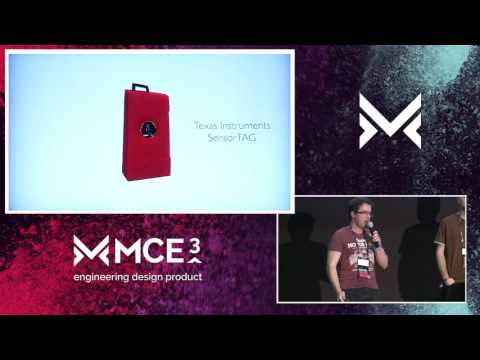
RxAndroidBLE @ Mobile Central Europe 2016
Getting Started
The first step is to include RxAndroidBle into your project.
Gradle
If you use Gradle to build your project — as a Gradle project implementation dependency:
implementation "com.polidea.rxandroidble3:rxandroidble:1.19.1"
or for RxJava 2 based artifact
implementation "com.polidea.rxandroidble2:rxandroidble:1.19.1"
Maven
If you use Maven to build your project — as a Maven project dependency:
<dependency>
  <groupId>com.polidea.rxandroidble3</groupId>
  <artifactId>rxandroidble</artifactId>
  <version>1.19.1</version>
  <type>aar</type>
</dependency>
or for RxJava 2 based artifact
<dependency>
  <groupId>com.polidea.rxandroidble2</groupId>
  <artifactId>rxandroidble</artifactId>
  <version>1.19.1</version>
  <type>aar</type>
</dependency>
Snapshot
If your are interested in cutting-edge build you can get a x.y.z-SNAPSHOT version of the library.
NOTE: Snapshots are built from the top of the master and develop branches and a subject to more frequent changes that may break the API and/or change behavior.
To be able to download it you need to add Sonatype Snapshot repository site to your build.gradle file:
maven { url "https://oss.sonatype.org/content/repositories/snapshots" }
Permissions
Android requires additional permissions declared in the manifest for an app to run a BLE scan since API 23 (6.0 / Marshmallow) and perform a BLE connection since API 31 (Android 12). RxAndroidBle provides a minimal set of commonly used bluetooth permissions for you in its AndroidManifest.xml. These permissions currently assume scanning is only used when the App is in the foreground, and that the App wants to derive the user's location from BLE signal (on API >= 23). Below are a number of additions you can make to your AndroidManifext.xml for your specific use case.
If you want to derive the user's location in your App
RxAndroidBle uses the uses-permission-sdk-23 tag to require location only on APIs >= 23, where it is required for BLE scanning. Additionally, in a future version of RxAndroidBle, these permissions will be restricted to only APIs 23-30. To ensure you can derive the user's location in your App with all API versions, and avoid any issues with merging of permissions when uploading to the Play Store, add the following to your AndroidManifest.xml:
<uses-permission-sdk-23 android:name="android.permission.ACCESS_FINE_LOCATION" tools:node="remove" />
<uses-permission android:name="android.permission.ACCESS_FINE_LOCATION" />
<uses-permission-sdk-23 android:name="android.permission.ACCESS_COARSE_LOCATION" tools:node="remove" />
<uses-permission android:name="android.permission.ACCESS_COARSE_LOCATION" />
If you do not want to derive user's location in your App
If you only want to scan for BLE peripherals and do not access location otherwise you can request only the required permissions by adding the following to your AndroidManifest.xml:
<uses-permission-sdk-23 android:name="android.permission.ACCESS_COARSE_LOCATION" android:maxSdkVersion="30" tools:node="replace" />
<uses-permission-sdk-23 android:name="android.permission.ACCESS_FINE_LOCATION" android:maxSdkVersion="30" tools:node="replace" />
If you want to scan in the background and support APIs 29 & 30
You should add the following to your AndroidManifest.xml:
<uses-permission android:name="android.permission.ACCESS_BACKGROUND_LOCATION" android:maxSdkVersion="30" />
If you want to access the user's location in the background on APIs > 30, remove the android:maxSdkVersion attribute.
If you want to derive the user's location from BLE scanning in API >= 31
API 31 (Android 12) introduced new Bluetooth permissions. RxAndroidBle uses the android:usesPermissionFlags="neverForLocation" attribute on the BLUETOOTH_SCAN permission, which indicates scanning will not be used to derive the user's location, so location permissions are not required. If you need to locate the user with BLE scanning, use this instead, but keep in mind that you will still need ACCESS_FINE_LOCATION:
<uses-permission android:name="android.permission.BLUETOOTH_SCAN" tools:node="replace" />
If you do not need to connect to peripherals
You can remove the BLUETOOTH_CONNECT permission that RxAndroidBle requests in APIs >= 31:
<uses-permission android:name="android.permission.BLUETOOTH_CONNECT" tools:node="remove" />
Summary of available permissions
Scanning
A summary of available runtime permissions used for BLE scanning:
| from API | to API (inclusive) | Acceptable runtime permissions |
|---|---|---|
| 18 | 22 | (No runtime permissions needed) |
| 23 | 28 | One of below: |
-
android.permission.ACCESS_COARSE_LOCATION -
android.permission.ACCESS_FINE_LOCATION| | 29 | 30 | -android.permission.ACCESS_FINE_LOCATION -
android.permission.ACCESS_BACKGROUND_LOCATION* | | 31 | current | -android.permission.BLUETOOTH_SCAN -
android.permission.ACCESS_FINE_LOCATION** |
* Needed if scan is performed in background
** Only needed if you want to obtain user's location with BLE scanning (BLUETOOTH_SCAN is not using neverForLocation attribute in your App)
Connecting
A summary of available runtime permissions used for BLE connections:
| from API | to API (inclusive) | Acceptable runtime permissions |
|:---:|:---:| --- |
| 18 | 30 | (No runtime permissions needed) |
| 31 | current | - android.permission.BLUETOOTH_CONNECT |
Usage
Obtaining the client
It's your job to maintain single instance of the client. You can use singleton, scoped Dagger component or whatever else you want.
RxBleClient rxBleClient = RxBleClient.create(context);
Turning the bluetooth on / off
The library does not handle managing the state of the BluetoothAdapter.
Direct managing of the state is not recommended as it violates the application user's right to manage the state of their phone. See Javadoc of BluetoothAdapter.enable() method.
It is the user's responsibility to inform why the application needs Bluetooth to be turned on and for ask the application's user consent.
It is possible to show a native activity for turning the Bluetooth on by calling:
Intent enableBtIntent = new Intent(BluetoothAdapter.ACTION_REQUEST_ENABLE);
int REQUEST_ENABLE_BT = 1;
context.startActivityForResult(enableBtIntent, REQUEST_ENABLE_BT);
Device discovery
Scanning devices in the area is simple as that:
Disposable scanSubscription = rxBleClient.scanBleDevices(
        new ScanSettings.Builder()
            // .setScanMode(ScanSettings.SCAN_MODE_LOW_LATENCY) // change if needed
            // .setCallbackType(ScanSettings.CALLBACK_TYPE_ALL_MATCHES) // change if needed
            .build()
        // add filters if needed
)
    .subscribe(
        scanResult -> {
            // Process scan result here.
        },
        throwable -> {
            // Handle an error here.
        }
    );

// When done, just dispose.
scanSubscription.dispose();
For devices with API <21 (before Lollipop) the scan API is emulated to get the same behaviour.
Observing client state
On Android it is not always trivial to determine if a particular BLE operation has a potential to succeed. e.g. to scan on Android 6.0 the device needs to have a BluetoothAdapter, the application needs to have a granted runtime permission for either ACCESS_COARSE_LOCATION or ACCESS_FINE_LOCATION, additionally Location Services need to be turned on.
To be sure that the scan will work only when everything is ready you could use:
Disposable flowDisposable = rxBleClient.observeStateChanges()
    .switchMap(state -> { // switchMap makes sure that if the state will change the rxBleClient.scanBleDevices() will dispose and thus end the scan
        switch (state) {

            case READY:
                // everything should work
                return rxBleClient.scanBleDevices();
            case BLUETOOTH_NOT_AVAILABLE:
                // basically no functionality will work here
            case LOCATION_PERMISSION_NOT_GRANTED:
                // scanning and connecting will not work
            case BLUETOOTH_NOT_ENABLED:
                // scanning and connecting will not work
            case LOCATION_SERVICES_NOT_ENABLED:
                // scanning will not work
            default:
                return Observable.empty();
        }
    })
    .subscribe(
        rxBleScanResult -> {
            // Process scan result here.
        },
        throwable -> {
            // Handle an error here.
        }
    );

// When done, just dispose.
flowDisposable.dispose();
Connection
For further BLE interactions the connection is required.
String macAddress = "AA:BB:CC:DD:EE:FF";
RxBleDevice device = rxBleClient.getBleDevice(macAddress);

Disposable disposable = device.establishConnection(false) // <-- autoConnect flag
    .subscribe(
        rxBleConnection -> {
            // All GATT operations are done through the rxBleConnection.
        },
        throwable -> {
            // Handle an error here.
        }
    );

// When done... dispose and forget about connection teardown :)
disposable.dispose();
Auto connect
From BluetoothDevice.connectGatt() Javadoc:
autoConnect boolean: Whether to directly connect to the remote device (false) or to automatically connect as soon as the remote device becomes available (true).
Auto connect concept may be misleading at first glance. With the autoconnect flag set to false the connection will end up with an error if a BLE device is not advertising when the RxBleDevice#establishConnection method is called. From platform to platform timeout after which the error is emitted differs, but in general it is rather tens of seconds than single seconds (~30 s).
Setting the auto connect flag to true allows you to wait until the BLE device becomes discoverable. The RxBleConnection instance won't be emitted until the connection is fully set up. From experience it also handles acquiring wake locks, so it's safe to assume that your Android device will be woken up after the connection has been established - but it is not a documented feature and may change in the future system releases. Unlike the native Android API, if autoConnect=true while using this library there will be NO attempts to automatically reconnect if the original connection is lost.
Be careful not to overuse the autoConnect flag. On the other side it has negative impact on the connection initialization speed. Scanning window and interval is lowered as it is optimized for background use and depending on Bluetooth parameters it may (and usually do) take more time to establish the connection.
Read / write operations
Read
device.establishConnection(false)
    .flatMapSingle(rxBleConnection -> rxBleConnection.readCharacteristic(characteristicUUID))
    .subscribe(
        characteristicValue -> {
            // Read characteristic value.
        },
        throwable -> {
            // Handle an error here.
        }
    );
Write
device.establishConnection(false)
    .flatMapSingle(rxBleConnection -> rxBleConnection.writeCharacteristic(characteristicUUID, bytesToWrite))
    .subscribe(
        characteristicValue -> {
            // Characteristic value confirmed.
        },
        throwable -> {
            // Handle an error here.
        }
    );
Multiple reads
device.establishConnection(false)
    .flatMap(rxBleConnection -> Single.zip(
        rxBleConnection.readCharacteristic(firstUUID),
        rxBleConnection.readCharacteristic(secondUUID),
        YourModelCombiningTwoValues::new
    ))
    .subscribe(
        model -> {
            // Process your model.
        },
        throwable -> {
            // Handle an error here.
        }
    );
Long write
```java device.establishConnection(false) .flatMap(rxBleConnection -> rxBleConnection.createNewLongWriteBuilder() .setCharacteristicUuid(uuid) // required or the .setCharacteristic() // .setCharacteristic() alternative if you have a specific Bluetooth
Extension points exported contracts — how you extend this code
browse all types & interfaces →
Core symbols most depended-on inside this repo
Shape
Languages
Modules by API surface
For agents
$ claude mcp add RxAndroidBle \
  -- python -m otcore.mcp_server <graph>