hub / github.com/d3george/slash-admin
github.com/d3george/slash-admin @main
Chat with this repo
579 symbols
1,558 edges
279 files
⚖ MIT
2 documented · 0%
35 cross-repo links
● updated 2mo ago★ 3,00811 open issues
Browse by type
What it actually does AI analysis from the code graph — generated when you open this
loading…
README

Slash Admin
  Slash Admin 是一款现代化的后台管理模板,基于 React 19、Vite、shadcn/ui 和 TypeScript 构建。它旨在帮助开发人员快速搭建功能强大的后台管理系统。


<a href="https://admin.slashspaces.com/">Preview</a>
·
<a href="https://discord.gg/fXemAXVNDa">Discord</a>
·
<a href="https://docs-admin.slashspaces.com/">Document</a>


<a href="https://trendshift.io/repositories/6387" target="_blank"><img src="https://trendshift.io/api/badge/repositories/6387" alt="d3george%2Fslash-admin | Trendshift" style="width: 250px; height: 55px;" width="250" height="55"/></a>
中文 | English
赞助


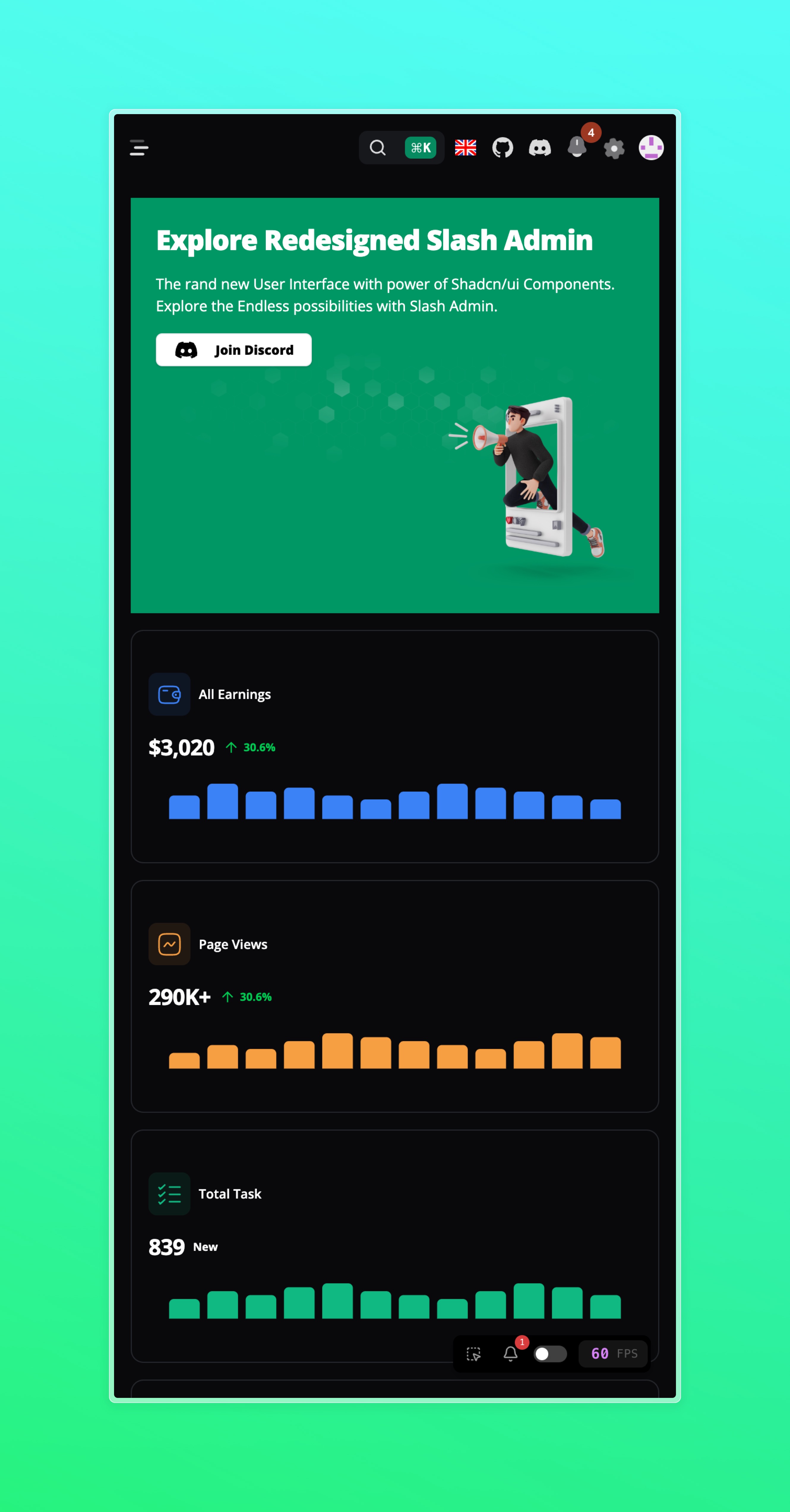
预览
- https://admin.slashspaces.com/
 |
 |
|---|---|
 |
 |
| ## 特性 |
- 使用 React 19 hooks 进行构建。
- 基于 Vite 进行快速开发和热模块替换。
- 集成 shadcn/ui,提供丰富的 UI 组件和设计模式。
- 使用 TypeScript 编写,提供类型安全性和更好的开发体验。
- 响应式设计,适应各种屏幕尺寸和设备。
- 灵活的路由配置,支持多级嵌套路由。
- 集成权限管理,根据用户角色控制页面访问权限。
- 集成国际化支持,轻松切换多语言。
- 集成常见的后台管理功能,如用户管理、角色管理、权限管理等。
- 可定制的主题和样式,以满足您的品牌需求。
- 基于 MSW 和 Faker.js 的Mock方案
- 使用 Zustand 进行状态管理
- 使用 React-Query 进行数据获取
快速开始
获取项目代码
git clone https://github.com/d3george/slash-admin.git
安装依赖
在项目根目录下运行以下命令安装项目依赖:
pnpm install
启动开发服务器
运行以下命令以启动开发服务器:
pnpm dev
访问 http://localhost:3001 查看您的应用程序。
构建生产版本
运行以下命令以构建生产版本:
pnpm build
Git贡献提交规范
feat新功能fix修复bugdocs文档注释style代码格式(不影响代码运行的变动)refactor重构perf性能优化revert回滚committest测试相关chore构建过程或辅助工具的变动ci修改CI配置、脚本types类型定义文件修改wip开发中
Extension points exported contracts — how you extend this code
Props (Interface)
* ScrollProgress 组件属性接口 * @interface Props * @extends {HTMLMotionProps<"div">} - 继承自 Framer Motion 的 div 元素属性 * @prop
src/components/animate/scroll-progress/scroll-progress.tsx
ImportMetaEnv (Interface)
(no doc)
src/vite-env.d.ts
RouteMeta (Interface)
(no doc)
src/types/router.ts
Window (Interface)
(no doc)
src/utils/highlight.ts
BreadCrumbProps (Interface)
(no doc)
src/layouts/components/bread-crumb.tsx
ThemeProviderProps (Interface)
(no doc)
src/theme/theme-provider.tsx
browse all types & interfaces →
Core symbols most depended-on inside this repo
Shape
Languages
TypeScript100%
Modules by API surface
src/ui/sidebar.tsx25 symbols
src/ui/dropdown-menu.tsx15 symbols
src/ui/select.tsx10 symbols
src/ui/drawer.tsx10 symbols
src/ui/dialog.tsx10 symbols
src/types/enum.ts10 symbols
src/ui/sheet.tsx9 symbols
src/ui/command.tsx9 symbols
src/types/entity.ts9 symbols
src/pages/sys/others/kanban/index.tsx9 symbols
src/pages/sys/others/calendar/index.tsx9 symbols
src/store/userStore.ts8 symbols
Dependencies from manifests, versioned
@ant-design/cssinjs1.22.0 · 1×
@biomejs/biome2.1.3 · 1×
@commitlint/cli17.8.1 · 1×
@commitlint/config-conventional17.8.1 · 1×
@dnd-kit/core6.3.1 · 1×
@dnd-kit/sortable10.0.0 · 1×
@dnd-kit/utilities3.2.2 · 1×
@faker-js/faker8.4.1 · 1×
@fontsource-variable/inter5.1.0 · 1×
@fontsource-variable/open-sans5.1.0 · 1×
@fullcalendar/core6.1.15 · 1×
@fullcalendar/daygrid6.1.15 · 1×
For agents
$ claude mcp add slash-admin \
  -- python -m otcore.mcp_server <graph>