github.com/crust-gather/crust-gather @v0.15.2
Chat with this repoWhat it actually does AI analysis from the code graph — generated when you open this
README
crust-gather
Description
crust-gather is a kubectl plugin that provides functionality, which allows to collect full or partial cluster state and serve it via an api server.
Some key features:
- Collect all available resources across the cluster.
- Collect container logs.
- Collect node kubelet logs.
- Resource collection is parallel, with exponential backoff retry and configurable timeout.
- Filter collected resources based on regexes, include/excludes, namespaces, groups or kinds.
- Advanced filters can be specified by CLI flags, configuration files or fetched from
ConfigMapvia--config-map. - Collect snapshot from kubeconfig stored in the cluster via
--kubeconfig-secret-nameor--kubeconfig-secret-label. - Display events in an HTML table with filtering capabilities.
- Store data in a zip/tar.gz archive.
- Store archive in an OCI image.
- Hide out secret data, by providing environment keys with values to exclude during processing, or a
secretsfile. - Browse cluster snapshot with kubectl/k9s, via a local web server.
- Serve OCI snapshot directly as kubernetes-like API server, without downloading the archive locally.
- Collect cluster snapshot or multiple cluster snapshots in github actions workflow artifact and serve it via
crust-gather serve(Demo).
Headlamp demo

MCP Demo
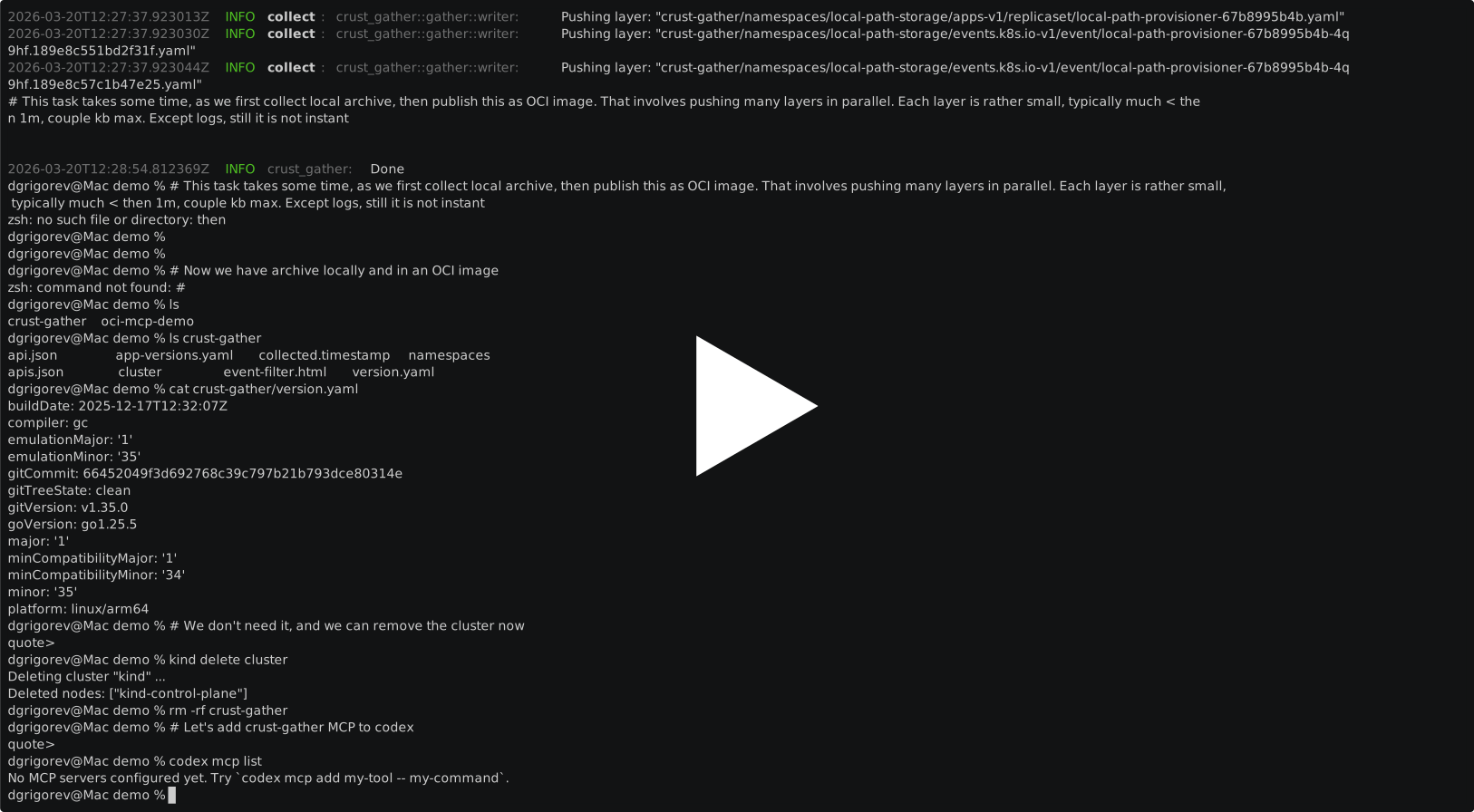
Collection demo

Helm charts demo

In-cluster collection with helm
The Helm chart allows to run crust-gather as a one-shot Job inside the cluster. A common use case is collecting the current cluster state and pushing it to an OCI image.
Example:
helm upgrade --install crust-gather oci://ghcr.io/crust-gather/crust-gather \
  --set reference=ttl.sh/my-cluster-snapshot:1h
After helm install completes, the OCI archve can be served directly from a docker container:
docker run --rm -i -p 9095:9095 \
  -v "${KUBECONFIG:-$HOME/.kube/config}:/home/nonroot/.kube/config:rw" \
  ghcr.io/crust-gather/crust-gather serve -r ttl.sh/my-cluster-snapshot:1h &
After which any kubectl command will access the OCI archive directly, until serving is stopped
> kubectl get ns
NAME                 STATUS   AGE
local-path-storage   Active   8h
kube-public          Active   8h
kube-node-lease      Active   8h
kube-system          Active   8h
default              Active   8h
Github Actions artifact serving
One of the QoL features crust-gather provides is an ability to collect cluster snapshots during CI workflow run and serve the content like a k8s cluster after the originating cluster is removed. It can serve any number of clusters simulaniously, each cluster stored under separate context.
Easy to use version of this provided via nix shell script, which includes artifact download and crust-gather installation:
# Requires GITHUB_TOKEN to be set
./serve-artifact.sh --owner rancher-sandbox --repo cluster-api-provider-rke2 --artifact_id 1461387168 &
# alternatively, if you have an artifact link
./serve-artifact.sh -u https://github.com/rancher-sandbox/cluster-api-provider-rke2/actions/runs/8923331571/artifacts/1467008322 &
kubectl get ns
NAME
capd-system
capi-system
...
Prerequisites
Depending on the installation type, there might be needed:
Usage
The plugin can be installed with krew and used as follows:
kubectl krew install crust-gather

kubectl crust-gather --help
Alternatively, it can be installed standalone via install.sh script:
curl -sSfL https://github.com/crust-gather/crust-gather/raw/main/install.sh | sh

crust-gather --help
Or used with nix:
nix shell github:crust-gather/crust-gather

kubectl-crust-gather --help
MCP
crust-gather can also run as an MCP server over stdio:
crust-gather mcp
This exposes the cluster collection and archive serving flows as MCP tools, so an MCP client can:
- collect an archive from a kubeconfig and optional context
- collect and push an archive to an OCI registry
- start serving an existing archive in the background
- start serving directly from an OCI registry in the background
- check serving status
- stop the current background serving task
The purpose of mcp server is to simply give LLM knowledge about the tool's existence and the availability to use it when it seems fit. Written by machine, meant for machine.
MCP tools
collect_archive- collect a cluster snapshot into a local archive path.collect_oci- collect a cluster snapshot and push it to an OCI registry.serve_archive- start the existingcrust-gather serveAPI in the background from a local archive.serve_oci- start the existingcrust-gather serveAPI in the background from an OCI image, without downloading the archive locally.serving_status- report whether a background serve task is active.stop_serving- stop the current background serve task.
Selectors and redaction
MCP collection tools accept the same selector model as the CLI, using regex-capable include and exclude lists for:
- namespaces
- kinds
- API groups or
group/kind - resource names
- selectors based on labels or annotations
Redaction can be provided in two ways:
secret_values: literal secret strings to scrub from collected datasecrets_file: a file containing one secret per line
Both are applied before data is stored in the resulting archive.
MCP setup example
Example stdio MCP configuration that runs crust-gather from Docker and publishes the serve API port so kubeconfigs returned by serve_archive or serve_oci can be used from outside the container:
{
  "mcpServers": {
    "crust-gather": {
      "command": "docker",
      "args": [
        "run",
        "--rm",
        "-i",
        "-p",
        "9095:9095",
        "-v",
        "/tmp:/tmp:rw",
        "ghcr.io/crust-gather/crust-gather",
        "mcp"
      ],
    }
  }
}
Equivalent Codex CLI command:
codex mcp add crust-gather -- docker run --rm -i -p 9095:9095 -v "/tmp:/tmp:rw" ghcr.io/crust-gather/crust-gather mcp
Simpler local-binary example:
codex mcp add crust-gather -- crust-gather mcp
Using with kubectl ai
crust-gather works well with the kubectl ai plugin because the serve flow exposes a read-only Kubernetes-like API. Here is a command for using kubectl ai with a local model:
kubectl crust-gather serve &
kubectl ai --llm-provider ollama --model gemma4:26b --enable-tool-use-shim --skip-permissions
This lets kubectl ai inspect the collected snapshot without requiring access to the original cluster. The quality of the interaction depends on the model.
Testing
To run tests locally:
cargo t
Extension points exported contracts — how you extend this code
Collect (Interface)Core symbols most depended-on inside this repo
collectShape
Languages
Modules by API surface
For agents
$ claude mcp add crust-gather \
  -- python -m otcore.mcp_server <graph>