hub / github.com/crowdin/crowdin-cli
github.com/crowdin/crowdin-cli @4.14.3
Chat with this repo
2,344 symbols
11,638 edges
448 files
23 documented · 1%
What it actually does AI analysis from the code graph — generated when you open this
loading…
README
<img width="150" height="150" src="https://support.crowdin.com/assets/logos/symbol/png/crowdin-symbol-cDark.png">
Crowdin CLI 

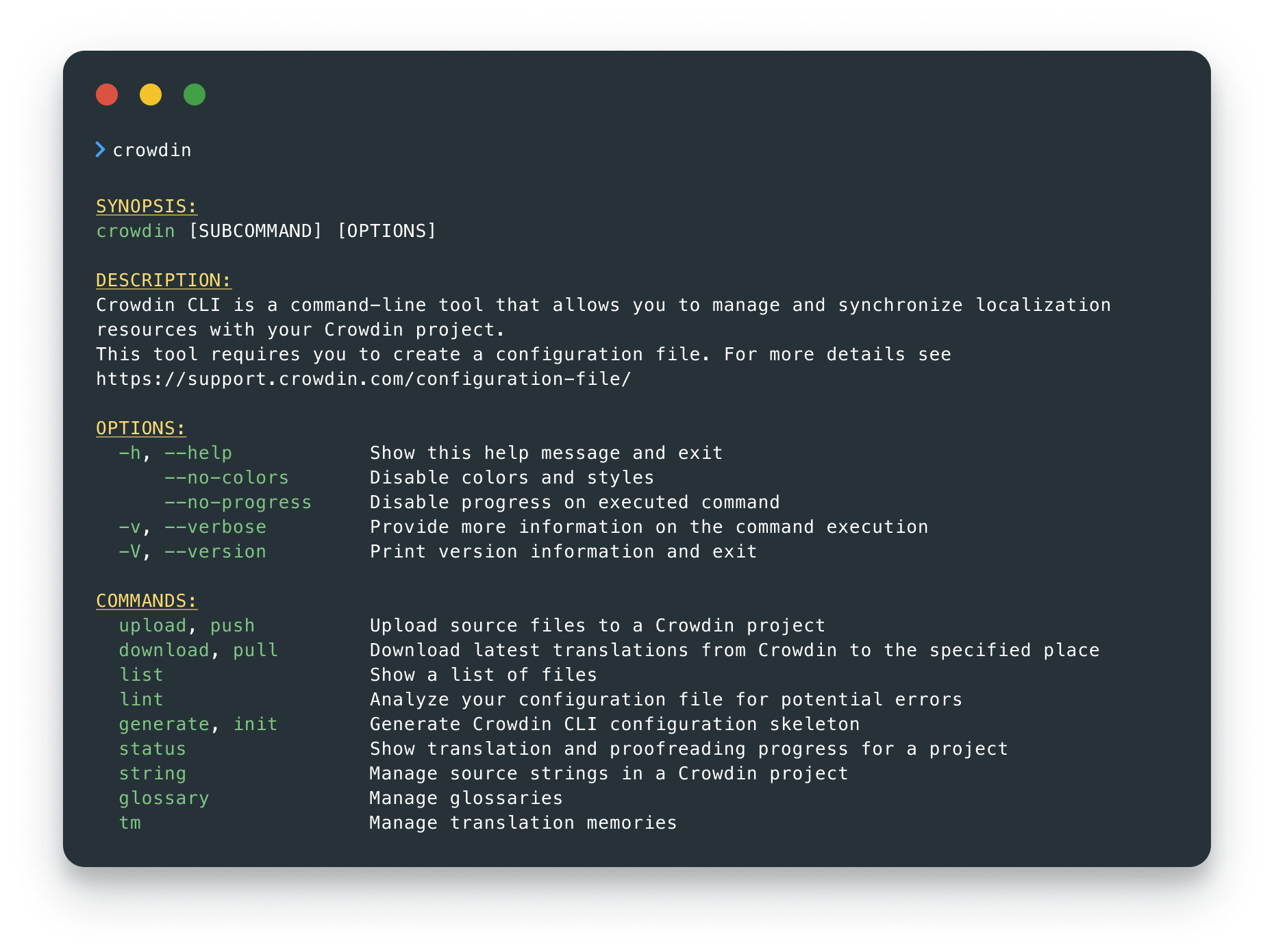
Crowdin CLI is a command line tool that allows you to manage and synchronize your localization resources with your Crowdin project. Using CLI, you can:
- automate the process of updating your source files in your Crowdin project
- download translations from Crowdin and automatically save them in the correct locations
- upload all your existing translations to Crowdin in minutes
- manage your localization resources without leaving the terminal
- integrate Crowdin CLI with GitHub, GitLab, Jenkins, CircleCI, and other software
It is cross-platform and runs in a terminal on Linux-based and macOS operating systems, or in the command prompt on Windows.
Docs |
Configuration File |
Getting started with CLI











[
](https://crowdin.com)
Usage
Visit the documentation for more details.
Seeking Assistance and Contributing
If you find any problems or would like to suggest a feature, please read the How can I contribute section in our contributing guidelines.
License
The Crowdin CLI is licensed under the MIT License.
See the LICENSE file distributed with this work for additional
information regarding copyright ownership.

Except as contained in the LICENSE file, the name(s) of the above copyright
holders shall not be used in advertising or otherwise to promote the sale,
use or other dealings in this Software without prior written authorization.
Extension points exported contracts — how you extend this code
NewAction (Interface)(no doc) [65 implementers]
src/main/java/com/crowdin/cli/commands/NewAction.java
Properties (Interface)
(no doc) [3 implementers]
src/main/java/com/crowdin/cli/properties/Properties.java
ClientLabel (Interface)
(no doc) [2 implementers]
src/main/java/com/crowdin/cli/client/ClientLabel.java
ClientComment (Interface)
(no doc) [2 implementers]
src/main/java/com/crowdin/cli/client/ClientComment.java
ClientTm (Interface)
(no doc) [2 implementers]
src/main/java/com/crowdin/cli/client/ClientTm.java
Core symbols most depended-on inside this repo
getcalled by 393
src/main/java/com/crowdin/cli/utils/http/ServerSocketFactory.java
format
called by 387
src/main/java/com/crowdin/cli/commands/Outputter.java
println
called by 284
src/main/java/com/crowdin/cli/commands/Outputter.java
downloadFullProject
called by 271
src/main/java/com/crowdin/cli/client/ProjectClient.java
normalizePath
called by 262
src/main/java/com/crowdin/cli/utils/Utils.java
getDefault
called by 221
src/main/java/com/crowdin/cli/commands/Outputter.java
getProjectId
called by 188
src/main/java/com/crowdin/cli/client/CrowdinProject.java
withIcon
called by 151
src/main/java/com/crowdin/cli/utils/console/ExecutionStatus.java
Shape
Languages
Java100%
Modules by API surface
src/main/java/com/crowdin/cli/client/CrowdinProjectClient.java67 symbols
src/main/java/com/crowdin/cli/commands/actions/CliActions.java63 symbols
src/main/java/com/crowdin/cli/commands/Actions.java63 symbols
src/main/java/com/crowdin/cli/client/ProjectClient.java62 symbols
src/test/java/com/crowdin/cli/commands/actions/CliActionsTest.java42 symbols
src/main/java/com/crowdin/cli/properties/PropertiesBuilder.java36 symbols
src/test/java/com/crowdin/cli/client/CrowdinProjectClientTest.java30 symbols
src/main/java/com/crowdin/cli/commands/functionality/RequestBuilder.java29 symbols
src/main/java/com/crowdin/cli/utils/Utils.java24 symbols
src/test/java/com/crowdin/cli/utils/UtilsTest.java22 symbols
src/test/java/com/crowdin/cli/commands/actions/DownloadActionTest.java22 symbols
src/main/java/com/crowdin/cli/client/CrowdinProject.java22 symbols
For agents
$ claude mcp add crowdin-cli \
  -- python -m otcore.mcp_server <graph>