github.com/crespohector/welcome-to-mod-7 @main
Chat with this repoBrowse by type
What it actually does AI analysis from the code graph — generated when you open this
README
Module 7: Welcome Starter Pack
Welcome to Module 7! This repo is meant to hold convenient links for you to use during your capstone projects, and to give a summarized compilation of project requirements. Note this is a living document, things will be continuously changed and updated as needed but capstone requirements WILL NOT change.
⚠️ IMPORTANT NOTE: If you are checking this out before your first capstone week officially begins please make sure you are keeping your pre-capstone project your top priority. All of this should be considered secondary until that project is done.
Table of Contents
- Capstone Project Requirements
- Capstone Minimum Required Error Messages
- The Big Picture
- Mental Health Resources
- Module 7 Calendar
- Cheating
- Phase 1 - Project Approval
- Capstone Project Proposals
- GitHub Wiki Documentation Example Links
- Project Proposal Form
- Projects We've Seen Go Well
- Project We've Seen Students Struggle With
- Projects that are not allowed
- Using External Packages
- List of Approved NPM Packages
- Question Emoji System
- Good Question Template
- Good Question Template
- Helpful Development Links
- Phase 2.5 - Peer Review
- Phase 3 - Feature Reviews & Final Grade
- Feature Reviews
- Review Your Scorecard
- Test Test Test Your Features
- Final Grade
- Future Goals After Capstone
- What Should Be In A Readme
- About Me Links
- How to keep your website alive
Capstone Project Requirements
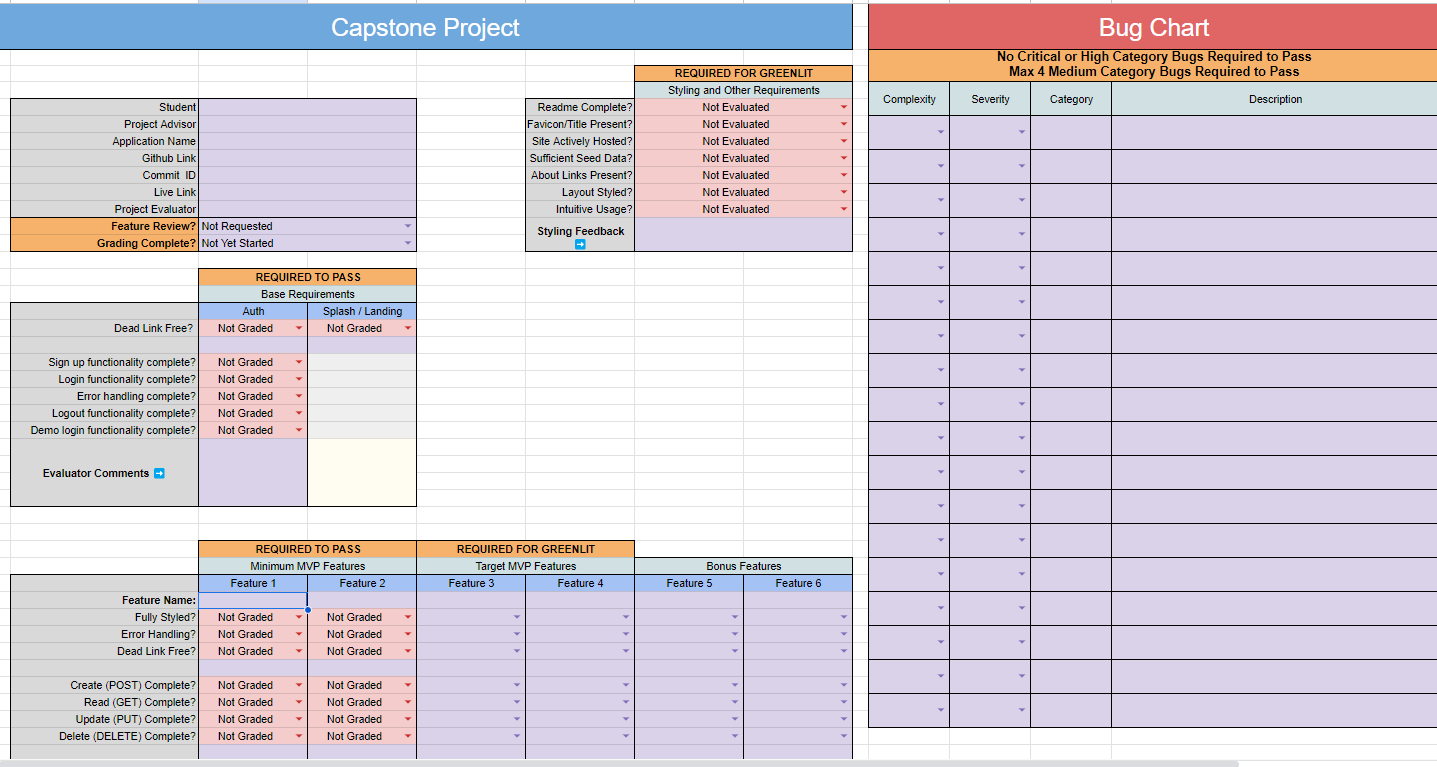
Projects must have a minimum of 2 working CRUD features and base requirements (User Auth) completed by final grade (W23 D1). Only the live site will be used for grading.
Ex. Project: Airbnb - Users (Auth): Create, Read 1. Listings: Create, Read, Update, Destroy 2. Bookings: Create, Read, Destroy (Not Editable) 3. Reviews: Create, Read, Update, Destroy 4. Ratings: Create, Read (Not Editable, Destroyed with Reviews) 5. Bonus Search: Backend Fetch w/ Params (ideal), Frontend filtering. 6. Bonus Google API: Integration
The first feature has to be full CRUD. and the second feature can be 3/4 CRUD or full CRUD. In the example above, the bookings feature has the create, read, and Delete. Ideally, update and delete perform the same action so this feature would be considered 3/4 CRUD.
Error Validations
A User should NOT be allowed to update or submit a form with blank or null input fields that are assumed to be required. All input fields within a form are assumed to be required and tested as such. If certain fields within a form are not required, then all required fields must be marked by a different CSS style or an asterisk (*) next to the label to indicate a required field.
Please refer to the Error Validations Repo for more examples. Required Error Messages
Prepopulating Data For the Update Form
When a User goes to Edit/Update a resource, the edit form must be prepopulated with the previous data. Using the "placeholder" attribute will not be accepted by itself. You must be able to dynamically update the value of the input field. This will create a smoother UX for recruiters to look at.
The Big Picture
The Capstone Project is an assessment to test your programming and software engineering skills. The ideal expectation is to have a completed MVP (minimum viable product) application done by W22D2, then use the remaining time to refactor to include additional features and/or polish the user interface and improve the user experience. The long-term goal is to present our best work to recruiters to demonstrate our technical abilities.
Remember, a minimum viable product (MVP) is the absolute least you can put out that is also a usable product. For your capstone project, this means 2 fully functional CRUD features with validation error messages that are intuitive and simple to use by someone who has never seen the app before.
We want to make sure we are completing ONE FEATURE before moving on to the next. This feature-driven approach can be seen as an agile workflow, whereas the waterfall approach can be seen as completing one phase at a time before moving on to the next phase. Agile is an iterative approach where we deliver goals in small incremental amounts. An example of a waterfall workflow would be working on the entire backend first for all features then working on the frontend.
Students should have a clear road map during the planning phase of what should be the MVPs for their capstone project.
The end goal is to have 4 features working. After graduation, to be greenlit you will need to have at least 3 features and the Greenlit requirements done in the scorecard. You will have additional time to work on your projects during post-graduation however, it is ideal to shoot for completing the Greenlit requirements early on.
A Quick Overview of Project Development Expectations
Based on the pie chart below is a rough estimation of what a typical day for a software developer can look like. This can vary based on the company and the role, but ideally, you may be spending less than half a day on solely coding. The typical day-to-day basis during capstone weeks will be attending morning standups, engaging in peer reviews, and coding.
Mental Health Resources
Taking care of our mental health is an important aspect of our life. Please make sure to take breaks, meditate, sleep, or go for a walk outside to do what's best for you to reduce stress. Here are some resources provided that can be informative.
- Imposter Syndrome
- Programmer Imposter Syndrome
- Anxiety
- Academic Burnout: How to Prevent it and What to Do
- Avoiding Burnout
Google Calendar
This calendar is a great resource to know what the day-to-day basis will look like. There should be a "+" button at the bottom right corner, please add this calendar to your own Google Calendar. - Module 7 Calendar Link
Cheating
Students plagiarising another student's source code will be dismissed. This is an assessment to utilize the knowledge gained from the previous modules to build what you have learned.
Camera Etiquacy
Students MUST have their cameras on during live lectures in Module 7, including during the Career Quest. Students who have their cameras off, are AFK/not present, or do not show their full face in the camera view, will receive a strike. Students who need to step away from the camera for a brief moment, please use the coffee reaction emoji on Zoom that says "I'm away". Students who need to be away from the camera for more than 15 minutes, please communicate with the staff. Students who may need to be cameras off for any special circumstance, please reach out to the Module 7 Staff.
Some Useful Development Links
- Flask Project Starter
- Express Project Starter Frontend (authenticate me)
- Express Project Starter Backend (authenticate me)
- Flask-SQLAlchemy Quick Reference
- Flask AWS S3 for Image Uploads - a/a Open --> Week 21 Career Quest I --> Solo Project --> AWS s3 (Recall: Python-Flask)
- Express AWS S3 for Image Uploads
- Flask Websockets for Chat Features
- Easy Modals Using React Context!
- Using the spread operator
- low-level and high-level wireframes
- Serialization Volume 1: JSON vs Multipart
- Considerations for a Pleasant User Experience (including pre-population of Edit Form when using image uploads)
Phase 1 - Project Approval
Capstone Project Proposals
All students should have a target website they will clone or use for inspiration. You must submit the Google Project Proposal Form and get ap
Core symbols most depended-on inside this repo
Shape
Languages
Modules by API surface
For agents
$ claude mcp add welcome-to-mod-7 \
  -- python -m otcore.mcp_server <graph>